Rev 0.2 Draft
6
Multi-Area Shielding
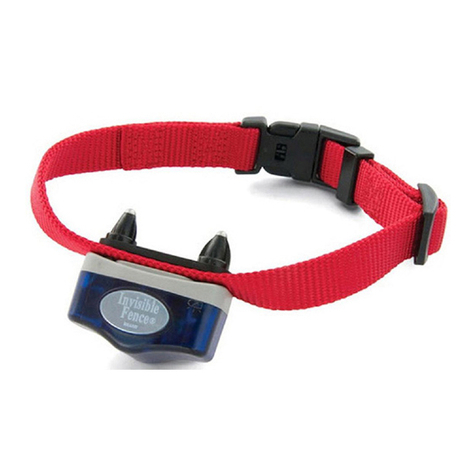
Your Shields™transmitter and the Titanium
Computer Collar®unit are preset to operate
on Channel 1 (CH.1). For homes with two or
more pets, this setting is usually sufficient, as
long as all pets are required to avoid the
same shielded areas, like keeping all pets
out of the kitchen, away from the trash, off
the sofa, etc.
In some multi-pet homes, it may be desired
to allow one pet access to an area while
denying access to another.
When set to Channel 1 (CH.1), Shields™
denies access to pets wearing a Titanium
Computer Collar®unit programmed to
Channel 1.
When set to Channel 2 (CH.2), Shields™
denies access to pets wearing a Titanium
Computer Collar®unit programmed to
Channel 2.
When set to Channel 1 (CH.1) and Channel
2 (CH.2), Shields™denies access to all pets
wearing a Titanium Computer Collar®unit.
Changing from single to multi-area
shielding:
This section describes the procedures for
changing the transmitter and Titanium
Computer Collar®unit shielding settings.
Three examples are provided:
• Channel 1 to Channel 2
• Channel 2 to Channel 1
• Channel 1 or Channel 2 to
Channels 1 and 2
IMPORTANT: These steps will reprogram
any Titanium Computer Collar®unit that is
within ten feet of the Shields™transmitter.
You may use this procedure to program mul-
tiple Titanium Computer Collars®units at
once. Make sure any Titanium Computer
Collar®unit you do not wish to program is
over ten feet from the Shields™transmitter or
has the Power Cap®battery removed. DO
NOT perform this procedure while the
Titanium Computer Collar®unit is on the pet.
The Shields™transmitter and the Titanium
Computer Collar®unit are both pre-pro-
grammed to Channel 1 (CH.1). The status
bar should indicate this. To re-program the
transmitter and the Titanium Computer
Collar®unit, place the Shields™transmitter
about six inches away from the Titanium
Computer Collar®unit and follow the instruc-
tions below. Read the instructions thoroughly
before changing the Channel setting.
To change from Channel 1 (CH.1) to the
Channel 2 (CH.2) setting:
1. Make sure the unit is off
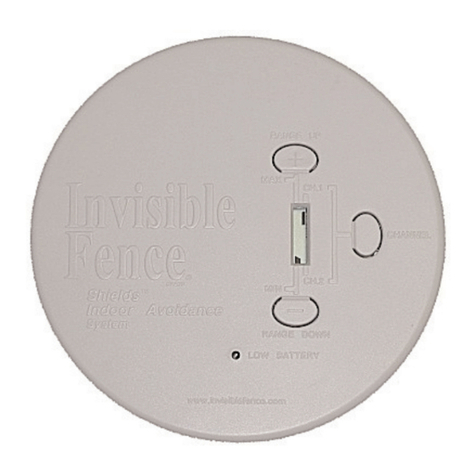
2. Press and hold the CHANNEL button
until the status bar appears next to
Channel 1.
3. Press and release the Channel
button two times. The status
bar will now appear next to
Channel 2 (shown at right).
4. To program the Titanium
Computer Collar®unit and the Shields™
transmitter to Channel 2, hold the
Channel button down until the light on the
Titanium Computer Collar®unit flashes
green.
5. Release the Channel Button.
6. Shields™is now set to only activate
Titanium Computer Collar®units set to
Channel 2.
7. Verify the CHANNEL selections by
repeating Step 3 (Verify Range) in the
Quick Start Guide.
To change from Channel 2 (CH.2) to the
Channel 1 (CH.1) setting:
1. Make sure the unit is off
2. Press and hold the CHANNEL button
until the status bar appears next to
Channel 2.