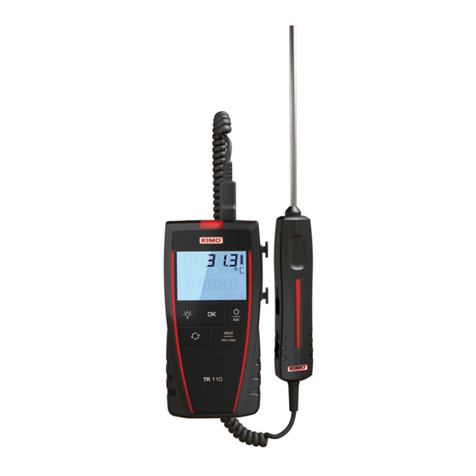
Kimo TR 61 User manual

Pt100 thermometers
TR 61 – TR 62
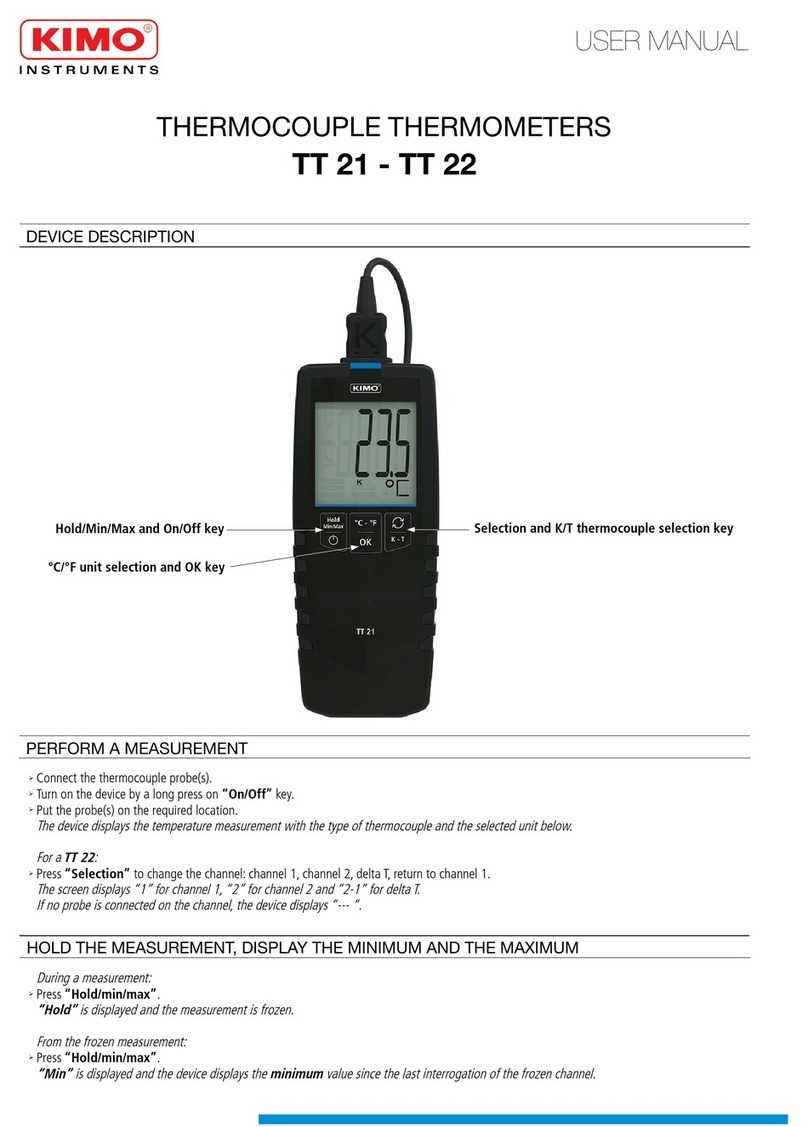
DEVICE DESCRIPTION
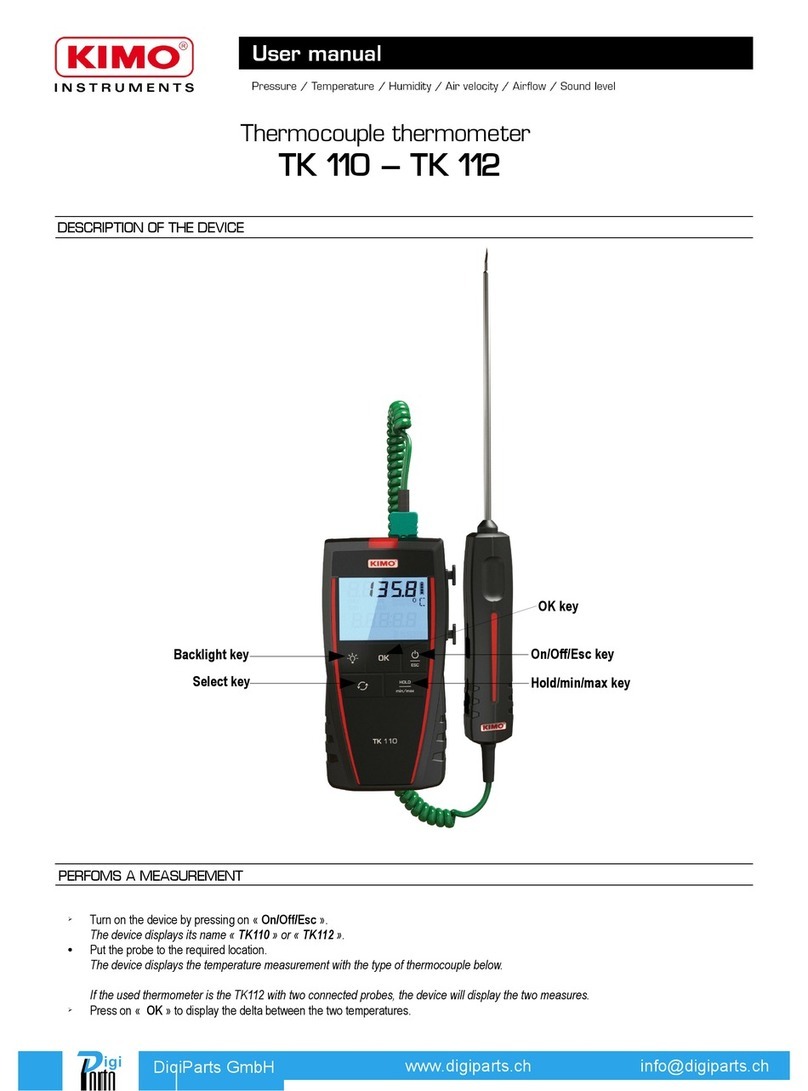
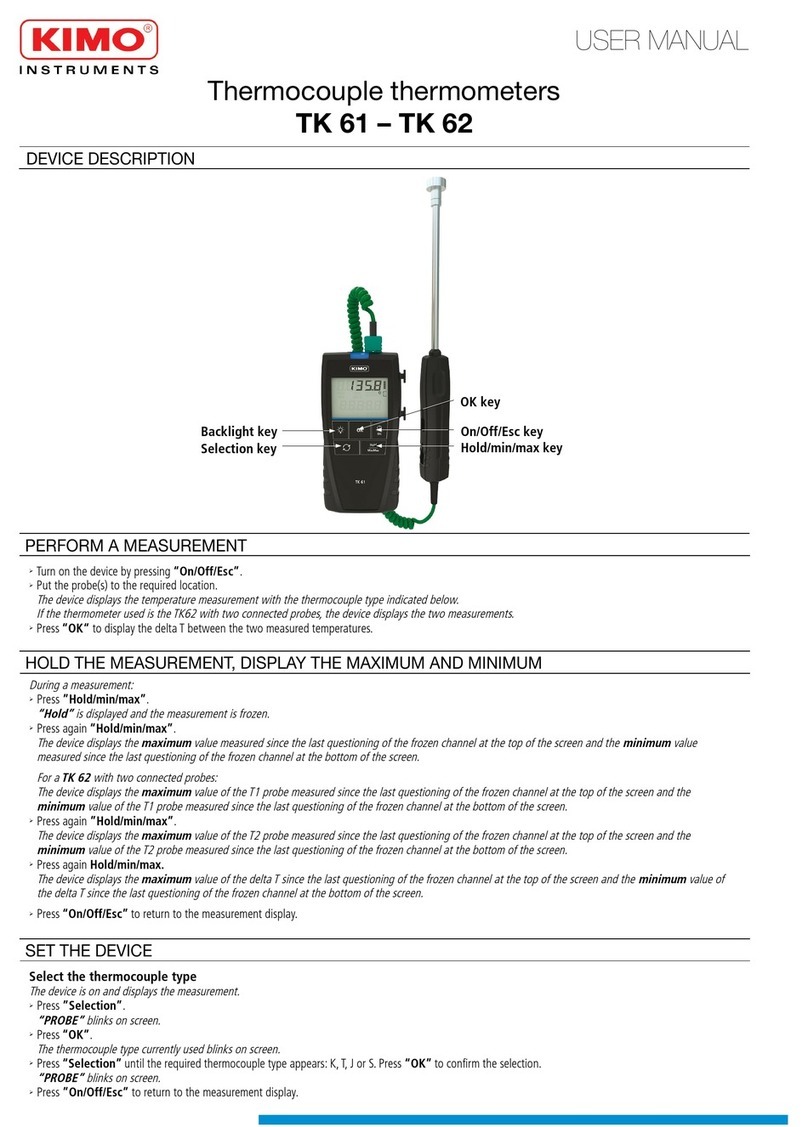
OK key
Hold/min/max key
Selection key
Backlight key On/Off/Esc key
➢Turn the device on by pressing“On/Off/Esc”.
➢Put the probe(s) to the required location.
The device displays the temperature measurement.
If the thermometer used is the TR6 with two connected probes, the device will display the two measurements.
➢Press “OK“ to display the delta T between the two measured temperatures.
PERFORM A MEASUREMENT
During a measurement:
➢Press “Hold/min/max”.
“Hold” is displayed and the measurement is frozen.
➢Press again “Hold/min/max”.
The device displays the maximum value measured since the last questioning of the frozen channel at the top of the screen and the minimum value
measured since the last questioning of the frozen channel at the bottom of the screen.
For a TR 6 with two connected probes:
The device displays the maximum value of the C1 probe measured since the last questioning of the frozen channel at the top of the screen and the
minimum value of the C1 probe measured since the last questioning of the frozen channel at the bottom of the screen.
➢Press again ”Hold/min/max”.
The device displays the maximum value of the C probe measured since the last questioning of the frozen channel at the top of the screen and the
minimum value of the C probe measured since the last questioning of the frozen channel at the bottom of the screen.
➢Press again Hold/min/max.
The device displays the maximum value of the delta T since the last questioning of the frozen channel at the top of the screen and the minimum value of
the delta T since the last questioning of the frozen channel at the bottom of the screen.
➢Press “On/Off/Esc” to return to the measurement display.
HOLD THE MEASUREMENT, DISPLAY THE MAXIMUM AND MINIMUM
USER MANUAL

NTang – TR61 - TR6 – 01/06/17 – RCS ( 4) Périgueux 349 8 095 Non-contractual document – We reserve the right to modify the characteristics of our products without prior notice.
SET THE DEVICE
Once returned to KIMO, required waste collection will be assured in the respect of the environment in accordance to 00 /96/CE guidelines relating to WEEE
Select the temperature unit
The device is on and displays the measurement.
➢Press “Selection” until “UNIT” blinks on screen. Press “OK”.
The unit currently used blinks on screen.
➢Press “Selection” until the required unit appears: °C or °F.
➢Press “OK” to confirm the unit selection.
“UNIT” blinks on screen.
➢Press ”On/Off/Esc” to return to the measurement display.
Activate or deactivate the keys beep
The device is on and displays the measurement.
➢Press “Selection” until “BEEP” blinks on screen. Press “OK”.
“OFF” or “ON” blinks on screen.
➢Press “Selection” to activate the keys beep “ON” or deactivate it “OFF”.
➢Press “OK” to confirm the selection.
“BEEP” blinks on screen.
➢Press ”On/Off/Esc” to return to the measurement display.
Set the auto shut-off
The device is on and displays the measurement.
➢Press “Selection” until “AUTO OFF” blinks on screen. Press “OK”.
The time before the device auto shut-off blinks at the bottom of the screen.
➢Press“Selection” until the required time before the device auto shut-off appears: 15, 30, 45, 60, 75, 90, 105, 1 0 minutes or OFF.
➢Press “OK” to confirm the selection.
“AUTO OFF” blinks on screen.
➢Press ”On/Off/Esc” to return to the measurement display.
Set the alarm
This function allows to activate a temperature alarm on channel 1 when the device reaches or exceeds a previously defined threshold. This threshold is between
-100 and +400°C.
The device is on and displays the measurement.
➢Press “Selection” until “AL 1” blinks on screen.
➢Press “OK”.
The first digit blinks. This digit also allows to deactivate the alarm.
➢Press “Selection” to select the value of the first digit: -, 0, 1 or OFF.
●If“Off” is selected, the alarm is deactivated. Press “OK” to confirm, “AL 1” blinks on screen.
●If -, 0 or 1 is selected, press “OK”. The next digit blinks, press “Selection” to select its value then press “OK” to confirm. Perform the same procedure
to select the value of the following digits (press “On/Off/Esc” to return to the previous digit). Press “OK” when the last digit is set, “AL 1” blinks on
screen.
➢Press ”On/Off/Esc” to return to the measurement display.
The device is on.
➢Press “Backlight” to activate the device backlight.
➢Press again this key to deactivate the backlight.
ACTIVATE THE BAC LIGHT
➢Remove the front part at the back of the device.
➢Change the old batteries by AAA LR03 1.5V batteries.
➢Replace the front
REPLACE THE BATTERIES
To turn off the device:
➢Carry out a long press on “On/Off/Esc”.
TURN OFF THE DEVICE
SAFETY INSTRUCTIONS
In order to avoid a risk from a voltage on the element surface on which we want to perform a temperature measurement, the
thermocouple(s) must not be submitted to a voltage higher than 30V alternative or 60V direct relative to earth.
In order to avoid any risk of a device damaging, the voltage between the two thermocouples must not be higher than 0.5V.
This manual suits for next models
1
Other Kimo Thermometer manuals