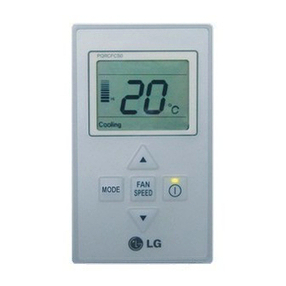
LG ARUN100LT2 Quick start guide

ENGLISH
LG
Wide Wired Remote Controller
LG
IMPORTANT
• Please read this owner's & installation manual
completely before installing the product.
• Installation work must be performed in
accordance with the national wiring standards
by authorized personnel only.
• Please retain this owner's & installation manual
for future reference after reading it thoroughly.
Owner's & Installation Manual
Models: PQRCUSA0
ITALIANO ESPAÑOL FRANÇAIS DEUTSCH

2Wide Wired Remote Controller
Wide Wired Remote Controller Owner’s & Installation Manual
TABLE OF CONTENTS
■Safety Precaution .............................................................................................3~4
■Part Description....................................................................................................5
■Installation instruction .........................................................................................6
Group control ........................................................................................................8
Installer Setting-How to enter installer setting mode.............................................9
Installer Setting-Test Run mode .........................................................................11
Installer Setting-Setting Address of Central Control............................................12
Installer Setting-E.S.P.........................................................................................13
Installer Setting-Thermistor.................................................................................15
Installer Setting-Ceiling Height Selection............................................................16
Installer Setting-Static Pressure Setting..............................................................17
Installer Setting-Group Setting............................................................................18
Installer Setting-Mode Override Setting..............................................................19
Installer Setting-Dry Contact Mode Setting.........................................................20
Installer Setting-Airflow Rate Setting...................................................................21
Installer Setting-Celsius/Fahrenheit Switching....................................................22
Installer Setting-Option Function Setting.............................................................23
Cooling mode(Standard operation).....................................................................23
■Owner's instruction ............................................................................................24
Cooling Mode-Standard Operation .....................................................................24
Cooling Mode-Powr Cooling ...............................................................................25
Dehumidification Mode........................................................................................26
Auto Changeover Mode......................................................................................26
Auto Operation Mode..........................................................................................27
Fan Mode............................................................................................................28
Temperature Setting/Room Temperature Check................................................29
Airflow Setting.....................................................................................................30
Sub function: Plasma Purification .......................................................................31
Sub function: Humidifier......................................................................................31
Sub function: Electric Heater...............................................................................32
Sub function : Fan Auto.......................................................................................33
Function setting: Filter Sign Clear.......................................................................33
Function setting: Child Lock................................................................................34
Function setting: Elevation Grill...........................................................................35
Function setting: Vane Angle Control..................................................................36
Function setting: ACO Converting Temp ............................................................37
Changing Current Time.......................................................................................38
Programming: Setting Simple Reservation.........................................................40
Programming: Setting Sleep Reservation...........................................................41
Programming: Setting ON Reservation...............................................................42
Programming: Setting OFF Reservation.............................................................43
Programming: Weekly Reservation.....................................................................44
Programming: Holiday Reservation ....................................................................45
Ventilation Kit Control..........................................................................................46

Safety Precaution
Owner’s & Installation Manual 3
ENGLISH
Be sure to request to the
service center or installation
specialty store when
installing products.
• It will cause fire or electric shock
or explosion or injury.
Request to the service center
or installation specialty store
when reinstalling the
installed product.
• It will cause fire or electric shock
or explosion or injury.
Do not disassemble, fix, and
modify products randomly.
• It will cause fire or electric shock.
Do not place flammable
stuffs close to the product.
• It will cause fire.
Do not allow water to run
into the product.
• It will cause electric shock or
breakdown.
Do not give the shock to the
product.
• It will cause breakdown when
giving the shock to the product.
■Installation
Safety Precaution
• The installation requires expert skills, and it should be installed by the service center or other shops specialized
in the installation and recognized by our company.
• For all the problems arising after installation by someone who has no relevant qualifications, our company will
not provide free service.
• The following safety cautions are provided to prevent unexpected dangers or losses.
: If the user does not follow the mandatory items, it may result in serious injury or death.
: If the user does not follow the mandatory items, it may cause personal injury or property
damage.
: Warning and Caution are to call the user’s attention to the possible danger. Read and follow
them carefully in order to prevent a safety accident.
: Warning and Caution are indicated in this guide and the product itself to help protect the users
from danger.
WARNING
CAUTION
WARNING
■In-use
TEMP
TEMP
TEMP
TEMP
TEMP

Safety Precaution
4Wide Wired Remote Controller
■In-use
CAUTION
Request to the service center or installation
specialty store when the product becomes wet.
• It will cause fire or electric shock.
Do not give the shock using sharp and
pointed objects.
• It will cause breakdown by damaging parts.
Do not clean using the
powerful detergent like
solvent but use soft cloths.
• It will cause fire or product
deformation.
Do not press the screen
using powerful pressure or
select two buttons.
• It will cause product breakdown or
malfunction.
Do not touch or pull the lead
wire with wet hands.
• It will cause product breakdown or
electric shock.
TEMP
TEMP
Wax
Thinner
TEMP
TEMP

Part Description
Owner’s & Installation Manual 5
ENGLISH
Part Description
Name and Function of Remote Controller
OPERATION INDICATION
SCREEN
SET TEMPERATURE Button
WIRELESS REMOTE
CONTROLLER RECEIVER
• Some products don't receive the
wireless signals.
VENTILATION Button
OPERATION MODE SELECTION
Button
SUBFUNCTION Button
FUNCTION SETTING Button
EXIT Button
ON/ OFF Button
ROOM TEMPERATURE Button
FAN SPEED Button
AIR FLOW Button
RESERVATION/ TIME SETTING
Button
SETTING/ CANCEL Button
UP, DOWN, LEFT, RIGHT Button
12V SIG GND
1
9
11
12
3
5
6
2
410
13
14
7
8
15
Please attach the inform label inside of the door.
Please choose proper language defend on your
country.
1
2
3
4
5
6
7
8
9
10
11
12
13
14
15
Connection Cable
(1EA, 10m) Remote controller
screw
(4 EA)
Owner's /
Installation manual Wired remote
controller
installation board
Inform label
(5EA-5Language)
Accessory
❊Some functions may not be operated and displayed depending on the product type.

Installation instruction
6Wide Wired Remote Controller
12V SIG GND
Red
Yellow
Black
Remote Controller
Cable
Guide slot
Fixate the remote
controller cable
to the guide slot.
Use the screws
for fixate the unit
firmly on the wall.
Installation board
<Front side of
installation board> <Rear side of
installation board>
Top
Bottom
Wall
Side
1. Connect the remote controller
cable to the wired remote
controller installation board as
shown in the right picture.
2. After fixing the cable to the guide
slot, attach the wired remote
controller installation board at the
desired location.
•Before fixing the remote controller cable to the
guide slot, remove any clogged part of the
case in the direction to install before the
installation.
3. After locating the wired remote
controller installation board at the
desired location, screw the unit
firmly. (When there is a buried
box, install the wired remote
controller board to fit the buried
box.)
•Use the screws provided.
Installation instruction
12V Red wire
SIG Yellow wire
GND Black wire
❊The remote controller cable is connected as factory default.

Installation instruction
Owner’s & Installation Manual 7
ENGLISH
Wall
Side Wall
Side
Wall
Side Wall
Side
Check whether the connector
is connected correctly.
Connecting cable
Indoor
unit side
4. After fixing the top part of the
remote controller to the installation
board as shown in beside picture,
press the bottom part to assemble
the controller to it’s board.
When disassembling the remote
controller from the installation board, use
the driver as shown in the right picture
and insert it into the hole with the arrow.
And when you pull the driver in the front
direction, the remote controller will be
separated.
5. Use the connecting cable to connect the indoor unit and the remote controller.
6. When the distance between the wired remote controller and the indoor unit is 10m
and above, use the extension cable.
When installing the wired remote controller, do not bury it in the wall.
(It can cause damage in the temperature sensor.)
Do not install the cable to be 50m or above.
(It can cause communication error.)
•When installing the extension cable, check the connecting direction of the connector of the remote controller
side and the product side for correct installation.
•If you install the extension cable in the opposite direction, the connector will not be connected.
•Specification of extension cable: 2547 1007 22# 2 core 3 shield 5 or above.
CAUTION

Installation instruction
8Wide Wired Remote Controller
GND
GND
12V
Signal wire
Signal wire
GND
12V
B Y R B Y R
MASTER SLAVE
Signal wire GND
12V
Signal wire
Group control
1. When installing more than 2
units of air conditioner to one
wired remote controller, please
connect as the right figure.
•If it is not event communication
indoor unit, set the unit as slave.
•Check for event communication
through the product manual.
•Refer to regarding page on how to
set the slave.
2. When installing more than 2 wired
remote controllers to one air
conditioner, please connect as the
right picture.
•When installing more than 2 units of wired
remote controller to one air conditioner, set
one wired remote controller as master and
the others all as slaves, as shown in the
right picture.
•Refer to Installer setting section on how to
set master/slave.
•You cannot control the group as shown in
the right for some products.
<When simultaneously connecting
2 sets of wired remote controller>
❊
Some products do not use 'Group control'. It depends on the product type.
For more detail, refer to the product manual.

Owner’s & Installation Manual 9
ENGLISH
Installation instruction
Installer setting mode is to set the detail function of the remote controller.
If the installer setting mode is not set correctly, it can cause problems to the product, user injury or
property damage. This must be set by an certificated installer, and any installation or change that is
carried out by a non-certificated person should be responsible for the results. In this case, free service
cannot be provided.
CAUTION
Installer Setting -How to enter installer setting mode
Function Code Value
1
Press button for 4 secsonds to enter
the installer setting mode.(When you
enter the setting mode initially, Function
code is displayed on the bottom of the
LCD screen.)
1
Repeat pressing button, the menu
will change with the corresponding
function code.
Test Run →Address Setting →E.S.P.
Value →Thermistor →Ceiling Height →
Static Pressure →Group Setting →
Override Setting →Dry Contact →
Release 3Min. Delay →Zone State →
Convert Temp. →Plasma →Electric
heater →Humidifier →Elevation Grill →
Ventilation Kit
2
❊Some contents may not be displayed depending on the product function.

Installation instruction
10 Wide Wired Remote Controller
<Installer Setting Code Table>
❊Some contents may not be displayed depending on the product function
Function Code ESP valueESP step
No. Function Code Value
1 Test Run 01 01:Set
2 Address Setting 02 00~FF : Address
<ESP Step> <ESP Value>
01:VeryLow 0 ~ 255
02:Low
3 E.S.P. Value 03 03:Med
04:High
05:Very High
01:Remo
4 Thermistor 04 02:Indoor
03:2TH
01:Med
02:Low
5 Ceiling Height 05 03:High
04:Very High
01:V-H
02:F-H
6 Static Pressure 06 03:V-L
04:F-L
7 Group Setting 07 00:Slave
01:Master
8 Override Setting 08 00:Slave
01:Master
9 Dry Contact 09 00:OFF
01:ON
10 Release 3 Min. 10 01:Set
Delay
11 Zone State 11 01:Variable
02:Fixed
12 Celsius 12 01:Celsius (Optimized only for U.S.A)
Fahrenheit Switching 02: Fahrenheit
13 Plasma 20
14 Electric heater 21
15 Humidifier 22 00: Not Installed
16 Elevation Grill 23 01: Installed
17 Ventilation Kit 24
This manual suits for next models
2
Table of contents
Other LG Remote Control manuals
LG
LG Premium Magic Remote PM20GA Operation manual

LG
LG AM-SR20HB User manual

LG
LG Magic Remote AN-MR19BA User manual
LG
LG PQRCUCS0C Quick start guide

LG
LG AKB32977003 User manual
LG
LG PREMTTB101 Quick start guide
LG
LG PM20GA.AEU User manual
LG
LG MR20PJTR Operation manual
LG
LG PQRNC0 Quick start guide
LG
LG MR20GA User manual
LG
LG Magic Remote AN-MR19BA User manual
LG
LG Magic Remote Premium User manual
LG
LG MR20GA User manual

LG
LG PQRCUCA0 Quick start guide
LG
LG Magic Remote Owner's manual
LG
LG AN-MR18BA User manual

LG
LG AN-MR300 User manual

LG
LG PQRCHCA0Q Quick start guide

LG
LG AN-PM19BA Operation manual
LG
LG Magic Remote User manual