5
2.3 ENTER THE PROGRAM MODE
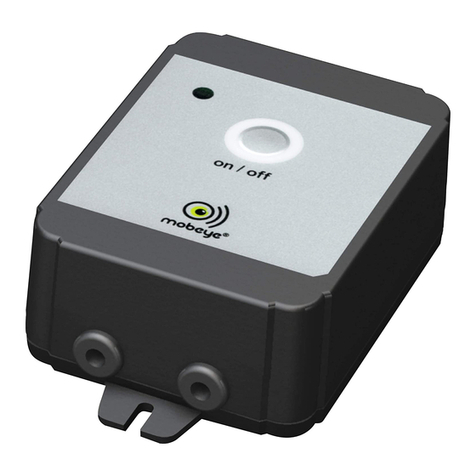
Directly after inserting the batteries, the Mobeye Panic Button switches to the program
mode. First the GSM module establishes network connection. During this time the LED
flashes green and red. Within 10-30 seconds the connection is established and the
status LED starts flashing 1 sec. on/1 sec. off (or stays on continuously in case the first
telephone number has been configured).
The Mobeye Panic Button returns to the program mode by pressing the on/off button
for 5 seconds, until the LED starts flashing red/green. Once it has GSM connection it
will be flashing again (or stays on continuously).
As long as the unit is in program mode, the status green LED is on (or flashing 1 sec.
on/1 sec. off if the module has no configuration). During the first 3 minutes, the GSM
module remains active, ready to receive SMS commands. After 3 minutes a time-out
occurs and the GSM module switches off in order to save the batteries. The unit
returns to the low power operational mode.
2.4 PROGRAM AT LEAST ONE TELEPHONE NUMBER
The Mobeye Panic Button is able to send messages up to 5 telephone numbers. The
first telephone number (TEL1) belongs to the administrator. Technical messages (such
as battery low) are sent to the administrator only. Without the administrators’phone
number, the Mobeye Panic Button cannot function.
When the Panic Button is in initial (factory) status and the batteries are inserted (so the
LED is flashing), the administrators’number is programmed by calling the telephone
number of the Mobeye Panic Button using the administrators’ phone. The unit will
recognize this number and store it as administrator (TEL1). The administrator will
receive a confirmation SMS text message including the security code. This code is
needed to program the other settings in the unit.
NB: For this way of programming the number recognition in the administrator’s phone
must be ‘on’. To program or change the administrators’ number by SMS command,
please refer to 4.2.