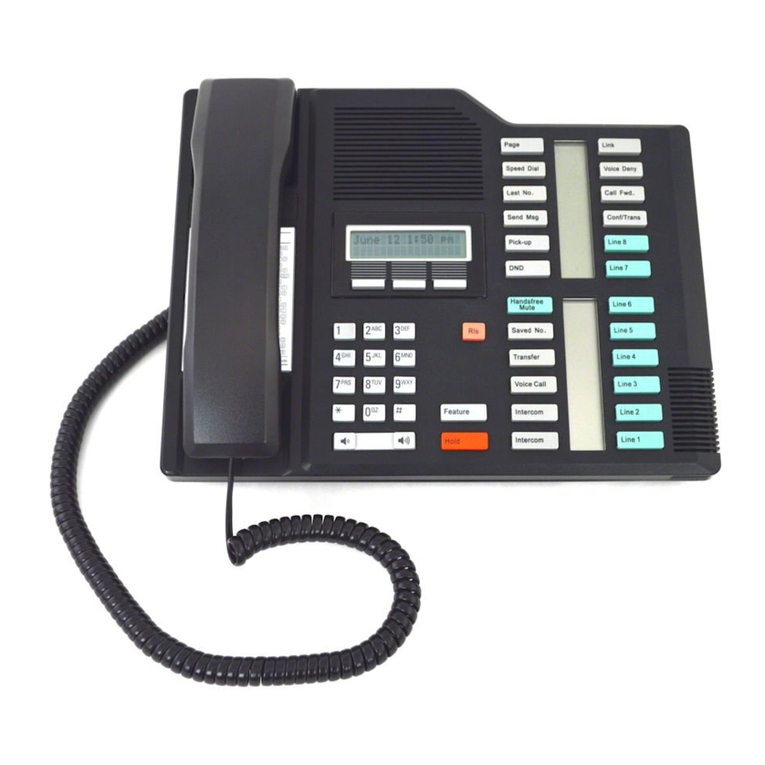
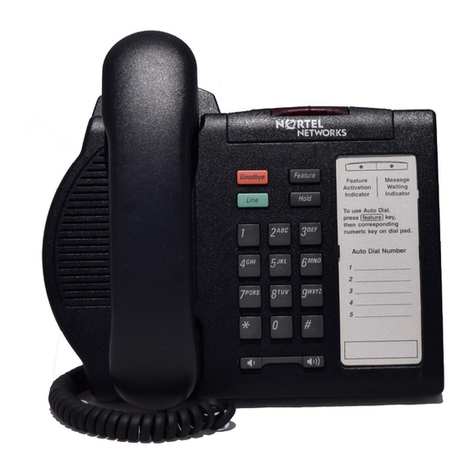
Page 2 Enterprise Edge M7208 User Card
Making and answering calls
Answering calls Answering calls using the handset
When your telephone rings, or ºflashes beside an Intercom or line key:
1. Lift the handset.
OR
Press the key beside the flashing ºbefore lifting the handset.
Answering calls using Handsfree
When your telephone rings, or ºflashes beside an Intercom or line key:
1. Press ©.
Making calls Depending upon the dialling mode programmed on your telephone, you may
have to lift the handset before making a call.
¬External calls using numbered line keys
1. If you do not have an external Prime line, press a line key.
2. Dial your call.
∆External calls using Intercom keys
1. Lift the handset.
2. If ºappears beside an Intercom key, enter a line pool access code.
OR
Press an Intercom key without º, then enter a line pool access code.
3. When you hear external dial tone, dial your call.
Internal calls using Intercom keys
1. If you do not have an internal Prime line, press ∆.
2. Dial your call.
Note: Line pool access codes and extension numbers are supplied by your
System Administrator.
Making calls using Handsfree
1. Press ©instead of lifting the handset.
˙Holding Calls
1. Press ˙.The ºflashes beside the line on hold.
2. Press the line key with the flashing ºto return to the call.
Automatic hold
Calls are put on hold automatically when you switch from one line to another.
Exclusive hold
Use Exclusive Hold (ƒ˙) to keep a call on hold so that it
can be retrieved only at your telephone.
©System Administrator can program Handsfree for your telephone.
Switching between Handsfree and handset
1. Press ©and replace the handset to switch to Handsfree.
2. Pick up the handset to switch back.
Using Mute
1. Press ©to turn the microphone OFF.
2. Press ©again to turn the microphone ON.