Page 16
C. Temperature Low Point Calibration
The primary display will show "0.0" and
the secondary display will show "r2.0".
See Figure U.
1. Insert the temperature sensor or
electrode with built-in temperature
sensor into the low temperature bath.
2. Press the ▼and ▲keys to set the
primary display temperature to
match the low temperature bath’s
temperature.
3. Press the CON key to store the selected value. The display will show the
A/D value for the temperature. This value appears as a number on the
display.
4. Press the CON key to store the A/D value when the number stabilizes.
D. Temperature High Point Calibration
The primary display will show "100.0"
and secondary display will show "r2.1".
See Figure V.
1. Insert the temperature sensor or
electrode with built-in temperature
sensor into the high temperature bath.
NOTE: To avoid breaking the electrode
with temperature shock, allow your electrode to reach room temperature
before putting it in a high temperature bath.
2. Press the ▼and ▲keys to set the primary display temperature to match the
high temperature bath’s temperature.
3. Press the CON key to store the selected value. The display will show the
A/D value for the temperature. This value appears as a number on the
display.
4. Press the CON key to store the A/D value when the number stabilizes..
The meter displays all LCD segments.
5. Press the ON/OFF key to switch off the meter.
9. Electrode care and maintenance
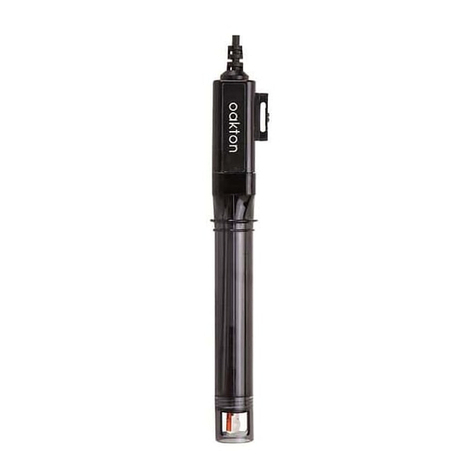
Because your pH electrode is susceptible to dirt and contamination, clean it
every one to three months depending on the extent and condition of use.
Storage
For best results, keep the pH bulb wet. Store the pH bulb in the protective
rubber cap filled with electrode storage solution. Or, you can store the
electrode in a pH 4 buffer with 1/100 part of saturated KCl. Other pH buffers
are also suitable for storage, but NEVER use distilled water.
After measuring
1. Rinse the electrode and reference junction in deionized water,
2. Store the electrode as recommended above in “Storage,” or as
recommended by the manufacturer.
To reuse the electrode
Rinse the liquid junction with deionized water and tap dry (never wipe dry).
NOTE: If this does not restore the electrode to normal response, see
“Reactivating the electrode” below.
Electrode cleaning
Salt deposit: dissolve the deposit by immersing the electrode in tap water for
ten to fifteen minutes. Then thoroughly rinse with distilled water.
Oil/grease film: wash electrode pH bulb gently in some detergent and water.
Rinse electrode tip with distilled water.
Clogged reference junction: heat a diluted KCl solution to 60-80°C. Place the
sensing part of the electrode into the heated solution for about 10 minutes.
Allow the electrode to cool in some unheated KCl solution.
Protein deposits: prepare a 1% pepsin solution in 0.1M of HCl. Set the
electrode in the solution for five to ten minutes. Rinse the electrode with
distilled water.
Reactivating the electrode
If stored and cleaned properly, your pH electrode should be ready for
immediate use. Sluggish response, however, might be caused by a dehydrated
bulb. Immerse the electrode in a pH 4 buffer solution for 10 to 30 minutes to
rehydrate the bulb. If this fails, the electrode requires reactivation.
Never touch or rub the glass bulb. Contact builds up an electrostatic charge.
Page 17