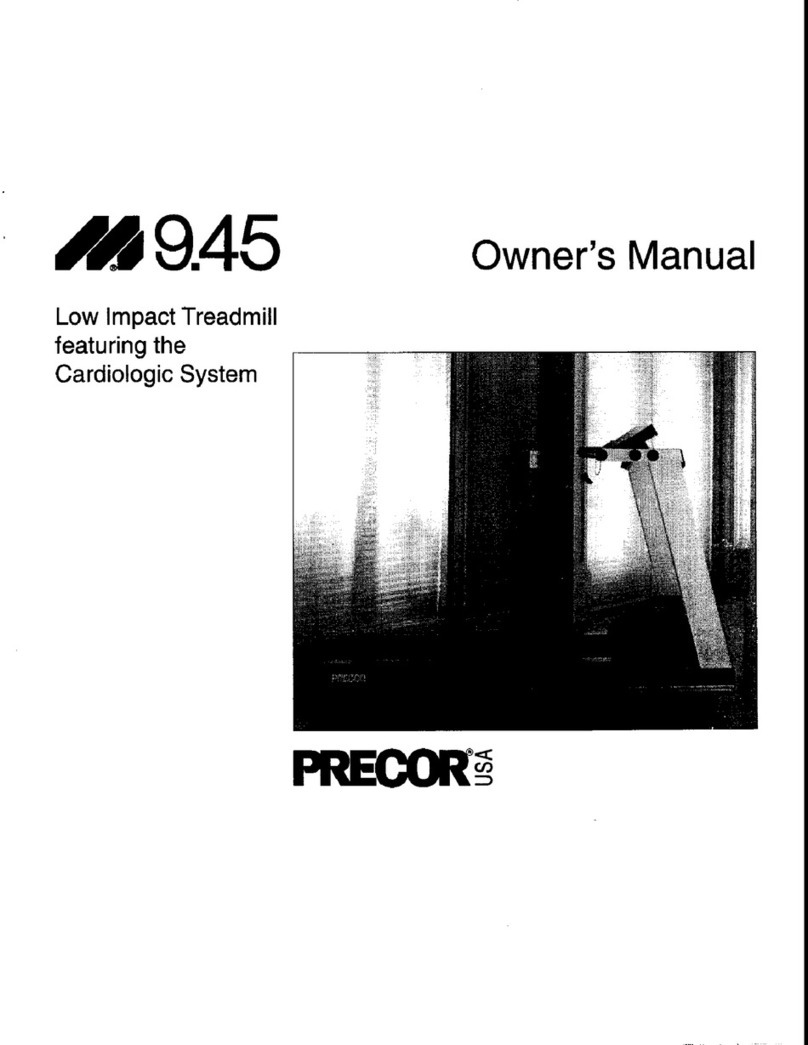
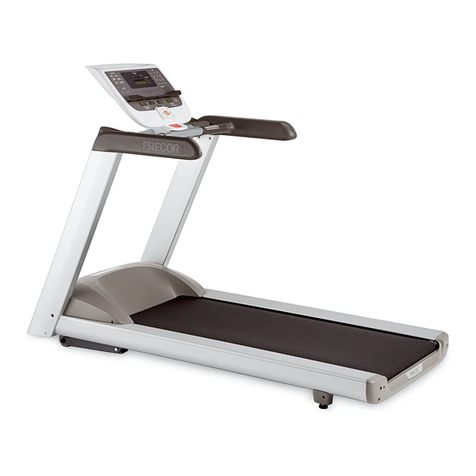
Precor 9.45 User manual

9.45, 9.45i Treadmill
Page 1
9.45, 9.45i Treadmill
Warning: This service manual is for use by Precor trained service providers only.
IfyouarenotaPrecorTrainedServicer,youmustnotattempttoserviceanyPrecorProduct;
Call your dealer for service.
This document contains information required to perform the majority of troubleshooting, and
replacement procedures required to repair and maintain this product.
This document contains general product information, software diagnostic procedures (when
available), preventative maintenance procedures, inspection and adjustment procedures,
troubleshooting procedures, replacement procedures and electrical block and wiring diagrams.
To move directly to a procedure, click the appropriate procedure in the bookmark section to the
left of this page. You may “drag” the separator bar between this page and the bookmark section
to change the size of the page being viewed.
© 2003 Precor Incorporated
Unauthorized Reproduction and Distribution Prohibited By Law

9.45, 9.45i Treadmill
Page 2
Section One - Things you Should Know
About This Appendix
Precor has re-designed the M9.45 treadmill several times. Units with the original design have
serial numbers starting with '1L' and were manufactured between January 24, 1995 and March
25, 1996. The M9.45 treadmill was then redesigned with serial numbers starting with '2P' and
were manufactured between March 26, 1996 and November 15, 1997. The 9.45i uses serial
numbers starting with ‘3Y’ and started in production on November 16, 1997. The 9.45i is the only
version of the 9.45 that is currently in production. This document will refer to the three versions
as follows 9.45 (1Y), 9.45 (2P) and 9.45i (3Y).
Section One, Things You Should Know. This section includes general information and
technical specifications. Read this section, as well as the M9.45 Treadmill Owner’s Manual,
before you perform the maintenance procedures in this manual.
Section Two, Software Features. Precor’s M9.45 Treadmill is programmed with several
diagnostic and setup features. This section contains the procedures you need to access the
diagnostic features on this treadmill.
Section Three, Checking Treadmill Operation. This section provides you with a quick way of
checking treadmill operation. Check treadmill operation at the end of a maintenance procedure
and when it is necessary to ensure that the treadmill is operating properly.
Section Four, Inspection and Adjustment Procedures. Perform inspection procedures when
a trouble symptom points to a particular problem and after removing and replacing major
components. Many maintenance problems can be fixed by adjusting various treadmill
components. This section also provides you with the step-by-step procedures required to make
these adjustments.
Section Five, Troubleshooting Procedures. The diagnostic and troubleshooting procedures
contained in this section should be performed when it is necessary to isolate a problem to a
particular component.
Section Six, Replacement Procedures. When a treadmill component must be replaced, go to
this section and follow the step-by-step procedures required to remove and replace the
component.
Section Seven, Wiring and Block Diagrams. This section includes wiring and block diagrams
for all versions of the 9.45.
General Information
For the latest exploded view, part number and part pricing information, visit the Precor dealer
website at “www.precor.com/Dealer”.

9.45, 9.45i Treadmill
Page 3
Technical Specifications
Physical Specifications
Length: 71 inches or 180 cm (Extended deck treadmills
are 5 inches longer)
Width: Handrails 31.5 inches (80 cm)
Base 28.5 inches (72 cm)
Height: 50 inches (127 cm)
Running surface: 53 inches by 18 inches (135 cm by 46 cm)
Motor: 2 hp continuous duty
Speed: 0.5 to 10 mph (0.8 to 16 kph)
10 mph is equivalent to a 6 minute mile
Incline: -2% to +12% grade
Power: 50/60 Hz 120v AC (dedicated circuit)
50/60 Hz 240v AC (dedicated circuit)
Weight: 265 lbs (119 kg)
Shipping weight: 326 lbs (147 kg)
About The Smart Rate System
The Smart Rate system is the heart rate system mounted in the display housing. The Smart Rate
system receives a heart rate signal from chest strap transmitter worn by the user. Smart Rate
software displays a heart range on green, red and yellow LED's mounted on the upper PCA. The
LED’s indicate whether the heart rate is below, within or above the desired rang.

9.45, 9.45i Treadmill
Page 4
Procedure 2.1 - Accessing the M9.45 (1L or 2P) Treadmill's
Diagnostic Program
Procedure
1. Plug the power cord into the wall outlet, then turn on the treadmill with the circuit breaker.
2. The diagnostic program provide six different routines to aid it testing and trouble diagnosis.
3. On 9.45 (1Y & 2P units), with the PRECOR M9.45 banner scrolling, press and hold ENTER
until the software version number is displayed in the right display windows. On units that
have serial numbers starting with '2P', the part number of the PROM will also be displayed.
4. The first routine is the LED display test. The routine will light every LED on the display as the
test proceeds. It is necessary to watch the display to see if an LED does not light.
5. On 9.45 (1L units) the second routine is the lift test. The lift test takes the lift through each of
the critical lift positions. In doing so it tests the performance of the zero switch, upper limit
switch, lower limit switch and rotation sensor. Press ENTER to continue.
6. On 9.45 (2P) units the second routine is lift calibration. The lift calibration number indicates
the physical position of the lift. As lift is operated the lift calibration number will track the lift’s
physical position. The lift calibration number will be used to initialize the lift. Press the
INCLINE keys while you watch the right display window (see Diagram 2.1). The lift
calibration number increments as the INCLINE ▲ key is pressed and decrements as the
INCLINE ▼key is pressed. Press ENTER to continue.
7. The third routine is the power bits display. Power bits is a number that indicates the amount
of time that power is applied to the drive motor (duty cycle). The power bit number reflects
changes in speed and load. Power bits and running belt speed will; be displayed. Notice that
the power bits number will increase or decrease as speed and/or load is increased or
decreased. The power bit number can be used to determine treadmill loading. Press
ENTER to continue.
8. The fourth routine is the keypad test. Seven dashed lines will appear on the display. Each
dash will correspond to a key on the display. Press each key one at a time, the
corresponding dash will enlargen, indicating the key that was pressed. Use this test to
determine if the keys are functioning properly. Press the INCLINE ▼ and SPEED ▲ keys,
simultaneously to continue.
9. The fourth routine is the safety key test. When the safety key is inserted SAFE ON is
displayed in the right display window. Remove the safety key from the upper display module
while you watch the right display window, SAFE OFF is displayed. Replace the safety key
and press ENTER to continue.
10. The fifth routine is the heart rate test. When a chest strap transmitter or test transmitter is
used, the heart rate will be displayed. Press ENTER to continue.

9.45, 9.45i Treadmill
Page 5
11. The last routine is the circuit breaker trip test. This test checks the ability of the treadmill to
trip the circuit breaker under software control. If the STOP key is pressed and held the trip
signal will be sent to the circuit breaker and the circuit will trip, shutting off the treadmill. If
you do not wish to trip the circuit breaker, press the ENTER key to exit the diagnostic
program.
Diagram 2.1 - Display Housing, 9.45 (1Y & 2P)

9.45, 9.45i Treadmill
Page 6
Procedure 2.2 - Accessing the M9.45i (3Y) Treadmill's
Diagnostic Program
Procedure
1. Plug the power cord into the wall outlet, then turn on the treadmill with the circuit breaker.
2. The diagnostic program provide six different routines to aid it testing and trouble diagnosis.
3. For the purpose of accessing the various software routines, including the diagnostics
program, the display housing keys are hypothetically numbered 1 to 7 from left to right.
4. With the PRECOR M9.45 banner scrolling, press keys RESET,5,1,7,6,5,7,6,1, sequentially
(See Diagram 2.2).
5. The first routine is the LED display test. The routine will light every LED on the display as the
test proceeds. It is necessary to watch the display to see if an LED does not light..
6. The second routine is lift calibration. The lift calibration number indicates the physical
position of the lift. As lift is operated the lift calibration number will track the lift’s physical
position. The lift calibration number will be used to initialize the lift. Press the INCLINE keys
while you watch the right display window (see Diagram 2.2). The lift calibration number
increments as the INCLINE ▲ key is pressed and decrements as the INCLINE ▼key is
pressed. Press ENTER to continue.
7. The third routine is the power bits display. Power bits is a number that indicates the amount
of time that power is applied to the drive motor (duty cycle). The power bit number reflects
changes in speed and load. Power bits and running belt speed will; be displayed. Notice that
the power bits number will increase or decrease as speed and/or load is increased or
decreased. The power bit number can be used to determine treadmill loading. Press
ENTER to continue.
8. The fourth routine is the key pad test. Seven dashed lines will appear on the display. Each
dash will correspond to a key on the display. Press each key one at a time, the
corresponding dash will enlargen, indicating the key that was pressed. Use this test to
determine if the keys are functioning properly. Press the INCLINE ▼ and SPEED ▼ keys,
simultaneously to continue
9. The fifth routine is the safety key test. When the safety key is inserted SAFE ON is
displayed in the right display window. Remove the safety key from the upper display module
while you watch the right display window, SAFE OFF is displayed. Replace the safety key
and press ENTER to continue.
10. The sixth routine is the heart rate test. When a chest strap transmitter or test transmitter is
used, the heart rate will be displayed. Press ENTER to continue.

9.45, 9.45i Treadmill
Page 7
11. The last routine is the circuit breaker trip test. This test checks the ability of the treadmill to
trip the circuit breaker under software control. If the STOP key is pressed the trip signal will
be sent to the circuit breaker and the circuit will trip, shutting off the treadmill. If you do not
wish to trip the circuit breaker, press the ENTER key to exit the diagnostic program.
Diagram 2.2 - Display Housing, 9.45i (3Y)

9.45, 9.45i Treadmill
Page 8
Procedure 2.3 - Resetting All User Information
This procedure completely resets the M9.45 user statistics. All previously-saved user information
will be either reset to zero or changed to default values. All odometers will be reset to zero. If you
want to save accumulated user information and odometer readings, record the information
before performing this procedure.
Note: This procedure is not available on the 9.45i. User stats must be reset individually per
Procedure 2.4.
Procedure
1. Plug the power cord into the wall outlet, then turn on the treadmill with the circuit breaker.
2. With the PRECOR M9.45 or PRECOR M9.45i banner scrolling, press the INCLINE ▲,
INCLINE ▼, SPEED ▲, and SPEED ▼keys simultaneously and hold them for approximately
five seconds (or until zeros are displayed in the right display windows). Release the keys.
3. Watch the electronic display. The right middle display window:
a Resets to all zeros, then increments to 119
b Resets to 1000, then increments to 1119
c Resets to 2000, then increments to 2119
d Resets to 3000, then increments to 3119
e Displays the User ID prompt.
Note:
If the upper PCA or prom is replaced, all user information will be re-initialized.

9.45, 9.45i Treadmill
Page 9
Procedure 2.4 - Resetting an Individual User’s Information
This procedure resets accumulated user information and odometer readings for an individual
User ID. All previously-saved user information for a selected User ID will be either reset to zero or
changed to default values. The odometer reading for the selected User ID will be reset to zero.
Procedure
1. Plug the power cord into the wall outlet, then turn on the treadmill with the circuit breaker.
2. With the PRECOR M9.45 or PRECOR M9.45i banner scrolling, press any key.
3. At the User ID prompt, select the User IDs to be reset using the SPEED ▲(or INCLINE ▲)
and SPEED ▼(or INCLINE ▼) keys.
4. Press the STOP and QUICKSTART keys together and hold them for approximately two
seconds (or until the right middle display window displays one of the numbers sets in
Procedure 2.2, step 3a, 3b, 3c or 3d).
5. If you do not observe the values listed in Procedure 2.2, step 3a, 3b, 3c or 3d...
THEN... OTHERWISE...
Replace the upper PCA as described in This procedure is complete.
Procedure 5.2 of the Residential Treadmill
Service Manual.
Note:
If the upper PCA is replaced, all user information will be re-initialized.

9.45, 9.45i Treadmill
Page 10
Procedure 2.5 - Displaying the Treadmill Odometer and Error
Code Log
Procedure
1. Plug the power cord into the wall outlet, then turn on the treadmill with the circuit breaker.
2. On 9.45 (1L or 2P units), with the PRECOR M9.45 banner scrolling, press the ENTER,
SPEED ▼and SPEED ▲keys, simultaneously. Continue to hold the keys until the message
TREADMILL ODOMETER scrolls across the left display window. On 9.45 (3Y units), press
keys RESET,6,5, sequentially.
Note:
The right display window displays total miles or kilometers on the treadmill (see Diagram 2.3).
The top display window shows the most significant bits of the number; the lower display window
shows the least significant bits of the number. The number displayed is 102,187,723 (in miles or
kilometers).
Diagram 2.3 - Odometer Reading For the Treadmill
3. Press ENTER to access the error code log.
0001
0218
7723
This manual suits for next models
1
Table of contents
Other Precor Treadmill manuals
Precor
Precor 905e User manual

Precor
Precor C934 User manual

Precor
Precor C966i User manual
Precor
Precor PRECISION SERIES Technical manual
Precor
Precor M9.57 User manual
Precor
Precor 903 User manual
Precor
Precor Experience TRM700-16 User manual
Precor
Precor 9.23 User manual

Precor
Precor C932 User manual
Precor
Precor ENERGY SERIES User manual

Precor
Precor 9.31 User manual
Precor
Precor 9.33 User manual
Precor
Precor 903 User manual
Precor
Precor M9.20 User manual

Precor
Precor C932i User manual
Precor
Precor M9.3s User manual
Precor
Precor M9.45 User manual
Precor
Precor C954 Instruction manual

Precor
Precor M9.33i User manual
Precor
Precor LOW-IMPACT TREADMILLS 9.33 User manual