manuals.online logo
Brands
  1. Home
  2. •
  3. Brands
  4. •
  5. Pyronix
  6. •
  7. Keypad
  8. •
  9. Pyronix PCX-LCD/UK User manual

Pyronix PCX-LCD/UK User manual

Other Pyronix Keypad manuals

Pyronix Matrix 424 Owner's manual

Pyronix

Pyronix Matrix 424 Owner's manual

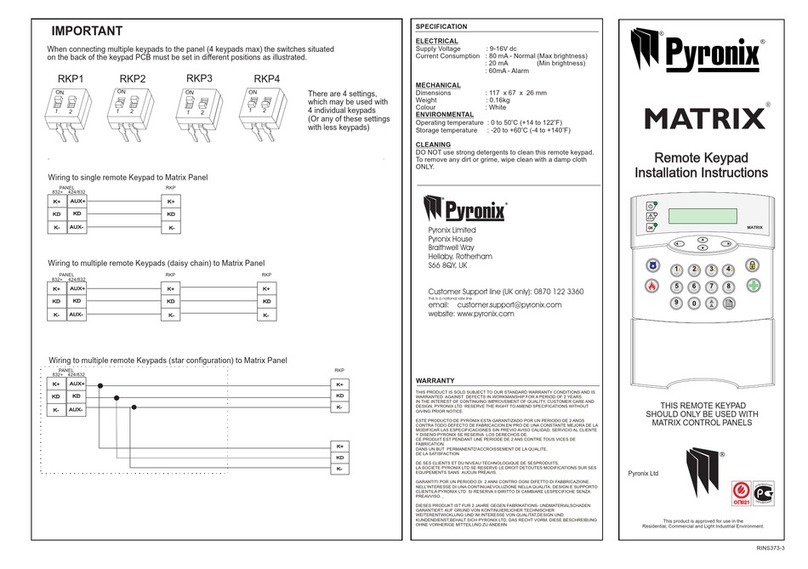
Pyronix MATRIX User manual

Pyronix

Pyronix MATRIX User manual

Pyronix STERLING 10 User manual

Pyronix

Pyronix STERLING 10 User manual

Pyronix ATLAS 4 User manual

Pyronix

Pyronix ATLAS 4 User manual

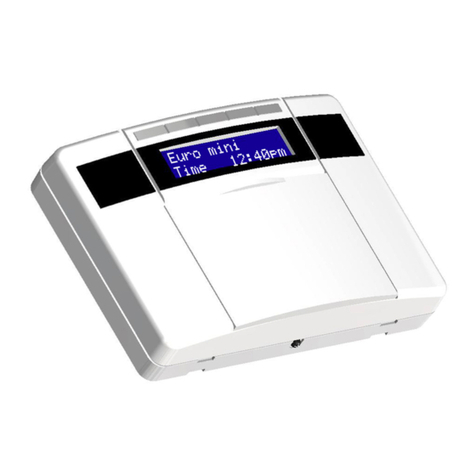
Pyronix EURO mini EUR-068 User manual

Pyronix

Pyronix EURO mini EUR-068 User manual

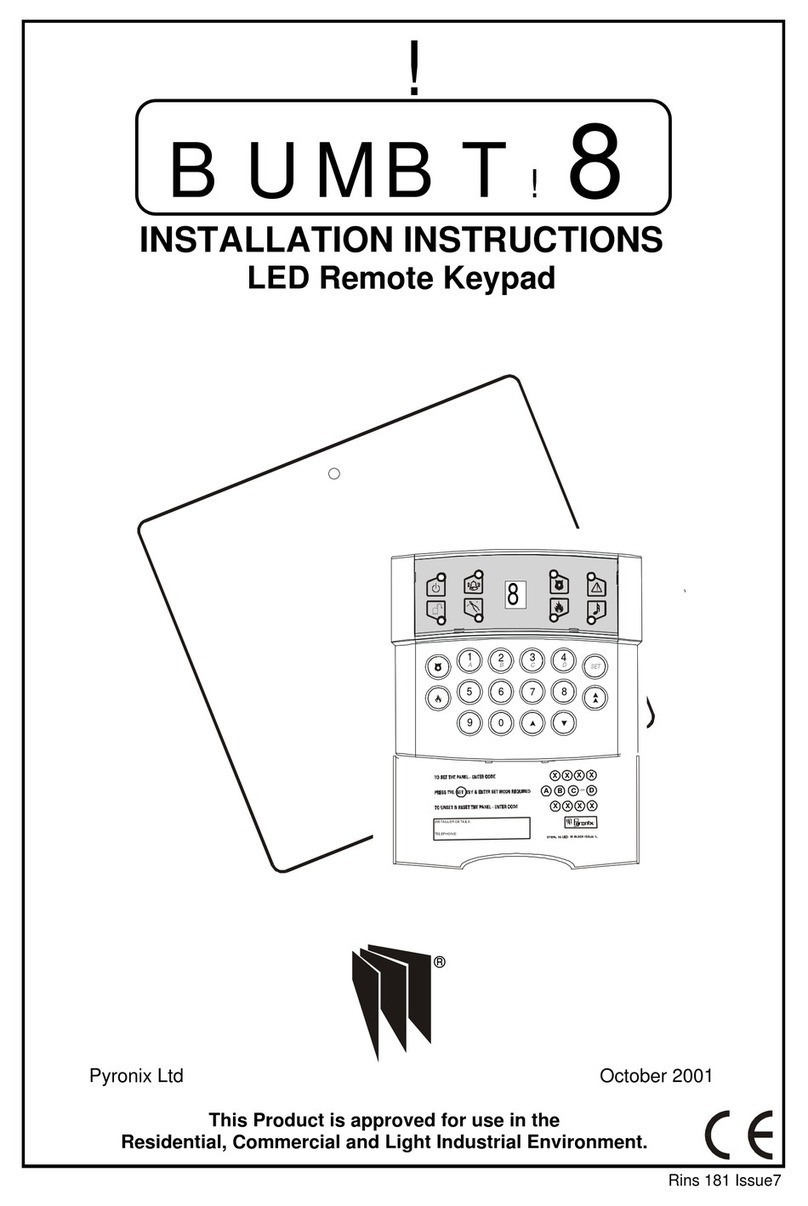
Pyronix BUMBT!8 User manual

Pyronix

Pyronix BUMBT!8 User manual

Pyronix ATLAS 4 User manual

Pyronix

Pyronix ATLAS 4 User manual

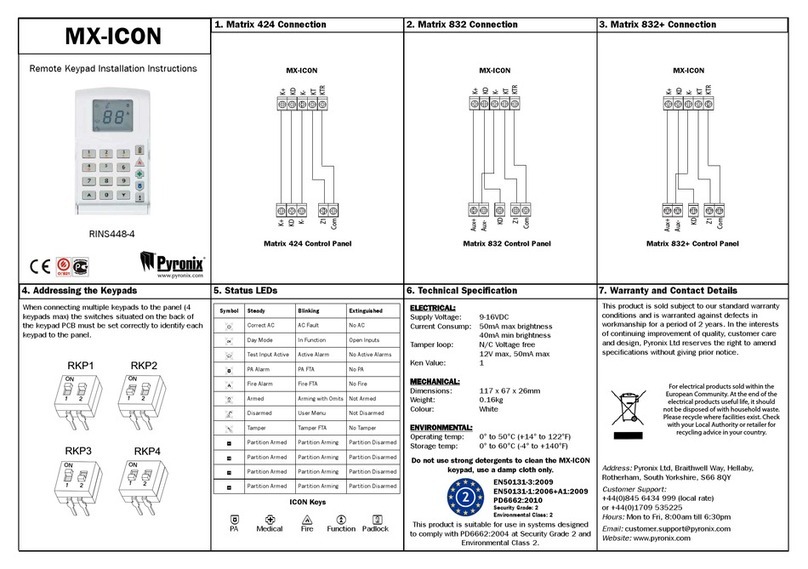
Pyronix MX-ICON User manual

Pyronix

Pyronix MX-ICON User manual

Pyronix ATLAS 8 User manual

Pyronix

Pyronix ATLAS 8 User manual

Pyronix ATLAS 8 PLUS User manual

Pyronix

Pyronix ATLAS 8 PLUS User manual

Pyronix PCX 162i Operating instructions

Pyronix

Pyronix PCX 162i Operating instructions

Pyronix STERLING 10 User manual

Pyronix

Pyronix STERLING 10 User manual

Pyronix EURO mini User manual

Pyronix

Pyronix EURO mini User manual

Pyronix STERLING 10 User manual

Pyronix

Pyronix STERLING 10 User manual

Pyronix Wireless KF4-WE User manual

Pyronix

Pyronix Wireless KF4-WE User manual

Pyronix HIKVISION LEDP/R-WE User manual

Pyronix

Pyronix HIKVISION LEDP/R-WE User manual

Popular Keypad manuals by other brands

AAA 6150RFAAA Installation and setup guide

AAA

AAA 6150RFAAA Installation and setup guide

Fermax MDS Installation and programming manual

Fermax

Fermax MDS Installation and programming manual

ACT ACT PRO 1030 manual

ACT

ACT ACT PRO 1030 manual

Cardin SSB Series manual

Cardin

Cardin SSB Series manual

Harman Kardon KP 1 Specifications

Harman Kardon

Harman Kardon KP 1 Specifications

CYP CR-KP1 Operation manual

CYP

CYP CR-KP1 Operation manual

Aeware k-35 Series Quick reference card

Aeware

Aeware k-35 Series Quick reference card

Aritech CS-175 Series user guide

Aritech

Aritech CS-175 Series user guide

Lenze AC Tech MC SERIES installation instructions

Lenze AC Tech

Lenze AC Tech MC SERIES installation instructions

Burg Wächter secuENTRY 7711 operating instructions

Burg Wächter

Burg Wächter secuENTRY 7711 operating instructions

Aeware in.k450 Tech book

Aeware

Aeware in.k450 Tech book

Lenze EPM-H410 operating instructions

Lenze

Lenze EPM-H410 operating instructions

Toshiba RKP007Z user manual

Toshiba

Toshiba RKP007Z user manual

Elmes Electronic KB1 quick start guide

Elmes Electronic

Elmes Electronic KB1 quick start guide

Clare Controls ClareOne CLR-C1-PNC Installation sheet

Clare Controls

Clare Controls ClareOne CLR-C1-PNC Installation sheet

FM Electronics 4180 quick start guide

FM Electronics

FM Electronics 4180 quick start guide

AMX MIO-PRESTIGE-S Dimensional drawing

AMX

AMX MIO-PRESTIGE-S Dimensional drawing

why pro WHY-KP user manual

why pro

why pro WHY-KP user manual

manuals.online logo
manuals.online logoBrands
  • About & Mission
  • Contact us
  • Privacy Policy
  • Terms and Conditions

Copyright 2025 Manuals.Online. All Rights Reserved.

PCX LCD Keypad
RINS1267-6
3
PCX-LCD/UK
®
PCX-LCD/EX
®
PCX-LCDP/UK
PCX-LCDP/UK
®
For electrical products sold within the
European Community. At the end of the
electrical products life, it should not be
disposed of with household waste. Please
recycle where facilities exist. Check with
your Local Authority or retailer for
recycling advice in your country.
D1-
JMP1
TAMPER
D2+
D3
D4
-
+
Z1
Z2
PGM1
+12V GND
R Y GB
ALARM TAMPER+AUX-
Input 3
Detector
Disassemble the Keypad
Screw Mounting Holes
The Printed Circuit Board
2. Insert a wide at-head screw-driver into each
of the two lugs on the underside of the keypad
(as shown above).
3. Lever the screwdriver as shown in the
direction above to open the cover.
1. Loosen the screw on the
underside of the keypad.
NOTE: If the keypad cover is not needed, there
is a bottom keypad cover supplied that can be
tted
lugs
Screw Holes
Location: Keypads/Tag readers
should not be mounted on metal
surface, or be located within 1m
from each other. Loudspeakers
also should not be located within
1m from a keypad/tag reader,
otherwise tag reader response
will degrade.
D1- = 0V
D2+ = 12v+
D3 = RS485 ‘A’ BUS
D4 = RS485 ‘B’ BUS
- = 0V / Common
+ = 12v+
Z1 = Keypad Input 1
Z2 = Keypad Input 2
PGM1 = Keypad Output 1
LCD Contrast pot
This is preset to the best
viewing and should not
be moved.
Technical Specication
Connections for the keypad
Compliant with EN50131-3:2009 (as harmonised with EN50131-1:2006+A1:2009 by BSIA
Form 179)
Security grade 3 (Subject to the overall security system grade)
Environmental class 2
Temperature range -10°C to +40°C. NOTE: The LCD display may not function correctly at
temperatures below +2°C but this will not affect system operation
Supply requirements 11-15v DC
Maximum rating of
outputs
PGM1: 100mA.
When congured as speaker output: suitable for 16ohm load
Current drain 50mA
Dimensions 144 x 99 x 34mm
Weight 256g
D1-
To the PCX
Control panel
D2+
D3
D4
-
+
Z1
Z2
PGM1
D1-
D1-
To the PCX
Control panel
470ohm resistor connected
to the control panel and
to the device which is
furthest away
Keypad D2+
D2+
D3
D3
D4
D4
D1-D2+D3D4
N/C T T
Input
TAMPER N/C + -
+ -
Output
(Negative
Applied)
1k
1k
This product is sold subject to our standard warranty conditions and is warranted against defects in
workmanship for a period of 2 years. In the interest of continuing improvement of quality, customer care and
design, Pyronix reserve the right to amend specications without giving prior notice.
Addressing the keypad / Entering the keypad menu / PGM
To enter the keypad menu, press and hold the ‘D’ key until ‘KEYPAD CODE’ is displayed
and enter code ‘2000’. ‘ADDRESS’ will be displayed, use the number keys to enter the
desired address. The keypad also needs to be enabled in the engineers menu, please
follow instructions in the control panels Programming manual and the function is ‘Assign
Keypads/Readers’. Press the key to scroll through the different keypad options. press
the ‘A’ key to save the changes.
At default the keypad output is set as “speaker” and the volume is controlled by the
‘master volume’ option in the keypad menu. To program the keypad as anything else

please see the control panels programming manual and the function ‘Change Outputs’.
PYRONIX LTD
ISSUE NO: 2
DATE: 03/07/08
APPROVED: SP
DOCUMENT NO: RMLD425
SHEET: 2 of 2
DRAWN: RL
CHECKED: SP
PCX KEYPAD
SILICONE RUBBER KEYPAD GRAPHICS
UK/EXPORT ARTWORK
D
A
B
C
SPACE 
94.40
50.07
Actual Size (mm) Print Colour: BLACK
1
4
7 8
5
23
6
9
0
,/+.
ABC
JKL
MNO
PQRS
TUV
WXYZ
DEF
GHI
D
A
B
C
SPACE 
1
4
7 8
5
23
6
9
0
,/+.
ABC
JKL
MNO
PQRS
TUV
WXYZ
DEF
GHI
Pyronix Ltd
Pyronix House
Braithwell Way
Hellaby
Rotherham
South Yorkshire
S66 8QY
Tag Reader
PCX Keys
The Keypad Menu
Contact Details
The tag reader can be used to program tags to
be used for setting / unsetting. This is done in the
‘CHANGE CODES’ submenu of the Manager Menu,
for more details please see the control panels User
Manual. When presenting a tag, please make sure it
is presented in the area marked shown to the right,
when it is acknowledged a ‘beep’ will be heard.
Technical Support: 0845 6434 999
or 01709 535225
E-mail: customer[email protected]
(Hours: 8:00am - 6.30pm)
www.pyronix.com
PYRONIX LTD
ISSUE NO: 2
DATE: 03/07/08
APPROVED: SP
DOCUMENT NO: RMLD425
SHEET: 2 of 2
DRAWN: RL
CHECKED: SP
PCX KEYPAD
SILICONE RUBBER KEYPAD GRAPHICS
UK/EXPORT ARTWORK
D
A
B
C
SPACE 
94.40
50.07
Actual Size (mm) Print Colour: BLACK
1
4
7 8
5
23
6
9
0
,/+.
ABC
JKL
MNO
PQRS
TUV
WXYZ
DEF
GHI
D
A
B
C
SPACE 
1
4
7 8
5
23
6
9
0
,/+.
ABC
JKL
MNO
PQRS
TUV
WXYZ
DEF
GHI
PYRONIX LTD
ISSUE NO: 2
DATE: 03/07/08
APPROVED: SP
DOCUMENT NO: RMLD425
SHEET: 2 of 2
DRAWN: RL
CHECKED: SP
PCX KEYPAD
SILICONE RUBBER KEYPAD GRAPHICS
UK/EXPORT ARTWORK
D
A
B
C
SPACE 
94.40
50.07
Actual Size (mm) Print Colour: BLACK
1
4
7 8
5
23
6
9
0
,/+.
ABC
JKL
MNO
PQRS
TUV
WXYZ
DEF
GHI
D
A
B
C
SPACE 
1
4
7 8
5
23
6
9
0
,/+.
ABC
JKL
MNO
PQRS
TUV
WXYZ
DEF
GHI
PYRONIX LTD
ISSUE NO: 2
DATE: 03/07/08
APPROVED: SP
DOCUMENT NO: RMLD425
SHEET: 2 of 2
DRAWN: RL
CHECKED: SP
PCX KEYPAD
SILICONE RUBBER KEYPAD GRAPHICS
UK/EXPORT ARTWORK
D
A
B
C
SPACE 
94.40
50.07
Actual Size (mm) Print Colour: BLACK
1
4
7 8
5
23
6
9
0
,/+.
ABC
JKL
MNO
PQRS
TUV
WXYZ
DEF
GHI
D
A
B
C
SPACE 
1
4
7 8
5
23
6
9
0
,/+.
ABC
JKL
MNO
PQRS
TUV
WXYZ
DEF
GHI
PYRONIX LTD
ISSUE NO: 2
DATE: 03/07/08
APPROVED: SP
DOCUMENT NO: RMLD425
SHEET: 2 of 2
DRAWN: RL
CHECKED: SP
PCX KEYPAD
SILICONE RUBBER KEYPAD GRAPHICS
UK/EXPORT ARTWORK
D
A
B
C
SPACE 
94.40
50.07
Actual Size (mm) Print Colour: BLACK
1
4
7 8
5
23
6
9
0
,/+.
ABC
JKL
MNO
PQRS
TUV
WXYZ
DEF
GHI
D
A
B
C
SPACE 
1
4
7 8
5
23
6
9
0
,/+.
ABC
JKL
MNO
PQRS
TUV
WXYZ
DEF
GHI
PYRONIX LTD
ISSUE NO: 2
DATE: 03/07/08
APPROVED: SP
DOCUMENT NO: RMLD425
SHEET: 2 of 2
DRAWN: RL
CHECKED: SP
PCX KEYPAD
SILICONE RUBBER KEYPAD GRAPHICS
UK/EXPORT ARTWORK
D
A
B
C
SPACE 
94.40
50.07
Actual Size (mm) Print Colour: BLACK
1
4
7 8
5
23
6
9
0
,/+.
ABC
JKL
MNO
PQRS
TUV
WXYZ
DEF
GHI
D
A
B
C
SPACE 
1
4
7 8
5
23
6
9
0
,/+.
ABC
JKL
MNO
PQRS
TUV
WXYZ
DEF
GHI
PYRONIX LTD
ISSUE NO: 2
DATE: 03/07/08
APPROVED: SP
DOCUMENT NO: RMLD425
SHEET: 2 of 2
DRAWN: RL
CHECKED: SP
PCX KEYPAD
SILICONE RUBBER KEYPAD GRAPHICS
UK/EXPORT ARTWORK
D
A
B
C
SPACE 
94.40
50.07
Actual Size (mm) Print Colour: BLACK
1
4
7 8
5
23
6
9
0
,/+.
ABC
JKL
MNO
PQRS
TUV
WXYZ
DEF
GHI
D
A
B
C
SPACE 
1
4
7 8
5
23
6
9
0
,/+.
ABC
JKL
MNO
PQRS
TUV
WXYZ
DEF
GHI
PYRONIX LTD
ISSUE NO: 2
DATE: 03/07/08
APPROVED: SP
DOCUMENT NO: RMLD425
SHEET: 2 of 2
DRAWN: RL
CHECKED: SP
PCX KEYPAD
SILICONE RUBBER KEYPAD GRAPHICS
UK/EXPORT ARTWORK
D
A
B
C
SPACE 
94.40
50.07
Actual Size (mm) Print Colour: BLACK
1
4
7 8
5
23
6
9
0
,/+.
ABC
JKL
MNO
PQRS
TUV
WXYZ
DEF
GHI
D
A
B
C
SPACE 
1
4
7 8
5
23
6
9
0
,/+.
ABC
JKL
MNO
PQRS
TUV
WXYZ
DEF
GHI
PYRONIX LTD
ISSUE NO: 2
DATE: 03/07/08
APPROVED: SP
DOCUMENT NO: RMLD425
SHEET: 2 of 2
DRAWN: RL
CHECKED: SP
PCX KEYPAD
SILICONE RUBBER KEYPAD GRAPHICS
UK/EXPORT ARTWORK
D
A
B
C
SPACE 
94.40
50.07
Actual Size (mm) Print Colour: BLACK
1
4
7 8
5
23
6
9
0
,/+.
ABC
JKL
MNO
PQRS
TUV
WXYZ
DEF
GHI
D
A
B
C
SPACE 
1
4
7 8
5
23
6
9
0
,/+.
ABC
JKL
MNO
PQRS
TUV
WXYZ
DEF
GHI
PYRONIX LTD
ISSUE NO: 2
DATE: 03/07/08
APPROVED: SP
DOCUMENT NO: RMLD425
SHEET: 2 of 2
DRAWN: RL
CHECKED: SP
PCX KEYPAD
SILICONE RUBBER KEYPAD GRAPHICS
UK/EXPORT ARTWORK
D
A
B
C
SPACE 
94.40
50.07
Actual Size (mm) Print Colour: BLACK
1
4
7 8
5
23
6
9
0
,/+.
ABC
JKL
MNO
PQRS
TUV
WXYZ
DEF
GHI
D
A
B
C
SPACE 
1
4
7 8
5
23
6
9
0
,/+.
ABC
JKL
MNO
PQRS
TUV
WXYZ
DEF
GHI
PYRONIX LTD
ISSUE NO: 2
DATE: 03/07/08
APPROVED: SP
DOCUMENT NO: RMLD425
SHEET: 2 of 2
DRAWN: RL
CHECKED: SP
PCX KEYPAD
SILICONE RUBBER KEYPAD GRAPHICS
UK/EXPORT ARTWORK
D
A
B
C
SPACE 
94.40
50.07
Actual Size (mm) Print Colour: BLACK
1
4
7 8
5
23
6
9
0
,/+.
ABC
JKL
MNO
PQRS
TUV
WXYZ
DEF
GHI
D
A
B
C
SPACE 
1
4
7 8
5
23
6
9
0
,/+.
ABC
JKL
MNO
PQRS
TUV
WXYZ
DEF
GHI
Exits Manager, Engineers Mode. Do not use
Do not use
The numerical
buttons are used to
enter user codes,
programming the
system and text
programming.
Moves backwards to the previous menu item
Enables chime, displays additional information in the log.
Moves forward to the next option, toggles between
choices and enters the master manager menu.

Moves forward to the next menu item, also clears faults.
Selects items and enters sub menu indicated.
Used to arm the panel when exi-arm is enabled.
Use to scroll previous (through user codes etc)
Use to scroll forward (through user codes etc)
To enter the keypad menu - press and hold the ‘D’ key and enter ‘2000’. Press the
key to scroll to the next item, and use the ‘D’ key to change the option. The menu items
are as follows:
ADDRESS: Keypad address
LANGUAGE: Use the ‘D’ key to scroll through the languages
ZONE STATUS: The status of both inputs on the keypad
KEYCLICK VOLUME: The volume of the key press sound
TAG VOLUME: The volume of the tag sound
MASTER VOLUME: Overall volume and speaker output sound
TAG ID: Gives the identication of a tag when presented
FACTORY RESET: Enter ‘2000’ to reset the defaults of the keypad
BACKLIGHT FORCE: 0 = ON for 20 secs. 1 = ON all the time.
PA/FIRE TIMER: The number of seconds that keys 1 and 7 must be pressed in order to
sound an activation.
Press the ‘A’ key to exit the menu.