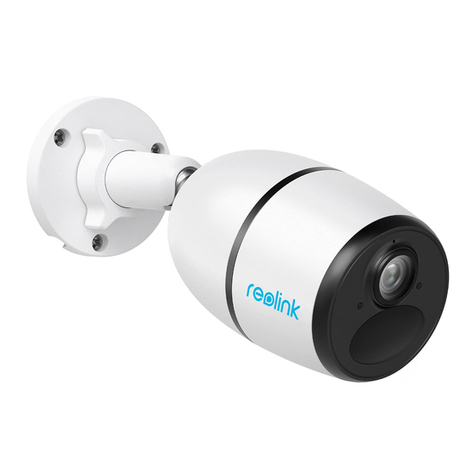
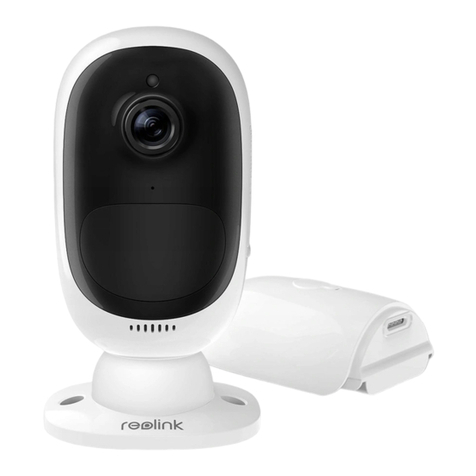
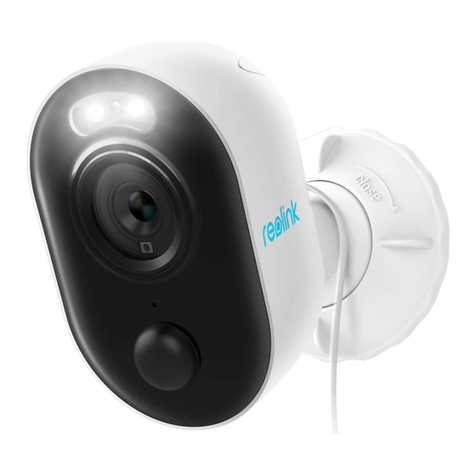
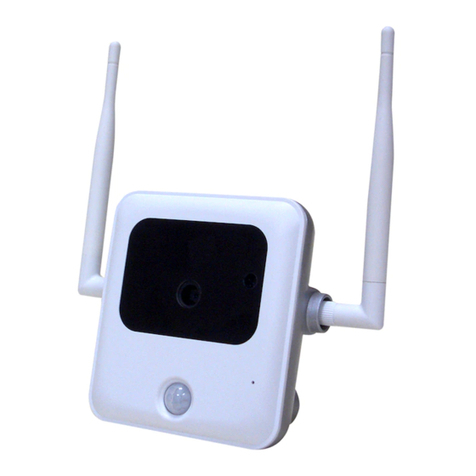
Reolink Argus 2E Quick start guide

Reolink Argus 2E
Operational Instruction
EN/DE/FR/IT/ES
Aug 2021
QSG1_C
58.03.005.0004 @ReolinkTech https://reolink.com
Technical Support
If you need any technical help, please visit our ocial support site and contact our support
team before returning the products https://support.reolink.com
Technische Unterstützung
Wenn Sie Hilfe brauchen, kontaktieren Sie bitte Reolink Support Team zuerst, bevor Sie Ihre
Bestellung zurücksenden. Meiste Fragen oder Probleme können von unserem Online Support
Center beantwortet und gelöst werden https://support.reolink.com
Support technique
Si vous avez besoin d’aide, veuillez contacter Reolink avant de retourner votre produit. La
plupart des questions peuvent être répondues via notre centre de support en ligne à l'adresse
https://support.reolink.com
Supporto Tecnico
Se avete bisogno di aiuto, le chiediamo gentilmente di contattare Reolink prima di restituire il
prodotto.La maggior parte delle domande può essere risolta tramite il nostro centro di
assistenza online all'indirizzo https://support.reolink.com
Soporte Técnico
Si necesita ayuda, comuníquese con Reolink antes de devolver su producto. La mayoría de las
preguntas se pueden responder a través de nuestro centro de soporte en línea en
https://support.reolink.com
REOLINK INNOVATION LIMITED
FLAT/RM 705 7/F FA YUEN COMMERCIAL BUILDING 75-77 FA YUEN STREET MONG KOK KL
HONG KONG
Hoferstasse 9B, 71636 Ludwigsburg, Germany
Product Ident GmbH
89 Princess Street, Manchester, M1 4HT, UK
APEX CE SPECIALISTS LIMITED
REP
EU
REP
UK

2English
1 English
EN
What’s in the Box
Camera Introduction
Set up the Camera
Charge the Battery
Install the Camera
Notes on PIR Motion Sensor
Safety Instructions of Battery Usage
Troubleshooting
Specifications
Notification of Compliance
2
3
4
5
6
10
12
13
14
14
What’s in the Box
Contents
Pack of Screws Quick Start Guide
Surveillance Sign
Reolink Argus 2E Security Bracket
(With Strap)
Mounting Template Reset Needle
Micro USB Cable Stand Bracket

4English3 English
Camera Introduction
Micro USB Port
Red Light: WiFi connection failed
Blue Light: WiFi connection succeeded
Blinking: Standby status
On: Working status
• On Smartphone
Download and launch the Reolink App or Client software and follow the onscreen instructions
to finish initial setup.
Scan to download the Reolink App.
Set up the Camera
• On PC
Download path of the Reolink Client: Go to https://reolink.com > Support > App & Client.
Infrared Lights
Daylight Sensor
Status LED
Built-in PIR Motion Sensor
Reset Button
Dierent states of the status LED:
Lens
Built-in Mic
Outdoor Security Mount
Micro SD Card Slot
Speaker

6English5 English
For better weatherproof performance, always
keep the USB charging port covered with the
rubber plug after charging the battery.
Charge the Battery
Charge the battery with Reolink
Solar Panel (Not included if you
only purchase the camera).
Charge the battery with a
power adapter (not included).
It's recommended to fully charge the battery before mounting the camera outdoors.
Charging indicator:
Orange LED: Charging Green LED: Fully charged
• Install the camera 2-3 meters (7-10 ft) above
ground. This height maximizes the detection
range of the PIR motion sensor.
• For eective detection, please install the
camera angularly.
Notes on Camera Installation Position
NOTE: If a moving object approaches the
PIR sensor vertically, the camera may fail
to detect motion.
Install the Camera
θ
Mounting Height:
2-3 Meters
PIR Detection Distance:
2-10 Meters
AB

8English7 English
Screw the camera to
the mount.
Adjust the camera angle
to get the best field of
view.
Secure the camera by
turning the part on the
mount identified in the
chart clockwise.
NOTE: To adjust the camera angle later, please loosen the mount by turning the upper
part anticlockwise.
Mount the Camera to the Wall
Rotate to separate the base
from the mount.
Drill holes in accordance with the mounting
template and screw the base of the mount onto
the wall. Next, attach the other part of the mount
onto the base.
NOTE: Use the drywall anchors included in the
package if needed.
It is suggested to use the security bracket to install the camera when mounting it outdoors.
1 2
3 4 5

10English
9 English
Sensitivity
High
Mid
Low
Up to 10 meters (33ft)
Up to 8 meters (26ft)
Up to 5 meters (16ft)
Value
81 - 100
51 - 80
0 - 50
Detection Distance
(For moving and living objects)
NOTE: The detection range would be wider with higher sensitivity but it would lead to more false
alarms. It is recommended to set up the sensitivity level to “Low” or “Mid” when you install the
camera outdoors.
The PIR detection range can be customized to meet your specific needs. You can refer to the
following table to set it up in Device Settings via Reolink App.
Detection Distance of PIR Sensor
Notes on PIR Motion Sensor
Install the Camera with Loop Strap
Thread the loop strap
through the slots and
fasten the strap. It is the
most recommended
installation method if you
plan to set up the camera
on the tree.
If you plan to use the camera
indoors and put it on any flat
surface, you may place the
camera into the stand bracket
and adjust the camera angle
by slightly rotating the camera
back and forth.
Place the Camera on a Surface

11 English
Safety Instructions of Battery Usage
Reolink Argus 2E is not designed for 24/7 full capacity running or around-the-clock live
streaming. It’s designed to record motion events and remotely view live streaming only
when you need it. Learn useful tips on how to extend the battery life in this post:
https://support.reolink.com/hc/en-us/articles/360006991893
1. Charge the rechargeable battery with a standard and high-quality DC 5V/9V battery charger
or Reolink solar panel. Do not charge the battery with solar panels from any other brands.
2. Charge the battery when temperatures are between 0°C and 45°C and always use the battery
when temperatures are between -20°C and 60°C.
3. Keep the USB charging port dry, clean and free of any debris and cover the USB charging port
with the rubber plug when the battery is fully charged.
4. Do not charge, use or store the battery near any ignition sources, such as fire or heaters.
5. Do not disassemble, cut, puncture, short-circuit the battery, or dispose of the battery in water,
fire, microwave ovens and pressure vessels.
6. Do not use the battery if it gives o an odor, generates heat, becomes discolored or deformed,
or appears abnormal in any ways. If the battery is being used or charged, turn o the power switch
or remove the charger immediately, and stop using it.
7. Always follow the local waste and recycle laws when you get rid of the used battery.
Important Notes on Reducing
False Alarms
!
• Do not face the camera towards any objects with bright lights, including
sunshine, bright lamp lights, etc.
• Do not place the camera too close to a place with heavy trac. Based
on our numerous tests, the recommended distance between the camera
and the vehicle would be 16 meters (52ft).
• Do not place the camera near outlets, including the air conditioner vents,
humidifier outlets, the heat transfer vents of projectors, etc.
• Do not install the camera at places with strong wind.
• Do not face the camera towards a mirror.
• Keep the camera at least 1 meter away from any wireless devices,
including WiFi routers and phones in order to avoid wireless interference.
12English

13 English
Troubleshooting
Camera is not Powering on
Failed to Scan QR
Code on the Phone
If your camera is not turning on, please
apply the following solutions:
• Make sure the power switch is turned on.
• Charge the battery with a DC 5V/2A power
adapter. When the green light is on, the
battery is fully charged.
If these won't work, please contact Reolink
Support https://support.reolink.com
If the camera cannot scan QR code on your
phone, please try the following solutions:
• Remove the protective film from the
camera lens.
• Wipe the camera lens with a dry
paper/towel/tissue.
Notification of Compliance
FCC Compliance Statement
This device complies with Part 15 of FCC
Rules. Operation is subject to the following
two conditions: (1) this device may not cause
harmful interference, and (2) this device must
accept any interference received, including
interference that may cause undesired
operation. For more information, visit:
reolink.com/fcc-compliance-notice/.
Specifications
Video
Video Resolution: 1080p HD at 15 frames/sec
Field of View: 120° diagonal
Night Vision: Up to 10m (33 ft)
PIR Detection & Alerts
PIR Detection Distance:
Adjustable/up to 10m (33ft)
PIR Detection Angle: 100° horizontal
Audio Alert:
Customized voice-recordable alerts
Other Alerts:
Instant email alerts and push notifications
General
Operating Temperature:
-10°C to 55°C (14°F to 131°F)
Weather Resistance:
IP65 certified weatherproof
Size: 96 x 61 x 58 mm
Weight (Battery included): 230g
For more specifications, visit
https://reolink.com
make sure that SSID is within 31 characters
and password is within 64 characters.
• Set your password using only the characters
available on the keyboard.
If these won't work, please contact Reolink
Support https://support.reolink.com
Failed to Connect to WiFi During
Initial Setup Process
If the camera fails to connect to WiFi, please
try the following solutions:
• Please make sure the WiFi band is 2.4GHz
because the camera does not support 5GHz.
• Ensure that you have entered the correct
WiFi password.
• Put the camera closer to your router to
ensure a strong WiFi signal.
• Change the encryption method of the WiFi
network to WPA2-PSK/WPA-PSK (safer
encryption) on your router interface.
• Change your WiFi SSID or password and
• Vary the distance between your camera and
the mobile phone so that the camera
can focus better.
• Try to scan the QR code under sucient
lighting.
If these won't work, please contact Reolink
Support https://support.reolink.com
14English

15 English
Simplified EU Declaration of
Conformity
Reolink declares that this device is in
compliance with the essential requirements
and other relevant provisions of Directive
2014/53/EU.
Correct Disposal of This Product
This marking indicates that this product should
not be disposed with other household wastes
throughout the EU. To prevent possible harm
to the environment or human health from
uncontrolled waste disposal, recycle it
responsibly to promote the sustainable reuse
of material resources. To return your used
device, please use the return and collection
systems or contact the retailer where the
product was purchased. They can take this
product for environment safe recycling.
16English
OPERATING FREQUENCY
(the maximum transmitted power)
2412MHz—2472MHz (18dBm)
Terms and Privacy
Use of the product is subject to your
agreement to the Terms of Service and
Privacy Policy at reolink.com. Keep out of
reach of children.
End User License Agreement
By using the Product Software that is
embedded on the Reolink product, you agree
to the terms of this End User License
ISED Radiation Exposure Statement
This equipment complies with RSS-102
radiation exposure limits set forth for an
uncontrolled environment. This equipment
should be installed and operated with
minimum distance 20cm between the
radiator & your body.
Agreement (“EULA”) between you and Reolink.
Learn more: https://reolink.com/eula/.
Limited Warranty
This product comes with a 2-year limited
warranty that is valid only if purchased from
Reolink ocial stores or a Reolink authorized
reseller. Learn more:
https://reolink.com/warranty-and-return/.
NOTE: We hope that you enjoy the new
purchase. But if you are not satisfied with the
product and plan to return, we strongly
suggest that you reset the camera to factory
default settings and take out the inserted SD
card before returning.

18Deutsch
17 Deutsch
Lieferumfang
DE
Lieferumfang
Allgemeine Einführung
Kamera-Einrichtung
Laden des Akkus
Installation der Kamera
Hinweise zum PIR Bewegungssensor
Wichtige Hinweise zur Verwendung der Batterie
Fehlerbehebung
Spezifikationen
Konformitätserklärung
18
19
20
21
22
26
28
29
30
31
Überblick
Päckchen mit
Schrauben
Kurzanleitung
Schild
Videoüberwachung
Reolink Argus 2E Sicherheitshalterung
(Mit Klettverschluss)
Lochschablone
zur Montage
Nadel zum
Zurücksetzen
Micro
USB-Ladekabel
Standhalterung
Other manuals for Argus 2E
2
Table of contents
Languages:
Other Reolink Outdoor Camera manuals
Reolink
Reolink RLC-1212A User manual

Reolink
Reolink Argus PT User manual
Reolink
Reolink E1 Series Quick start guide
Reolink
Reolink RLC-511WA Quick start guide
Reolink
Reolink TrackMix LTE User manual
Reolink
Reolink Argus Eco Quick start guide

Reolink
Reolink Argus 2 Quick start guide
Reolink
Reolink E1 Outdoor PoE Quick start guide

Reolink
Reolink Argus PT Ultra Quick start guide
Reolink
Reolink Argus 3 User manual