Important
❒
Check the printer nameplate to confirm the model code.
❒
If you want to use the optional duplex unit, 2 tray finisher and 4-bin mailbox at the same time, install the optional paper feed unit first, and then
install these options.
❒
If you have already installed the optional duplex unit, 2 tray finisher and 4-bin mailbox, remove all these options before installing the optional paper
feed unit.
❒
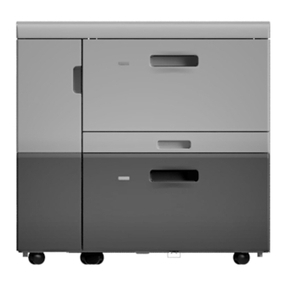
Before installation, check the orientation of the 2000-sheet Large CapacityTray you want to place.
❒
When installing multiple options, install the
Large Capacity Tray
first.
❒
Four people are needed to install the
Large CapacityTray
.Start the installation work after all four people are ready.
Note
❒
The printer weighs approximately 85kg (187lbs).
❒
The 2000-sheet Large Capacity Tray weighs approximately 25kg (55.2lbs).
○○○○○○○○○○○○○○○○○○○○○○○○○○○○○○○○○○○○○○○○○○○○○○○○○○○○○○○○○○○○
Caution
•
Before installing options, the machine should be turned off and unplugged for at least
thirty minutes. Components inside the machine become very hot, and could result in a
burn if touched.
•
When lifting the machine, use the grips on both sides.The machine could break or cause
injury if dropped.
•
It is dangerous to handle the plug with wet hands. Doing this may result in receiving an
electric shock.
•
Before movingthemachine,unplugthepowercordfromtheoutlet.Ifthecordis unplugged
abruptly, it could become damaged. Damaged plugs or cords can cause an electrical or
fire hazard.
•
When moving the machine, each person should hold a handle, located on two sides of the printer,
and then lift slowly.Lifting carelessly or dropping it may cause injury.
•
When moving the paper feed unit, hold the bottom of both sides, and then lift slowly. Lifting
carelessly or dropping it may cause injury.
Paper Bank PS470
(Code: G569)
For Machine Code:G060 / G080 / G082
INSTALLATION GUIDE
G569-8600B
○○○○○○○○○○○○○○○○○○○○○○○○○○○○○○
○○○○○○○○○○○○○○○○○○
Check the contents of the box for the following items:
Description Q’ty
Large Capacity Tray 1
Installation Guide(This sheet) 1
Be sure to check the following points:
•
The power is turned off.
•
The power cord is unplugged from the wall outlet.
•
The interface cable is unplugged from the printer.
Remove the adhesive tape.
ZDJP019J
Adjust the four corners of the printer to those of the 2000-
sheet Large CapacityTray, and then slowly lower the
printer into place.
ZDJP020J
Important
❒Four people should hold the handles, located on two sides of
the printer, to move it.
ZDJP007J
Take out the packaged items, making sure there are two
thumb screws and one mounting bracket.Close the tray
of the 2000-sheet Large CapacityTray firmly.
ZDJP005J
○○○○○○○○○○○○○○○○○