2
PREPARATION
9
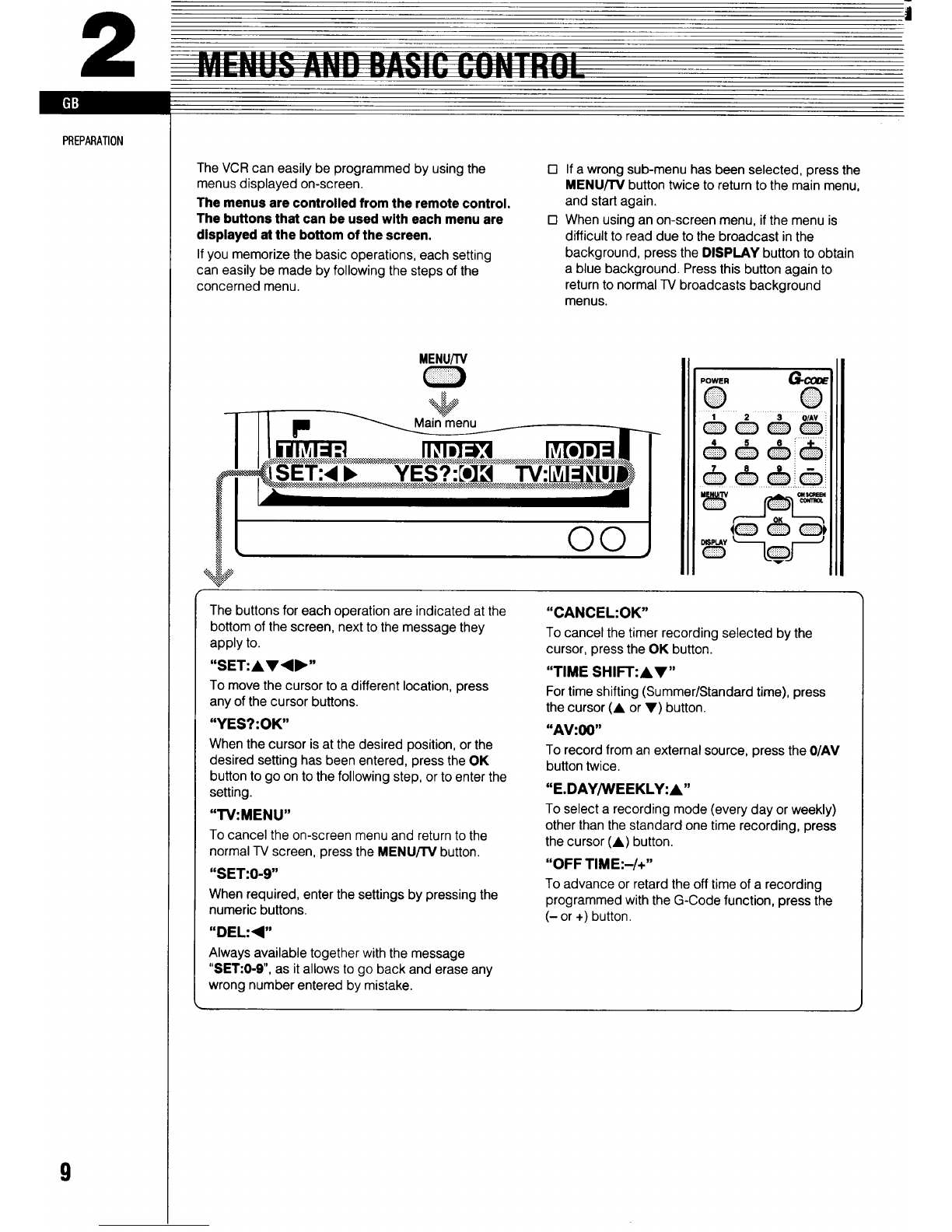
The VCR can easily be programmed by using the
menus displayed on-screen,
The menus are controlled from the remote control.
The buttons that can be used with each menu are
displayed et the bottom of the screen.
If you memorize the basic operations, each setting
can easily be made by following the steps of the
concerned menu.
•1
•1
If awrong sub-menu has been selected, press the
MENULIV button twice to return to the main menu,
and start again.
When using an on-screen menu, if the menu is
difficult to read due to the broadcast in the
background, press the DISPLAY button to obtain
ablue background. Press this button aaain to
return to nor-real TV broadcasts backgr~und
menus.
,—n
The buttons for each operation are indicated at the
bottom of the screen, next to the message they
apply to.
“SET:A7<P”
To move the cursor to adifferent location, press
any of the cursor buttons.
“YES?:OK”
When the cursor is at the desired position, or the
desired setting has been entered, press the OK
button to go on to the following step, or to enter the
setting.
“TV:MENU”
To cancel the on-screen menu and return to the
normal TV screen, press the MENWV button.
“SET:O.9
When required, enter the settings by pressing the
numeric buttons.
,,DEL:<,*
Always available together with the message
‘rSE170-9”, as it allows to go back and erase any
wrong number entered by mistake,
“CANCEL: OK”
To cancel the timer recording selected by the
cursor, press the OK button.
“TIME SHIIT:AY”
For time shifting (Summer/Standard time), press
the cursor (A or 7) button.
~~AV~J,
To record from an external source, press the O/AV
button twice.
“E.DAY/WEEKLY:A “
To select arecording mode (every day or weekly)
other than the standard one time recording, press
the cursor (A)button,
“OFF TIME:-/+”
To advance or retard the off time of arecording
programmed with the G-Code function, press the
(-or +) button.