manuals.online logo
Brands
  1. Home
  2. •
  3. Brands
  4. •
  5. Sharp
  6. •
  7. DVD Player
  8. •
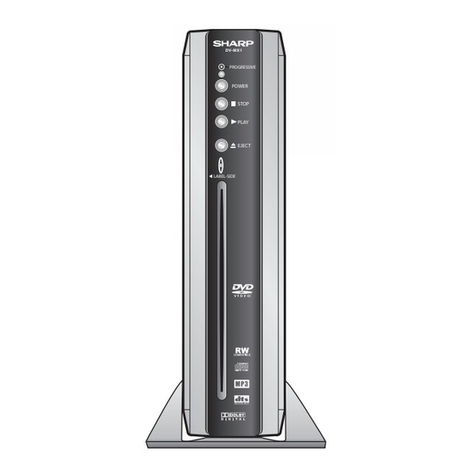
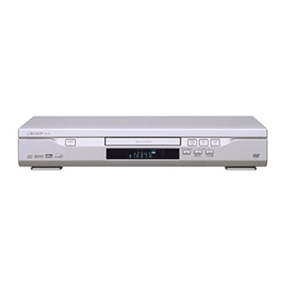
  9. Sharp DV-SV90S(Y) User manual

Sharp DV-SV90S(Y) User manual

This manual suits for next models

1

Other Sharp DVD Player manuals

Sharp DV-SV92S(B) User manual

Sharp

Sharp DV-SV92S(B) User manual

Sharp DV-SV97S(RU) User manual

Sharp

Sharp DV-SV97S(RU) User manual

Sharp DV-NC65H User manual

Sharp

Sharp DV-NC65H User manual

Sharp DV-SV97S(B) User manual

Sharp

Sharp DV-SV97S(B) User manual

Sharp DV-720S User manual

Sharp

Sharp DV-720S User manual

Sharp DV-SL80U User manual

Sharp

Sharp DV-SL80U User manual

Sharp DV-SL1200W User manual

Sharp

Sharp DV-SL1200W User manual

Sharp DV-740S User manual

Sharp

Sharp DV-740S User manual

Sharp DV-SL1000W User manual

Sharp

Sharp DV-SL1000W User manual

Sharp DV-SL85X User manual

Sharp

Sharp DV-SL85X User manual

Sharp DV-SL80X User manual

Sharp

Sharp DV-SL80X User manual

Sharp SD-AT50H User manual

Sharp

Sharp SD-AT50H User manual

Sharp DV-600S User manual

Sharp

Sharp DV-600S User manual

Sharp DV-SL20U User manual

Sharp

Sharp DV-SL20U User manual

Sharp DV-MX1U User manual

Sharp

Sharp DV-MX1U User manual

Sharp DV-SV 80 H User manual

Sharp

Sharp DV-SV 80 H User manual

Sharp DV-SL10 User manual

Sharp

Sharp DV-SL10 User manual

Sharp DV-SV97H User manual

Sharp

Sharp DV-SV97H User manual

Sharp DV-700S User manual

Sharp

Sharp DV-700S User manual

Sharp DV-SL10H User manual

Sharp

Sharp DV-SL10H User manual

Sharp DV-SV92S(L) User manual

Sharp

Sharp DV-SV92S(L) User manual

Sharp DV-S1S(S) User manual

Sharp

Sharp DV-S1S(S) User manual

Sharp DV-SL90UA User manual

Sharp

Sharp DV-SL90UA User manual

Sharp DV-S1S(Y) User manual

Sharp

Sharp DV-S1S(Y) User manual

Popular DVD Player manuals by other brands

Yamaha DVD S540 - Progressive Scan DVD Player Service manual

Yamaha

Yamaha DVD S540 - Progressive Scan DVD Player Service manual

Yamakawa DVD-MP12i user manual

Yamakawa

Yamakawa DVD-MP12i user manual

Philips DVP3042/12 user manual

Philips

Philips DVP3042/12 user manual

Philips DVP5900/37B Quick use guide

Philips

Philips DVP5900/37B Quick use guide

Roadstar DVD-2020H Service manual

Roadstar

Roadstar DVD-2020H Service manual

Beko DVD 2006 user manual

Beko

Beko DVD 2006 user manual

Atak DVDA2015 instruction manual

Atak

Atak DVDA2015 instruction manual

LG DV257K owner's manual

LG

LG DV257K owner's manual

auna 10005069 manual

auna

auna 10005069 manual

Philips MCD700/61 user manual

Philips

Philips MCD700/61 user manual

Sony DVP-F11 Service manual

Sony

Sony DVP-F11 Service manual

Toshiba SD-2300U owner's manual

Toshiba

Toshiba SD-2300U owner's manual

LENCO DVP-740 X2 user manual

LENCO

LENCO DVP-740 X2 user manual

Tevion 44330 user guide

Tevion

Tevion 44330 user guide

Aiwa XD-DV370 operating instructions

Aiwa

Aiwa XD-DV370 operating instructions

Sony DVP S530D operating instructions

Sony

Sony DVP S530D operating instructions

Denon DVM-1805 - DVD Changer operating instructions

Denon

Denon DVM-1805 - DVD Changer operating instructions

Toshiba SD-3815 owner's manual

Toshiba

Toshiba SD-3815 owner's manual

manuals.online logo
manuals.online logoBrands
  • About & Mission
  • Contact us
  • Privacy Policy
  • Terms and Conditions

Copyright 2025 Manuals.Online. All Rights Reserved.

Please read this Operation Manual carefully
before using your DVD Video Player.
DVD Video Player
MODEL
DV-SV90S(Y)
OPERATION MANUAL
The region number for this DVD player is 2.
2
SKIP
DV-SV90
DVD / CD / VIDEO CD PLAYER
OPEN/CLOSE PLAY/PAUSE STOP
OPERATE
PROGRESSIVE SCAN
- 1 - EN
3RZHU&RUG3URWHFWLRQ
7RDYRLGDQ\PDOIXQFWLRQVRIWKH3OD\HUDQGWRSURWHFW
DJDLQVWHOHFWULFVKRFNILUHRUSHUVRQDOLQMXU\SOHDVHREVHUYH
WKHIROORZLQJ
 +ROGWKHSOXJILUPO\ZKHQFRQQHFWLQJRUGLVFRQQHFWLQJWKH
$ SRZHUFRUG
 .HHSWKH$ SRZHUFRUGDZD\IURPKHDWLQJDSSOLDQFHV
 1HYHUSXWDQ\KHDY\REMHFWRQWKH$ SRZHUFRUG
 'RQRWDWWHPSWWRUHSDLURUUHFRQVWUXFWWKH$ SRZHUFRUG
LQDQ\ZD\
:$ 5 1, 1* 
725('8&(7+(5,6.2)),5(25(/(&75,&
6+2&. '2127(;326(7+,6( 8,30(1772
5$,12502,6785(
725('8&(7+(5,6.2)),5(25(/(&75,&
7+(5(&200(1'('$&&(6625,(621/<
6+2&. $1'$112<,1*,17(5)(5(1&( 86(
/DVHU'LRGH3URSHUWLHV
0DWHULDO *D$V
:DYHOHQJWK '9' QP
&' QP
(PLVVLRQ'XUDWLRQ &RQWLQXRXV
/DVHURXWSXW 0D[ P:
 7KLV3OD\HULVFODVVLILHGDVD /$66/$6(5SURGXFW
 7KH /$66/$6(5352'8 7ODEHOLVORFDWHGRQWKH
UHDUFRYHU
 7KLVSURGXFWFRQWDLQVDORZSRZHUODVHUGHYLFH 7RHQVXUH
FRQWLQXHGVDIHW\GRQRWUHPRYHDQ\FRYHURUDWWHPSWWR
JDLQDFFHVVWRWKHLQVLGHRIWKHSURGXFW 5HIHUDOOVHUYLF
LQJWRTXDOLILHGSHUVRQQHO
SAFETY INFORMATION
- 2 - EN
SAFETY INFORMATION
/RFDWLRQDQG+DQGOLQ
J
'RQRWFRYHURUSODFHWKHSOD\HULQHQFORVHGVSDFHVWR
SUHYHQWH[FHVVLYHWHPSHUDWXUHEXLOGXS
'RQRWSODFHWKH3OD\HULQGLUHFWVXQOLJKWRUQHDUKHDW
VRXUFHV
.HHSWKH3OD\HUDZD\IURPVWURQJPDJQHWLFREMHFWV
'RQRWSODFHDQ\REMHFWFRQWDLQLQJZDWHURURWKHUOLTXLGV
RQWKH3OD\HU QWKHHYHQWWKDWOLTXLGVKRXOGHQWHUWKHFDE
LQHWXQSOXJWKH3OD\HULPPHGLDWHO\DQGFRQWDFWWKHUHWDLOHU
RUVHUYLFHFHQWUHDSSURYHGE\6+$53LPPHGLDWHO\
'RQRWUHPRYHWKH3OD\HUFDELQHW7RXFKLQJSDUWVLQVLGH
WKHFDELQHWFRXOGUHVXOWLQHOHFWULFVKRFNDQGRUGDPDJH
WRWKH3OD\HU)RUVHUYLFHDQGDGMXVWPHQWLQVLGHWKHFDEL
QHWFDOODTXDOLILHGGHDOHURUVHUYLFHFHQWUHDSSURYHGE\
6+$53
1RQXVH3HULRGV
:KHQWKH3OD\HULVQRWEHLQJXVHGVZLWFKWKH3OD\HUWRWKH
6WDQGE\PRGH
:KHQOHIWXQXVHGIRUDORQJSHULRGRIWLPHWKH3OD\HUVKRXOG
EHXQSOXJJHGIURPWKHKRXVHKROG$&RXWOHW
1R)LQJHUVRU2WKHU2EMHFWV,QVLGH
'RQRWSXWDQ\IRUHLJQREMHFWRQWKHGLVFWUD\
6WDFNLQJ
3ODFHWKH3OD\HULQDKRUL]RQWDOSRVLWLRQDQGGRQRWSODFH
DQ\WKLQJKHDY\RQLW
&RQGHQVDWLRQ
0RLVWXUHPD\IRUPRQWKHSLFNXSOHQVLQWKHIROORZLQJFRQGL
WLRQV
LPPHGLDWHO\DIWHUDKHDWHUKDVEHHQWXUQHGRQ
LQDVWHDP\RUYHU\KXPLGURRP
ZKHQWKH3OD\HULVVXGGHQO\PRYHGIURPDFROGHQYLURQ
PHQWWRDZDUPRQH
QWKLVFDVHWXUQRQWKHSRZHUDQGZDLWDERXWRQHKRXUIRU
WKHPRLVWXUHWRHYDSRUDWH
&OHDQLQJ
8QSOXJ\RXU3OD\HUEHIRUHFOHDQLQJ8VHDGDPSFORWKIRU
FOHDQLQJ'RQRWXVHFOHDQLQJIOXLGVRUDHURVROVZKLFKFRXOG
HQWHUWKH3OD\HUDQGFDXVHGDPDJHILUHRUHOHFWULFDOVKRFN
7KHVHVXEVWDQFHVPD\DOVRGHWHULRUDWHWKHILQLVKRI\RXU
3OD\HU
,IWKHUHLV1RLVH,QWHUIHUHQFHRQWKH79:KLOHD
URDGFDVWLVEHLQJ5HFHLYHG
'HSHQGLQJRQWKHUHFHSWLRQFRQGLWLRQRIWKH79LQWHUIHUHQFH
PD\DSSHDURQWKH79PRQLWRUZKLOH\RXZDWFKD79EURDG
FDVWDQGWKH3OD\HULVOHIWRQ7KLVLVQRWDPDOIXQFWLRQRIWKH
3OD\HURUWKH797RZDWFKD79EURDGFDVWWXUQRIIWKH
3OD\HU
5HFRPPHQGHG0HDVXUHVIRU2SWLPXP3LFWXUH
([FHOOHQFH
$SSDUDWXV&ODLPVRI863DWHQW1RV
DQGOLFHQVHGIRUOLPLWHG
YLHZLQJXVHVRQO\
7KLVSURGXFWLQFRUSRUDWHVFRS\ULJKWSURWHFWLRQWHFKQRORJ\
WKDWLVSURWHFWHGE\PHWKRGFODLPVRIFHUWDLQ86SDWHQWV
DQGRWKHULQWHOOHFWXDOSURSHUW\ULJKWVRZQHGE\0DFURYLVLRQ
&RUSRUDWLRQDQGRWKHUULJKWVRZQHUV8VHRIWKLVFRS\ULJKW
SURWHFWLRQWHFKQRORJ\PXVWEHDXWKRUL]HGE\0DFURYLVLRQ
&RUSRUDWLRQDQGLVLQWHQGHGIRUKRPHDQGRWKHUOLPLWHG
YLHZLQJXVHVRQO\XQOHVVRWKHUZLVHDXWKRUL]HGE\
0DFURYLVLRQ&RUSRUDWLRQ5HYHUVHHQJLQHHULQJRUGLVDV
VHPEO\LVSURKLELWHG
'RQRWDWWHPSWWRFOHDQWKHSLFNXSOHQV\RXUVHOI
6HUYLFH
'RQRWDWWHPSWWRVHUYLFHWKLV3OD\HU\RXUVHOI3OHDVHUHIHU
DQ\VHUYLFHWRWKHQHDUHVWVHUYLFHFHQWUHDSSURYHGE\
6+$53
&RS\ULJKW
$XGLRYLVXDOPDWHULDOPD\FRQVLVWRIFRS\ULJKWHGZRUNVZLFK
PXVWQRWEHUHFRUGHGZLWKRXWWKHDXWKRULW\RIWKHRZQHURI
WKHFRS\ULJKW3OHDVHUHIHUWRUHOHYDQWODZVLQ\RXUFRXQWU\
&RS\3URWHFWLRQ
7KLV3OD\HUVXSSRUWV0DFURYLVLRQFRS\SURWHFWLRQ2Q'9'V
WKDWLQFOXGHDFRS\SURWHFWLRQFRGHLIWKHFRQWHQWVRIWKH
'9'DUHFRSLHGXVLQJD9&5WKHFRS\SURWHFWLRQFRGHSUH
YHQWVWKHYLGHRWDSHFRS\IURPSOD\LQJQRUPDOO\
7KH3OD\HULVDSUHFLVLRQGHYLFHWKDWLVFRQVWUXFWHGXVLQJ
H[WUHPHO\DFFXUDWHWHFKQRORJ\
6RLOLQJRUIULFWLRQDIIHFWLQJWKHSLFNXSOHQVRUGLVFGULYHFDQ
LPSDLUWKHLPDJHTXDOLW\$WWKHZRUVWQHLWKHUYLGHRQRUDXGLR
ZLOOEHSOD\HGEDFN &RQWDFW\RXUDXWKRUL]HG6KDUSVXSSOLHU
IRUGHWDLOV
- 3 - EN
TABLE OF CONTENTS
SAFETY INFORMATION ............................................................................ 1
TABLE OF CONTENTS .............................................................................. 3
ABOUT THIS MANUAL .............................................................................. 4
GENERAL PROPERTIES .......................................................................... 4
SUPPLIED ACCESSORIES ....................................................................... 5
DISC TYPES COMPATIBLE WITH THIS UNIT ............................................ 6
SAFETY PRECAUTIONS ........................................................................... 8
FRONT PANEL FUNCTIONS ...................................................................... 9
FRONT PANEL DISPLAY (VFD ............................................................... 10
REAR PANEL CONNECTIONS ................................................................ 11
CONNECTION OF YOUR DVD PLAYER WITH TV ................................... 12
CONNECTION OF YOUR DVD PLAYER WITH AV AMPLIFIER ................ 14
FITTING BATTERIES IN YOUR REMOTE CONTROL ............................... 16
REMOTE CONTROL FUNCTIONS ........................................................... 17
DVD PLAYBACK ..................................................................................... 18
DIRECT SELECTION OF SCENES .......................................................... 19
REPEAT PLAY ......................................................................................... 20
CONVENIENT FUNCTIONS ..................................................................... 21
VIDEO CD PLAYBACK ............................................................................ 23
DIRECT SELECTION OF SCENES .......................................................... 24
REPEAT PLAY ......................................................................................... 25
CONVENIENT FUNCTIONS ..................................................................... 25
AUDIO CD PLAYBACK ............................................................................ 26
DIRECT SELECTION OF TRACKS ........................................................... 27
REPEAT PLAY ......................................................................................... 27
CONVENIENT FUNCTIONS ..................................................................... 28
SMARTNAVI ............................................................................................ 29
USING SETUP MENU .............................................................................. 31
VIDEO SETUP ......................................................................................... 32
AUDIO SETUP ......................................................................................... 33
LANGUAGE SETUP ................................................................................ 33
PARENTAL SETUP .................................................................................. 34
PREFERENCES ...................................................................................... 34
DivX(R Registration .................................................................................. 34
TROUBLESHOOTING .............................................................................. 35
SPECIFICATIONS .................................................................................... 36
DEFINITION OF TERMS .......................................................................... 37
- 4 - EN
ABOUT THIS MANUAL
Instructions in this manual describe the controls on the player. You can also use the controls on the remote if they have
the same or similar names as those on the player.
Dear Customers
We would like to thank you for purchasing this DVD/VCD/ -VCD/AUDIO CD/CD-R/CD-RW/MP3/JPEG/MPEG-4/
'LY
;
player.
We strongly recommend that you carefully study the operating instructions before attempting to operate the unit and that
you note the listed safety precautions.
GENERAL PROPERTIES
1) DVD/VCD/ -VCD/AUDIO CD/CD-R/CD-RW/MP3/JPEG/MPEG-4/
'LY;
playback
2) Official
'LY
;
Certified product
Plays
'LY
;
5,
'LY
;
4,
'LY
;
3, and
'LY
;
VOD video content ( in compliance with
'LY
;
Certified technical
requirements)
3) PAL/NT C playback (according to disc content)
4) User-friendly multilanguage O D menu control
5) Vacuum Fluorescent Display (VFD)
6) DT , Dolby Digital, LPCM audio, MPEG audio via coaxial and optical digital audio outputs.
7) Multiple Aspect Ratio support (16:9 Widescreen, 4:3 Letterbox, 4:3 PAN & CAN)
8) Multi-Audio (up to 8) support
9) Multi- ubtitle (up to 32) support
10) Multi-Angle (up to 9) support
11) 8 level parental control
12) Fast forward and reverse in different speeds.
13) mooth and seamless playback in 2x speed for DVD.
14) low motion playback in different speeds.
15) Frame by frame forward and backward playback
16) Time earch
17) Repeat (Disc, title, chapter, A-B)
18) Different play modes for Audio CD, MP3 and JPEG
19) Program function for Audio CD, MP3 and JPEG
20) cart Connector
21) Progressive can Component Video output
22) -Video output / Composite Video output
 Manufactured under license from Dolby Laboratories. Dolby and the double-D symbol are trademarks of Dolby
Laboratories.
 DT  and DT Digital Out are trademarks of Digital Theater ystems, Inc.
 DivX, DivX Certified, and associated logos are trademarks of DivXNetworks, Inc. and are used under license.
- 5 - EN
SUPPLIED ACCESSORIES
In the packaging material you will find the following:
DF
E
(a) Remote control
(b) Two R03 (AAA) batteries for remote control
(c) Operation Manual
- 6 - EN
DISC TYPES COMPATIBLE WITH THIS UNIT
This player can play the following discs.
'9'
9,'(2&'
$8',2&'
$XGLR

9LGHR
FP
$XGLR

9LGHR
$XGLR
FP
FP
FP
FP
FP
$XGLR
[[[[PS
9LGHR
VWLOOSLFWXUH
FP
FP

03LVUHFRUGHGDVD'LJLWDO6LJQDO
ZLWKEHWWHUDXGLRTXDOLW\OHVV
GLVWRUWLRQDQGOHVVGHWHULRUDWLRQRI
DXGLRTXDOLW\RYHUWLPH

-3( LVUHFRUGHGDVD'LJLWDO6LJQDO
ZLWKEHWWHUSLFWXUHTXDOLW\RYHUWLPH
'LVF7\SHV
/RJRV
5HFRUGLQJ
7\SHV
'LVF6L]H
0D[
3OD\LQJ
7LPH
PLQ
PLQ
PLQ
PLQ
6LQJOH
VLGHGPLQ
'RXEOH
VLGHGPLQ
6LQJOH
VLGHGPLQ
'RXEOH
VLGHGPLQ
&KDUDFWHULVWLFV

'9'FRQWDLQVH[FHOOHQWVRXQGDQG
YLGHRGXHWR'ROE\'LJLWDODQG
03( 6\VWHP

9DULRXVVFUHHQDQGDXGLRIXQFWLRQV
FDQEHHDVLO\VHOHFWHGWURXJKWKHRQ
VFUHHQPHQX

9LGHRZLWK&'VRXQG9+6TXDOLW\
03( FRPSUHVVLRQWHFKQRORJ\

$Q/3LVUHFRUGHGDVDQDQDORJVLJQDO
ZLWKPRUHGLVWRUWLRQ&'LVUHFRUGHG
DVD'LJLWDO6LJQDOZLWKEHWWHUDXGLR
TXDOLW\OHVVGLVWRUWLRQDQGOHVV
GHWHULRUDWLRQRIDXGLRTXDOLW\RYHUWLPH

'LY;9LGHRLVUHFRUGHGDVD'LJLWDO
6LJQDOZLWKEHWWHUYLGHRTXDOLW\RYHU
WLPH
$XGLR

9LGHR
FP
FP
'LY;
- 7 - EN
The following discs cannot be played back on this DVD player:
 DVD with region codes other than 2 or ALL.
 DVD-RO
 DVD-RA (Never play back, otherwise malfunction may result.)
 DVD-R/RW
 DVD+R/RW
 CDV (Only plays back the audio part.)
 CD-RO
 CD-G (Only plays back the sound.)
 CD-I (Never play back, otherwise malfunction may result.)
 Super Audio CD (Only the sound recorded on the normal CD layer can be delivered. The sound recorded
on the high density Super Audio CD layer cannot be delivered.)
 Photo CD (Never play back, otherwise malfunction may result.)
Any other discs without compatibility indications.
¥ NOTE:
When an incompatible disc is inserted, a message appears in the VFD and the On Screen Display (NO DISC,
UNKNOWN DISC indicating that the Disc is not playable.
Notes on Discs:
On handling discs
 To keep the disc clean, handle the disc by its edge. Do not touch the surface.
 Do not stick paper or tape on the disc.
 If the disc is contaminated with any substance like glue remove before using it.
 Do not expose the disc to direct sunlight or heat sources such as hot air ducts, or leave it in a car parked in direct sunlight
as the temperature can rise quickly and damage the disc.
 After playing, store the disc in its case.
On cleaning
 Before playing, clean the disc with a cleaning cloth. Wipe the disc from the center out.
 Do not use solvents such as benzine, thinner, commercially available cleaners or anti-static spray intended for vinyl LPs.
Discs that should not be used
Only the discs including the marks shown on page 6 can be played.
Note, however, that discs with special shapes (heart-shaped discs, hexagonal discs, etc.) cannot be played. Do not
attempt to play such discs, as they may damage the player.
¥ NOTE:
 Do not use record spray or antistatic. Also do not use volatile chemicals such as benzene or thinner.
5(&25'
635(< 7+,11(5 %(1=(1(
- 8 - EN
SAFETY PRECAUTIONS
Power Source
The unit should be operated only from a 220-240V~ 50 Hz outlet. Please do not open the co er by yourself. There is high
oltage in the set, which will endanger your life. Please contact local ser ice agent for help and ad ice. Repairs to be
carried out by a qualified technician only.
 The apparatus is not disconnected from the AC power source (mains) as long as it is connected to the wall outlet, e en
if the apparatus itself has been turned off.
 If you are not going to use the apparatus for a long time, be sure to disconnect the apparatus from the wall outlet.
Power Cord
Do not place the unit, a piece of furniture, etc., on the power cord (mains lead), or pinch the cord. Handle the power cord
by the plug. Do not pull out the plug by tugging the cord and ne er touch the power cord when your hands are wet as
this could cause a short circuit or electric shock. Ne er make a knot in the cord or tie it with other cords. The power cords
should be routed in such a way that they are not likely to be stepped on. A damaged power cord can cause fire or gi e
you an electrical shock. Check the power cord once in a while. When you find it damaged, ask closest ser ice agent for
help. When the AC power cord need to be changed, it should be done at a qualified ser ice shop only.
Choice of Location
 Please do not place the set in a place subject to direct sun light, excessi e dust or mechanical shock or in a location
near heat sources.
 The set should be placed on a solid and safe base. Do not place the apparatus on a soft surface such as a rug that
might block the entilation holes on the bottom.
 A location should not be selected such as a room with high humidity, as the condensation, arising in the kitchen for example,
may cause malfunction or damage the set.
 Heating or other thermal radiation under the set also may cause malfunction or damage the set.
 The hot air, which arises during the operation, should be entilated with sufficient air circulation. Please do not put the
set into closed areas and do not co er it.
 Please a oid the contact of the set with water or humidity. Do not put into operation near bath, swimming pools.
 Take care to pro ide a good air circulation. Place the apparatus in a location with adequate entilation to pre ent heat
build-up in the apparatus.
 Should any solid object or liquid fall into the cabinet, unplug the apparatus and ha e it checked by qualified personnel
before operating it any further.
- 9 - EN
FRONT PANEL FUNCTIONS
6.,3
   
'969
'9'&'9,'(2&'3/$<(5
352*5(66,9(6&$1
1. Disc Tray
Place a disc on the tray.
2. OPEN/CLOSE button
Opens or closes the disc tray.
3. PLAY/PAUSE button
Plays/pauses the disc. For any DVD title that has a root menu with still picture, this button functions as SELECT button
(selects highlighted item) in the root menu. Otherwise the disc will prohibit this function on the root menu, and
´
symbol
will appear on screen.
4. STOP button
Stops playing the disc.
5. SKIP buttons
Press to go back to the preceding chapter/track or to go to the next chapter/track.
6. Front Panel Display (VFD
Indicates the playing time, title, chapter/track, etc.
7. OPERATE button
Turns the unit to OPERATE or STANDBY mode.