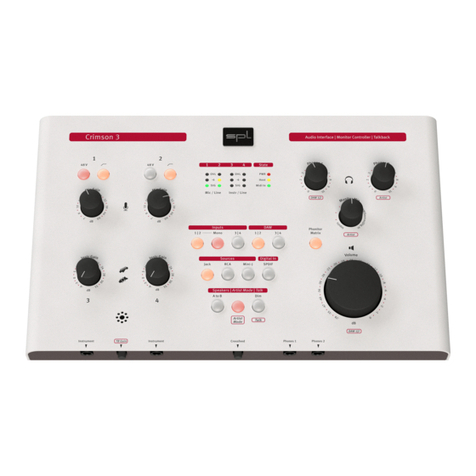
Marc One 7
Do not place the device in a location where it ma come into contact with corrosive gases
or salt air. This ma result in malfunction.
Before moving the device, remove all connected cables.
When setting up the device, make sure that the mains socket outlet ou are using is easil
accessible. If some trouble or malfunction occurs, immediatel turn o the power switch
and disconnect the power suppl from the mains socket outlet. Even when the power
switch is turned o, electricit is still flowing to the product at a minimum rate. When ou
are not using the device for a long time, make sure to unplug the power suppl from the
wall mains socket outlet.
Connections
Before connecting the device to other devices, power down all devices. Before power on or
o the devices, set all volume levels to minimum.
Onl use appropriate cables to connect the device with other devices. Make sure that the
cables ou use are intact and compl with the electrical specications of the connection.
Other connections can lead to health risks and damage the equipment.
Handling
Operate the controls and switches onl as described in the manual. Incorrect adjustments
outside safe parameters can lead to damage. Never use excessive force on the switches or
controls.
Do not insert our ngers or hands in an gaps or openings of the device.
Avoid inserting or dropping foreign objects (paper, plastic, metal, etc.) into an gaps or
openings of the device. If this happens, power down immediatel and unplug the power
suppl from the mains socket outlet. Then have the device inspected b a qualied profes-
sional.
Do not expose the device to excessive dust or vibrations or extreme cold or heat (such as
direct sunlight, near a heater or in a car during the da ) to prevent the possibilit of causing
damage to the housing, the internal components or unstable operation.
If the ambient temperature of the device suddenl changes, condensation can occur (if for
example the device is relocated or is aected b a heater or air conditioning).
Using the device while condensation is present ma result in malfunction. Do not power on
the device for a few hours until the condensation is gone. Onl then it is safe to power on.
Cleaning
Disconnect the power cord from the device before cleaning.
Do not use an solvents, as these can damage the chassis nish. Use a dr cloth, if neces-
sar , with an acid-free cleaning oil.
Disclaimer
Windows® is a registered trademark of Microsoft® Corporation in the United States and
other countries.
Apple, Mac and Macintosh are trademarks of Apple Inc., registered in the U.S. and other
countries.
The compan names and product names in this manual are the trademarks or registered
trademarks of their respective companies.
SPL and the SPL Logo are registered trademarks of SPL electronics GmbH.
SPL cannot be held responsible for damage caused b improper use or modication of the
device or data that is lost or destro ed.
Notes on Environmental Protection
At the end of its operating life, this product must not be disposed with regular
household waste but must be returned to a collection point for the rec cling of
electrical and electronic equipment.
The wheelie bin s mbol on the product, user manual and packaging indicates that.
For proper treatment, recover and rec cling of old products, please take them to applica-
ble collection points in accordance with our national legislation and the Directives
2012/19/EU.
The materials can be reused in accordance with their markings. Through reuse, rec cling of
raw materials, or other forms of rec cling of old products, ou are making an important
contribution to the protection of our environment.
Your local administrative oce can advise ou of the responsible waste disposal point.
This directive onl applies to countries inside the EU. If ou wish to discard devices outside
the EU, please contact our local authorities or dealer and ask for the correct method of
disposal.
WEEE-Reg-No.: 973 349 88
EN
DE