10
c.) Put the tray back into place and continue with
vacuum packing.
Figure 6: When liquid nds its way into the vacuum
channel, lift the Liquid Trap tray directly upwards, pour
the liquid out, wash the tray, and dry it thoroughly.
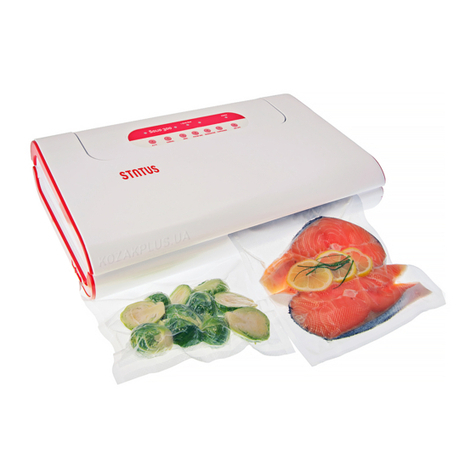
2.5. START / STOP BUTTON: VACUUM PACKING OF
DELICATE AND MOIST FOODS (FRESH MEAT, FISH,
VEGETABLES, FRUIT, CAKES, SOFT CHEESES)
With manual vacuum packing function you can
stop the vacuuming process as soon as you assess that
enough air has been removed out of the bag or that
further removal of air could damage delicate foods.
Switch the latch locking system to locked mode as
described in 2.1.1 and shown in Figure 2.
a.) At the process of manual vacuum packing you
should keep in mind that with soft and moist foods
you have to pay extra attention to what is happening
in the bag during vacuum packing.
b.) Place the foods into a bag. The bag should always
be longer than the length of the foodstuff, which is
to be vacuum packed.
c.) Position the open end of the bag into the vacuum
channel, between the sealing gaskets. Stick it to the
Status Stiki tape to ensure that the bag remains in
the correct place and without creases (see 2.2.1. on
how to attach the Status Stiki).
d.) Close the lid and lock it by pressing on the bottom
right and left corner of the lid.
e.) Remove the air from the bag by pressing Start
button and pay attention to what is happening
with the food. If liquid is starting to slip toward the
machine or if further removing of air could damage
soft foods, press the Stop button. The pump stops
and sealing is activated (light Seal is blinking).
f.) When the light Seal stops blinking, the process is
nished. Unlock the lid by pressing the side buttons
(Item 7 in Figure 1). Remove the bag by detaching it
from the Status Stiki tape.
Figure 7: While in manual mode, the latch locking
system needs to be in the locked mode.
2.4.1. HOW TO ACT IF THE
MACHINE STARTS TO DRAW
LIQUID WHILE VACUUM PACKING?
If you notice that the machine is drawing liquid,
IMMEDIATELY stop the vacuum packing process by
pressing the Stop button. Stop button only stops the
vacuum packing process (the button no longer works
when the machine is sealing).
If the vacuum packing process is not stopped
in time and the liquid enters the vacuum
channel, the Liquid Trap sensor will stop the
vacuum packing process and the control light Liquid
Trap will turn on. Follow this procedure:
a.) Open the lid. Lift the Liquid Trap tray (Item 10 in
Figure 1) from the Vacuum Channel directly upwards.
b.) Pour the liquid out and thoroughly wipe the tray
until completely dry. If the liquid made its way un-
der the tray, wipe and dry the channel as well. Use
the hair dryer to make sure the Liquid Trap tray and
liquid sensor are completely dry.