- 2 - - 3 -
HPD2 KNX Application description
1. Detector functions
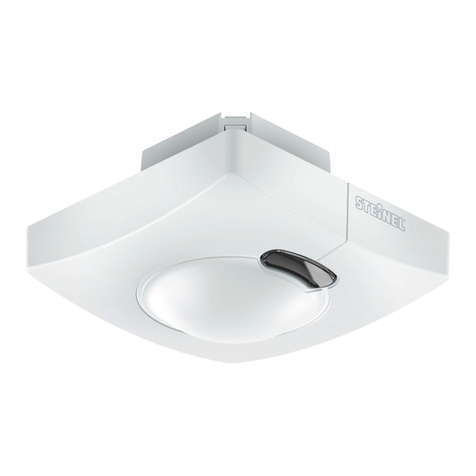
The human-presence detector with constant-lighting control com-
prises a sophisticated camera technology with integrated light-level
sensor, integrated temperature and humidity sensor and a strong
processor to provide an optimized solution to the most challenging
needs of building automation.
Some major features of HPD2 are:
- Detection of human presence
- Counting of people present in the detection area
- Application-based customization of detection zones and associ-
ated parameters
- Detection / counting of seated or standing people without any-
movement
- No false switching due to small animals in the detection area
- Measurement of temperature and relative humidity
The function to be used (activated) is defined via the "General Set-
tings" parameter window using the Engineering Tool Software (ETS)
version ETS 4.0 and higher. Each of the detector functions provides
the capability of setting a period after which a detected movement is
to result in activation of the function concerned. And also of setting a
period after which the function concerned is to be deactivated again
after detecting the last movement. The lighting controller immediately
switches light ON when anyone enters the room in the dark but only
switches it OFF again some time after the last person leaves. If a per-
son returns to the room shortly after leaving it (because, for example,
that person has forgotten something), the room is still illuminated, sav-
ing the need to switch the light back ON again. The "stay-ON time"
can either be allotted to the human presence detector or set to a fixed
period. As it takes a long time to heat or cool a room whose HVAC
systems have been switched to energy-saving mode while it is not be-
ing used, activation and deactivation of the comfort mode is delayed.
The operator uses input like human detection, number of people in
the detection zones, humidity and temperature measurements in or-
der to optimize and control the HVAC systems. Briefly entering a room
is not to result in the HVAC systems being activated immediately. The
appropriate "switch-ON delay" can either be matched automatically
by the detector to the time people are present in the room (room
surveillance) or it can be set to a fixed period. Briefly leaving the room
does not result in the HVAC systems being switched OFF either. The
associated "stay-ON time" can be set to a fixed period.
1.1 Human-presence detection
This function watches over the room (or configured zones). A signal
is sent out as soon as human presence has been reliably detected.
A signal is also sent out as soon as the presence of persons is no
longer being detected. The function also enables the counting of the
number of people present in selected zone(s). If no zone is marked,
the complete field of view is used for detection as 1 zone.
This surveillance function, for example, can be disabled / enabled for
up to 5 configurable zones.
1.2 Lighting control
In the "switching mode", this function switches lighting (switchable
only) ON and OFF in relation to presence and light level. Selecting
"constant-lighting control" instead of "switching mode" for dimmable
room lighting automatically switches light ON and adjusts it to the
preselected level when persons are present in the room and the level
of light measured is below the level set. If daylight is sucient to illumi-
nate the room, lighting is dimmed down or switched OFF completely
if not needed. The light level measured by the light-level sensor inte-
grated in the detector can be transmitted via bus.
1.3 HVAC control
Ventilation and air-conditioning systems (HVAC) switch from "energy-
saving mode" or "pre-comfort mode" when the room is not being
used to "comfort mode" when it is being used and back to "pre-com-
fort mode" or "energy-saving mode" when persons have finished us-
ing the room.
2. Human-presence detection operating modes
The HPD2 KNX can only work as a single detector. That means, it is
not connected to other human presence detectors that are installed
in the room.
3. Constant-lighting control
Constant-lighting control turns lighting to the light-level setting by
switching / dimming the lamps (depending on lamp type). With this
function it is possible to adjust the level of lighting via a parameter
or a communication object. A parameter can be used for selecting
whether to use only 1 dimmable lighting group for illuminating the
whole room (as 1 zone) or whether to configure the room in up to 5
zones and provide up to 5 dimmable lighting groups (1 lighting group
per zone).
3.1 Switching ON / OFF with constant-lighting control
Constant-lighting control is started if the presence detector identifies
the presence of one or more persons. Once this is enabled, the level
of light measured and the preselected light-level setting provide the
basis for determining whether or not lighting is switched ON. When
activated, lighting is always switched to full power (dimming level
=100%) and then slowly dimmed down to the light level at which the
chosen light-level setting and actual light level coincide. Up to 5 indi-
vidual detection zones can be configured and each zone can support
1 lighting group. The dimming level of each group (each zone) can be
set individually. If the level of light measured is still greater than the
level set with persons present or with lighting already dimmed to the
minimum level, lighting is either switched OFF completely or remains
switched ON but dimmed to the minimum level depending on the pa-
rameter setting selected. If the human presence detector establishes
that no person is still in the room, constant-lighting control is deacti-
vated. It is possible to select whether deactivation of constant-lighting
control also switches lighting OFF completely or whether to leave it
dimmed at a selectable level for a selectable period ("basic illumina-
tion dimming level").
3.2 Overriding constant-lighting control
The room user can temporarily override light-level control (provided
a person is in the detection zone). The “Dim presence zone x input”
and "Switch presence zone x” objects are used for this purpose. If
a telegram is received via the "Switch presence zone x" object after
identifying the presence of persons in the detection zone, the associ-
ated lighting group is turned up or dimmed down to the level received,
with light-level control being disabled. Lighting remains switched ON
at the received level until such time as the light-level controller is either
enabled by persons in the room (e.g. by operating a special button)
or until such time as the detector ceases to identify the presence of
persons, automatically deactivating light-level control and switching
OFF the lighting. A parameter can be used to select whether or not
a telegram received via “Dim presence zone x input” object is also to
disable light-level control. If it is to be disabled, only the lighting group
addressed through the telegram is turned up or dimmed down to the
appropriate output. If the light-level controller is not to be disabled by
such a telegram, the lighting group addressed will not be dimmed but
the setting for constant-lighting control increased or decreased by the
level received.
3.3 Disabling / enabling constant-lighting control
Except in response to receiving a telegram relating to the “Dim pres-
ence zone x input”, "Switch presence zone x" and “Light-level setting
for zone x” objects, constant-lighting control can be disabled via bus
at any time by using "Disable presence zone x" object. Constant-
lighting control can also be re-enabled at any time by this object. Pa-
rameters can be used to select which status the lighting is to assume
before being disabled by the disabling object and which is to be as-
sumed after being re-enabled by the disabling object.