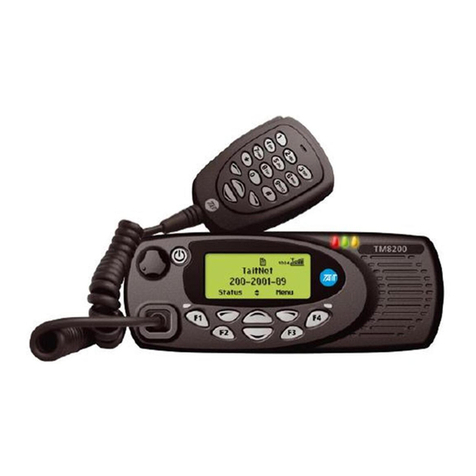
Tait TM8105 User manual

MMA-00002-01 Issue 1 1
Changes to this manual
In the interests of improving the performance, reliability or servicing of the
equipment, Tait Electronics Ltd reserves the right to update both the equip-
ment or this user’s manual, without prior notice.
Website: For contact details and technical assistance, go to
http://www.taitworld.com/, and
http://support.taitworld.com/.
Mise à jour de ce guide
Dans le but d’améliorer la performance, la fiabilité et l’entretien, Tait
Electronics Ltd se réserve le droit de mettre à jour son équipement et/ou ce
guide de l’utilisateur sans notification préalable.
Site Web : pour nos coordonnées ou une assistance technique,
consultez http://www.taitworld.com/, et
http://support.taitworld.com/.
Actualización de esta guía
Con el fin de mejorar el rendimiento, la confiabilidad o el servicio del
equipamiento, Tait Electronics Ltd se reserva el derecho de actualizar tanto
el equipo como esta guía del usuario sin previo aviso.
Sitio en internet: Para obtener asistencia técnica y los datos acerca
de cómo comunicarse con nosotros, diríjase a
http://www.taitworld.com/, y
http://support.taitworld.com/.
更新本指南
更新本指南更新本指南
更新本指南
为改善设备的性能、可靠性或维护,Tait 电子有限公司保留在
不事先通知的情况下更新本设备或用户指南的权利。
网址:
网址:网址:
网址:有关联系详情和技术支持,请浏览
http://www.taitworld.com/,及
http://support.taitworld.com/。
English
FrançaisEspañol
中
中
中
中文
文
文
文

2Directive 1999/5/EC Declaration of Conformity
Directive 1999/5/EC Declaration of Conformity
da Dansk
Undertegnede Tait Electronics Ltd erklærer
herved, at følgende udstyr TMAB1A &
TMAH5A overholder de væsentlige krav og
øvrige relevante krav i direktiv 1999/5/EF.
Se endvidere: http://eudocs.taitworld.com/
de Deutsch
Hiermit erklärt Tait Electronics Ltd die
Übereinstimmung des Gerätes TMAB1A &
TMAH5A mit den grundlegenden
Anforderungen und den anderen relevan-
ten Festlegungen der Richtlinie 1999/5/EG.
Siehe auch: http://eudocs.taitworld.com/
el Ελληνικός
Με την παρουσα Tait Electronics Ltd
δηλωνει οτι TMAB1A & TMAH5A
συµµορφωνεται προσ τισ ουσιωδεισ
απαιτησεισ και τισ λοιπεσ σχετικεσ
διαταξεισ τησ οδηγιασ 1999/5/ΕΚ.
βλέπε και: http://eudocs.taitworld.com/
en English
Tait Electronics Ltd declares that this
TMAB1A & TMAH5A complies with the
essential requirements and other relevant
provisions of Directive 1999/5/EC.
See also: http://eudocs.taitworld.com/
es Español
Por medio de la presente Tait Electronics
Ltd declara que el TMAB1A & TMAH5A
cumple con los requisitos esenciales y
cualesquiera otras disposiciones aplicables
o exigibles de la Directiva 1999/5/CE.
Vea también: http://eudocs.taitworld.com/
fi Suomi
Tait Electronics Ltd vakuuttaa täten että
TMAB1A & TMAH5A tyyppinen laite on
direktiivin 1999/5/EY oleellisten vaatimus-
ten ja sitä koskevien direktiivin muiden
ehtojen mukainen.
Katso: http://eudocs.taitworld.com/
fr Français
Par la présente, Tait Electronics Ltd déclare
que l'appareil TMAB1A & TMAH5A est
conforme aux exigences essentielles et aux
autres dispositions pertinentes de la direc-
tive 1999/5/CE.
Voir aussi: http://eudocs.taitworld.com/
it Italiano
Con la presente Tait Electronics Ltd dichiara
che questo TMAB1A & TMAH5A è
conforme ai requisiti essenziali ed alle altre
disposizioni pertinenti stabilite dalla diret-
tiva 1999/5/CE.
Vedi anche: http://eudocs.taitworld.com/
nl Nederlands
Hierbij verklaart Tait Electronics Ltd dat het
toestel TMAB1A & TMAH5A in overeen-
stemming is met de essentiële eisen en de
andere relevante bepalingen van richtlijn
1999/5/ EG.
Zie ook: http://eudocs.taitworld.com/
pt Português
Tait Electronics Ltd declara que este
TMAB1A & TMAH5A está conforme com
os requisitos essenciais e outras provisões
da Directiva 1999/5/CE.
Veja também: http://eudocs.taitworld.com/
sv Svensk
Härmed intygar Tait Electronics Ltd att
denna TMAB1A & TMAH5A står I överens-
stämmelse med de väsentliga egenskapsk-
rav och övriga relevanta bestämmelser som
framgår av direktiv 1999/5/EG.
Se även: http://eudocs.taitworld.com/

© Tait Electronics Ltd September 2004. All rights reserved.
English
TM8100 User’s Guide

English

About this guide 5
English
About this guide
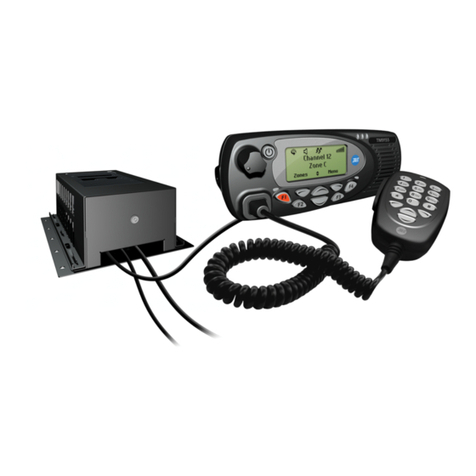
This user’s guide provides information about TM8105,
TM8110 and TM8115 mobile radios and is divided
into two parts.
■Part 1 explains how the TM8110 and TM8115 radios oper-
ate. The TM8105 radio has a control head without a user
interface, so no TM8105 operating information is needed.
■Part 2 outlines the installation procedure for TM8105,
TM8110 and TM8115 radios, and gives the pin alloca-
tions for the TM8105 programming connector.
Important safety information
This user’s guide also contains important safety information
about using and installing these radios. Refer to page 10 for
user safety instructions and page 24 for installation
safety instructions.
Safety warnings used in this guide
Within this guide, the following conventions are used to alert
you to important safely information:
Warning: There is a potential risk of death or serious injury.
Caution: There is the risk of minor or moderate injury
to people.
Caution: There is a risk of equipment damage
or malfunction.
Feedback about this guide
If you have any enquiries regarding this guide, or any
comments, suggestions and notifications of errors, please

6About this guide
English
Copyright information
All information contained in this guide is the property of Tait
Electronics Ltd. All rights are reserved. These guides may not,
in whole or in part, be copied, photocopied, reproduced,
translated, stored, or reduced to any electronic medium or
machine-readable form, without prior written permission
from Tait Electronics Ltd. All trade names referenced are the
service mark, trademark, or registered trademark of the
respective manufacturers.
Disclaimer
There are no warranties extended or granted by this guide.
Tait Electronics Ltd accepts no responsibility for damage aris-
ing from use of the information contained in the guide or of
the equipment and software it describes. It is the responsibil-
ity of the user to ensure that use of such information, equip-
ment and software complies with the laws, rules and
regulations of the applicable jurisdictions.

Your radio’s settings
Use the following table to list your radio’s programmed settings.
Channel list
Function key settings
ID Description ID Description

channel
selection keys
on/off key
volume
control
microphone
socket
press-to-talk
(PTT) key
red
display
speakergreen
amber
microphone radio status LEDs
function keys
1 and 2 function keys
3 and 4

Radio operation 9
English
Part 1: Radio operation
About this guide .......................................................................... 5
Important safety information ....................................................................... 5
Safety warnings used in this guide .............................................................. 5
Feedback about this guide .......................................................................... 5
Copyright information ................................................................................. 6
Disclaimer .................................................................................................. 6
Safety warnings ......................................................................... 10
Safe operation .......................................................................................... 10
EN 60950 requirements ............................................................................ 10
High temperatures .................................................................................... 10
Warning: FCC RF exposure limits .............................................................. 10
Radio protection ....................................................................................... 11
Getting started ........................................................................... 12
Radio controls .......................................................................................... 12
Radio indicators ........................................................................................ 14
Basic operation ........................................................................... 16
Turning the radio on and off ..................................................................... 16
Adjusting the volume ................................................................................ 16
Selecting a channel ................................................................................... 16
Making a call ........................................................................................... 16
Receiving a call ......................................................................................... 17
What you hear on a channel ..................................................................... 17
Monitor .................................................................................................... 18
Scanning .................................................................................................. 18
Voting ...................................................................................................... 19
Troubleshooting ......................................................................... 20
When your radio won’t turn on ................................................................. 20
Removing the radio from the vehicle ......................................................... 20
Describing the radio’s audible tones .......................................................... 21

10 Safety warnings
English
Safety warnings
Safe operation
Warning: Switch the radio off at petrol filling stations or
near flammable liquids or gases.
Warning: Switch the radio off in the vicinity of explosive
devices and blasting zones.
Warning: Using a handheld microphone or a radio while
driving a vehicle may violate the laws and legisla-
tion that apply in your country or state. Please
check the vehicle regulations in your area.
EN 60950 requirements (25 watt radios)
This radio complies with the European Union standard
EN 60950 when operated up to the rated 33% duty cycle of
two minutes transmit and four minutes receive, and with
ambient temperatures of 30°C or lower.
Caution: Operation outside these limits may cause the
external temperature of the radio to rise higher
than this standard permits.
High temperatures
Caution: The bottom surface of the radio and the heatsink
fins can become hot during prolonged operation.
Do not touch these parts of the radio.
Warning: FCC RF exposure limits
This product generates RF (radio frequency) energy during
transmissions. This device must be restricted to work-related
use in an occupational/controlled exposure environment.
The radio operator must have control of the exposure condi-
tions and duration of all persons exposed to the antenna of
this transmitter to satisfy FCC RF exposure compliance. This
device is not approved for general population use.

Safety warnings 11
English
■This device must only be used with authorized accessories
and antennas.
■The operator must ensure that the minimum safe distance
of 0.9m (35 inches) between persons and the antenna is
maintained during transmissions.
■This minimum safe distance is based on the assumption
that there is a duty cycle of 50% transmit mode to stand-
by or receive modes. The radio is in transmit mode when
the PTT (press-to-talk) key on the microphone is pressed
and the control head red LED (light emitting
diode) glows.
Please refer to the following website for more information on
what RF energy is and how to control your exposure to
assure compliance with established RF exposure limits.
Website: http://www.fcc.gov/oet/rfsafety/rf-faqs.html.
Radio protection
Always remove the fuses from the radio power cable before
charging the vehicle battery, connecting a second battery or
using power from another vehicle (e.g. when
“jump-starting” the vehicle).

12 Getting started
English
Getting started
This section provides a brief description of your radio’s
basic operation. If you need further information, contact
your radio provider.
Radio controls
The radio controls are the PTT key, volume control, on/off
key, channel selection keys and function keys. Some keys may
have functions assigned to both short and long key presses:
■a short key press is defined as less than one second, and
■a long key press is more than one second.
The radio controls and their functions are summarized in the
following diagram.

Getting started 13
English
channel
selection keys
on/off key
volume
control
microphone
socket
press-to-talk
(PTT) key
red
display
speakergreen
amber
microphone radio status LEDs
function keys
1 and 2 function keys
3 and 4
Symbol Name Function
PTT press and hold to transmit and
release to listen
volume control rotate to change the
speaker volume
on/off a long press turns the radio on
or off
channel selection
keys
move up and down through the
channel list
function keys
1, 2, 3 and 4
function keys with
programmed options

14 Getting started
English
Radio indicators
The LED indicators and the radio’s audible tones all combine
to give you information about the state of your radio.
Although the way these indicators behave is affected by the
way your radio is programmed, the following sections
describe the most common operation of the radio indicators.
LED Indicators
Audible tones
For a description of other audible tones, see “Describing the
radio’s audible tones” on page 21.
LED Meaning
red
(transmit)
glowing: your radio is transmitting
flashing: your transmit timer is about to expire
green
(
receive and
monitor
)
glowing: there is activity on the current channel, even
though you may not be able to hear it
flashing: you have received a call with valid special
signalling, or you have activated monitor or squelch
override
amber
(scanning)
glowing: your radio is scanning a group of chan-
nels for activity
flashing: your radio has detected activity on a
channel, and has halted on this channel
function
key LEDs
the operation of these LEDs depends on the type of
function programmed for each function key
Tone type Meaning
one short beep
after the power-
up beeps
radio locked: you need to enter your PIN
(personal identity number) before you can
use the radio
two short beeps
radio turned on: the radio is powered on and
ready to use

Getting started 15
English
one short beep
radio turned off: the radio is being
powered off, or
valid keypress: the action you have
attempted is permitted, or
function activated: a function key has been
pressed and that function has been initiated
one short, low-
pitched beep
function de-activated: a function key has
been pressed and the corresponding func-
tion has been turned off
one long, low-
pitched beep
invalid keypress: the action you have
attempted is not permitted, or
transmission inhibited: you have attempted
to transmit but for some reason transmission
is not permitted at this time
three short
beeps
channel now free: you were prevented from
transmitting on a busy channel and that
channel is now free
three beeps
transmit timeout imminent: in 10 seconds
your transmit timer will expire and your
current transmission will be terminated
Tone type Meaning

16 Basic operation
English
Basic operation
This section describes the basic operation of your radio,
including turning the radio on and off, adjusting volume,
selecting channels, making calls and receiving calls.
Turning the radio on and off
A long press of the on/off key turns the radio either on or
off. When the radio is first turned on, the red, green and
amber LEDs flash briefly and the radio gives two short beeps.
Adjusting the volume
Rotate the volume control clockwise to increase the speaker
volume and counterclockwise to decrease the volume. The
volume control also changes the volume level of the radio’s
audible indicators.
Selecting a channel
Use the channel selection keys or to scroll through
the channel list until the channel you want is displayed.
Making a call
1Select the required channel using the channel selection
keys or .
2Check the green LED.
If the green LED is glowing, the channel is busy and you
cannot transmit.
3Once the channel is clear (the green LED is off), lift the
microphone off the microphone clip.
4Hold the microphone about 5cm (2 inches) from your
mouth and press the PTT key to transmit.
5Speak clearly into the microphone and release the PTT
key when you have finished talking.
Note: You cannot change channels while transmitting.

Basic operation 17
English
Transmit timer
Your radio may have a transmit timer that limits the amount
of time you can transmit continuously. When the transmit
timer is about to expire, the red LED flashes and the radio
gives three beeps. You must release the PTT before you can
transmit again.
Note: Your radio may be unable to transmit for a short time
after the transmit timer has expired.
Receiving a call
When there is valid activity on your radio’s currently selected
channel or group, the radio then unmutes and you can
hear the call.
If the incoming call contains special signalling that matches
the signalling programmed for your radio, the green LED
flashes and your radio may give a ringing tone.
What you hear on a channel
Your radio may be programmed so that you hear all conversa-
tions on a channel, or your user group may be segregated from
other user groups by using special signalling. The special
signalling is used to control the muting and unmuting of your
radio, so that your radio is muted when other user groups are
talking and unmuted for members of your user group.
There are two muting controls that operate in your radio:
■signalling mute, and
■squelch.
Signalling mute
The radio’s signalling mute only allows the radio to unmute if
the incoming call carries the tones specific to your user
group. Your user group may use tones that are either audible,
subaudible or both.

18 Basic operation
English
Squelch
The radio’s squelch allows the radio to unmute only when the
strength of the incoming signal is above a predetermined
threshold. This means that only signals of reasonable intelli-
gibility are made audible.
Monitor
The monitor function is used to check that the channel is
clear before you make a call. While monitor is on, the green
LED flashes continually.
Activating monitor
1Press the monitor function key and monitor overrides the
signalling mute, allowing you to hear any traffic on
the channel.
Note: Your radio may be programmed to activate monitor
whenever the microphone is off the microphone clip.
2Press the monitor function key again to turn monitor off,
and the green LED no longer flashes.
Activating squelch override
1Press and hold the monitor function key for longer than
one second to override both squelch and the
signalling mute.
This allows you to hear even faint and noisy signals.
2Press the monitor function key again to return the radio
to a quiet state.
Note: Squelch cannot be overridden when the radio
is scanning.
Scanning
The scan function is used to monitor a programmed group of
channels, looking for activity. When activity is detected on a
scan group channel, the radio stops on that channel. The
amber LED flashes and, if the channel signalling is valid, the

Basic operation 19
English
radio unmutes and you can hear the call. Scanning resumes
when the channel is no longer busy or the signalling is no
longer valid.
One or two priority scan channels may be set. These channels
are scanned more often than other channels and are scanned
periodically when a non-priority channel is busy.
Activating scanning
1Place the microphone on the microphone clip.
2Press the function key assigned to scanning. The amber
LED glows to show that the radio is scanning.
3Press the scanning function key again to cancel scanning,
and the amber LED no longer glows.
Nuisance delete
If a member channel of the scan group is busy for a long time
and you do not wish to hear the conversation, you can use
the function key assigned to nuisance delete to temporarily
delete it from the scan group.
Alternatively, press and hold the scanning function key.
When the scan group is next selected, the deleted channel is
again part of the scan group.
Note: Priority channels cannot be removed from the scan
group using the nuisance delete function.
Voting
A group of channels carrying the same traffic can be grouped
together in a voting group. When you press the function key
assigned to voting, the best communication channel is
always selected for you to use.
Nuisance delete
If you wish to delete one of the channels from the voting
group, you can use the function key assigned to nuisance
delete to temporarily delete it from the voting group.

20 Troubleshooting
English
Troubleshooting
When your radio won’t turn on
If the red, green and amber LEDs on the control head do not
light up when the radio is turned on, it is likely that no power
is reaching the radio. Check the following:
■Is the power connector firmly plugged into the rear of
the radio?
■Are the in-line fuses in good condition?
■Is the power cable securely connected to the vehicle bat-
tery or power supply?
If all appears to be in order, then contact your radio provider
for further assistance.
Removing the radio from the vehicle
1Switch off the radio.
2Unscrew the four thumb screws that secure the radio
to the U-bracket .
3Lift the radio clear of the U-bracket.
4Disconnect the antenna and power cable from
the rear of the radio.
a
c
d
a
b
a
b
cd
Other manuals for TM8105
1
This manual suits for next models
3
Table of contents
Other Tait Radio manuals

Tait
Tait T2000 Series User manual

Tait
Tait T8000 Quick start guide

Tait
Tait t2040 series ii User manual

Tait
Tait TM9356 User manual

Tait
Tait TM9355 User manual

Tait
Tait TP2210-H5 User manual

Tait
Tait T2000 SERIES II User manual

Tait
Tait TM9100 User manual

Tait
Tait TM9400 User manual

Tait
Tait TM8250 User manual

Tait
Tait TM2210 User manual

Tait
Tait TM9300 DMR User manual

Tait
Tait T8000 Quick start guide

Tait
Tait TM8100 mobiles User manual

Tait
Tait TM9315 User manual

Tait
Tait TM8200 mobiles User manual

Tait
Tait TM8260 Installation guide

Tait
Tait TOP Operation manual

Tait
Tait TM8000 Series User manual

Tait
Tait t2020 Installation and operating instructions