manuals.online logo
Brands
  1. Home
  2. •
  3. Brands
  4. •
  5. Tenda
  6. •
  7. Wireless Access Point
  8. •
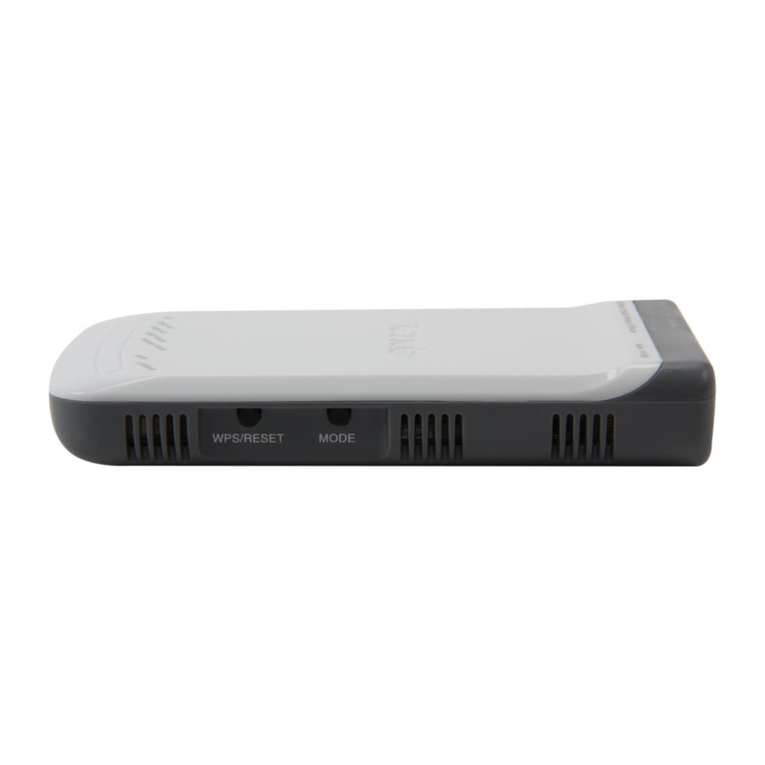
  9. Tenda W54A User manual

Tenda W54A User manual

Other manuals for W54A

1

Other Tenda Wireless Access Point manuals

Tenda W301A User manual

Tenda

Tenda W301A User manual

Tenda N300 User manual

Tenda

Tenda N300 User manual

Tenda W300M User manual

Tenda

Tenda W300M User manual

Tenda W150M Manual

Tenda

Tenda W150M Manual

Tenda i12 User manual

Tenda

Tenda i12 User manual

Tenda teg2124t User manual

Tenda

Tenda teg2124t User manual

Tenda W300A User manual

Tenda

Tenda W300A User manual

Tenda W301A User manual

Tenda

Tenda W301A User manual

Tenda W301A User manual

Tenda

Tenda W301A User manual

Tenda I-WL-O3 User manual

Tenda

Tenda I-WL-O3 User manual

Tenda W150M User manual

Tenda

Tenda W150M User manual

Tenda WH450A User manual

Tenda

Tenda WH450A User manual

Tenda W15-Pro User manual

Tenda

Tenda W15-Pro User manual

Tenda W300A User manual

Tenda

Tenda W300A User manual

Tenda PW201A User manual

Tenda

Tenda PW201A User manual

Tenda TWL5401A User manual

Tenda

Tenda TWL5401A User manual

Tenda AP5V User manual

Tenda

Tenda AP5V User manual

Tenda W302A User manual

Tenda

Tenda W302A User manual

Tenda O6 User manual

Tenda

Tenda O6 User manual

Tenda AP4 User manual

Tenda

Tenda AP4 User manual

Tenda AP Series User manual

Tenda

Tenda AP Series User manual

Tenda TWL54A+ User manual

Tenda

Tenda TWL54A+ User manual

Tenda 11AC User manual

Tenda

Tenda 11AC User manual

Tenda W54A User manual

Tenda

Tenda W54A User manual

Popular Wireless Access Point manuals by other brands

D-Link DWL-2100AP - AirPlus Xtreme G Quick installation guide

D-Link

D-Link DWL-2100AP - AirPlus Xtreme G Quick installation guide

Ubiquiti NanoStation NSM2 quick start guide

Ubiquiti

Ubiquiti NanoStation NSM2 quick start guide

Cisco Aironet 1550 Series Getting started guide

Cisco

Cisco Aironet 1550 Series Getting started guide

Aruba IAP-335 user guide

Aruba

Aruba IAP-335 user guide

Advantek Networks AWN-AP-54MR user manual

Advantek Networks

Advantek Networks AWN-AP-54MR user manual

IP-COM AP355 user guide

IP-COM

IP-COM AP355 user guide

Buffalo AirStation WLA-L11G user manual

Buffalo

Buffalo AirStation WLA-L11G user manual

EnGenius EnStationACv2 user manual

EnGenius

EnGenius EnStationACv2 user manual

D-Link DAP-3662 Quick installation guide

D-Link

D-Link DAP-3662 Quick installation guide

Widelink ezWave WAP-1100 Series user guide

Widelink

Widelink ezWave WAP-1100 Series user guide

Edimax CAP1200 user manual

Edimax

Edimax CAP1200 user manual

xG Technology xMax CN1300 installation guide

xG Technology

xG Technology xMax CN1300 installation guide

Ubiquiti LBE-5AC-Gen2 quick start guide

Ubiquiti

Ubiquiti LBE-5AC-Gen2 quick start guide

Aruba AP-203R installation guide

Aruba

Aruba AP-203R installation guide

LuXout Shades LUXSHADE MOTION manual

LuXout Shades

LuXout Shades LUXSHADE MOTION manual

CreatComm TB5F user manual

CreatComm

CreatComm TB5F user manual

SineDigital MW-1500AP(H) installation guide

SineDigital

SineDigital MW-1500AP(H) installation guide

TP-Link AP9650 V1 Quick installation guide

TP-Link

TP-Link AP9650 V1 Quick installation guide

manuals.online logo
manuals.online logoBrands
  • About & Mission
  • Contact us
  • Privacy Policy
  • Terms and Conditions

Copyright 2025 Manuals.Online. All Rights Reserved.

BRIEF INTRODUCTION PRODUCT FEATURES
Multiple Working Modes: AP, P2P, P2MP, Bridge and
Wireless Client
Compatible with IEEE802.11b/g, with maximum
speed of up to 54Mbps
Auto Wireless Channel Selection
Secure Network by WEP, WPA and WPA2
Wireless G
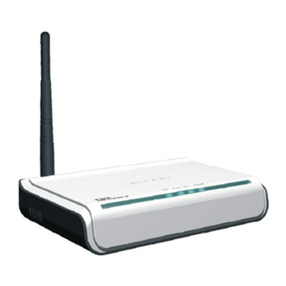
W54A , a 54Mbps Wireless Access Point based on IEEE802.11b/g
standard, deploys a robust wireless network in areas where
cabling is not available. It is ideal wireless network solution for
both small offices and families. With the ability to achieve a
maximum wireless signal rate of up to 54Mbps, W54A gives you
high speed wireless access for your home and office.
802.11g Wireless Technology Up to 54Mbps
54M Wireless Access Point
Model No.: W54A
All For Better NetworkAll For Better Network
54
Wireless-GWireless-G
WDS supported Simple Setup and Easy to Use
Access Point Access Point
Mbps
WHAT THIS PRODUCT DOES
BENEFITS
TECHNICAL SPECIFICATIONS
Create a wireless access for your home or office
network with a simple and easy way
11g Wireless Technology Up to 54Mbps
MAC Filter protects against unauthorized intrusion
Easy setup with Tenda Setup Wizard and simple
Web-based Configuration
54Mbps
Reset,
2.4GHz
DC 9V,1A
0ºC ~ 40ºC
10% ~ 90% RH non-condensing
-40 to 70ºC
5% ~ 90% RH non-condensing
160mmX102mmX30mm (6.3"X4.0"X1.2")
0.72Kg
All For Better NetworkAll For Better Network
Shenzhen Tenda Technology Co., Ltd.
Contact us
Address:Tenda Industrial Park, No. 34-1, Shilong Rd.,Shiyan Town,
Bao’an District, Shenzhen, P.R. China 518108
Tel: 0086.755.2765.7180 Fax: 0086.755.2765.7178
E-mail: [email protected] Http: www.tenda.cn
Copyright statement
Obligation-free statement
64/128bit WEP, WPA/WPA2 and WPA-PSK/WPA2-PSK
Detachable exposed omni-directional antenna (3dBi)
1 Power Port,1 LAN Port
PACKAGE CONTENTS
W54A Wireless Access Point
Power Adapter
Quick Installation Guide
CD-ROM (User Guide included)
MINIMUM REQUIREMENTS
Internet Explorer 5.5 or Firefox 1.0 Higher
Network Adapter
Max.Wireless SpeedMax.Wireless Speed
InterfaceInterface
ButtonsButtons
FrequencyFrequency
Power RatingPower Rating
Operating TemperatureOperating Temperature
Operating HumidityOperating Humidity
Storage TemperatureStorage Temperature
Storage HumidityStorage Humidity
Dimension (WXDXH)Dimension (WXDXH)
Gross WeightGross Weight
Connection typeConnection type
Encryption modeEncryption mode
AntennaAntenna
CertificateCertificate CE,RoHS
Wireless GTenda is the registered trademark of Shenzhen Tenda
Technology Co. LTD in CHINA and certain other countries.
Copyright © 2007 Shenzhen Tenda Technology Co. LTD
All rights reserved. Other brands and product name
are trademarks or registered trademarks of their
respective holders.
The maximum performance f or wireless is derived from IEEE Standard 802.11 specifications. Ac tual
performance c an vary, including lower wireless network capacity, data throughput rate, range and
cove rage. Performance depends on many factors, conditions and variables, including distance from
the access point, volume of network traffic, b uilding materials and construction, operating system
used, mix of wireless products used, interference and other adverse conditions.
Check the product package and contents for sp ecific features supported. Specifications are subject to
change without notice.
Model No.: W54A
IEEE 802.3, IEEE 802.3u, IEEE 802.3ab, IEEE 802.3x, SNMP,
IEEE802.11b,IEEE802.11g, IEEE802.11n
Standards Standards
N/A
54M Wireless
USB Adapter
54M Wireless
PCI Adapter
54M Wireless
Notebook Adapter
W541PW541P
W54U W541C