Opti-Check™User’s Manual
3.4 Calibration Procedure
It is recommended for best accuracy, that you always calibrate before performing your
sample analysis. The Opti-Check will save the calibration settings for each channel until a
new calibration is performed.
If the temperature of your samples or the Opti-Check changes significantly, the readings
may show a small shift and in this case, you should consider recalibrating.
The Opti-Check is designed with “ambient light rejection”. The black sample compartment
cover does NOT need to be closed when calibrating or reading samples.
The orientation and cleanliness of the cuvettes can have an impact on the accuracy of your
results. Refer to Section 4, Sample Analysis Guidelines for information to help ensure the
best results for your analysis.
3.4.1 Assign a Calibration Standard Value.
This defines the numeric value that you want the standard to read. For example, if you
calibrate with a primary standard that has a concentration of 100ppb, then you will set
the value to 100 and the implied unit of measure will be in ppb.
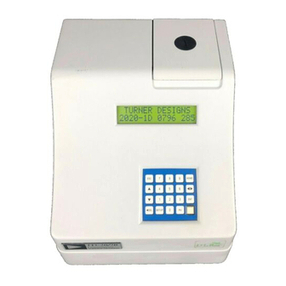
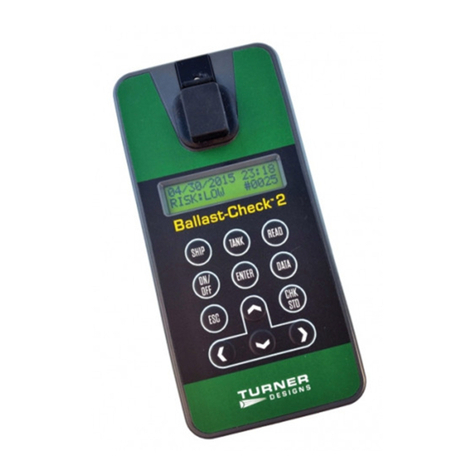
3.4.1.1Press the <STD VAL> button.
3.4.1.2Use the and arrow buttons to set the standard value. Pressing the arrow
button once quickly will make a small incremental change to the value. Holding
either arrow button will allow you to change the value using fast scrolling.
3.4.1.3When finished, Press the <ENT> or <ESC> button to accept the value and to
return to the Home screen.
3.4.2 Perform the Calibration.
3.4.2.1Press the <CAL> button.
3.4.2.1Press <ENT> to start the calibration.
3.4.2.3Insert your blank sample and press <ENT>. The Opti-Check will average the
reading for 10 seconds and set the blanking zero point.
3.4.2.4Insert the standard sample and press <ENT>. The reading is averaged for 10
seconds and the Standard Calibration value is set.
3.4.2.5Press <ENT> when the calibration is complete to accept the calibration. If
<ENT> is not pressed within 10 seconds, you will be asked if you want to abort
the calibration. Press the or arrow button to abort or accept the calibration
respectively.
If at anytime during steps 1-4 you want to stop the calibration, press <ESC>.
This will return you to the Home screen and will default the instrument to the
previous calibration.