EnglishDeutsch
 logo
Brands
  1. Home
  2. •
  3. Brands
  4. •
  5. Vivo
  6. •
  7. Controllers
  8. •
  9. Vivo DESK-E155TC User manual

Vivo DESK-E155TC User manual

This manual suits for next models

3

Other Vivo Controllers manuals

Vivo DESK-V101EB User manual

Vivo

Vivo DESK-V101EB User manual

Vivo DESK-V110EW User manual

Vivo

Vivo DESK-V110EW User manual

Vivo DESK-V103E User manual

Vivo

Vivo DESK-V103E User manual

Vivo DESK-V103E User manual

Vivo

Vivo DESK-V103E User manual

Vivo DESK-V123EB User manual

Vivo

Vivo DESK-V123EB User manual

Vivo DESK-V130EB User manual

Vivo

Vivo DESK-V130EB User manual

Vivo DESK-V133E User manual

Vivo

Vivo DESK-V133E User manual

Vivo DESK-V133E Controller User manual

Vivo

Vivo DESK-V133E Controller User manual

Vivo DESK-E-Y48SB User manual

Vivo

Vivo DESK-E-Y48SB User manual

Vivo DESK-E3CTBC User manual

Vivo

Vivo DESK-E3CTBC User manual

Vivo DESK-V100EBY User manual

Vivo

Vivo DESK-V100EBY User manual

Vivo DESK-E-100B Controller User manual

Vivo

Vivo DESK-E-100B Controller User manual

Vivo DESK-E144BN User manual

Vivo

Vivo DESK-E144BN User manual

Vivo DESK-E3CVB User manual

Vivo

Vivo DESK-E3CVB User manual

Vivo DESK-EV00W User manual

Vivo

Vivo DESK-EV00W User manual

Vivo DESK-V111VT User manual

Vivo

Vivo DESK-V111VT User manual

Vivo DESK-V103E User manual

Vivo

Vivo DESK-V103E User manual

Vivo DESK-EP40TW User manual

Vivo

Vivo DESK-EP40TW User manual

Vivo DESK-E144C User manual

Vivo

Vivo DESK-E144C User manual

Vivo DESK-V120EW User manual

Vivo

Vivo DESK-V120EW User manual

Vivo DESK-V103E User manual

Vivo

Vivo DESK-V103E User manual

Vivo DESK-E144D User manual

Vivo

Vivo DESK-E144D User manual

Vivo DESK-E155TW User manual

Vivo

Vivo DESK-E155TW User manual

Vivo DESK-V100EBY User manual

Vivo

Vivo DESK-V100EBY User manual

Popular Controllers manuals by other brands

Digiplex DGP-848 Programming guide

Digiplex

Digiplex DGP-848 Programming guide

YASKAWA SGM series user manual

YASKAWA

YASKAWA SGM series user manual

Sinope Calypso RM3500ZB installation guide

Sinope

Sinope Calypso RM3500ZB installation guide

Isimet DLA Series Style 2 Installation, Operations, Start-up and Maintenance Instructions

Isimet

Isimet DLA Series Style 2 Installation, Operations, Start-up and Maintenance Instructions

LSIS sv-ip5a user manual

LSIS

LSIS sv-ip5a user manual

Airflow Uno hab Installation and operating instructions

Airflow

Airflow Uno hab Installation and operating instructions

ABB ACS580-01 drives Hardware manual

ABB

ABB ACS580-01 drives Hardware manual

Panasonic GM1 Series Reference manual

Panasonic

Panasonic GM1 Series Reference manual

Emerson SW93 owner's manual

Emerson

Emerson SW93 owner's manual

AutoAqua Smart ATO micro SATO-120P manual

AutoAqua

AutoAqua Smart ATO micro SATO-120P manual

Panasonic FP? Positioning Unit RTEX Technical manual

Panasonic

Panasonic FP? Positioning Unit RTEX Technical manual

Alpha IP MIOB 21001 manual

Alpha IP

Alpha IP MIOB 21001 manual

Siemens OpenAir GMA 1 Series Mounting instructions

Siemens

Siemens OpenAir GMA 1 Series Mounting instructions

Surecom SR-629 user manual

Surecom

Surecom SR-629 user manual

Regulus SRS1 T Installation and operation manual

Regulus

Regulus SRS1 T Installation and operation manual

3M MicroTouch EX113 reference guide

3M

3M MicroTouch EX113 reference guide

KUHN TKS user manual

KUHN

KUHN TKS user manual

S&C PMH Instructions for operation

S&C

S&C PMH Instructions for operation

https://manuals.online logo
https://manuals.online logoBrands
  • About & Mission
  • Contact us
  • Privacy Policy
  • Terms and Conditions

Copyright 2026 Manuals.Online. All Rights Reserved.

DESK-E155TB/C/N/W Controller
Instruction Manual
Scan the QR code with your mobile device or follow the link
for helpful videos and specifications related to this product.
https://vivo-us.com/products/desk-e155tb
SKU: DESK-E155TB/C/N/W Controller
[email protected]om www.vivo-us.com 309-278-5303
Chat live with an agent!
GET IN TOUCH | Monday-Friday from 7:00am-7:00pm CST
2 3
If you do not understand these directions, or if you have any doubts about the safety of the
installation, please call a qualified technician. Check carefully to make sure there are no missing or
defective parts. Improper installation may cause damage or serious injury. Do not use this product
for any purpose that is not explicitly specified in this manual and do not exceed weight capacity.
We cannot be liable for damage or injury caused by improper mounting, incorrect assembly, or
inappropriate use.
Reset Mode
If the height of the desk is incorrect, press the down arrow until the desk moves to the fully lowered
position. Press and hold the down arrow. "RES" will be displayed and the leg will lower and rebound
upwards. Release the down arrow and your frame has been reset.
ELECTRICAL SAFETY INSTRUCTIONS
THIS PRODUCT IS POWERED BY ELECTRICITY. IN ORDER TO AVOID BURNS, FIRE AND ELECTRIC
SHOCK, PLEASE READ THE FOLLOWING INSTRUCTIONS CAREFULLY.
• DO NOT CLEAN PRODUCT WHILE POWER IS CONNECTED.
• DO NOT DISASSEMBLE OR REPLACE COMPONENTS WHILE POWER IS CONNECTED.
• NEVER OPERATE THE SYSTEM WITH A DAMAGED CORD OR PLUG. PLEASE CONTACT YOUR
SELLER TO REPLACE DAMAGED PARTS.
• NEVER OPERATE SYSTEM IN DAMP ENVIRONMENTS OR IF ANY ELECTRICAL COMPONENTS HAVE
MADE CONTACT WITH LIQUIDS.
• ALTERATIONS OF THE GIVEN POWER UNIT ARE NOT ALLOWED.
• OUTDOOR USE IS PROHIBITED.
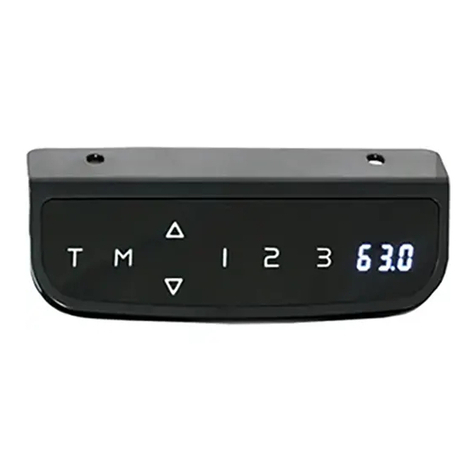
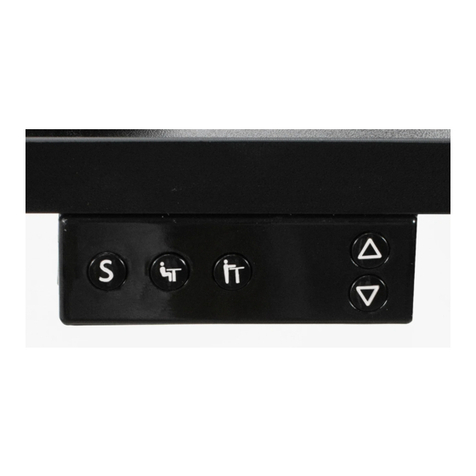
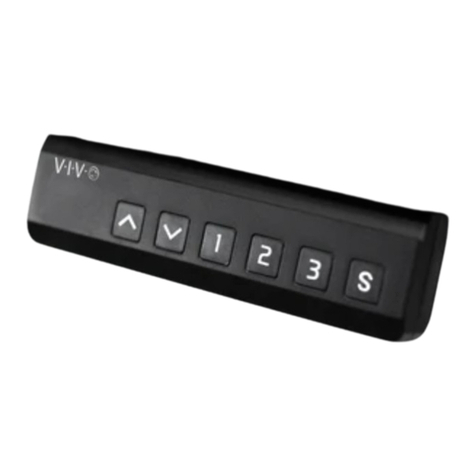
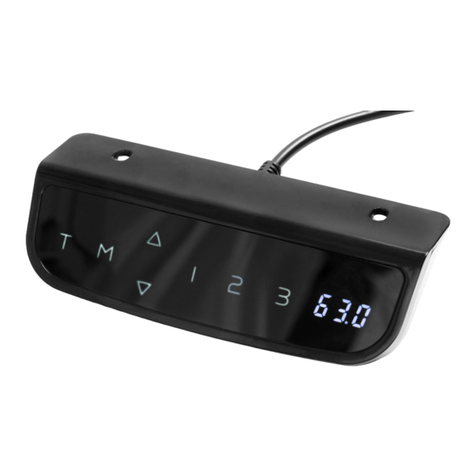
OPERATING CONTROL PANEL
TROUBLESHOOTING
Error
Code
Description/Resolution
E10 Sensorless Alarm. This alarm triggered when the sensor cannot be detected. Power o
desk and check the connection between the motor and control panel, then re-power.
E20 Overload Alarm. Remove desk items and try again.
E02 Rebound Protection. Check for desk vibration, obstacles, or desk incline. If no issues
found, complete the reset process and try again.
E32 Overvoltage Alarm. Voltage is higher than allowed value. Power o desk and check
connection between power and control panel. Power on again.
E31 Undervoltage Alarm. Voltage is lower than required value. Power o desk and check
connection between power and contorl panel. Power on again.
HOT Overheated Alarm. Power o and wait 18 minutes before use again.
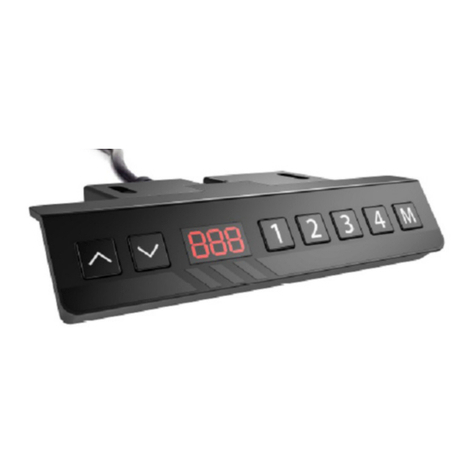
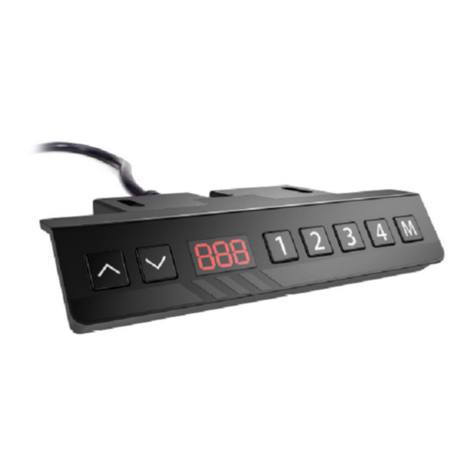
OPERATING INSTRUCTIONS: Press the up arrow, the desk will automatically raise to the highest position.
Pressing the down arrow will automatically lower the desk to the lowest position.
Memory Mode
To save a set height, press and hold the "1" button for 5 seconds until "H1" appears. Your height setting is
now stored. Follow steps for the other numerical buttons to save up to four height settings.
WARNING!

LAST UPDATED: 03/20/2023
REV1
Open Monday - Friday 7:00am - 7:00pm CST,
our dedicated support team can oer immediate assistance with rapid response times. If any
parts are received damaged or defective, please contact us. We are happy to replace parts to
ensure you have a fully functioning product.
FOR MORE VIVO PRODUCTS, CHECK OUT OUR WEBSITE AT: www.vivo-us.com
[email protected] AVG. RESPONSE TIME (within oice hrs): 1HR 8M
- 23% within < 15m
- 38% within < 30m
- 61% within < 1hr
- 83% within < 2hr
- 92% within < 3hr
Love your new VIVO setup and want to share?
Tag us in your photo! @vivo_us
AVG. RESOLUTION TIME (within oice hrs): < 15 M
www.vivo-us.com
Chat live with an agent!
AVG. RESOLUTION TIME (within oice hrs): 5M 4S
309-278-5303