
EnglishDeutsch
 logo
Brands
  1. Home
  2. •
  3. Brands
  4. •
  5. Vivo
  6. •
  7. Rack & Stand
  8. •
  9. Vivo MOUNT-E-MM070 User manual

Vivo MOUNT-E-MM070 User manual

Other Vivo Rack & Stand manuals

Vivo STAND-V001HG User manual

Vivo

Vivo STAND-V001HG User manual

Vivo MOUNT-KB03B User manual

Vivo

Vivo MOUNT-KB03B User manual
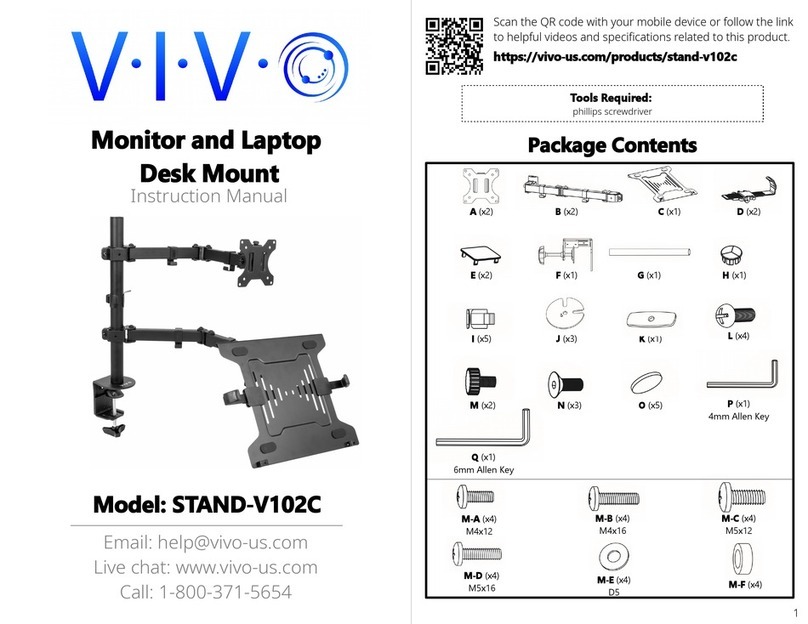
Vivo STAND V102C User manual

Vivo

Vivo STAND V102C User manual

Vivo STAND-MIC01 User manual

Vivo

Vivo STAND-MIC01 User manual

Vivo Sidekiix User manual

Vivo

Vivo Sidekiix User manual

Vivo STAND-TV09 User manual

Vivo

Vivo STAND-TV09 User manual

Vivo STAND-V001V User manual

Vivo

Vivo STAND-V001V User manual

Vivo MOUNT-UPS01 User manual

Vivo

Vivo MOUNT-UPS01 User manual

Vivo STAND-V000DC User manual

Vivo

Vivo STAND-V000DC User manual

Vivo MOUNT-PLAY1B User manual

Vivo

Vivo MOUNT-PLAY1B User manual

Vivo MOUNT-KB03N User manual

Vivo

Vivo MOUNT-KB03N User manual

Vivo STAND-V003J User manual

Vivo

Vivo STAND-V003J User manual

Vivo MOUNT-E-UP44 User manual

Vivo

Vivo MOUNT-E-UP44 User manual

Vivo MOUNT-VP02B User manual

Vivo

Vivo MOUNT-VP02B User manual

Vivo MOUNT-VP07DP User manual

Vivo

Vivo MOUNT-VP07DP User manual

Vivo STAND-V006 User manual

Vivo

Vivo STAND-V006 User manual

Vivo STAND-V104Z User manual

Vivo

Vivo STAND-V104Z User manual

Vivo MOUNT-PLAY1B User manual

Vivo

Vivo MOUNT-PLAY1B User manual

Vivo DESK-V000ZE User manual

Vivo

Vivo DESK-V000ZE User manual

Vivo STAND-V101H User manual

Vivo

Vivo STAND-V101H User manual

Vivo STAND-V102F User manual

Vivo

Vivo STAND-V102F User manual

Vivo STAND-V002K User manual

Vivo

Vivo STAND-V002K User manual

Vivo STAND-V002U User manual

Vivo

Vivo STAND-V002U User manual

Vivo MOUNT-UVM02 User manual

Vivo

Vivo MOUNT-UVM02 User manual

Popular Rack & Stand manuals by other brands

Salamander Acadia AC/W/L400/WH Assembly instructions

Salamander

Salamander Acadia AC/W/L400/WH Assembly instructions

Fohhn VAT-09 Mounting instruction

Fohhn

Fohhn VAT-09 Mounting instruction

ricoo FS0522 quick start guide

ricoo

ricoo FS0522 quick start guide

AMSOIL BMK-22 Installation and service instructions

AMSOIL

AMSOIL BMK-22 Installation and service instructions

Kargo Master 48220 installation guide

Kargo Master

Kargo Master 48220 installation guide

Milestone AV Technologies SIMPLICITY SLF2 installation instructions

Milestone AV Technologies

Milestone AV Technologies SIMPLICITY SLF2 installation instructions

ricoo S1222 installation instructions

ricoo

ricoo S1222 installation instructions

Ready-Set-Mount RSMCM602 instruction manual

Ready-Set-Mount

Ready-Set-Mount RSMCM602 instruction manual

VidaBox VB MNT FFS2 installation guide

VidaBox

VidaBox VB MNT FFS2 installation guide

Welch Allyn 48960 Assembly instructions

Welch Allyn

Welch Allyn 48960 Assembly instructions

Arkon CM035-ST-2 installation instructions

Arkon

Arkon CM035-ST-2 installation instructions

PROEL PLWIN60C user manual

PROEL

PROEL PLWIN60C user manual

Agilent Technologies E2609B installation guide

Agilent Technologies

Agilent Technologies E2609B installation guide

Mustang MV-ARM4 installation guide

Mustang

Mustang MV-ARM4 installation guide

Mounting Solutions WRM-320 manual

Mounting Solutions

Mounting Solutions WRM-320 manual

ShelterIt 21208 installation instructions

ShelterIt

ShelterIt 21208 installation instructions

Pyle PMKSPAD1 manual

Pyle

Pyle PMKSPAD1 manual

SPL RackPack?4 1040 manual 

SPL

SPL RackPack?4 1040 manual 

https://manuals.online logo
https://manuals.online logoBrands
  • About & Mission
  • Contact us
  • Privacy Policy
  • Terms and Conditions

Copyright 2026 Manuals.Online. All Rights Reserved.

MOUNT-E-MM070 Remote Control
Instruction Manual
Scan the QR code with your mobile device or follow the link
for helpful videos and specifications related to this product.
https://vivo-us.com/products/mount-e-mm070
SKU: MOUNT-E-MM070 Remote Control
[email protected]om www.vivo-us.com 309-278-5303
Chat live with an agent!
GET IN TOUCH | Monday-Friday from 7:00am-7:00pm CST
2
If you do not understand these directions, or if you have any doubts about the safety of the installation,
please call a qualified technician. Check carefully to make sure there are no missing or defective parts.
Improper installation may cause damage or serious injury. Do not use this product for any purpose that is
not explicitly specified in this manual and do not exceed weight capacity. We cannot be liable for damage
or injury caused by improper mounting, incorrect assembly, or inappropriate use.
WARNING!
SAVE AND RECALL MEMORY
To save a certain location to memory, press and hold the mem1 or mem2 button for 2
seconds. The mount will beep, indicating the position has been saved to memory. To recall
memory locations, press the ( 1 ) or ( 2 ) button. The TV mount will automatically adjust to
saved memory locations 1 or 2.
Downward
Movement
Memory Button 1 Memory Button 2
BUTTON FUNCTIONS
Upward
Movement
UPWARD/DOWNWARD MOVEMENT
Press and hold the up button to raise the TV. Press and hold the down button to lower the TV.
REMOTE CONTROL OPERATING INSTRUCTIONS
If the original remote has been lost, please contact us for a new one. To pair the replacement
remote with the mount:
1. Use a thin tool (such as a paperclip) to press the small button on the le side of the mount’s
control unit (le box). The mount will beep once.
2. Press the SET button on the replacement remote. The mount will beep repeatedly for 10
seconds to indicate that the remote is being programmed to the mount. When the beeping has
stopped, the mount will be ready for operation.
REPLACING THE REMOTE CONTROL
Recall Memory
Position 1
Recall Memory
Position 2
Install two AAA batteries (not included) in the remote. Plug the mount in. The mount will
beep once, and will be ready for operation.
Retract/Reset
RETRACT TO WALL
To fully raise and retract the arm to the wall, press the OK button. Press any button to stop
the movement if needed.
3
If the TV wall mount operates abnormally, it may be necessary to perform a reset of the
mount. To reset the TV wall mount, unplug the mount from power for 10 seconds and plug
back in. Hold the OK button for 5 seconds. The mount will raise to the maximum position
and beep once, then lower to the minimum position and beep twice.
To clear the memory, use a thin tool (such as a paperclip) to press the small button on the
le side of the mount’s control unit (le box). The mount will beep once. Press and hold the
button again for 10 seconds or until the mount beeps twice to confirm clearing.
(NOTE: The memory clearing process may also be necessary if replacing the remote control)
RESET MOUNT
The Mount Will Not Operate
PROBLEM SOLUTION
Abonormal Operation
Remote Control Range is Too
Short
Abnormal Noise
1. The system may be overheating. If the mount beeps
twice aer pressing a button, allow to cool for 12 minutes.
2. The remote may not be paired with the mount. Refer to
REPLACING THE REMOTE CONTROL. 3. Check to make sure
the power cable is plugged in.
1. Reset the TV mount. Refer to RESET MOUNT.
1. Replace the batteries. If the problem is not resolved,
please contact us to replace the remote control.
Please contact us to replace the product.
The TV Stops Moving
1. Ensure there are no cables or objects preventing the
mount from moving. 2. The TV weight may exceed the 77lb
(35kg) weight limit. 3. The motor cable may be damaged.
Reset the mount. If the problem continues, contact us for
replacement.
TROUBLESHOOTING
LAST UPDATED: 03/05/2020
Open Monday - Friday 7:00am - 7:00pm CST,
our dedicated support team can oer immediate assistance with rapid response times. If any
parts are received damaged or defective, please contact us. We are happy to replace parts to
ensure you have a fully functioning product.
FOR MORE VIVO PRODUCTS, CHECK OUT OUR WEBSITE AT: www.vivo-us.com
[email protected] AVG. RESPONSE TIME (within oice hrs): 1HR 8M
- 23% within < 15m
- 38% within < 30m
- 61% within < 1hr
- 83% within < 2hr
- 92% within < 3hr
Love your new VIVO setup and want to share?
Tag us in your photo! @vivo_us
AVG. RESOLUTION TIME (within oice hrs): < 15 M
www.vivo-us.com
Chat live with an agent!
AVG. RESOLUTION TIME (within oice hrs): 5M 4S
309-278-5303
