TROUBLESHOOTING
INDICATORS OF OPERATION:
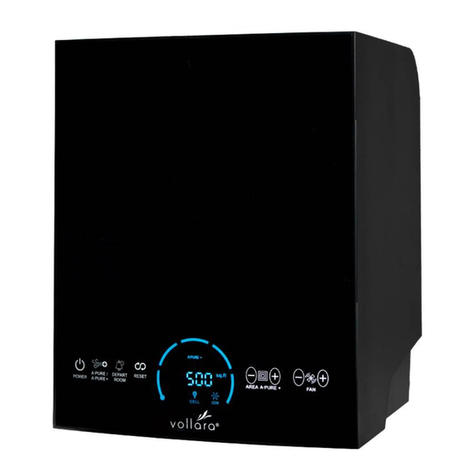
When the unit is on, the LCD display will show either
the fan setting and NORMAL, or the fan setting, purifier
setting, and square footage. If the unit is in Away Mode,
it will display AWAY MODE plus the hours and minutes
remaining. See page 4 for more information.
TROUBLESHOOTING - WHAT TO LOOK FOR FIRST.
1. I have plugged in the unit, pressed the ON button on
the remote (or the unit), and nothing happens… what’s
wrong?
• Make sure the power cord is inserted completely into
the receptacle on the back of the unit.
• Make sure the electrical outlet is capable of providing
power to the unit.
If you are operating your central heating and
air conditioning fan, or other ventilation system
continuously, set the coverage up to the total
ventilated indoor area. Otherwise, set the coverage
up to the size of the room. Do not exceed the size of
the ventilated indoor area when setting the purifier
level.
Please note: The AWAY MODE should be operated in
unoccupied areas only. “Unoccupied areas” includes
pets. Some pets, like humans, may experience
adverse reactions from exposure to increased levels
of ozone and should not be present during Away
Mode operation.
2. The fan is operating but the purifier plate is not
working… what’s wrong?
• The unit is in Normal Mode (press the Normal/High
switch to change to High Mode).
• If the unit is displaying a REPLACE PLATE message,
check the purifier plate for serviceability. If it is cracked
or broken, the purifier plate will require replacement.
Ensure maintenance procedures required for the
purifier plate have been performed according to the
"Maintenance" section of this Owner's Manual. Order
new purifier plates from your Vollara Business Owner.
• The electrical stainless steel contacts are not contacting
the screen portion of the purifier plate. Unplug and
inspect the unit for any loose connections.
• Do not attempt to disassemble the unit. This will void
the warranty of the product.
3. The purifier plate is making a noise, has a burning smell,
and/or appears to arc or spark. What is the problem?
• The purifier plate is most likely cracked. The unit will
display a REPLACE PLATE message. Refer to the
answers for question # 2, as it would apply to this
question also.
4. The UV lamp is not functioning/I’m getting a “Replace
RCI Cell” message.
• Check ActivePure cell for proper installation.
• Replace the ActivePure cell.
CAUTION: Do not look directly at the glowing lamp.
Prolonged exposure, even to reflected UV light,
can cause eye damage according to the American
Conference of Governmental Industrial Hygienists
(ACGIH) Standards.
5. What are the most typical application problems?
• Symptom: A belief that the proper equipment is
placed in the environment and the equipment appears
unsuccessful.
Problem: Lack of air movement, improper placement of
the unit.
• Symptom: Strong odors still remain within the
environment after placement.
Problem: Purifier setting is too low, improper
placement of the unit, or the source of the odor
has not been eliminated.
• Symptom: A strong odor of ozone is present within the
environment.
Problem: Too much ozone accumulation within the
environment as a result of improper purifier control
setting, and/or lack of air movement.
10