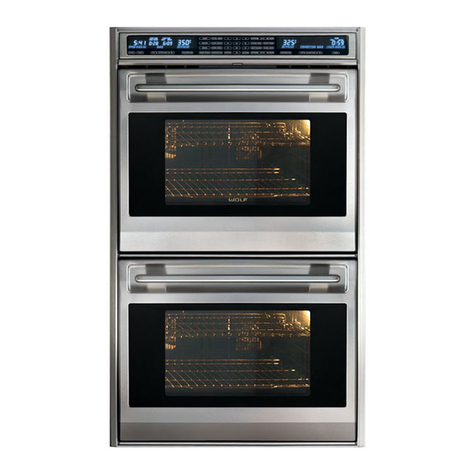
Wolf M Series Operating instructions

Troubleshooting
4-2
830805 - Rev. A - January, 2022
TROUBLESHOOTING
This section of the manual contains troubleshooting information which will help the Certified Service Technician trou-
bleshoot a Wolf M-Series Wall Oven. The table of contents below shows how the troubleshooting section is laid out.
NOTE: Not all components can be tested. In those instances the component most likely to cause the fault is
replaced. When problems reoccur a deeper look into the root cause is necessary. External factors may also be the
cause when faults reoccur.
Glossary
GUI Graphic User Interface - 7” display.
UIM User Interface Module – used interchangeably with UIP and Control Panel.
UIP User Interface Panel – electronics board behind control panel. Contains the main processor board.
PCM Power Control Module - relay board
HVM High Voltage Microprocessor on the relay board
LVM Low Voltage Microprocessor on the relay board
RTD Resistance Temperature Detector - oven temperature sensor
TCO Thermal Cut Out – A mechanical temperature limiting device
DLB Double Line Break – Safety relay system that disconnects both sides of an element
MDL Motorized Door Lock
EOC End of Cycle
TOD Time of Day
POST Power On Self Test - test performed by the UIP when power is supplied/returned to the relay board.
M Series Wall Oven (SWS #22605000)

Troubleshooting
4-3
830805 - Rev. A - January, 2022
Diagnostics
Entering Diagnostics (See Figure 4-1A and 4-1B)
1. From Idle mode touch any place on the Graphic
User Interface (GUI) and the main menu will
appear.
2. Touch SETTINGS.
(Continued)
Figure 4-1A Transitional Main Menu
Figure 4-1B Professional Main Menu
M Series Wall Oven (SWS #22605000)

Troubleshooting
4-4
830805 - Rev. A - January, 2022
Figure 4-3A Transitional About
Figure 4-2B Professional Settings Menu
Entering Diagnostics
1. The SETTINGS menu will be displayed (See
Figure 4-2A and 4-2B).
2. Use the pad of your finger to scroll the options until
ABOUT is centered on the display (See Figure 4-
3A an 4-3B).
(Continued)
Figure 4-2A Transitional Settings Menu
Figure 4-3B Professional About
M Series Wall Oven (SWS #22607000)

Troubleshooting
4-5
830805 - Rev. A - January, 2022
Entering Diagnostics
1. Touch ABOUT and the unit information screen will
open (See Figure 4-4A and 4-4B).
2. Touch and hold Ok for 10 full seconds and the gen-
eral diagnostics screen will open (See Figure 4-5A
and 4-5B).
General Diagnostics Screen
The general diagnostic screen has tabs across the top.
General, Faults, Statistics, Control, Knobs
(Professional only), and Exit.
There are two selections on the general diagnostics
screen. Start Self Test, and Reposition Screen.
Figure 4-4A Transitional Unit Information
Figure 4-4B Professional Unit Information
Figure 4-5A Transitional General Screen
Figure 4-5B Professional General Screen
M Series Wall Oven (SWS #22607000)

Troubleshooting
4-6
830805 - Rev. A - January, 2022
Figure 4-7 Self Test In Progress
Figure 4-8 Self Test Complete - No Faults
Figure 4-6 Reposition Screen
Reposition Screen
From the general diagnostics screen touch Reposition
Screen. A grid will appear on the GUI (See Figure 4-6).
1. Move the pad of your finger along the grid to
reposition the display.
2. Touch Set to exit reposition screen and save any
changes.
Self Test
Self test checks relays, triacs, and double line break
relays (DLB) on the relay board. Self Test takes about
two and half minutes on a double oven. Self Test uses
a progress bar to show progress and will report findings
after completion (See Figure 4-7).
1. Close the oven door(s).
2. Touch Self Test.
3. If no faults are found touch OK. Returns to general
diagnostic screen (See Figure 4-8).
4. If faults are found touch OK, and return to the gen-
eral diagnostics screen then touch Faults tab (See
Figure 4-9).
Figure 4-9 Self Test Complete - Faults Found
M Series Wall Oven (SWS #22607000)

Troubleshooting
4-7
830805 - Rev. A - January, 2022
Faults Tab
Fault codes are a four-digit numerical code that indicates the type, scope and specific component exhibiting the
fault.
First Digit: Fault Code
Indicates main type of fault and/or suspected faulty component. Faults will be grouped according to type of fault,
and suspected faulty component
0-2: Relay board related faults
3-4: External component or wiring faults
5: Temperature related faults
6: UIP board related faults
7: Knob encoder faults
8: Display faults
9. Touch Sensor faults
Second Digit: Component/Sub-Code
Identifies a particular output, element or a particular fault within a fault code group.
Third Digit: Priority
Possible priorities are 1, 2, or 3.
Priority 1: Safety related or of such catastrophic scope that the control is considered inoperable. Continuously
displayed to the end user, indicating a service call is necessary. No user functions will be allowed and any active
functions will be cancelled upon generation of the fault. The fault can be cleared, but will re-generate if the fault
still exists.
Priority 2: Displayed to the user only during an active cooking/clean mode or upon attempt to enter a
cooking/clean mode. Likely to limit the proper functionality of the system. Faults can be cancelled and will not be
displayed again until an attempt to start a mode that is directly related to the fault. Any active function will be can-
celled upon generation of the priority 2 fault in that cavity. Faults with system scope will apply to all cavities.
Priority 3: May cause some possible or conditionally impaired functionality. Faults, although logged internally, will
never be displayed to the end user.
Fourth Digit: Scope
Parts of the control system affected by the fault.
0: System Scope
1: Upper cavity
2: Lower cavity
NOTES:
It is not possible to test some faults. In those instances the repair is to replace the component.•
Ohming a circuit must be done with power cycled off, and the wire removed from the terminal.•
When testing voltage at a circuit the test should be set up with the power off - confirming that there are no wires•
or terminals in danger of shorting, then the circuit energized.
M Series Wall Oven (SWS #22607000)

Troubleshooting
4-8
830805 - Rev. A - January, 2022
Logging Faults
Up to 20 faults can be logged and viewed on the Faults tab. Faults can be cleared manually or from self-correcting.
If multiple instances of the same fault are detected the time stamp of the fault will updated to show the last occur-
rence.
Example of Faults Tab
The Faults tab lists the fault code under Code, the specific fault under Fault Name, and at what time it occurred
under Odometer. The bottom of Faults tab also provides the number of faults, the amount of time the unit has been
in operation, and the Clear Faults button to clear the fault codes. (See Figure 4-10).
Using the Fault Code Chart
The Fault Code Chart lists the faults by fault number. Then Priority. The next column is the suggested test proce-
dure for checking the fault. The last column is the action required.
Figure 4-10 Fault Tab Screen
M Series Wall Oven (SWS #22607000)

Troubleshooting
4-9
830805 - Rev. A - January, 2022
0021
0022
0121
0122
0221
0222
0321
0322
0421
0422
0521
0522
0630
0731
0732
0821
0822
2
2
2
2
2
2
2
2
2
2
2
2
3
3
3
2
2
Bake element relay shorted
Bake element relay shorted
Upper right convection element
relay shorted
Lower right convection element
relay shorted
Upper bake element DLB shorted
Lower bake element DLB shorted
Upper broil element relay shorted
Lower broil element relay shorted
Upper left convection element relay
shorted
Lower left convection element relay
shorted
Upper broil element DLB shorted
Lower broil element DLB shorted
Auxiliary DLB shorted
Upper oven light triac shorted
Lower oven light triac shorted
Upper MDL relay shorted
Lower MDL relay shorted
Ohm P1-1 to P1-4.
Ohm P5-1 to P5-4.
Ohm P1-6 to P1-4.
Ohm P5-6 to P5-4.
P2 - Dual DLB relay. Unable
to test.
P6 - Dual DLB relay. Unable
to test.
Ohm P3-4 to P3-1.
Ohm P7-4 to P7-1.
Ohm P3-4 to P3-6.
Ohm P7-4 to P7-6.
P4 - Dual DLB relay. Unable
to test.
P8 - Dual DLB relay. Unable
to test.
Ohm J5-8 to J5-9.
Back pin J5-2 and test for
voltage to ground - lights off.
Back pin J6-2 and test for
voltage to ground - lights off.
Ohm J5-3 to J5-1.
Ohm J6-4 to J6-1.
If continuity P1-1 to P1-4,
replace the relay board.
If continuity P5-1 to P5-4
replace relay board.
If continuity P1-6 to P1-4
replace relay board.
If continuity P5-6 to P5-4
replace relay board.
See Procedure A.
NOTE: Redundant DLB -
can't test individually.
See Procedure A.
NOTE: Redundant DLB -
can't test individually.
If continuity P3-4 to P3-1
replace relay board.
If continuity P7-4 to P7-1
replace relay board.
If continuity P3-4 to P3-6
replace relay board.
If continuity P7-4 to P7-6
replace relay board.
See Procedure A.
NOTE: Redundant DLB -
can't test individually
See Procedure A.
NOTE: Redundant DLB -
can't test individually.
If continuity replace the relay
board.
See Procedure D.
See Procedure D.
If continuity replace the relay
board.
If continuity replace the relay
board.
Relay Board Related Faults
Fault Priority Fault Message Test Action
M Series Wall Oven (SWS #22607000)

Troubleshooting
4-10
830805 - Rev. A - January, 2022
0931
0932
0A31
0A32
0B31
0B32
1021
1022
1121
1122
1231
1232
1321
1322
3
3
3
3
3
3
2
2
2
2
3
3
2
2
Upper right convection fan triac
shorted
Lower right convection fan triac
shorted
Upper left convection fan triac
shorted
Lower left convection fan triac
shorted
Upper cooling fan triac shorted
Lower cooling fan triac shorted
Upper bake element relay open
Lower bake element relay open
Upper right convection element
relay open
Lower right convection element
relay open
Upper bake element DLB open
Lower bake element DLB open
Upper broil element relay open
Lower broil element relay open
Back pin J5-4 and test for
voltage to ground with con-
vection fan off.
Back pin J6-5 and test for
voltage to ground with con-
vection fan off.
Back pin J5-5 and test for
voltage to ground with con-
vection fan off.
Back pin J6-6 and test for
voltage to ground with con-
vection fan off.
Back pin J5-6 and test for
voltage to ground with cooling
fan off.
Back pin J6-7 and test for
voltage to ground with cooling
fan off.
Back pin P1-1 and test for
voltage to ground with bake
element energized.
Back pin P5-1 and test for
voltage to ground with bake
element energized.
Back pin P1-6 and test for
voltage to ground with right
convection element ener-
gized.
Back pin P5-6 and test for
voltage to ground with right
convection element ener-
gized.
P2 - Dual DLB relay. Unable
to test.
P5 - Dual DLB relay. Unable
to test.
Back pin P3-1 and test for
voltage to ground with broil
element energized.
Back pin P7-1 and test for
voltage to ground with broil
element energized.
See Procedure D.
See Procedure D.
See Procedure D.
See Procedure D.
See Procedure D.
See Procedure D.
If no voltage, replace the
relay board.
If no voltage, replace the
relay board.
If no voltage, replace the
relay board.
If no voltage, replace the
relay board.
See Procedure A.
NOTE: Redundant DLB -
can't test individually.
See Procedure A.
NOTE: Redundant DLB -
can't test individually.
If no voltage, replace the
relay board.
If no voltage, replace the
relay board.
Fault Priority Fault Message Test Action
M Series Wall Oven (SWS #22607000)

Troubleshooting
4-11
830805 - Rev. A - January, 2022
1421
1422
1531
1532
1620
1731
1732
1831
1832
1931
1932
1A31
1A32
2
2
3
3
2
3
3
3
3
3
3
3
3
Upper left convection element relay
open.
Lower left convection element relay
open.
Upper broil element DLB open
Lower broil element DLB open
Auxiliary DLB open
Upper oven light triac open
Lower oven light triac open
Upper MDL relay open
Lower MDL relay open
Upper right convection fan triac
open
Lower right convection fan triac
open
Upper left convection fan triac
open
Lower left convection fan triac
open
Back pin P3-6 and test for
voltage to ground with left
convection element ener-
gized.
Back pin P7-6 and test for
voltage to ground with left
convection element ener-
gized.
P4 - Dual DLB relay. Unable
to test.
P8 - Dual DLB relay. Unable
to test.
With power to unit, and MDL,
lights, convection fans, and
cooling fan off.
1. Back pin and check volt-
age J5-8 to J5-9.
2. Activate lights.
Back pin J5-2 and test for
voltage to ground with lights
energized.
Back pin J6-2 and test for
voltage to ground with lights
energized.
Back pin J5-3 and test for
voltage to ground with MDL
energized.
Back pin J6-4 and test for
voltage to ground with MDL
energized.
Back pin J5-4 and test for
voltage to ground with con-
vection fan energized.
Back pin J6-5 and test for
voltage to ground with con-
vection fan energized.
Back pin J5-5 and test for
voltage to ground with con-
vection fan energized.
Back pin J6-6 and test for
voltage to ground with con-
vection fan energized.
If no voltage, replace the
relay board.
If no voltage, replace the
relay board.
See Procedure A.
NOTE: Redundant DLB -
can't test individually.
See Procedure A.
NOTE: Redundant DLB -
can't test individually.
Voltage should change from
120 VAC to 0 VAC when
lights are activated. If no
change replace relay board.
See Procedure E.
See Procedure E.
If no voltage replace relay
board.
If no voltage replace relay
board.
See Procedure E.
See Procedure E.
See Procedure E.
See Procedure E.
Fault Priority Fault Message Test Action
M Series Wall Oven (SWS #22607000)
Other manuals for M Series
13
Table of contents
Other Wolf Oven manuals

Wolf
Wolf E Series User manual

Wolf
Wolf DO30F/S L Series User manual

Wolf
Wolf Convection Steam Oven User manual

Wolf
Wolf CSO24TE User manual
Wolf
Wolf CSO30TM User manual
Wolf
Wolf e Series User manual
Wolf
Wolf 24 E Series User manual
Wolf
Wolf CT15E/S Guide

Wolf
Wolf CSO3050CMB User manual

Wolf
Wolf M Series User manual
Wolf
Wolf e Series User manual

Wolf
Wolf L Series User manual
Wolf
Wolf e Series User manual

Wolf
Wolf ICBSO30-2U/S Owner's manual

Wolf
Wolf e Series User manual

Wolf
Wolf L Series SO30F User manual
Wolf
Wolf CSO24TE/S Configuration guide

Wolf
Wolf L Series SO30U Instructions for use
Wolf
Wolf Speed Oven User manual

Wolf
Wolf E Series Guide