manuals.online logo
Brands
  1. Home
  2. •
  3. Brands
  4. •
  5. Yaesu
  6. •
  7. Repeater
  8. •
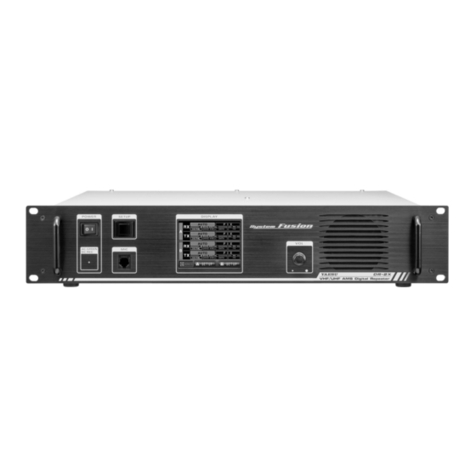
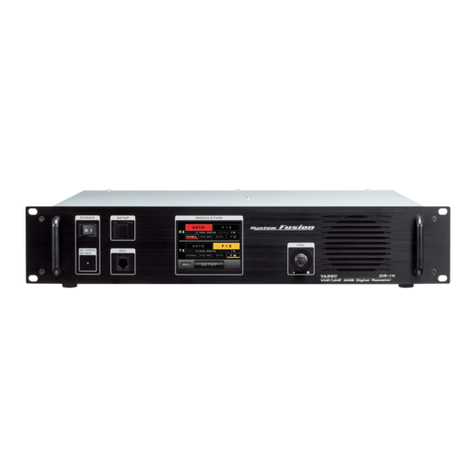
  9. Yaesu DR-1X User manual

Yaesu DR-1X User manual

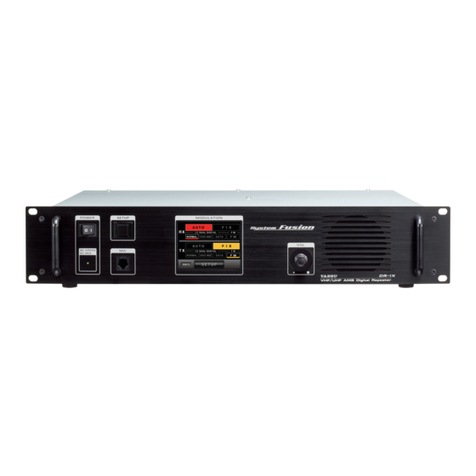
Other manuals for DR-1X

4

This manual suits for next models

1

Other Yaesu Repeater manuals

Yaesu VXR-9000 User manual

Yaesu

Yaesu VXR-9000 User manual

Yaesu WIRES-X TM-400FT5D Installation and operation manual

Yaesu

Yaesu WIRES-X TM-400FT5D Installation and operation manual

Yaesu WIRES-X HRI-200 User manual

Yaesu

Yaesu WIRES-X HRI-200 User manual

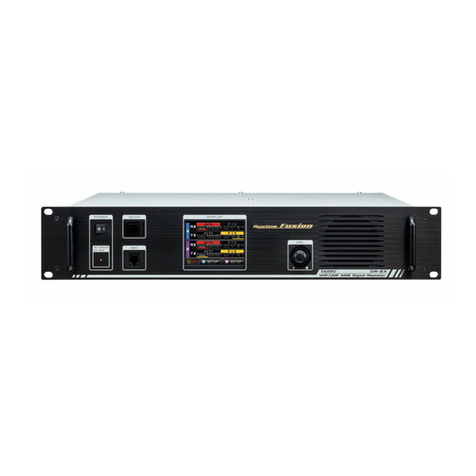
Yaesu DR-2X User manual

Yaesu

Yaesu DR-2X User manual

Yaesu DR2XLAN User manual

Yaesu

Yaesu DR2XLAN User manual

Yaesu Wires-X User manual

Yaesu

Yaesu Wires-X User manual

Yaesu WIRES-X HRI-200 User manual

Yaesu

Yaesu WIRES-X HRI-200 User manual

Yaesu DR-1 User manual

Yaesu

Yaesu DR-1 User manual

Yaesu DR-1 User manual

Yaesu

Yaesu DR-1 User manual

Yaesu WIRES-X FT3D User manual

Yaesu

Yaesu WIRES-X FT3D User manual

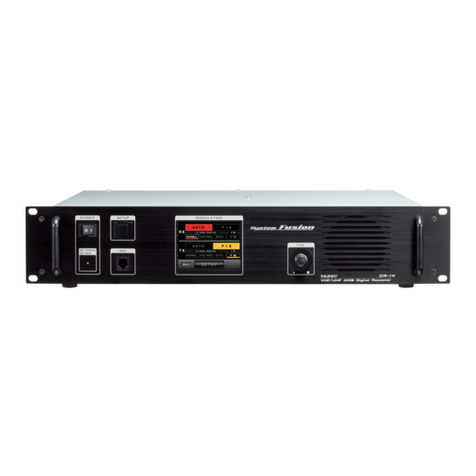
Yaesu DR-1X User manual

Yaesu

Yaesu DR-1X User manual

Yaesu DR-1X User manual

Yaesu

Yaesu DR-1X User manual

Yaesu DR-2X User manual

Yaesu

Yaesu DR-2X User manual

Yaesu DR-1X User manual

Yaesu

Yaesu DR-1X User manual

Yaesu DR-2X Manual

Yaesu

Yaesu DR-2X Manual

Yaesu DR-1X FR User manual

Yaesu

Yaesu DR-1X FR User manual

Yaesu DR-1X Manual

Yaesu

Yaesu DR-1X Manual

Yaesu FTR-710A User manual

Yaesu

Yaesu FTR-710A User manual

Yaesu C4FM User manual

Yaesu

Yaesu C4FM User manual

Yaesu VXR-7000U User manual

Yaesu

Yaesu VXR-7000U User manual

Popular Repeater manuals by other brands

Kenwood TKR-750-850 Function reference

Kenwood

Kenwood TKR-750-850 Function reference

Asus RP-AC51 quick start guide

Asus

Asus RP-AC51 quick start guide

Exibel HRP0101 instruction manual

Exibel

Exibel HRP0101 instruction manual

Kenwood TKR-750 Service manual

Kenwood

Kenwood TKR-750 Service manual

York Universal LINC485 installation manual

York

York Universal LINC485 installation manual

MIKOM MRx01B Power Series user manual

MIKOM

MIKOM MRx01B Power Series user manual

Simrad RD 301 instruction manual

Simrad

Simrad RD 301 instruction manual

Inventronics DALI REPEATER SO operating instructions

Inventronics

Inventronics DALI REPEATER SO operating instructions

XFP 16 installation manual

XFP

XFP 16 installation manual

Andrew MRx18 user manual

Andrew

Andrew MRx18 user manual

COMBA RXA3748 user manual

COMBA

COMBA RXA3748 user manual

ADRF SDR-ICS-43 user manual

ADRF

ADRF SDR-ICS-43 user manual

Teltonika WRP100 user manual

Teltonika

Teltonika WRP100 user manual

U-Prox HW installation manual

U-Prox

U-Prox HW installation manual

Motorola VRS750 Service manual

Motorola

Motorola VRS750 Service manual

KanexPro SDI-HDRPTPRO user manual

KanexPro

KanexPro SDI-HDRPTPRO user manual

Ltech LT-3030-CС quick start guide

Ltech

Ltech LT-3030-CС quick start guide

Gigaset 108 owner's manual

Gigaset

Gigaset 108 owner's manual

manuals.online logo
manuals.online logoBrands
  • About & Mission
  • Contact us
  • Privacy Policy
  • Terms and Conditions

Copyright 2025 Manuals.Online. All Rights Reserved.

Before Using
Installation and Connection
Operations
Appendix
144/430MHz 50W
VHF/UHF AMS DIGITAL REPEATER
C4FM FDMA/FM
Operating Manual
2
Before Using
Contents
Introduction .................................................................................3
Features of this radio ..............................................................3
About the touch panel .............................................................3
About registered trademarks and copyrights ..........................3
How to read this manual .........................................................3
Before Using .............................................................................4
Safety Precautions (make sure to read these) ...........................4
Accessories ................................................................................6
Options .......................................................................................6
Name and Function of Each Component ...................................7
Front........................................................................................7
Rear ........................................................................................8
Explanation of the screen .......................................................9
Installation and Connection .................................................. 11
Setting up the Repeater............................................................11
Safety measures for installation ............................................ 11
Installing the repeater ........................................................... 11
Mounting on a desk ...........................................................11
About electrical grounding ....................................................12
About the antenna.................................................................12
Antenna consideration.......................................................12
Connecting the antenna ........................................................13
Connecting the Power Supply ..................................................14
Connection for DR-1X ...........................................................14
Connection for DR-1XE ........................................................15
Connecting External Devices ...................................................16
Connection of an external microphone or PTT switch .......... 16
Connection to a personal computer ......................................16
Connection to an external controller .....................................17
To use DR-1X/DR-1XE in Remote mode ..........................18
Repeater Operation ................................................................19
Basic Operations ......................................................................19
Turning the power on ............................................................19
Switching the power off .....................................................19
Setting the ID (call sign) ........................................................19
Turning the display on and off ...............................................20
Adjusting the volume.............................................................20
Setting the frequency ............................................................20
Switching the operating mode...............................................21
Switching the communication mode .....................................22
Adjusting the squelch level ...................................................22
Adjusting the transmit power.................................................23
Setting the TX Inhibit .............................................................24
Inhibit repeater operation Stop/Resume (remote control) .....24
Setting the ECS (Enhanced Code Squelch) code .............24
Stop/Resume Repeater Operation ....................................26
Remote Operation ....................................................................27
Turning remote operation ON/OFF .......................................27
Control from external controller.............................................28
Base Station Operation ............................................................29
Transmitting C4FM digital signals .....................................29
Setting up the Repeater............................................................30
Setup menu basic operations ...............................................30
Setting the half deviation operation.......................................31
Setting the tone signals.........................................................32
Setting the tone frequency ................................................32
Setting the DCS code ........................................................32
Switching the tone signal types.............................................33
Setting the digital squelch code ............................................34
Setting the ID (call sign) ........................................................34
Setting the ID announcement ...............................................35
Setting the way to announce .............................................35
Setting the announcement output level .............................36
Setting the ID announcement CW speed ..........................36
Setting the announcement time interval ............................37
Setting the TOT (timeout timer).............................................38
Setting other configuration ....................................................38
Setting the repeater for remote operation .........................38
Turning transmission ON/OFF
from the remote controller ...........38
Setting the display turn-on time .........................................39
Setting the Packet Speed ..................................................39
Restoring Default Settings (Factory Reset) .......................40
Appendix .................................................................................41
Installation of the Optional Voice Guide Unit "FVS-2" ..............41
Maintenance .............................................................................42
Care and maintenance..........................................................42
Replacing the fuse ................................................................42
Advice When There Is a Problem .............................................43
There is no power..............................................................43
There is no sound..............................................................43
There is no transmission ...................................................43
There is no screen on the display .....................................43
About internal spurious signals .............................................43
After-market Services ...........................................................43
Specifications ...........................................................................44

3
Before Using
Introduction
Features of this radio
144/430 MHz repeater is equipped with a standard C4FM digital communication modem capable of selecting the communications
mode automatically
Clear audio and data communication is achieved using the digital modem functions
Transmit power 50 watts with cooling fan
Full color 3.5-inch LCD, high luminance TFT touch panel controller
Intuitive, user touch panel operation
About the touch panel
Precautions in using the touch panel
The touch panel of the controller is designed to work with the slightest touch of a finger.
The touch panel may not work when a protective film or sheet is affixed to the LCD.
Use of a pointed fingernail or pen to operate the touch panel, or pressing too hard may damage or scratch the screen.
Smart phone operations such as flicking, pinch in and pinch out are not possible.
Maintaining the touch panel
To clean the touch panel, switch the power supply OFF before using a dry, soft cloth to wipe away dust and dirt from the touch panel.
When the touch panel is really dirty, wet a soft cloth and wring it out thoroughly before using it to wipe the touch panel.
When wiping the touch panel, be careful not to wipe too hard or scratch the surface with your nails.
When the touch panel is scratched, it may become difficult to see the display.
About registered trademarks and copyrights
Company and product names described in this manual are trademarks and registered trademarks of their respective companies.
Unauthorized reproduction or copying of a part or all of the copyrights owned by Yaesu Musen Co., Ltd. in any form whatsoever is
strictly prohibited.
How to read this manual
In this manual, controller operations are expressed as follows:
Touch [SQL] .......................................Indicates that the symbol on the touch panel screen is to be touched quickly.
Select [MODE] ...................................Indicates that the items are to be highlighted on the touch panel screen.
The following symbols are also used in this manual:
Caution
...Explains information to avoid incorrect operation.
Tip
...Explains operating hints and helpful advice.
Also note: the actual product may differ from the drawings shown in this manual.
Disposal of your Electronic and Electric Equipment
Products with the symbol (crossed-out wheeled bin) cannot be disposed as household waste.
Electronic and Electric Equipment should be recycled at a facility capable of handling these items
and their waste by products.
In EU countries, please contact your local equipment supplier representative or service center for
information about the waste collection system in your country.
This transceiver works on frequencies which are not generally permitted.
As for the actual usage, the user has to possess an amateur radio licence.
Usage is allowed only in the frequency bands which are allocated for
amateur radios.
Attention in case of use
List of national codes
AT BE BG CY CZ DE
DK ES EE FI FR GB
GR HR HU IE IT LT
LU LV MT NL PL PT
RO SK SI SE CH IS
LI NO – – – –
4
Before Using
Safety Precautions (make sure to read these)
Make sure to read this manual in order to use this radio safely and correctly.
Note beforehand that the company shall not be liable for any damages suffered by the customer or third parties in using this product,
or for any failures and faults that occur during the use or misuse of this product, unless otherwise provided for under the law.
Type and meaning of the marks
DANGER This symbol indicates the possibility of death or serious injury being inflicted on the user and the
surrounding people when these instructions are ignored and the product is handled improperly.
WARNING This symbol indicates the possibility of death or serious injury being inflicted on the user and the
surrounding people when these instructions are ignored and the product is handled improperly.
CAUTION
This symbol indicates the possibility of physical impediments occurring or impediments being inflicted
on the user and the surrounding people when these instructions are ignored and the product is handled
improperly.
Type and meaning of symbols
Prohibited actions that must not be carried out in order to use this radio safely.
For example, signifies that disassembly is prohibited.
Precautions that must be adhered to in order to use this radio safely. For example, signifies that the power supply is to
be disconnected.
DANGER
Do not use the device in “locations or aircraft and vehicles
where its use is prohibited” such as in hospitals and
aeroplanes.
This may exert an impact on electronic and medical devices.
Never touch the antenna during transmission.
This may result in injury, electric shock and equipment failure.
Do not transmit in crowded places in consideration of
people who are fitted with medical devices such as heart
pacemakers.
Electromagnetic waves from the device may affect the medical
device, resulting in accidents caused by malfunctions.
Do not operate the device when flammable gas is generated.
Doing so may result in fire and explosion.
Use good engineering, proper grounding and protective
devices to protect the repeater from power surges, lightening
and electrical damage via the power and external antenna
connections.
Otherwise when it thunders, immediately disconnect the
external antenna from the repeater and shut OFF the power
supply.
If not, fire, electric shock and equipment failure this may result.
Do not touch any liquid leaking from the liquid display with
your bare hands.
There is a risk of chemical burns occurring when the liquid comes
into contact with the skin or gets into the eyes. In this case, seek
medical treatment immediately.
WARNING
Do not use voltages other than the specified power supply
voltage.
Doing so may result in fire and electric shock.
Do not transmit continuously for long periods of time.
This may cause the temperature of the main body to rise and
result in burns and failures due to overheating.
Do not dismantle or modify the device.
This may result in injury, electric shock and equipment failure.
Do not handle the power plug and connector etc. with wet
hands. Also do not plug and unplug the power plug with wet
hands.
This may result in injury, electric shock and equipment failure.
When smoke or strange odors are emitted from the radio,
turn off the power and disconnect the power cord from the
socket.
This may result in fire, liquid leak, overheating, damage, ignition
and equipment failure. Please contact our company amateur
customer support or the retail store where you purchased the
device.
Keep the power plug pins and the surrounding areas clean
at all times.
This may result in fire, overheating, breakage, ignition etc.
Do not place the device in areas that may get wet easily (e.g.
near a humidifier).
This may result in fire, electric shock and equipment failure.
When connecting a DC power cord, pay due care not to mix
up the positive and negative polarities.
This may result in fire, electric shock and equipment failure.
Do not use power cords other than the one enclosed or
specified.
This may result in fire, electric shock and equipment failure.
Do not bend, twist, pull, heat and modify the power cord and
connection cables in an unreasonable manner.
This may cut or damage the cables and result in fire, electric
shock and equipment failure.
Do not pull the cable when plugging and unplugging the
power cord and connection cables.
Please hold the plug or connector when unplugging. If not, this
may result in fire, electric shock and equipment failure.
Do not use the device when the power cord and connection
cables are damaged, and when the power connector cannot
be plugged in tightly.
Please contact our company amateur customer support or the
retail store where you purchased the device as this may result in
fire, electric shock and equipment failure.
Before Using
5
Before Using
Safety Precautions (make sure to read these)
Do not use fuses other than those specified.
Doing so may result in fire and equipment failure.
Do not allow metallic objects such as wires and water to get
inside the product.
This may result in fire, electric shock and equipment failure.
Disconnect the power cord and connection cables before
incorporating items sold separately or replacing the fuse.
This may result in fire, electric shock and equipment failure.
Follow the instructions given when installing items sold
separately and replacing the fuse.
This may result in fire, electric shock and equipment failure.
Do not use the device when it thunders.
For safety reasons, pull the power plug out of the AC socket.
Never touch the antenna as well. This may result in fire, electric
shock and equipment failure due to thunder.
CAUTION
Do not place this device near a heating instrument or in a
location exposed to direct sunlight.
This may result in deformation and discoloration.
Do not place this device in a location where there is a lot of
dust and humidity.
Doing so may result in fire and equipment failure.
Stay as far away from the antenna as possible during
transmission.
Long-term exposure to electromagnetic radiation may have a
negative effect on the human body.
Do not wipe the case using thinner and benzene etc.
Please use a soft and dry piece of cloth to wipe away the stains
on the case.
Do not put heavy objects on top of the power cord and
connection cables.
This may damage the power cord and connection cables, resulting
in fire and electric shock.
Do not transmit near the television and radio.
This may result in electromagnetic interference.
Do not use optional products other than those specified.
If not, this may result in equipment failure.
Do not place the device on an unsteady or sloping surface, or
in a location where there is a lot of vibration.
The device may fall over or drop, resulting in fire, injury and
equipment failure.
For safety reasons, switch off the power and pull out the
power cord when the device is not going to be used for a
long period of time.
If not, this may result in fire and overheating.
Do not throw or subject the device to strong impact forces.
This may result in equipment failure.
Do not put this device near magnetic cards and video tapes.
The data in the cash card and video tape etc. may be erased.
Keep out of the reach of small children.
If not, this may result in injuries to children.
Do not stand on top of the product, and do not place heavy
objects on top or insert objects inside it.
If not, this may result in equipment failure.
Do not use a microphone other than those specified when
connecting a microphone to the device.
If not, this may result in equipment failure.
Do not touch the heat radiating parts.
When used for a long period of time, the temperature of the heat
radiating parts will get higher, resulting in burns when touched.
Do not open the case of the product except when replacing
the fuse and when installing items sold separately.
This may result in injury, electric shock and equipment failure.
6
Before Using
Accessories
AC Power Cord (T9017882) *1 ............................................................. 1
DC Power Cord with Fuse (T9026115) ................................................ 1
Spare Fuse 15 A (Q0000075) ........................................................... 1
5 A (Q0000143) *1 .......................................................... 1
Case Legs (S4000052) ........................................................................ 4
PC Connection Cable SCU-20 (T9101621) ......................................... 1
Operating Manual (this manual) .......................................................... 1
Warranty Certificate ............................................................................. 1
*1: For DR-1X only
Options
DTMF Microphone MH-48A6JA
Hand Microphone MH-42C6J
Voice Guide Unit FVS-2
7
Before Using
Name and Function of Each Component
Front
POWER switch
Press “|” side to switch the radio on, and “O” side to switch the radio off.
Power supply monitor (LED indicator)
• When the indicator illuminates in green, the power is supplied from the AC IN jack (DR-1X only).
• When the indicator illuminates in red, the power supply is backed up through the BACKUP terminals (13.8 V DC).
SETUP button
Press to switch the display on and off.
MIC jack
Insert the plug of the optional microphone to this 6-pin modular jack.
Touch panel display
VOL knob
The audio volume of the received (up link) signal will increase when the knob is turned in a clockwise direction and decrease when
turned in a counter-clockwise direction.
Speaker
The internal speaker is located here.
Handle
8
Before Using
Name and Function of Each Component
Rear
Note The figure above shows the rear panel of the DR-1X.
TX ANT terminal
Connect to the transmitting antenna (down link) with the coaxial cable.
The output impedance requirement is 50 ohms.
Air outlet for cooling fan
RX ANT terminal
Connect to the receiving antenna (up link) with the coaxial cable.
The input impedance requirement is 50 ohms.
FUSE 15A jack
A 15 A fuse for the DC power supply through the BACKUP terminals is attached.
BACKUP terminals
Connect to the 13.8 V DC power supply.
FUSE 5A jack (DR-1X only)
A 5 A fuse for the AC power supply through the AC IN jack is attached.
ACC jack
Connect to a personal computer with the provided PC connection cable “SCU-20”.
CONTROL I/O connector
This connector allows the repeater to be connected to an external controller for remote operation.
AC IN jack (DR-1X only)
Connect to the 100 V to 240 V AC power supply with the provided power cable.
GND terminal
9
Before Using
Name and Function of Each Component
Explanation of the screen
Operation mode screen
RX Receive (up link) band display area
TX Transmit (down link) band display area
Operation mode display area
[AUTO] Touch here to activate the AMS (automatic mode select) function. The communication mode switches automatically
according to the received/transmitted signal types.
[FIX] Touch here to receive/transmit signals in the selected communication mode at all time.
Communication mode display area
The items are displayed in red during the AUTO mode and yellow during the FIX mode.
[NORMAL] Indicates operation is in the simultaneous voice and data communication mode (digital).
[VOICE WIDE] Indicates operation is in the high-rate voice communication mode (digital).
[DATA] Indicates operation is in the high speed data communication mode (digital).
[FM] Indicates operation is in the analog communication mode on the FM band.
RX indicator
This indicator shows green when a signal is received and white when there is no signal.
TX indicator
This indicator shows red when the repeater transmits and white when there is no transmit.
Settings display area
[REMOTE] Displayed in red when remote operation with an external controller is enabled (see page 27).
[SETUP] Touch here to switch the display to the setup mode screen.
10
Before Using
Name and Function of Each Component
Setup mode screen
RX Receive (up link) band display area
TX Transmit (down link) band display area
Touch key display area
[BACK] Touch here to return to the operation mode screen.
[SQL] Touch here to set the squelch level of the receiver.
[Tx PWR] Touch here to set the transmitter output level.
[F] Touch here to display the setup menu.
Direction display area
“UP LINK” is displayed on the RX band.
“DOWN LINK” is displayed on the TX band.
Status display area
A green bar is displayed during receive when signals are detected.
The bar will not be displayed when the squelch is turned on.
Frequency display
VOL/SQL level display
S-meter/transmission power level display
Communication mode display
Squelch level setting screen
The screen appears as below after [SQL] is touched.