manuals.online logo
Brands
  1. Home
  2. •
  3. Brands
  4. •
  5. YASKAWA
  6. •
  7. Control System
  8. •
  9. YASKAWA yasnac lx3 User manual

YASKAWA yasnac lx3 User manual

Other manuals for yasnac lx3

2

Other YASKAWA Control System manuals

YASKAWA VIPA System 300S User manual

YASKAWA

YASKAWA VIPA System 300S User manual

YASKAWA CP 341 User manual

YASKAWA

YASKAWA CP 341 User manual

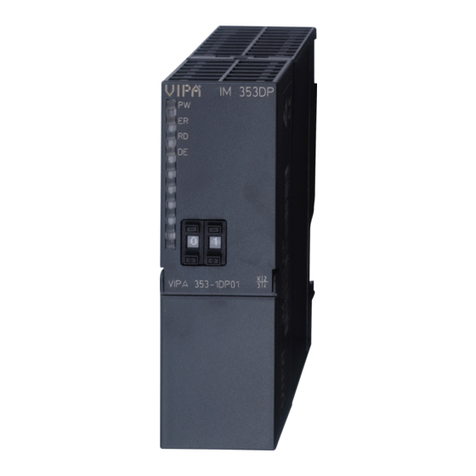
YASKAWA VIPA System 300S User manual

YASKAWA

YASKAWA VIPA System 300S User manual

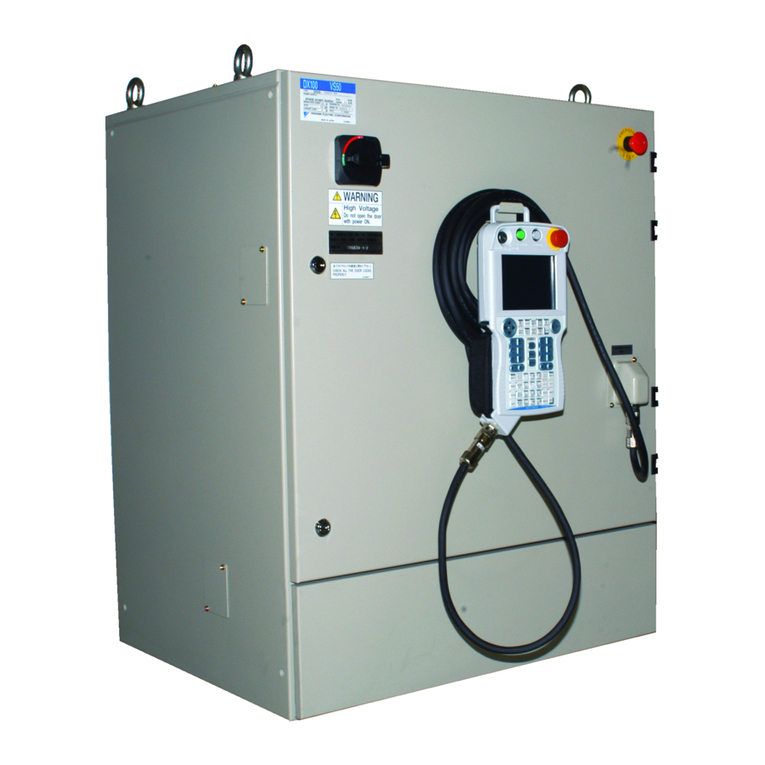
YASKAWA MOTOMAN DX100 User manual

YASKAWA

YASKAWA MOTOMAN DX100 User manual

YASKAWA VIPA System 300S User manual

YASKAWA

YASKAWA VIPA System 300S User manual

YASKAWA SPEED7 300S+ CPU 315PN User manual

YASKAWA

YASKAWA SPEED7 300S+ CPU 315PN User manual

YASKAWA YASNAC i80 User manual

YASKAWA

YASKAWA YASNAC i80 User manual

Popular Control System manuals by other brands

Comunello BORDER 400 Installation and user manual

Comunello

Comunello BORDER 400 Installation and user manual

Verlinde EUROBLOC Variator VTN Service manual

Verlinde

Verlinde EUROBLOC Variator VTN Service manual

Diginet DGOZ-TCSW-LR35 installation guide

Diginet

Diginet DGOZ-TCSW-LR35 installation guide

VADDIO ControlVIEW Xtreme manual

VADDIO

VADDIO ControlVIEW Xtreme manual

Duke HSHU 13 SERIES Installation and operation manual

Duke

Duke HSHU 13 SERIES Installation and operation manual

AIRTRONICS Blazer Sport manual

AIRTRONICS

AIRTRONICS Blazer Sport manual

Pentair Pool Products Compool Installation and user guide

Pentair Pool Products

Pentair Pool Products Compool Installation and user guide

ComfortNET CTK04 manual

ComfortNET

ComfortNET CTK04 manual

CAME G3000 installation manual

CAME

CAME G3000 installation manual

Idemia MorphoAccess VP MD installation guide

Idemia

Idemia MorphoAccess VP MD installation guide

Doosan DVF Series Operation user's manual

Doosan

Doosan DVF Series Operation user's manual

Axis P1445-LE-3 user manual

Axis

Axis P1445-LE-3 user manual

CNC-Step High-Z T-Series operating instructions

CNC-Step

CNC-Step High-Z T-Series operating instructions

Honeywell KAP 140 Maintenance manual

Honeywell

Honeywell KAP 140 Maintenance manual

Honeywell vk41 series Handbook

Honeywell

Honeywell vk41 series Handbook

Cypress HHR-3160 product manual

Cypress

Cypress HHR-3160 product manual

Zonex GEN II -VVT Installation and application manual

Zonex

Zonex GEN II -VVT Installation and application manual

Altronics K 9650 quick start guide

Altronics

Altronics K 9650 quick start guide

manuals.online logo
manuals.online logoBrands
  • About & Mission
  • Contact us
  • Privacy Policy
  • Terms and Conditions

Copyright 2025 Manuals.Online. All Rights Reserved.

YASNAC LX3
CNC SYSTEM FOR TURNING APPLICATIONS
Before initialoperation read these instructionsthoroughly,and retain for future reference.
YASKAVW
This manual is primarily intended with 9” CRT
character display (basic) to give operators in–
structions for YASNAC LX3 programming, and
operation.
This manual applies to the basic and optional
features of YASNAC LX3. The optional features
are marked with adagger. For the specifications
of your YASNAC LX3, refer to the machine tool
builder’s manual.
586-175
YASNAC LX3 OPERATOR’S STATION
PREFACE
When reading this manual keep in mind that the
information contained herein does not cover every
possible contingency which might be met during
the operation. Any operation not described in
this manual should not be attempted with the
control,
The functions and performance as NC machine are
determined by a combination of machine and the
NC control. For operation of your NC machine,
the machine tool builder’s manual shall take prl–
ority over this manual.
The illustration of machine control station should
be used for your reference in understanding the
function. For detailed array of operator’s devices
and names, refer to machine tool builder’s
manual.
TJnless otherwise specified,
apply to the description of
s“fiown in this manual.
Feed Function Selection:
Reference Zero Point
the following rules
programming examples
G99 (mm/rev)
(Return to reference zero by manual and auto-
matic return) :+
Absolute Zero Point: +
Work Coordinate Zero Point +?
Dimensions: in MM
TABLE OF CONTENTS
1. INTRODUCTION 1
2. PROGRAMMING 1
2.1
2.2
2.3
2.4
2.5
2.6
2.7
2,8
Tape Format 1
Program Number and
Coordinate Words 7
Rapid Traverse Rate
sequence Number 6
10
spindle-Speed Function (S-Function) 13
TOO IFunction (T-Function) 14
Miscellaneous Functions (M-Function) 19
Preparatory Functions (G-Function) 23
3. NC TAPE PUNCHING 148
3.1 Tape code 148
3.2 Programming 148
3.3 NC Tape 150
3.4 NC Tape Handling 150
4. STANDARD NC OPERATOR’S STATION WITH
CRT CHARACTER DISPLAY 151
4.1
4.2
u. 3
4.4
4.5
4.6
4.7
4.8
Pushbuttons, Key S, and Lamps 151
Power ON/OFF Operation 155
Display and Writing Operation 156
Loading Part Programs and NC Data into
Memory (in) 174
Tape Verifying 178
Edit 180
Part Program and NC Data Output
Operations 183
Summary of Storing and Editing
Operations 186
5. MACHINE CONTROL
5.1 Switching Units on
STATION 187
the Control Station
5,2 Operation procedure 198
6. OPERATION PROCEDURE 213
187
6.1
6.2
6.3
6.4
6.5
6.6
6.7
6.8
6.9
Inspection before Turning on Power 213
Turning on Power 213
Manual Operation 213
Preparation for Stored Lead Screw Error
Compensation and Stored Stroke Limit 214
Preparations for Automatic Operation 214
Operation in Tape and Memory Mode 215
Manual Operation Interrupting Automatic
Operation 216
Automatic Operation in MD IMode 216
MD IOperation Interrupting Automatic
.
Operation 216
6.10 Preparation for Turning off Power 217
6.11 Turning off Power 217
APPENDIX 1
APPENDIX 2
APPENDIX 3
APPENDIX 4
APPENDIX 5
APPENDIX 6
LIST OF SETTING NUMBERS A–1
LIST OF PARAMETER NUMBERS A–?
STORED LEADSCREW ERROR COM-
PENSATION A–25
LIST OF STANDARD lNPUT/OUT-
PUT SIGNALS A–26
LIST OF ALARM CODES A–35
LIST OF DATA A–54
INDEX
Subject Chapter Par.
AABSOLUTE AND INCREMENTAL INPUT S............................ 2 ........ 2.3.5
ABSOLUTE/INCREMENTAL PROGRAMl,41NG (G90, G91) 2
.............. ........ 2.8.31
Accelerationand Decelerationof Rapid Traverse
and Manual Feed .......................................$......2 ........ 2.4.3.
ADDING PART PROGRAMS ......................................... 4
ADDRESS KEYS “.””””.. 4.6.4
................................................... 4.’””””””4.1.4
Page
. . . . 8
..”” 146
. . . 12
.,. . 181
.... 153
Address Search ....................................................4 ........
ALARM CODE (ALM) DISPLAY ..................................... ........
4
Alarm Code Display ................................................ ........
4
Alarm Number of Microprograms ..................................2 ........
Argument Designation.............................................. ........
2
4.3.3.4““”
4.3.9 -.O..
4.3.9.1-..
2.8.23.10-
2.8.23.2‘.
161
172
172
88
68
212
195
12
199
56
216
35
109
203
204
AUTO MODE HANDLE OFFSET ..................................... 5........
AU TO MOD E HANDLE OFFSET SWITCHt ...................44......5 ........
AUTOMATIC ACCELERATION AND DECELERATION ........0..0.....2 ........
AUTOMATIC COORDINATE SYSTEM SETTING+ 5
..................... ........
AutomaticNose RFunction .........................................2 ........
5.2.7 ‘----
5.1<28 ----
2.4.3 .....
5.2.2 .....
2.8.19.1..
AU TOMATIC OPERATION INMDI h40DE ...........................6 ........
AUTOMATIC RETURN TO REFERENCE POINT (G28) 2
................ ........
AutomaticThreading Cycle (G76) ...................................2 ........
AutomaticWritingintothe Tool CoordinateMemory 5
................. ........
AutomaticWritingintothe Work CoordinateSystem
ShiftLIemory..................................................5 ........
6.8 .......
2.8.11 ....
2.8.25.8‘.
5.2.3.3 .“”
5.2.3.4 .“’
BBUFFER REGISTER ................................................ ........
2
BUFFERING FUN CTION(M93, M92)t ..............................-2 ........ 2.1.5 ..”””
2.7.3 .“””” 6
19
C CANNED CYCLES (G90, G92, G94) ................................ 2 ........
CHECKING REGISTERED PART PROGRAM NUMBER ................. 4 ........
CircularArc MultipleCornering (G112).............................2 ........
CIRCULAR INTERPOLATION (G02, G03) 2
........................... ........
CIRCULAR PATH hfODE ON/OFF ON TOOL RADIUS COMPENSATION
(G97, L496)+ ................................................. ........
2
COMMAND DATA DISPLAY ..........................................4 ........
2.8.26 ‘“””
4.6.1 .....
2,8.30.2..
2.8.4 .....
116
180
143
28
20
157
2.7.4 .....
4.3.2 .....
Command Data Display .............................................4 ........
Command Pulse AccumulationRegisterDisplay
(COMMAND PULSE) ........................................... 4 ........
Conditionsfor the AutomaticNose R Compensation Function
to be Enabled ................................................ 2 ........
Conditionsof the Specificationsto Perform FS Editing.............. 5 ........
Considerationsand Remarks for Macro Programs ................... 2 ........
4.3.2.1 ... 158
4.3.4.9.. 165
2,8.19.2..
5.1.31.7..
2.8.23.9“.
56
198
84
CONSTANT DISPLAY .............................................. 4 ........
CONSTANT SURFACE SPEED CONTROL (G96, G97)t ............... 2 ........
ControlComma~ ds ................................................. ........
2
CoordinateSystem Setting(G50 X_. Z_. ) ........................ 5 ........
COORDINATE WORD S.............................................. 2 ........
4.3.1 .....
2.8.27..-.
2.8.23,6-.
5.2.3,5...
2.3 .......
156
123
81
205
7
COORDINATE WORDS .............................................. 2 ........
CORNERING (Gil, G12)+ ............ 2
............................... ........
CRT CHARACTER DISPLAY ........................................ 4 .......
CURRENT POSITION DISPLAY ..................................... 4 ........
CURSOR KEYS .................................................... ........
4
2.3.1 .....
2.8.7 .....
4,1.2 ....-
4,3.4 .....
4.1.8 .....
7
31
152
162
154
CUTTING DEPTH OVERRIDE SWITCHt FOR G71 AND G72 5
.......... ........
CYCLE START PUSHBUTTON AND LAMP ................. 5
......... ........ 5.1.29 ....
5.1.2 .... 195
188
153
6
182
DDATA KEYS .......................................................4 ........
DECIMAL POINT PROGRAMMING ................................... 2........
DELETING PART PROGRAM BLOCKS 4
............................... ........
Display and Deletingof RegisteredProgram Number
(PROGRAM NO. TABLEDR )t ................................. 4.,.,....
Displayand Writeof Localand Common Variables .................. 2........
4.1.5....
2.1.3 ...,.
4.6.5 .....
4.3.9.3 ...
2,8.23.8,. 173
83
156
158
159
161
180
DISPLAY AND WRITING OPERATION ............................... 4........
Displayof Subprogram Run Status (SUB PROG . NESTING) ......... 4........
Displayof Tool Life ControlUse Status (TOOL LIFE CONTROL) .... 4 ........
Displayin EDIT Mode .............................................. 4 ........
DISPLAYING AND CHECKING STORED PART PROGRAMS ........... 4........
4.3 .......
4.3.2.2 ...
4.3.2.3 ...
4.3,3.3 ...
4.6.2 .....
INDEX (Conttd)
Subject Chapter Par. Page
DDISPLAYING AND WRITING PARAMETERS .......................... 4 ........ 4.3.7 ..... 17o
Displayingand WritingParameters ................................. 4........ 4,3.7.3 ... 171
DISPLAYING AND WRITING SETTING DATA (SETTING) ............ 4 ........ 4,3.6 ..... 168
DISPLAYING AND WRITING TOOL OFFSET DATAt ................. 4........ 4.3.5 ..... 166
DISPLAYING STATUS INPUT/OUTPUT SIGNALS ................... 4 ........ 4.3.8 ..... 172
Displayin Memory Run Mode (PROGRAM
DISPLAY LOCK/MACHINE LOCK SWITCH
DRY RUN SWITCH ......................
DWELL (G04).o.....................o....
E EDIT ...................................
EDIT KEYS .............................
MEM]) ................... 4 ........ 4.3.3.2 ... 160
.......................... 5........ 5.1.19 .... 193
.......................... 5 ........ 5.1.18 .... 193
2
.......................... ........ 2.8.5 ..... 29
4
.......................... ........ 4.6 ........ 180
.......................... 4........ 4.1.10 .... 154
EDIT LOCK SWITCH ............................................... ........
55.1,22 .... 194
EIA/ISO AUTO RECOGNITION ...................................... 3 ........ 3.1,2 ..... 148
EMERGENCY STOP PUSHBUTTON .................................. 5 ........ 5.1.4 ..... 189
ERROR DETECT OFF POSITIONING (G06) .............4............ 2 ........ 2.8.2.2 ... 27
Example of FS Editing ............................................. ........
55.1.31.6 .. 197
Example of High-speed M Function Processing...................... 2........ 2.7.8.4 ... 23
Exercisesof Macro Programs 2
...................................... ........ 2.8.23.11.. 89
FFacing Cycle B (G94) .............................................. 2........ 2.8.26,3 .. 121
FEED FUNCTION (F- AND E-FUNCTION) 2
.......................... ........ 2.4.2 10
FEED HOLD PUSHBUTTON AND LAMP .....
............................. 5 ........ 5.1.3 ..... 188
FEED/MINUTE AND FEED/REVOLUTION SWITCHOVER .............. 2 ........ 2,8.28 .... 124
Feed Per Minute (G98 Mode) ....................................... ........
2 2.4.2.2 ... 12
Feed Per Revolution(G99 Mode) ................................... 2........ 2.4.2.1 ... 11
FEEDRATE OVERRIDE CANCEL SWITCH ........................... 5 ........ 5.1.12 ... 192
FinishingCycle (G70) ............................................. 2........ 2.8.25.5... 106
FS AUTOMATIC EDITING FUNCTION ............................... 5 ........ 5.1.31 ..... 196
FUNCTION KEYS .................................................. 4........ 4.1.3 ..... 152
Functions ......................................................... 2 ........ 2.6.5.2 ... 17
Functions ......................................................... 5 ........ 5.1.31.3... 196
G General ........................................................... 2........ 2,8.25.1... 94
General ........................................................... ........
5 5.1.8.2 ... 190
General ........................................................... 5 ........ 5,1.31.1... 196
General ........................................................... 5 ........ 5.2.3.10... 206
GENERAL PROGRAM FORM ......................................... ........
33.2.2 ...... 148
G50 POINT RETURN SWITCHt ..................................... 5........ 5.1.24 .... 195
G50 POINT RETURNt .............................................. 5 ‘-------5.2.4 ..... 208
GROOVE WIDTH COMPENSATION (G150, G151)*..................... 2 ........ 2.8,32 .... 147
Grooving in X-Axis (G75) .......................................... 2 ........ 2.8.25.7... 108
HHANDLE AXIS SELECT SWITCH+ ................................s.. 5 ........ 5.1.6...... 189
HANDLE DIAL+ (MANUAL PULSE GENERATOR) ....<............... 5 ‘-------5.1.5 ----- 189
HANDLE DIALS FOR SIMULTANEOUS CONTROL OF
UP TO TWO AXESt .......................................... 5..-.-... 5.1.8 ..4-. 189
Handle InterpolationFunction ...................................... 5.....+.. 5,1,8.1---- 190
HIGH-SPEED M FUNCTION ........................................ ........
22.7.8 ..... 22
I Improved MultipleRepetitiveCycle Function........................ 2 ........ 2.8.25.10.. 115
INCH/METRIC DESIGNATION BY G CODE (G20, G21)t 2
............. ........ 2.8.8 ...... 33
Input/Output ...................................................... 5 ........ 5.1.31.2... 196
I/OChannel ...................................................... 2 ........ 2.7.8.1 ... 22
INPUTTING SETTING DATA AND PARAMETER DATA 4
.............. ........ 4.4.5 ..... 178
INPUTTING TOOL OF OFFSET DATA INTO MEMORY ............... 4........ 4.4.4 ..... 177
Input Unit andl O Times Input Unit ............................... 2 ........ 2.3.3.1.... 7
INSPECTION BEFORE TURNING ON POWER ........................ 6 ........ 6,1 ....... 213
INTERLOCK INPUT (INTERLOCK) ................................. 5 ........ 5.1.23 .... 195
InternalToggle Switchesf ......................................... 4 ........ 4.3.6.2 ... 169
INTRODUCTION ................................................... 1..................... 1
JJOG FEEDRATE SWITCH AND FEEDRATE OVERRIDE SWITCH ....... 5........ 5,1.10 ..... 191
JOG PUSHBUTTONS AND RAPID PUSHBUTTON .................... 5........ 5.1.9 ..... 191
K KEEPING OF NC TAPE ............................................ 3........ 3.4.2 ..... 150

INDEX (Cent’cl)
Subject Chapter Par. Page
LLABEL SKIP FUNCTION ........................................... ........
22.1.4 ..... 6
LEAST INPUT INCREMENT AND LEAST OUTPUT INCREMENT ...... 2 ........ 2.3.3 ..... 7
Least Output Increment ........................................... ........
22.3.3.2 ...
LINEAR INTERPOLATION (GOl)t ................................... 2 ........ 2.8.3 ..... 2;
LIST OF ADDRESS CHARACTERS AND FUNCTION CHARACTERS .. 2 ........ 2.1.2 ..... 4
LIST OF ALARM CODE .......................................AppENDIX 5................A-35
LIST OF DATA ...............................................APPENDIx 6 ................A-54
LIST OF G CODES ................................................ ........
22.8.1 ..... 23
LIST OF PARAMETER NUMBERS ..............................APPEND IX . ............... A-7
LIST OF SETTING NUMBERS ..................................APPENDIX 1 ................ A-1
LIST OF STANDARD INPUT/OUTPUT SIGNALS .........-......APPENDIX 4 ................A-?.&
LIST OF TAPE CODE ......................................
LOADING PART PROGRAM TAPE INTO MEMORY ............
LOADING PART PROGRAMS AND NC DATA INTO MEMORY (
LOADING PART PROGRAM SBYMDI .......................
M MACHINE CONTROL STATION .............................
Macro Program CallCommands ..................................... ........
22.8.23.1 .. 66
MAC REPROGRAMS (G65ANDG67) ................................ 2 ........ 2.8.23 .... 66
MaintenanceHistoryDisplay (MAINTENANCE) .......................4 ........ 4.3.9.5.... 174
MAKING ADDITION TO A PART PROGRALf 4
......................... ........ 4.4.2 ..... 176
MANUAL ABSOLUTE SWITCH ...................................... 5 ........ 5.1.21 ..... 194
MANUAL INTERRUPTION POINT RETURN Sh’ITCH ................. 5 ........ 5.1.25..... 195
MAN UAL INTERRUPTION POINT RETURN* ......................... 5 ........ 5.2.5 ..... 209
MANUAL OPERATION *...... ....................................... 6 ........ 6.3 ....... 213
MANUAL OPERATION INTERRUPTING AU TOhfATIC OPERATION .... 6 ........ 6.7 ....... 216
MANUAL PULSE hlULTIPLY SELECT SWITCH+ ...................... 5 ........ 5.1.7 ..... 189
hfANUAL REFERENCE POINT RETURN SWITCH . .................... 5 ........ 5.1.14 .... 192
MANUAL RETURN TO REFERENCE POINT .......................... 5 ........ 5.2.1 ..... 198
L4AXIMUM PROGRAMhfABLE DIMENSIONS ........................... 2 ........ 2.3.4 ...-.
MAXIMUM SPINDLE-SPEED SETTING (G50)+ ...........4............ 2 ........ 2.8.21 .-.. 6!
M CODES FOR INTERNAL PROCESSING (G99 TO M109) ............. 2 ........ 2.7.2 ----- 19
MCODES FOR STOP (MOO, MO1, M02, M30) ........................ 2 ........ 2.7.1 ..... 19
k4DIOPERATION INTERRUPTING AU TOhiATIC OPERATION ......... 6 ........ 6.9 ....... 216
MEASURED WORKPIECE VALUE DIRECT INPUT +.................... 5 ........ 5.2.3 ..... 199
MEMDATA (MEMORY DATA) KEYS ................................ 4 ........ 4.1.11 ....- 154
Message Display (ALARM)t ........................................ 4........ 4.3.9.2 ... 172
M-FIJNCTION LOCK SWITCH (AUXILIARY FUNCTION LOCK) ....... 5 .......,5.1.20..... 194
MISCELLANEOUS FUNCTIONS (M-FUNCTION) ...................... 2 ........ 2.7 ....... 19
MODE SELECT SWITCH ............................................ ........
55.1.1 ..... 187
MODIFYING PART PROGRAM BLOCKS ............................. 4 ........ 4.6.3 ..... 180
M3-DIGIT BCD OUTPCTt .......................................... ........
2 2.7.7 ..... 21
Multi-blockWritingand Operationin MDI Mode ..................... 4 ........ 4,3.3.1 ... 159
MULTIPLE CORNERING (Gill, G112)+ ............................. 2 ........ 2.8.30 ..... 134
MULTIPLE REPETITI\’E CYCLES (G70 TO G76)t 2
................... ........ 2.8.25..... 94
MULTI-START THREAD CUTTING (G32)t .......................... 2 ........ 2.8.16 ..... 41
N NC TAPE .......................................................... 3 ........ 3.3........ 150
NC TAPE CHECK .................................................. 3 ........ 3.3.3 ..... 150
NC TAPE HANDLING .............................................. 3 ........ 3.4 ....... 150
NC TAPE PUNCH ................................................. ........
3 3.3.2 ..... 150

NC TAPE PUNCHING .............................................. 3 ..................... 148
NEW COORDINATE SYSTEM SETTING FUNCTION ................... 2 ........ 2.6.5 ..... 17
NEXT KEY ........................................................ ........
4 4.1.6 ..... 153
New Tool SetterFunction .......................................... 5 ........ 5.2.3.9 ... 206
No. of Servo Lag PulsesDisplay (ERROR PULSE) 4
................. ........ 4.3.4.8 ... 165
Notes ............................................................. ........
22.7.8.3 ... 23
NOTES WHEN USING THE CONVENTIONAL G50T****FUNCTION .... 2 ........ 2.6.6 ..... 19
0OffsetCalculationof AutomaticNose R Compensation Approach
and Relief.................................................... 2 ........ 2.8.19.3 .. 57
OffsetScreen Display ............................................. 5 ........ 5.2.3.8.... 205
Operation.......................................................... 5 ........ 5.1,8.3 ... 190
OperationCommands ............................................... 2 ........ 2.8.23.5 .. 79
OperationExpression for CoordinateSystem Setting 2
................ ........ 2.6.5.3 ... 18
Iv
INDEX (Cent’d)
Subject Chapter Par. Page
oOPERATION IN TAPE AND MEMORY MODE 6
......................... ........ 6.6 ....... 215
OperationProcedure ............................................... 5 ........ 5.1.31.4 .. 196
OPERATION PROCEDURE .......................................... 5 ........ 5.2 ....... 198
OPERATION PROCEDURE .......................................... .....................
6213
OperationTime Display ............................................ 4 ........ 4.3.9.4 ... 174
OPTIONAL BLOCK SKIP (/1-/9)+ .................................. 2 ........ 2.2.3 ..... 7
OPTIONAL BLOCK SKIP SWITCH .................................. 5 ........ 5.1.17 .... 193
ORG (ORIGIN) KEYS .............................................. 4........ 4.1.9 ..... 154
OTHER M CODES .................................................. 2 ........ 2.7.6 ..... 21
OUTPUTTING PART PROGRAM TO PAPER TAPE ................... 4 ........ 4.7.1 ..... 183
OUTPUTTING SETTING IPARAMETER DATA TO PAPER TAPE ...... 4 ........ 4.7.3 ..... 184
OUTPUTTING TOOL OFFSETS TO PAPER TAPE .................... 4 ........ 4.7.2 ..... 184
Overview ......................................................... 2 ........ 2.6.5.1 ... 17
Overview of L4acroProgram Body .................................. 2 ........ 2.8.23.3 .. 69
PPAGE KEYS ....................................................... 4 ........ 4.1.7...... 153
PAPER TAPE ..................................................~..3 ........ 3,3.1 ..... 150
Parameter of Bit DisplayFormat ................................... 4 ........ 4.3.7.1 ... 171
Parameter of DecimalDisplayFormat 4
............................... ........ 4.3.7.2 ... 171
Parameters ........................................................ 2........ 2.7.8.2 ... 22
Parameters ........................................................ 5 .......- 5.2.3.2 ‘o- 203
PART PROGRAM AND NC DATA OUTPUT OPERATIONS ........... 4........ 4.7 ....... 183
PatternRepeating (G73) .......................................... 2........ 2.8.25.4 .. 104
Peck Drillingin Z-axis (G74) ...................................... 2 ........ 2.8.25.6 .. 107
Position........................................................... 4 ........ 4.3.4,4 ..- 163
Position[ABSOLUTE] .............................................. 4........ 4.3.4.2 ... 163
Position
[EXTERNAL I.............................................. 4 ........ 4.3.4.1 ... 162
Position(EXTERNAL) “O” Setting.................................. 5 ........ 5,2.3.6 ... 205
Position[INCREMENT] ............................................. 4........ 4.3.4,3 ... 163
POSITION (GOO, G06) ............................................. ........
2 2.8.2 ..... 24
Positioning(GOO) .................................................. 2 ........ 2.8.2.1 ... 24
POSITION STORED PUSHBUTTON+ 5
................................ ........ 5.1.30 ..... 196
POWER ON/OFF OPERATION .............................. 4
......... ........ 4.2 ....... 155
POWER ON IOFF PUSHBUTTONS ................................... 4 ........ 4.1.1 ..... 152
Precautionsin Programming G70 through G76 ...................... 2 ........ 2.8.25.9... 112
PREPARATION FOR STORED LEADSCREW ERROR COMPENSATION
AND STORED STROKE LIMITt ............................... 6 ........ 6.4 ....... 214
PREPARATION FOR TURNING OFF POWER .......................6 ........ 6.10 .“...- 217
PREPARATIONS FOR AUTOMATIC OPERATION 6
..................... ........ 6.5 ......-. 214
PREPARATORY FUNCTIONS (G-FUNCTION) ........................ 2 .......” 2.8 -------- 23
PROCESS SHEET ...........................”.. ..,.......-.””-”-””3 ““-””--” 3.2.1”””-”- 148
PRoGRAMh41NG .................................................... .....................
21
PROGRAMMING .................................................... 3 ........ 3.2 ‘.....- 148
PROGRAhIMING OF ABSOLUTE ZERO POINT (G50) ................. 2........ 2.8.20 .-”-4 61
PROGRAM MIRROR IhiAGE (G68, G69)t ............................ 2........ 2.8.24 .... 92
PROGRAM NUMBER ................................................ 2........ 2.2,1 ..... 6
PROGRAM NUMBER AND SEQUENCE NUMBER ...................... 2........ 2.2 6
PROGRAM RESTART SWITCHt ..................................... 5 .......
........ 5.1.26 .... 195
PROGRAM RESTARTt .......-..........~.......................... 5 ....---- 5.2.6 ““”-- 209
Program Return ................................................... ........
4 4.3.4.5 ... 164
PUSHBUTTONS, KEYS, AND LAMPS ............................... 4...$.... 4,1 ....... 151
RRADIUS PROGRAMMING FOR CIRCULAR INTERPOLATION
(G22, G23)t .................................""-""""----"""-""2 ““””””””2.8.9 ”-””-- 33
RAPID TRAVERSE RATE ........................................... 2 .....s.. 2.4 ....... 10
RAPID TRAVERSE RATE.... ....................................... 2 ...~....2.4.1 ..... 10
RAPID TRAVERSE RATE OVERRIDE SWITCH ....................... 5 ........ 5.1.11 .... 192
REFERENCE POINT CHECK (G27) .................................. 2 ........ 2.8.10 -... 34
REFERENCE POINT LAMPS ........................................ 5 ........ 5,1.15 .... 193
Registrationof Macro Programs .................................... 2 ........ 2.8.23.7... 83
RESET KEY ..........................................-.....O------4 .-o-----4.1.12 ..-.. 155
RETURN FROM REFERENCE pOINT (G29) .......................... 2 ........ 2.8.12 ..... 36
v
INDEX (Cent’d)
Subject Chapter Par. Page
s2ND REFERENCE POINT RETURN (G30)t .....0....4................ 2 ........ 2.8.13 ...... 37
SEQUENCE NUMBER ............................................... 2........ 2.2.2 7
SettingData of Bit DisplayFormat .....
4
................................. ........ 4.3.6.1 ... 168
SettingData of DecimalDisplayFormat ............................ 4........ 4.3.6.3 ... 169
S4-DIGIT PROGRAMMING At 2
....................................... ........ 2.5,2 ..... 13
S4-DIGIT PROGRAMMING B+ ....................................... ........
22.5,3 14
SIMULTANEOUS CONTROLLABLE AXES .....
............................ 2........ 2.3.2 7
SINGLE BLOCK SWITCH .....
........................................... 5........ 5,1,16 .... 193
SKIP FUNCTION (G31)t ........................................... 2 ........ 2.8.14 .... 37
SUBROUTINE PROGRAM (M98, M99) ...............o................ 2 ........ 2.7.5 ..... 20
SpindleCounter ................................................... ........
44.3.4.7.... 165
SPINDLE SPEED OVERRIDE SWITCHt .............................. 5 ........ 5.1,13 .... 192
SPINDLE-SPEED FUNCTION (S-FUNCTION) ........................ 2 ........ 2.5 ........ 13
SPLICING NC TAPES ............................................... 3 ........ 3.4.1 ..... 150

S2-DIGIT PROGRAMMING (SPECIAL SPECIFICATIONS) ............. 2 ........ 2.5.1 ..... 13
STANDARD NC OPERATOR’S STATION WITH
CRT CHARACTER DISPLAY 4
.................................. ..................... 151
Stock Removal in Facing (G72) .................................... 2 ........ 2.8.25.3... 101
Stock Removal in Turning (G71) ................................... 2 ........ 2.8.25.2... 95
STORED LEAD SCREIi ERROR COMPENSATION .................APPENDIX 3 ................A-25
STORED STROKE LIMIT (G36-G39) 2
................................ ........ 2.8.18 ..... 44
SWITCHING UNITS ON THE CONTROL STATION ................... 5 ........ 5,1 ....... 187
TTAPE FORMAT .............................................. ....... 2 ........ 2.1 ....... 1
TAPE FORMAT ..................................................... 2 ........ 2.1.1 ..... 1
The G40 GO1 X_ Z—I— K—; Command Cancel Functionis
Also Availablein the AutomaticNose R Function .............. 2 ........ 2.8.19.4... 61
TOOL FUNCTION (T-FUNCTION) .................................. 2 ........ 2.6 ........ 14
T 4-DIGIT PROGRAMMING ......................................... 2 ........ 2.6.1 ...... 14
TOOL OFFSET MEMORY t........................................... 2 ........ 2.6.2 14
TOOL POSITION OFFSETS .....
......................................... ........
22.6,3 ..... 15
W WORK COORDINATE SYSTEM SHIFTt .............................. 2 ........ 2,6.4 ..... 17
x X-AXIS DIAMETER /RADIUS SWITCHING ............................ 2 ........ 2.3.6 ..... 10
1. INTRODUCTION
YASNAC LX3, IIultraspeed dual processor CNC”
is acombination of two high-performance 16-bit
microprocessors running in parallel. Incorporat-
ing our modern system technique, it is designed
to provide the highest lathe performance.
The dual processor CNC system drastically re-
duces the data processing time to meet high-
speed cutting. Block-to-block stop time de-
creased by the use of high-speed buffer func-
tion and buffering function.
.Enhanced cutting capability includes amaximum
of 24 meters /rein feed command, precise feed E
command, 500-milimeter lead thread cutting,
continuous thread cutting, multiple thread
cutting, and variable pitch thread cutting.
To meet FMS trends, program interrupt func-
tion, tool life control, user macro, tool set
error correction, stored stroke limit per tool,
and other functions can be installed.
.Part program memory can be extended to a
maximum of 320 meters .Its data input loutput
interface is available with FACIT, RS232C and,
in addition, RS422 serial interface capable of
high-speed long distance transmission.
.Programming is further facilitated by improved
tool radius compensation function, G50–work
coordinate system setting, angle–specified line–
ar interpolation, and combined beveling/round-
ing function.
.The servo function uses adrastically miniatur-
ized and low-noise, newly transistorized PWM
control unit and ahigh-performance DC servo
motor.
The position feedback is available with the
standard pulse generator (PG) system and,
the inductosyn-applied complete closed loop
system.
2. PROGRAMMING
2.1 TAPE FORMAT
2. 1.1 TAPE FORMAT
Avariable block format conforming to JIS# B
6313 is used for YASNAC LX3.
Table 2.1 shows the tape format. Numerals
following the address characters in Table 2.1
indicate the programmable number of digits.
EXAMPLE
a+43
L
LDown to thtro
dec]mal places
Four d[glts of
1-
—
,n mm or inches
Integer
Sign
Note: The decimal point may be omitted in
actual programming. For making aprogram
including decimal points, refer to 2. 1.3
Decimal Point Programming.
The leading zeros can be suppressed for all ad-
dress codes. Plus signs need not be program-
med, but all minus signs must be programmed.
In the manual, EOB code in aprogram example
is represented by a semicolon (;) .In actual
programming, CR (EIA code) or LF /NL (1S0
code )should be used instead of the semicolon
(;).
~.Oodnaeadd=s
(X, ZI, K)
#Japanese Industrial Standard
2, 1.1 TAPE FORMAT (Cent’d)
Table 2.1 Tape Format
No. Address
1
.-
2I
4
Prcgram No
Sequence No.
G-Function
Coordinate Wmd
a: X, Z, 1, K, U, W, R
5Feed/rein
6
7
8
9
10
11 ——
12
13
Feed/rev and Thread Lead
.
S-Function
T-Function
M-Function
Dwel I
Program No. Designation
.—
Sequence No. Designation
No. of Repetitions
14 ~Angle Designation for Straight
Line
15 ~Angle Designation for Multiple
Thread
Notes:
Metric output
~–-
Inch Output ‘B: Basic
.— ——–
Metric Input Inch Input Metric Input ~Inch Input iO: Option
04 04 ~B
—- --_ -7— ---
N4 IN4 B
G3 .=- G3 B
. .
(a- 53) (a-44) ~a_53 a-44 B
F50 I~~ ‘— -“;42 ‘“-—---
+—— F24 *- -.+- .___B_
F32 \F42 F24 B
—-~ -~-——– —— ———
E34 !E26 ~E44 E!26 ~B
S2 IS2 B
-. –——– .— —+
54 S4 0
————
T(2+I) T(2+I) B
-.
T(2 +2) T(2 +2) 0
r
.— —— ..—
M3 M3 B
-–-~-
U(P) 53
-. .-
P4
_+_ ‘(P)53 .:
L.... ‘4 ;__
Q(P) 4
4--- Q“) 4‘---~
L8 IL8 B
...+ .––—— —— .—
A(B) 33 A(B) 33 0
—— —.. —,
B3 B3 o
1. Inch/Metric output is set by setting parameter *6007 D3,
2. Inch/Metric input is set by setting (#?6001Do).
3. Fcodes for feed/rein or feed/rev can be switched by G98, G99
2