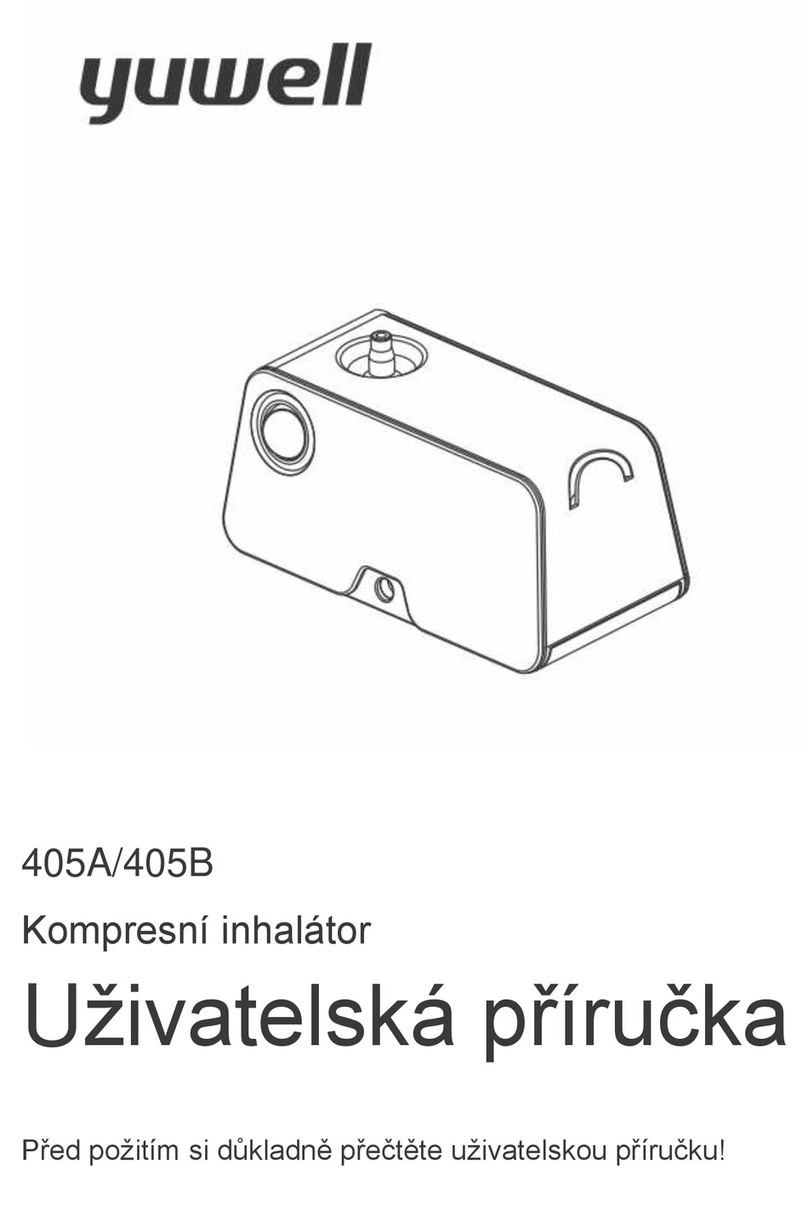
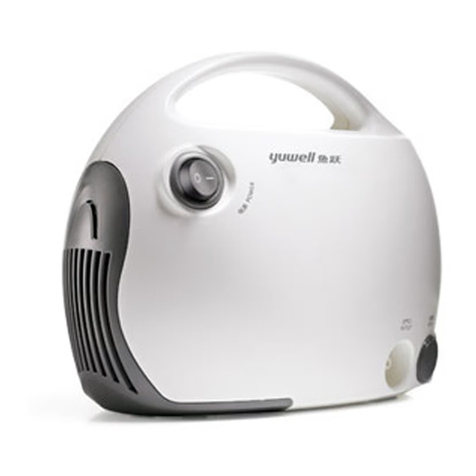
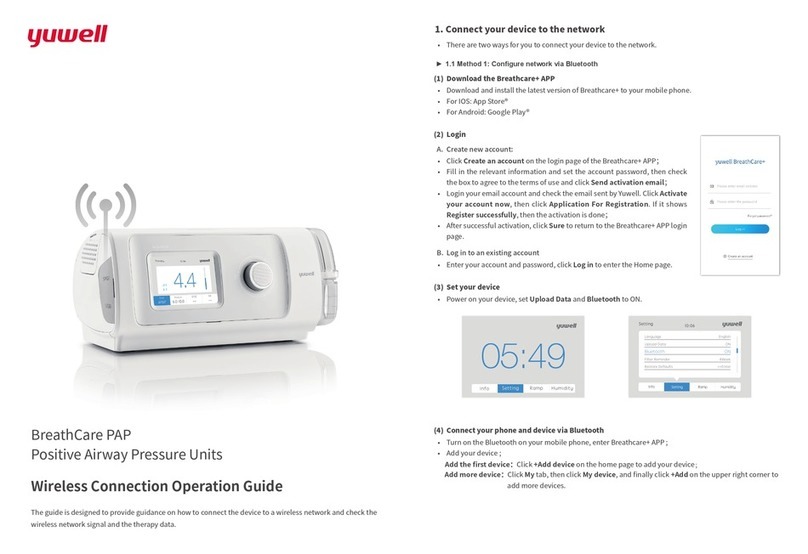
Yuwell BreathCare YH-360CPAP User manual

BreathCare PAP
Positive Airway Pressure Device
User’s Manual
Please read the user's manual closely before using!
Please check the certificate or the package for the production date.
1030400-0A
BreathCare
APAP
Suzhou Yuyue Medical Technology Co.Ltd
No.9 Jinfeng Road,Suzhou Science & Technology
Town, Suzhou,Jiangsu,215163,PRC
http://www.yuwell.com
The manufacturer reserves the right to change the contents
Please read the user's manual closely before using! Paper

Dear customers:
This user's manual covers the guidance for installation, use, routine maintenance and other aspects of
YH-360CPAP/YH-380CPAP/YH-560APAP/YH-580APAP (hereinafter referred to as BreathCare PAP).
Warning
Please read the user's manual closely before using!
Note
The PAP device is sold only by professional doctors or based on the prescription.
BreathCare PAP is used for the therapy of OSAHS( obstructive sleep apnea-hypopnea syndrome). The
device is used for homecare.
Normally the device is not suitable for the patient with any of the following diseases. However, if its use
is a “must”, special attention must be taken. In any case, whether it can be used or not can be
determined only by the physician in charge.
It may cause following adverse reactions when the device is being used:
I. Intended uses
II. Use notes
III. Side effects
Heart function problems, severe hypotension, high risk barotrauma, severe lung, pneumothorax,
dehydration cerebrospinal fluid leakage, recent intracranial surgery, intracranial trauma and etc
Dry mouth, nosebleeds, bloating, ear or sinus discomfort, eye irritation, rash and etc.
01
Contents
I. Intended uses ------------------------------------------------------------
II. Use notes ----------------------------------------------------------------
III. Side effects--------------------------------------------------------------
IV. Product packing list----------------------------------------------------
V. Product instructions----------------------------------------------------
VI. Button instructions ----------------------------------------------------
VII. Installation -------------------------------------------------------------
VIII. Start/stop the therapy-----------------------------------------------
IX. Function instructions --------------------------------------------------
1. Information inquiry-------------------------------------------------
2. Ramp ----------------------------------------------------------------
3. Humidity level ------------------------------------------------------
4. FPS level ------------------------------------------------------------
5. Other functions-----------------------------------------------------
X. Clinical menu ------------------------------------------------------------
XI. Maintenance and Service ---------------------------------------------
1. Disassembly---------------------------------------------------------
2. Cleaning -------------------------------------------------------------
3. Inspection-----------------------------------------------------------
4. Reassembly---------------------------------------------------------
XII. Therapy parameter storage ------------------------------------------
XIII. Carrying ----------------------------------------------------------------
XIV. Troubleshooting ------------------------------------------------------
XV. Warnings and notes---------------------------------------------------
XVI. Technical specifications----------------------------------------------
XVII. Symbols ---------------------------------------------------------------
XVIII. Warranty -------------------------------------------------------------
01
01
01
02
02
03
03
05
05
05
06
06
07
07
08
11
11
12
12
13
14
15
15
17
19
21
28
Note
Please contact the competent physician or the agent promptly; if the patient under treatment
develops reactions such as chest pain, severe headache or breathing difficulty. Please stop the
therapy immediately; if a viral infection is caused in the upper respiratory!

IV. Product packing list VI. Button instructions
VII. Installation
V. Product instructions
02 03
Name Quantity Name Quantity
2
1
3
45
1. Air outlet 2. Heated Humidifier 3. Hook button 4. Power connector
5. Air filter 6. Data connection port 7. Micro SD card slot 8. Breathing machine
9. Start/Stop button 10. Screen 11. Knob 12. Button 13. Humidifying tank
Press this button to start or stop the therapy.
Press the knob to enter the selected interface, to select the items or to save
the settings; also turn clockwise the knob to increase the selected setting
parameters while turn counter clockwise to decrease.
START
“Start/Stop”button
Knob
Note
Fill the humidifier with water which should not exceed the maximum level MAX ;
otherwise the water may enter into the air hose and the device.
Please fill it with the distilled water, or cool boiled water if no distilled water is available..
2. Take out the humidifying tank from the heated
humidifier, and fill it with the distilled water
through the hole on it to an appropriate level
below the maximum level.
Host machine 1 set Heated Humidifier 1 set
Air hose 1 pc Power adapter and line 1 set
User’s manual 1 pc Mask and accessories (nose mask) 1 set
Kit 1 set Micro SD card (YH- 560/YH-580) 1 pc
Air filter 2 pcs
1. Connect the heated humidifier with the PAP
device.
12
It is suggested to replace the water every day.
13
67
12
11
8
9
10

04 05
4. Connect the air hose to the outlet of the
heated humidifier properly.
5. Connect the other end of the air hose to the
matched nose mask. For more details, please
consult the manual of the nose mask.
3. Place the humidifying tank back in the
triangular arrow direction.
VIII. Start/stop the therapy
Fig. 2-1: Index information query Fig. 2-2: Therapy query
34
5
6. Place the PAP device on a level surface, and
connect it with the power supply.
6
IX. Function instructions
1. Information inquiry:
A summary of the user sleep report will be shown when the information interface is entered into, which
includes the following contents:�
AHI: indicates the number of apneas and hypopneas per hour.
� Used time: the time duration for the last therapy (h).
Average pressure: the average pressure for the last therapy (cmH20/hPa).
Average leak volume: average air leak volume per minute for the last therapy (LPM).
Total time: the total time after the last therapy time (h).
Version: software version number used for the PAP device.
SN: the serial number of the PAP device.
3. Press again “START” button to stop the therapy.
4. When the screen goes to sleep mode, press any button
to wake it up and then press “START” again to stop the
therapy.
1. Wear the nose mask according to the requirements for the nose mask in user's manual.
2. Press “START” button to start the therapy. During the therapy, the real-time average pressure, the
set pressure, the pressurize delay time (min), and the heated humidification level will all be displayed
on the screen.
Fig. 1: Therapy start interface
MAX
MIN
MAX
MIN

Fig. 3-1: Pressurization delay setting Fig. 3-2:Pressurization delay setting
This function makes the therapy more comfortable. The Ramp refers to the time duration required by
the pressure to increase from the initial to the minimum gradually or the time duration of the therapy
pressure. The Ramp range is 0~45min, with an increment of 5min.
How to adjust the Ramp:
● Place the cursor on Ramp and press the knob to enter the setting interface.
● Turn the knob to select the pressurization delay.
● Press the knob again to save the settings and return to the standby interface.
There are 0-3 FPS levels; Level 0 is to turn off the function, Level 1 is the lowest level and Level 3 the
highest. This function can help users to quickly adapt to the therapy of the PAP device.
Fig. 4-1 Humidity setting Fig. 4-2: Humidity setting
3. Humidity level
The heated humidifier is used to heat and humidify the ambient air, making the therapy more
comfortable. During the therapy, if the user feels thirsty, the heated humidifying function can be turned
on. Reduce the Humidity level if the water vapor is felt inside the mask. There are 0-6 Humidity levels
with Level 0 for turn off, Level 1 for the lowest level and Level 6 for the highest level. Levels 1-6 are
equivalent to the following temperatures (with the accuracy of ±4℃) respectively. (Note: These
temperatures are measured without the humidifier tank working):
Place the cursor on the Humidity option, press the knob to enter into the setting interface.
Turn the knob to select the Humidity level, press the knob to save the settings and return to the stand
by interface.
Press and turn the knob to adjust the Humidity level, and press the knob again to save the settings
during the therapy.
06 07
Level 1 = about 33℃, Level 2 = about 35℃, Level 3 = about 40℃,
Level 4= about 45℃, Level 5 = about 50℃, Level 6 = about 55℃
Humidifier light: Turn on the humidifier light in order to see the remaining water quantity in the
humidifying tank clearly.
Audible alarm: When this function is turned on, an audio alarm will be sent incase of an air leak or
motor failure occurred.
Smart start/stop: With this function turned on, the PAP will start automatically when you put on the
nose mask; and stop within 1 min after you remove the mask.
Time settings: Adjust the time (minute, hour, day, month, year) displayed on the device.
Alarm clock: Turn on this function and adjust the alarm time. (hour, minute)
Language: English or Chinese can be selected.
5. Other functions
2. RAMP How to adjust the Humidity level:
4. FPS level

08 09
Starting from the standby interface, press the “START” button and the knob together to enter
into the clinical menu. (Fig. 6-1)
Turn the knob to locate the cursor on the mode option, press the knob to change the words color
from white to blue, and then turn the knob to select CPAP or APAP mode (no A PAP mode on
YH-360CPAP / YH-380CPAP).
Press the knob to save the settings after selecting.
Turn the knob to place the cursor on the return option and press the knob to return to the standby
interface (Fig. 6-2).
It is suggested to set the following parameters based on the physician's opinions.
2. Set the pressure
On the clinical menu, select CPAP mode, locate the cursor on the Initial Pressure or the Therapy
Pressure option, press the knob to change the words color from white to blue, and then turn the knob
to select the pressure desired .
Turn the knob left or right to adjust the desired pressure, with each section of the pressure rise/drop
level of 0.5cm H2O/hPa.
Press the knob to save the settings.
Turn the knob to the return option and press the knob to return to the standby interface. (Fig. 6-2)
In the APAP mode, set the maximum pressure, minimum pressure, therapy pressure and initial
pressure by the same operational order. (Remark: No therapy pressure option is available in the
network APAP mode)
In the clinical menu, turn the knob to locate the cursor on Pressure Unit option, press the knob to
change the words color from white to blue, and then turn the knob to select cmH2O or hPa.
Press the knob to save the setting.
Turn the knob to the return option and press the knob to return to the standby interface. (Fig. 6-2)
In the clinical menu, turn the knob to place the cursor on FPS Level option, press the knob to change
the words color from white to blue, and then turn the knob to select the FPS Level. (Among Level
0-3)
Press the knob to save the setting.
X. Clinical menu
3. Select the Pressure Unit
4. Select the FPS Level
Fig. 6-1: CPAP setting in the clinical menu Fig. 6-2: CPAP setting in the clinical menu
1. MODE
Description
In the APAP mode, if the maximum pressure is set lower than the initial pressure, the therapy
pressure and the minimum pressure, the initial pressure all the three will be automatically set equal
to the maximum pressure.
Fig.5-1: Interface setting Fig.5-2: Interface setting

In the clinical menu, turn the knob to place the cursor on the Ramp option, press the knob to change
the words from white color to blue, and then turn the knob to select the Ramp time (0-45min,
5min/level);
Press the knob to save the setting;
Turn the knob to the return option and press the knob to return to the standby interface. (Fig. 6-2)
In the clinical menu, turn the knob to place the cursor on the Humidity option, press the knob to
change the words from white color to blue, and then turn the knob to select the heated
humidification level. (Among Level 0-6)
Press the knob to save the setting.
Turn the knob to the return option and press the knob to return to the standby interface. (Fig. 6-2).
5. Select the Ramp(min)
6. Select the Humidity
Note
Press the “START” button and the knob at the same to enter into the clinical menu during the
therapy; Perform Steps 1-6 above to adjust the therapy parameters, and then press the button on
the back option to return to the therapy interface.
1. Disassembly
XI. Maintenance and Service
Daily maintenance is needed for the PAP device in order to ensure better therapy quality for users. The
Maintenance and service include disassembly, cleaning, inspection, reassembly and etc.
10 11
2. Turn the port of the air hose and then remove
the hose from the device.
1. Disconnect the power supply for the device.
3. Press the split button on the heated humidifier
to open it and remove the humidifying tank.
1 2
4. Open the humidifying tank's top cover and
drain the remaining water in it.
3 4
MAX
MIN
MAX
MIN

12 13
2. Cleaning
6. Separate the air hose from the nose mask.
5 6
5. Hold both the PAP device and the heated
humidifier tightly, and press the hook button to
separate the two.
The PAP device should be cleaned at least once a week with the following steps. Please refer to the
relevant details for mask cleaning in the manual.
Note
Do not use a dishwasher or a cleaning machine nor any cleaner containing fragrance or adjusting
agent for cleaning.
Any dust on the exterior of the PAP device and the heated humidifier should be cleaned gently with
clean and wet cloth.
Clean the interior of the humidifier tank and the air hose by filling them with the warm water (the
temperature of which should be less than 41℃).
Rinse the humidifier tank and the air hose completely, and dry then in the air.
Wipe the device with a dry and clean cloth.
Note
Ensure that the size of the air filter cotton is proper, so as to prevent water or dust from going into
the PAP device.
B. Air hose inspection:
Inspect the air hose for any damage and crack. Or replace it with a new one.
C. Air filter inspection:
Inspect the air filter cotton once a week, and it is recommended to replace the air filter once every 4
weeks.
If the air filter is damaged or clogged by particulate dusts, replace it with a new one immediately.
D. Replacement steps of Air filter :
1. Open the filter cover, and remove the old
filter cotton.
2. Place the new air filter cotton on the filter
cover, and then install them onto the PAP
device.
1 2
Air filter cotton
If its separator's seal is damaged or cracked, the seal should be replaced with a new one.
The humidifier tank, air hoses, air filters should be inspected regularly.
A. Humidifier tank inspection:�
If there is any break or crack in the humidifier tank, the tankit should be replaced with a new one.
3. Inspection

1. Micro-SD card
Turn on the PAP device and insert Micro-SD card into the slot to read and write data. Remove it from
the PAP after reading or writing is prompted to have finished.
BreathCare PAP can automatically store user's therapy data to reference for physician, and these
therapy data can be used as a basis for adjusting the therapy parameters.
4. Reassembly
Hold tight the humidifier body , aligning the PAP device with the port and connect them together
properly.
Place the humidifier tank into the humidifier body and close the top cover.
Connect one end of the air hose to the outlet and the other end to the nose mask.
After the humidifier tank and the air hose are
cleaned and dried, re-assemble them together.
The humidifier tank should be reassembled as
shown in the figure. The removable cover, the
partition and the humidifier tank body should be
properly installed with their embossing positions
aligned.
14 15
XII. Therapy parameter storage
The PAP device should be placed in the portable package, to avoid any damage to the device.
Pour away the water of humidifier tank, and put the PAP device and humidifier separated into the
bag.
BreathCare PAP can be carried on with. However, please pay attention to the following:
XIII. Carrying
General failures
Check the following table to see if the problem can be solved when any problem hashappened to the
device. Please contact yuwell company or the dealers if the table does not work. Do not disassemble
the device privately.
XIV. Troubleshooting
Removable
upper cover
Separator
Humidifier
tank body
1. The Micro-SD card slot is on the back of the
PAP device.
2. Insert Micro-SD card into the slot, and press
SD card to remove it.
12
Note
This Micro-SD card can not be used for other purposes.

16 17
The PAP device can not be used for a life-support. It may stop working due to a power outage, but
it will not endanger the user.
The PAP device can be used together with only the supporting mask produced by its original
manufacturer or recommended by the physician. Do not block the air vents on the nose mask, so as
to protect the normal breathing.
Ensure that the air hose is smoothly connected and not twisted.
Ensure that there is no damage in the power line and the plug.
Do not place the power line nearby any hot objects.
For any unusual noise, or the PAP device or power supply drop from desktop and caused damage
and etc, please stop use and contact yuwell company or local dealers immediately.
Do not disassemble the PAP device by yourself so as to avoid electric shocks.
XV. Warnings and notes
Warning
Symptom Possible reasons
Nose mask leaks
Solution
Install it in accordance with
the user's manual of the nose
mask
Replace the nose mask with
one of the proper size
Change the nose mask type
The nose has dry and
obstruction symptoms
There is moisture in the
nose, the nose mask or
the air hose
The nose mask is not installed
properly
The nose mask size is unqualified
The nose mask type is unqualified
The humidify level is low
The nose has other disorders
The humidify level is too high
The temperature difference
between inside and outside of the
hose is high
Decrease the humidify level
Mount a heat shield around
the exterior of the hose or
replace the hose with the
heating wire
Increase the humidify level
Consult a doctor
The air is exhaled through the
mouth
Use the full face mask or
contact your physician
The mouth feels dry and
uncomfortable
Turn on the FPS level function
The pressure in the nose
mask is too low (the user
inhales less air)
The pressure inside the
nose mask is too high (the
user receives excess air)
The FPS level function is not
turned on
The FPS level function is turned
on
Start the therapy until the
pressure rises to the minimum
pressure or the therapy
pressure
Turn off the FPS level function
Blank screen The screen backlight will
automatically turn off in 2
minutes, to enter into the
sleeping mode
The power supply is not
connected
The humidifier tank is assembled
incorrectly
The humidifier tank is damaged
Check if the humidifier tank is
assembled correctly, and
reassemble it according to the
user's manual;
Check if the humidifier tank is
damaged, and replace it with a
new one if it is
Press any key to light up the
screen again
Connect the power supply and
make sure of good contacts
Humidifier tank leak
This manual suits for next models
3
Table of contents
Other Yuwell Respiratory Product manuals