EnglishDeutsch
 logo
Brands
  1. Home
  2. •
  3. Brands
  4. •
  5. AEMC
  6. •
  7. Test Equipment
  8. •
  9. AEMC 6470-b User manual

AEMC 6470-b User manual

Other manuals for 6470-b

1

This manual suits for next models

3

Other AEMC Test Equipment manuals

AEMC 400D-6 User manual

AEMC

AEMC 400D-6 User manual

AEMC Simple Logger AmpFlex AL24-2500 User manual

AEMC

AEMC Simple Logger AmpFlex AL24-2500 User manual

AEMC SR652 User manual

AEMC

AEMC SR652 User manual

AEMC OX 7102 Setup guide

AEMC

AEMC OX 7102 Setup guide

AEMC 6417 User manual

AEMC

AEMC 6417 User manual

AEMC MA114 User manual

AEMC

AEMC MA114 User manual

AEMC MF 300-6-2-10-HF User manual

AEMC

AEMC MF 300-6-2-10-HF User manual

AEMC 6470 User manual

AEMC

AEMC 6470 User manual

AEMC SR601 User manual

AEMC

AEMC SR601 User manual

AEMC JM845A User manual

AEMC

AEMC JM845A User manual

AEMC GROUNDFLEX 6474 User manual

AEMC

AEMC GROUNDFLEX 6474 User manual

AEMC MN210 User manual

AEMC

AEMC MN210 User manual

AEMC GROUNDFLEX 6474 User manual

AEMC

AEMC GROUNDFLEX 6474 User manual

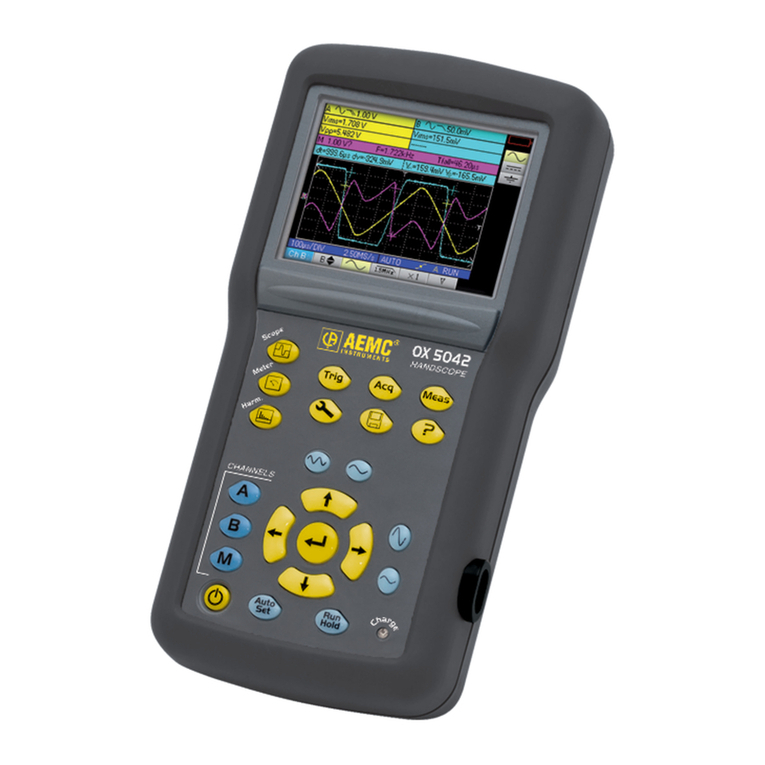
AEMC OX 5042 User manual

AEMC

AEMC OX 5042 User manual

AEMC MN122 User manual

AEMC

AEMC MN122 User manual

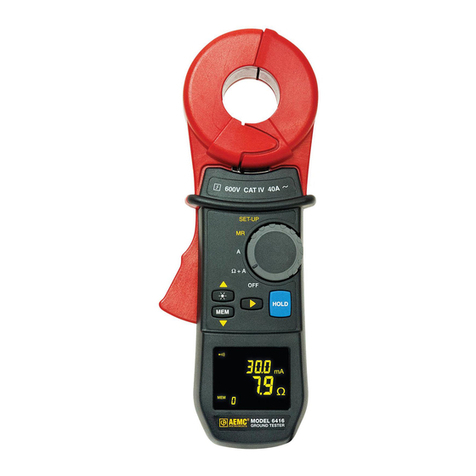
AEMC 6416 Installation and operating instructions

AEMC

AEMC 6416 Installation and operating instructions

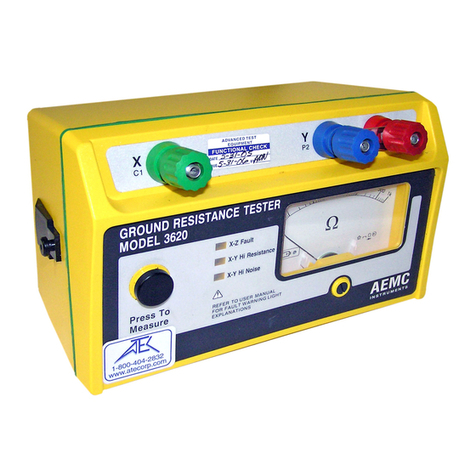
AEMC 3620 User manual

AEMC

AEMC 3620 User manual

AEMC 6240 User manual

AEMC

AEMC 6240 User manual

AEMC 6418 User manual

AEMC

AEMC 6418 User manual

AEMC SR751 User manual

AEMC

AEMC SR751 User manual

AEMC MN261 User manual

AEMC

AEMC MN261 User manual

AEMC FlexProbe User manual

AEMC

AEMC FlexProbe User manual

AEMC 6416 User manual

AEMC

AEMC 6416 User manual

AEMC 6400 series User manual

AEMC

AEMC 6400 series User manual

Popular Test Equipment manuals by other brands

SMART KANAAD SBT XTREME 3G Series user manual

SMART

SMART KANAAD SBT XTREME 3G Series user manual

Agilent Technologies BERT Serial Getting started

Agilent Technologies

Agilent Technologies BERT Serial Getting started

Agilent Technologies N3280A user guide

Agilent Technologies

Agilent Technologies N3280A user guide

Lifeloc R.A.D.A.R. quick start guide

Lifeloc

Lifeloc R.A.D.A.R. quick start guide

Fluke T5-600 Service information

Fluke

Fluke T5-600 Service information

Mercury TSL01 user manual

Mercury

Mercury TSL01 user manual

MAHA MBT Series Original operating instructions

MAHA

MAHA MBT Series Original operating instructions

Fuji Electric P-61 instruction manual

Fuji Electric

Fuji Electric P-61 instruction manual

ETC SealerAtor user manual

ETC

ETC SealerAtor user manual

Skyfine ETHYWAY V2 user manual

Skyfine

Skyfine ETHYWAY V2 user manual

Appion G5 Twin Operation manual

Appion

Appion G5 Twin Operation manual

PCB Piezotronics 8159-0112A Installation and operating manual

PCB Piezotronics

PCB Piezotronics 8159-0112A Installation and operating manual

BW Technologies MicroDock II user manual

BW Technologies

BW Technologies MicroDock II user manual

Sun Nuclear 1027 user guide

Sun Nuclear

Sun Nuclear 1027 user guide

Biomark HPR LITE READER user manual

Biomark

Biomark HPR LITE READER user manual

Hioki 3169-20 instruction manual

Hioki

Hioki 3169-20 instruction manual

Ashcroft ATE-100 operating manual

Ashcroft

Ashcroft ATE-100 operating manual

Rohde & Schwarz RTA4000 user manual

Rohde & Schwarz

Rohde & Schwarz RTA4000 user manual

https://manuals.online logo
https://manuals.online logoBrands
  • About & Mission
  • Contact us
  • Privacy Policy
  • Terms and Conditions

Copyright 2026 Manuals.Online. All Rights Reserved.

DIGITAL GROUND RESISTANCE
AND SOIL RESISTIVITY TESTER
E N G L I S H User Manual
www. .com information@itm.com1.800.561.8187
READ CAREFULLY BEFORE
USING FOR THE FIRST TIME
• Long battery charge life for a limited volume and weight.
• Possibility of quickly recharging your battery.
•
battery even if it is not fully discharged.
•
or cadmium, in compliance with the applicable regulations.
After prolonged storage, the battery may be completely discharged. If so, it must
be completely recharged.
Your instrument may not function during part of this recharging operation.
• Only use the charger supplied with your instrument. Use of
another charger may be dangerous.
• Only charge your instrument at temperatures between 0° and 40°C.
•
•
manual.
NiMH technology allows a limited number of charge/discharge cycles depending
• The conditions of use.
• The charging conditions.
Please refer to § 9 for correct replacement of the battery.
Do not dispose of the battery pack with other solid waste. Used batteries
specialized in processing hazardous materials.
www. .com information@itm.com1.800.561.8187
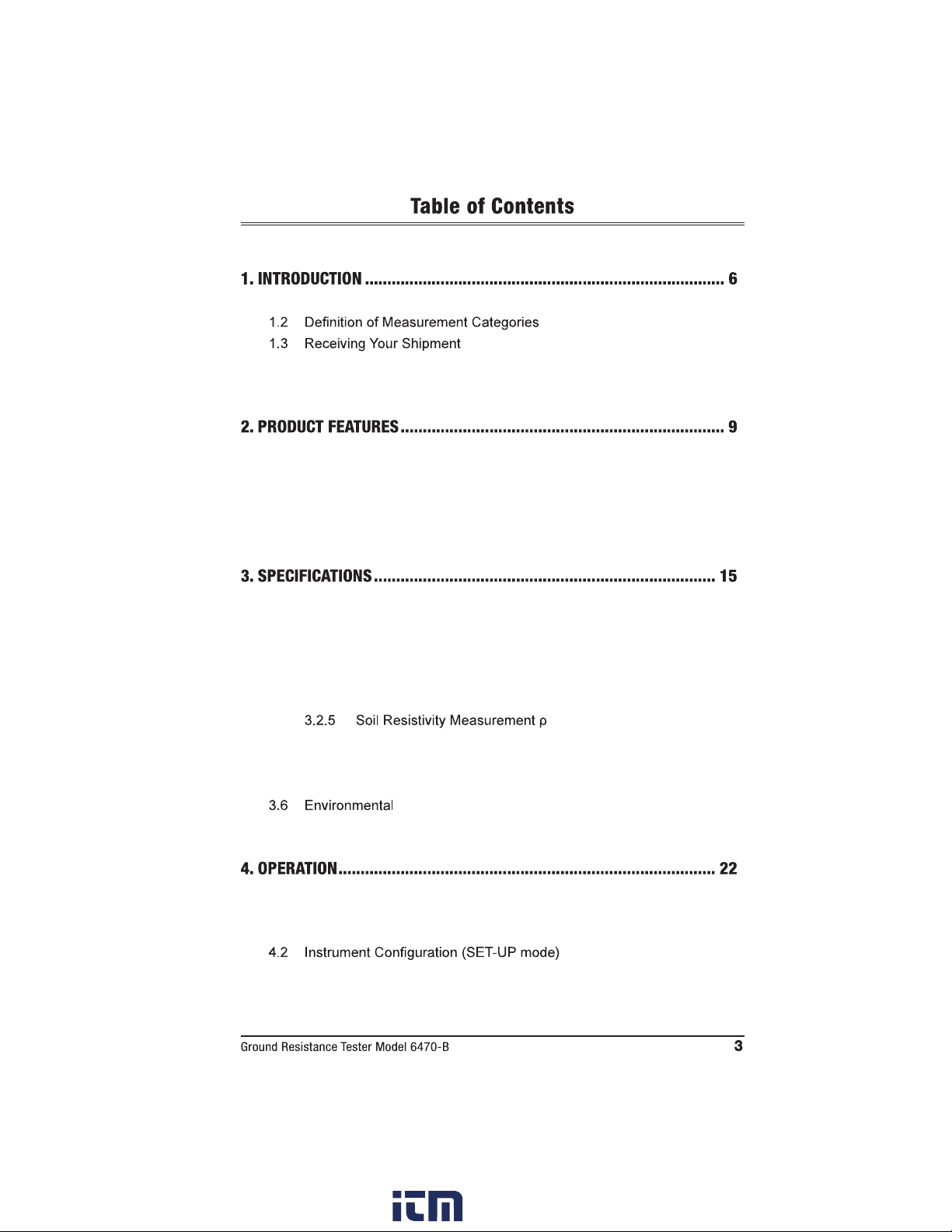
1.1 International Electrical Symbols ...........................................................7
.................................................7
.....................................................................7
1.4 Ordering Information ............................................................................7
1.4.1 Kits, Accessories and Replacement Parts ..............................8
2.1 Description ...........................................................................................9
2.2 Key Features......................................................................................10
2.3 Control Features ................................................................................11
2.4 Display ...............................................................................................12
2.5 Button Functions ................................................................................14
3.1 Reference Conditions.........................................................................15
3.2 Electrical.............................................................................................15
3.2.1 Frequency Measurements ....................................................15
3.2.2 Voltage Measurements .........................................................15
3.2.3 DC Resistance Measurements .............................................16
3.2.4 AC Earth/Ground Resistance Measurements.......................17
............................................18
3.3 Data Storage......................................................................................20
3.4 Power.................................................................................................20
3.5 Mechanical.........................................................................................21
....................................................................................21
3.7 Safety .................................................................................................21
4.1 General Operating Instructions ..........................................................22
4.1.1 Automatic Mode....................................................................22
4.1.2 Manual (Expert) Mode ..........................................................22
.........................................23
www. .com information@itm.com1.800.561.8187
5.1 Switching the Test Voltage .................................................................24
5.2 Resistance Measurement m ..............................................24
5.2.1 Lead Compensation Measurement ......................................25
5.2.2 Alarm Function......................................................................26
5.3 Resistance Measurement m ..............................................27
.................................................28
5.4.1 62% Method..........................................................................28
5.4.2 Full Method ...........................................................................30
5.4.3 Recommendations for a Reliable Measurement...................31
.................................................32
Position)........................................34
......34
5.6.2 Changing the Measurement Method.....................................35
5.6.3 Programming the Distance for Electrode Placement............35
....................................................................36
5.6.5 Schlumberger Method...........................................................37
6.1 Switching the Test Voltage .................................................................39
6.2 Measurement Frequency Selection ...................................................40
6.3 Manual Settings for m Measurements ............................................40
6.3.1 Continuity Test ......................................................................41
................................ 41
....................................41
6.4.2 Earth/Ground Coupling Measurements ................................41
.................................................43
...........................................................43
6.7 Smoothing..........................................................................................43
7.1 ...................................................44
7.2 Recalling Measurements from Memory .............................................45
7.3 Erasing Measurements from Memory ................................................45
7.3.1 Erasing All Measurements ....................................................45
.........................................45
8.1 Installing DataView®...........................................................................47
...............................49
www. .com information@itm.com1.800.561.8187
8.3 Establishing Communication to the Instrument..................................49
8.4 The Ground Tester Control Panel ......................................................50
.................................................................51
8.5.1 DC Continuity Test ..............................................................51
..........................................51
..................................................52
.........................................................52
8.6 Tools Menu.........................................................................................53
8.6.1 Tools > Options .....................................................................53
8.6.2 Tools > Colors .......................................................................53
...........................................................53
8.7 Starting a Test ....................................................................................53
8.8 Downloading Data to Database .........................................................53
8.8.1 Session Properties................................................................54
8.9 Exporting the Report to a PDF File ..................................................54
9.1 Maintenance.....................................................................................55
9.2 Cleaning...........................................................................................55
9.3 Fuse Replacement...........................................................................55
9.4 Recharging the Battery ....................................................................56
9.5 Replacing the Battery.......................................................................57
10.1 Error Reporting.................................................................................50
10.1.1 Electrode Resistance Too High.............................................59
10.1.2 Out of Range.........................................................................59
10.1.3 Misconnection ......................................................................59
10.1.4 Out of Limits Indicators .........................................................60
10.1.5 Error Messages.....................................................................61
Basic Terminologies ....................................................................................62
Glossary ......................................................................................................63
Repair and Calibration.................................................................................66
Technical and Sales Assistance ..................................................................66
.........................................................................................67
........................................................................................67
www. .com information@itm.com1.800.561.8187
Please read and comply
•
of protection of this equipment may be compromised if used in a manner
• Safety is the responsibility of the operator.
• All metal objects or wires connected to the electrical system should be
assumed to be lethal until tested. Grounding systems are no exception.
•
surement category.
•
• Do not use the instrument or its accessories if they appear damaged.
•
greater than or equal to those of the instrument (CAT IV 50V). Use only
•
• Check that no terminal is connected and the switch is set to OFF before
• Use only the charging unit supplied with the instrument to recharge the
battery.
•
•
to decide whether to continue or postpone measurements in these
situations.
www. .com information@itm.com1.800.561.8187
For measurements performed at the primary electrical supply (<1000V) such
For measurements performed on circuits directly connected to the electrical
distribution system. Examples are measurements on household appliances or
portable tools.
packing list. Notify your distributor of any missing items. If the equipment appears
container to substantiate your claim.
Ground Resistance Tester Model 6470-B.....................................Cat. #2135.01
Includes carrying bag, 110/240V power adapter with US power cord, optical USB cable,
rechargeable NiMH battery pack, and a USB stick with DataView® software, ground tester
workbook and user manual.
Ground Resistance Tester Model 6470-B Kit (150 ft) ..................Cat. #2135.02
Includes meter, two carrying bags, two 150 ft color-coded leads on spools (red/blue), one 30
ft lead (green), two 5 ft color-coded leads (red/blue), 110/240V power adapter with US power
one 100 ft tape measure, rechargeable NiMH battery pack, and a USB stick with DataView®
software, ground tester workbook and user manual.
www. .com information@itm.com1.800.561.8187
Ground Resistance Tester Model 6470-B Kit (300 ft) ..................Cat. #2135.03
Includes meter, two carrying bags, two 300 ft color-coded leads on spools (red/blue), two 100
ft color-coded leads (hand-tied, green/black), two 5 ft color-coded leads (red/blue), 110/240V
power adapter with US power cord, optical USB cable, four T-shaped auxiliary ground
pack, and a USB stick with DataView® software, ground tester workbook and user manual.
Ground Resistance Tester Model 6470-B Kit (500 ft) ..................Cat. #2135.04
Includes meter, two carrying bags, two 500 ft color-coded leads on spools (red/blue), two
100 ft color-coded leads (hand-tied, green/black), one 30 ft lead (green), two 5 ft color-
coded leads (red/blue), 110/240V power adapter with US power cord, optical USB cable,
rechargeable NiMH battery pack, and a USB stick with DataView® software, ground tester
workbook and user manual.
Test Kit for 3-Pole (3-Point) Testing (150 ft) .................................Cat. #2135.35
Includes one carrying bag, two 150 ft color-coded leads on spools (red/blue), one 30 ft lead
(green), two 5 ft color-coded leads (red/blue), two T-shaped auxiliary ground electrodes, set
Test Kit for 4-Pole (4-Point) Testing (300 ft) .................................Cat. #2135.36
Includes one carrying bag, two 300 ft color-coded leads on spools (red/blue), two 100 ft color-
coded leads (hand-tied, green/black), two 5 ft color-coded leads (red/blue), four T-shaped
Test Kit for 4-Pole (4-Point) Testing (500 ft) .................................Cat. #2135.37
Includes one carrying bag, two 500 ft color-coded leads on spools (red/blue), two 100 ft
color-coded leads (hand-tied, green/black), one 30 ft lead (green), two 5 ft color-coded leads
tape measure.
Test Kit for 3-Pole (3-Point) Testing
............................................. Cat. #2135.38
Includes one carrying bag, two 100 ft color-coded leads (hand-tied, green/black), one 30 ft
ft tape measure.
Extra Large Classic Tool Bag ........................................................... Cat. #2133.73
Tape Measure (100 ft) ...................................................................... Cat. #2130.60
................................................... Cat. #2130.64
Set of Two, 14.5" .................Cat. #2135.39
............................................. Cat. #2135.40
Optical USB Cable............................................................................Cat. #2135.41
DC to 120VAC ......................Cat. #2135.43
....................Cat. #2135.81
Rechargeable NiMH 9.6V Battery Pack ........................................... Cat. #2960.21
...Cat. #5000.13
Power Cord 115V US ....................................................................... Cat. #5000.14
www. .com information@itm.com1.800.561.8187

measures from 0.01 to 99.99k
optimum measurement range and test current.
the results. Up to 512 test results can be stored in internal memory for later recall
® software.
status and more.
than 250VAC
250VAC.
against dust and water when closed (the test button is also sealed against the
elements); manual and automatic test frequency selection from 40 to 513Hz; user
optional 12V battery adapter.
maintenance crews performing numerous tests. It exceeds mechanical and safety
accuracy.
www. .com information@itm.com1.800.561.8187