3
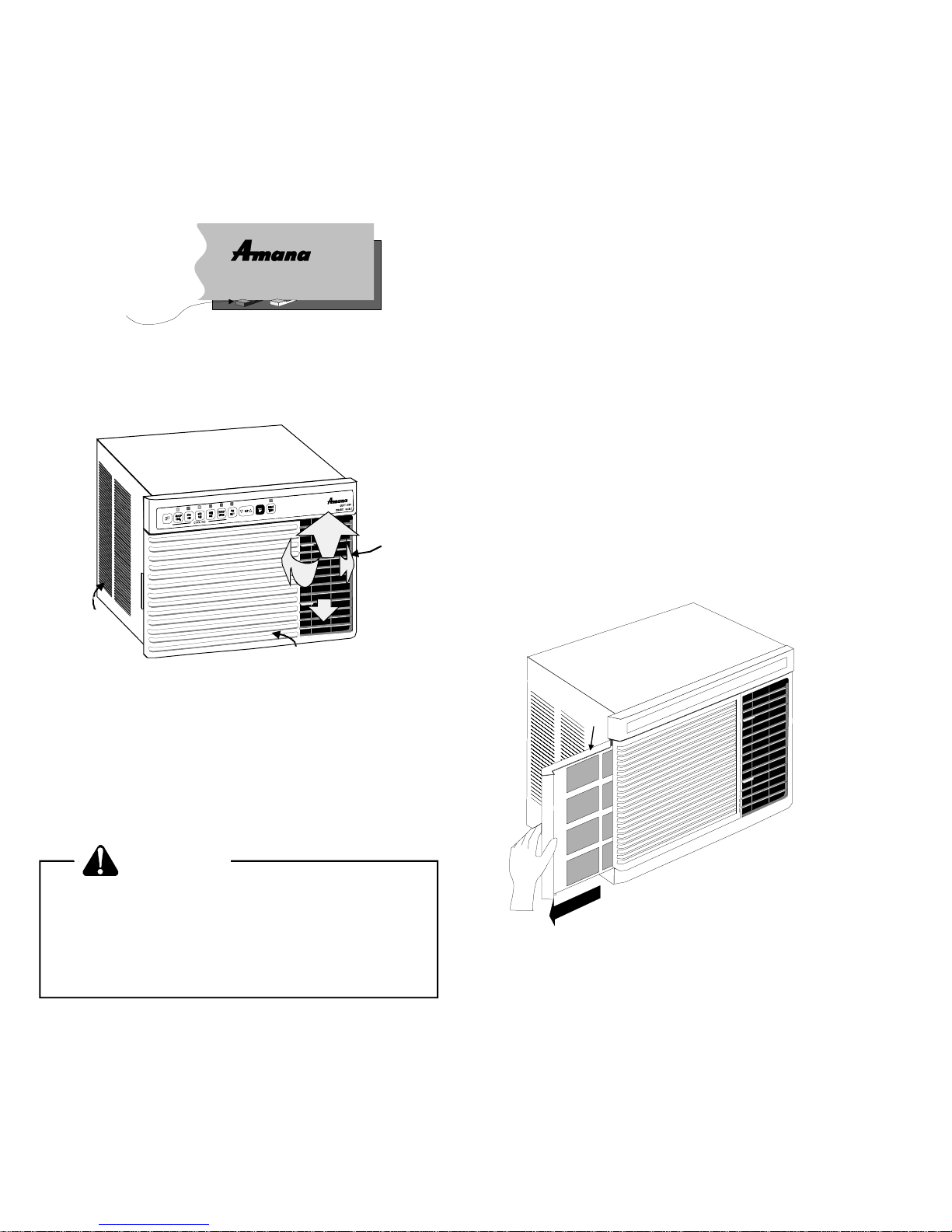
COOLING QUIET ZONE
EXHAUST CLOSED
Operation
VentControl
Openorclosetheventbyslidingtheventcontrollevertothe
appropriatesetting.
EXHAUST -This setting opens the vent to moveindoor air
out.
Note: To conserve energy, the unit should be set to the
FAN ONLY mode when using this setting.
CLOSED-Inthispositiontheventisclosedandroomairis
recirculatedandfiltered. Thispositionshouldbeusedforall
normal cooling operations (see underlined cooling options
oncontrolpanel).
UnitControl
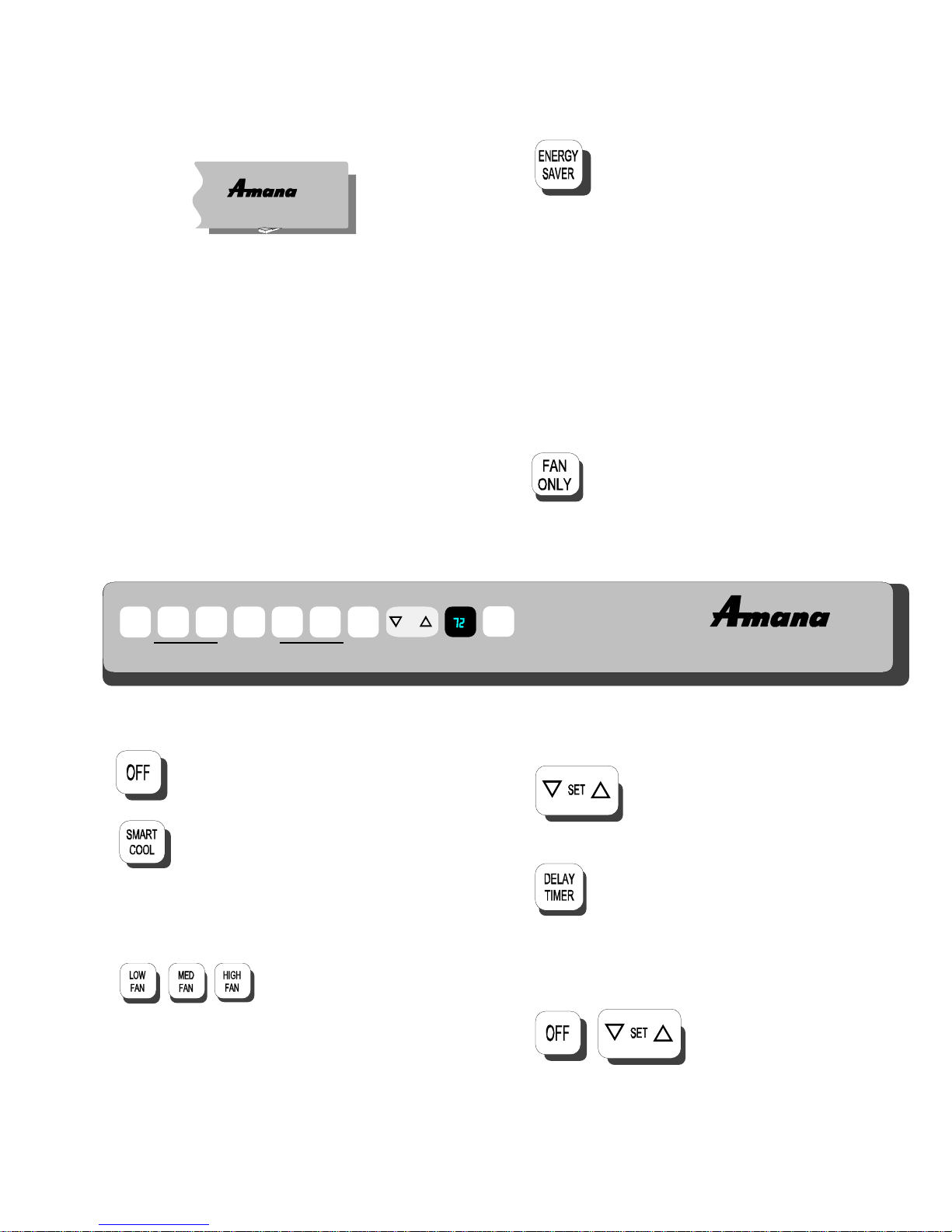
OFF - Completely shuts off the unit.
SMARTCOOL - SMARTCOOLadjuststhe
fan speed of the unit to achieve the selected
temperature. TheSMARTCOOLfeatureuses
computer logic to cool the room quickly and
quietly.Thefanspeedstartsonhigh,automaticallyswitches
tomedium,andfinallygoestolowastheroomtemperature
nears the set temperature.
LOWFAN,MEDFAN,HIGHFAN
- Thesethreebuttonsareusedto
selecteitheralow,mediumorhigh
fan speed to cool. If FAN ONLY is selected these buttons
changefanspeedwithoutcooling. Selectingthefanspeed
startsnormal cooling.
QUIET ZONE
EXHAUST CLOSED
ENERGY SAVER (HIGH, MED and LOW) -
ENERGY SAVER mode provides the most
energy efficient use of your room air condi-
tioner. In ENERGYSAVERmode,thefanstopswhenthe
compressor stops cooling. This feature can be used with
SMART COOL or cooling with any fan speed.
Amana’s new air sampling system works to maintain set
temperaturewithin1.5°F whileinENERGYSAVER mode.
Approximately every 5 minutes the fan will turn on and
“sample”theroomairtodetermineifcoolingisneeded. Ifthe
roomiscoolenough,thefanwillcycleoff. Iftheroomneeds
furthercooling,thecompressor willstartalongwiththefan
until the set temperature is reached.
ENERGYSAVER hasasoftstartfan feature. Thisfeature
starts the fan in low speed to reduce noise.
FANONLY-FANONLYcirculatesroomairat
thesetfanspeedwithoutcooling. Thisfeature
can be turned off by pressing the FAN ONLY,
theSMARTCOOL,ortheENERGYSAVERbutton. Indoor
temperature is displayed in FAN ONLY mode.
SET Temperature - These key pads in-
creaseordecreasethe set temperature.
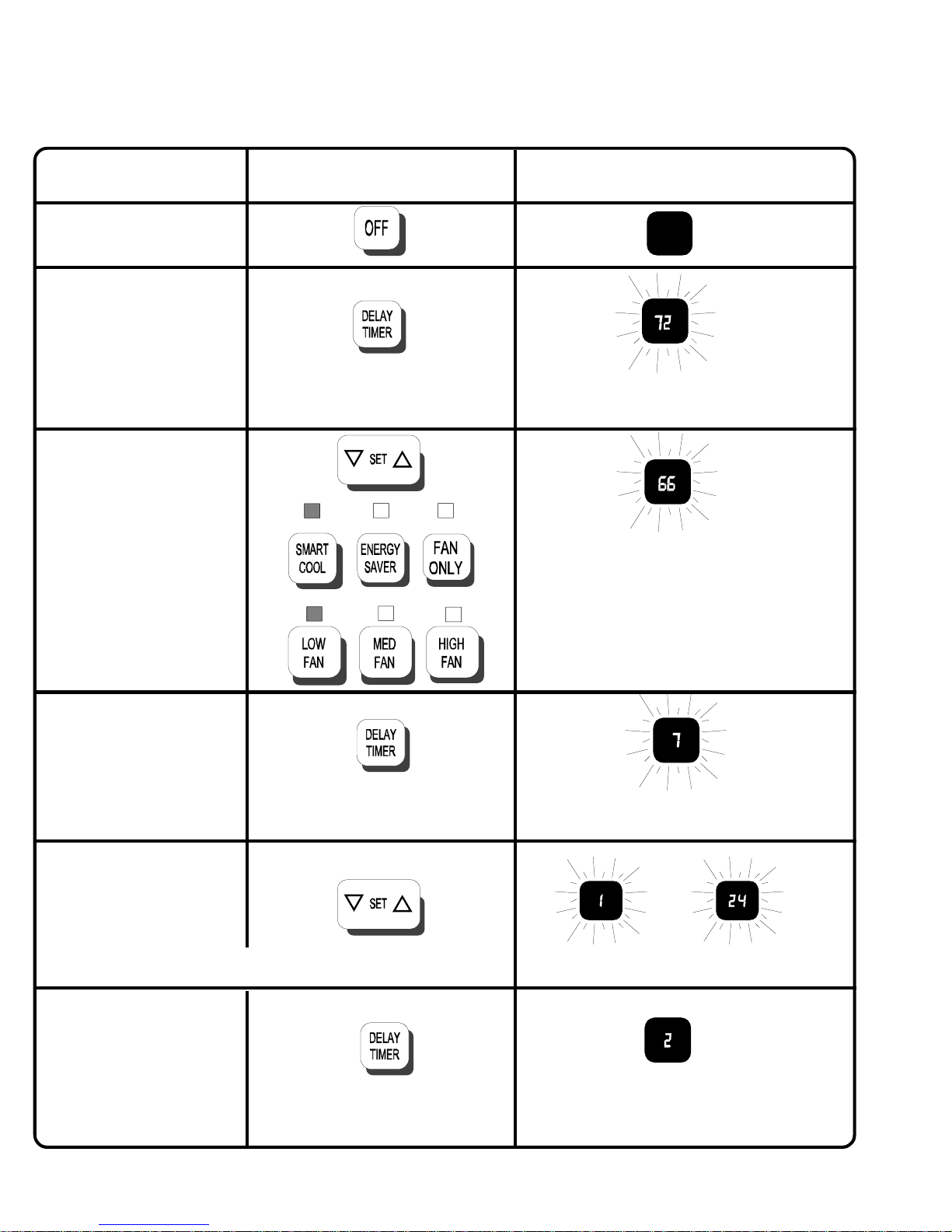
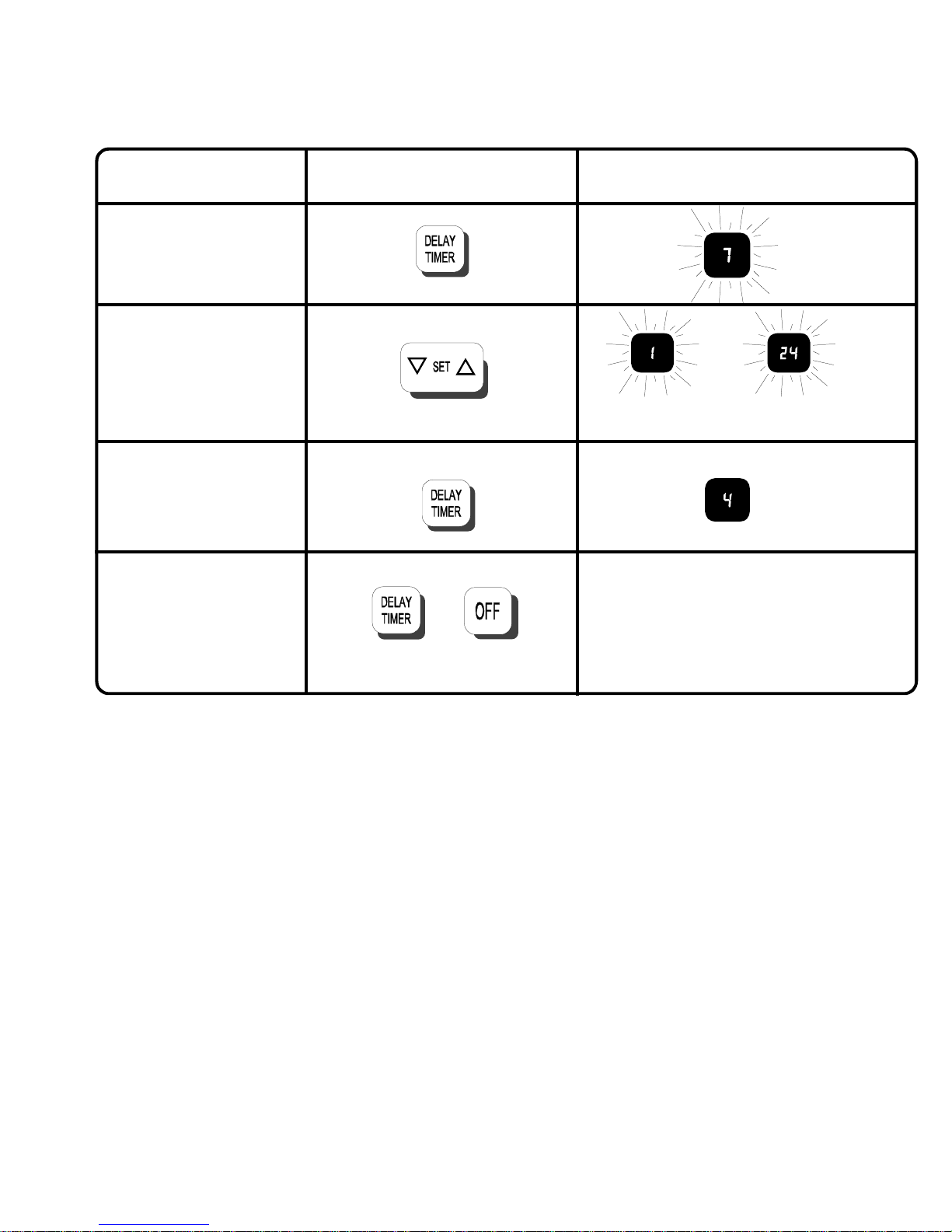
DELAYTIMER-Thisbuttonprovidesameans
ofdelaying the start up or shut downofthe air
conditionerfrom1to24hoursfromthepresent
time. After setting the delay timer, the displayed time will
countdown to unit start or stop. See next page for details.
BrightnessAdjustFeature
(some models) - Display bright-
ness can be changed using the “up” or “down” keypad. To
decrease brightness, simultaneously press and hold OFF
pad with “down” arrow. To increase brightness, simulta-
neously press and hold OFF pad with “up” arrow.
Control Panel
OFFSMART
COOL LOW
FAN MED
FAN HIGH
FAN ENERGY
SAVER FAN
ONLY SET DELAY
TIMER