1 Getting Started.........................................................................................................................
1.1 Contents.............................................................................................................................
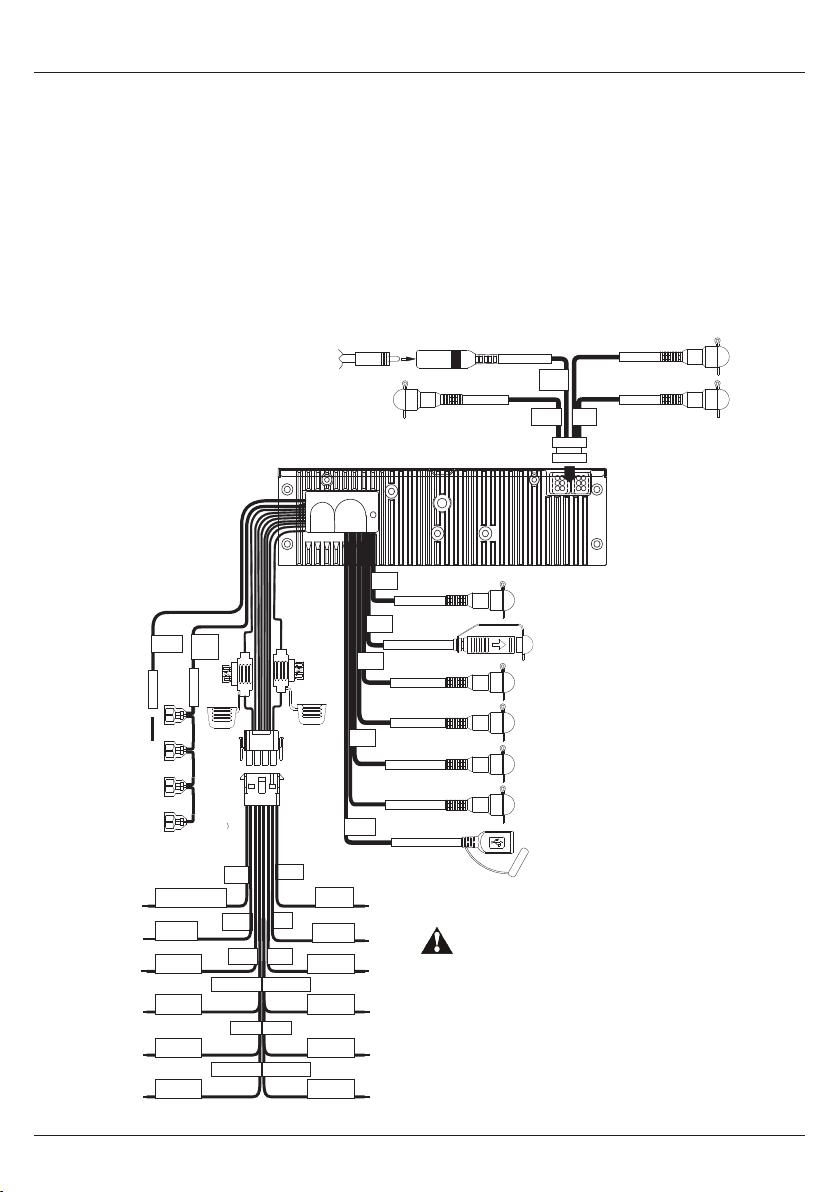
1.2 Connections........................................................................................................................
1.3 12-pin Harness Connection.................................................................................................
1.4 Wiring Diagram...................................................................................................................
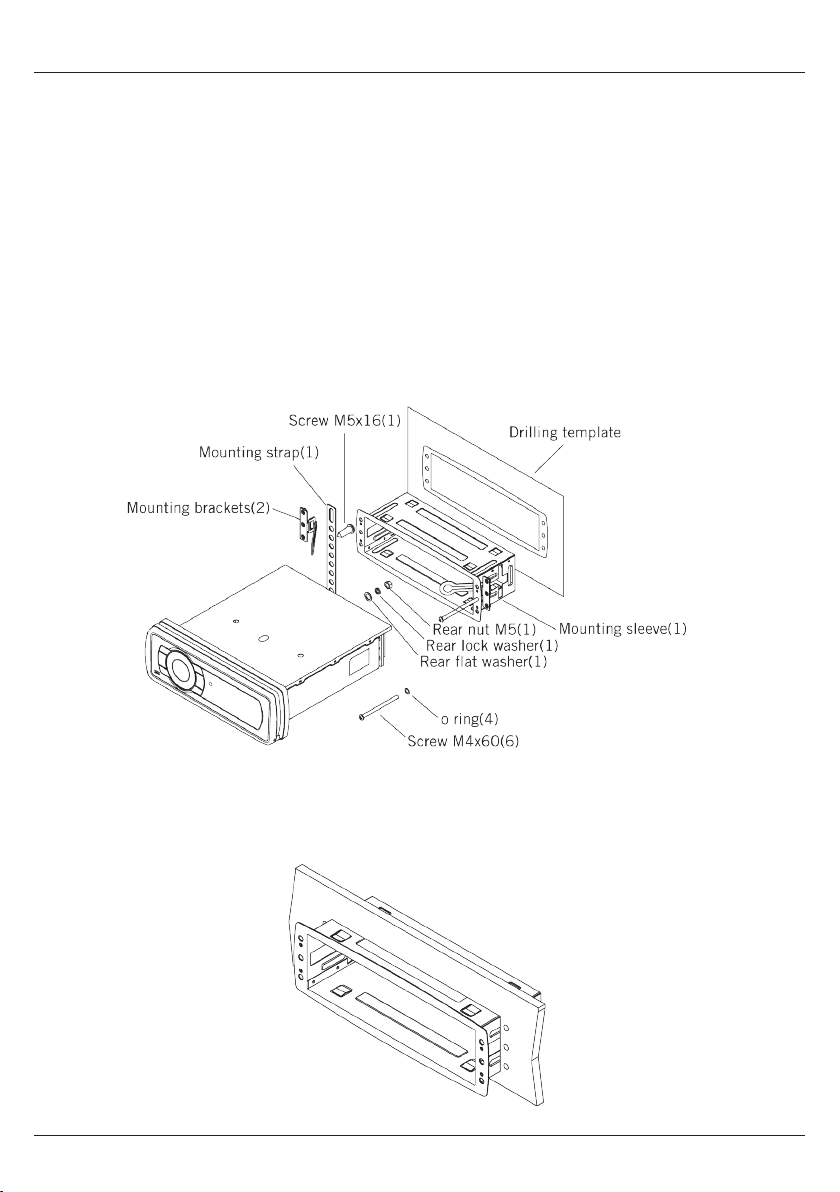
1.5 Mounting Precautions.........................................................................................................
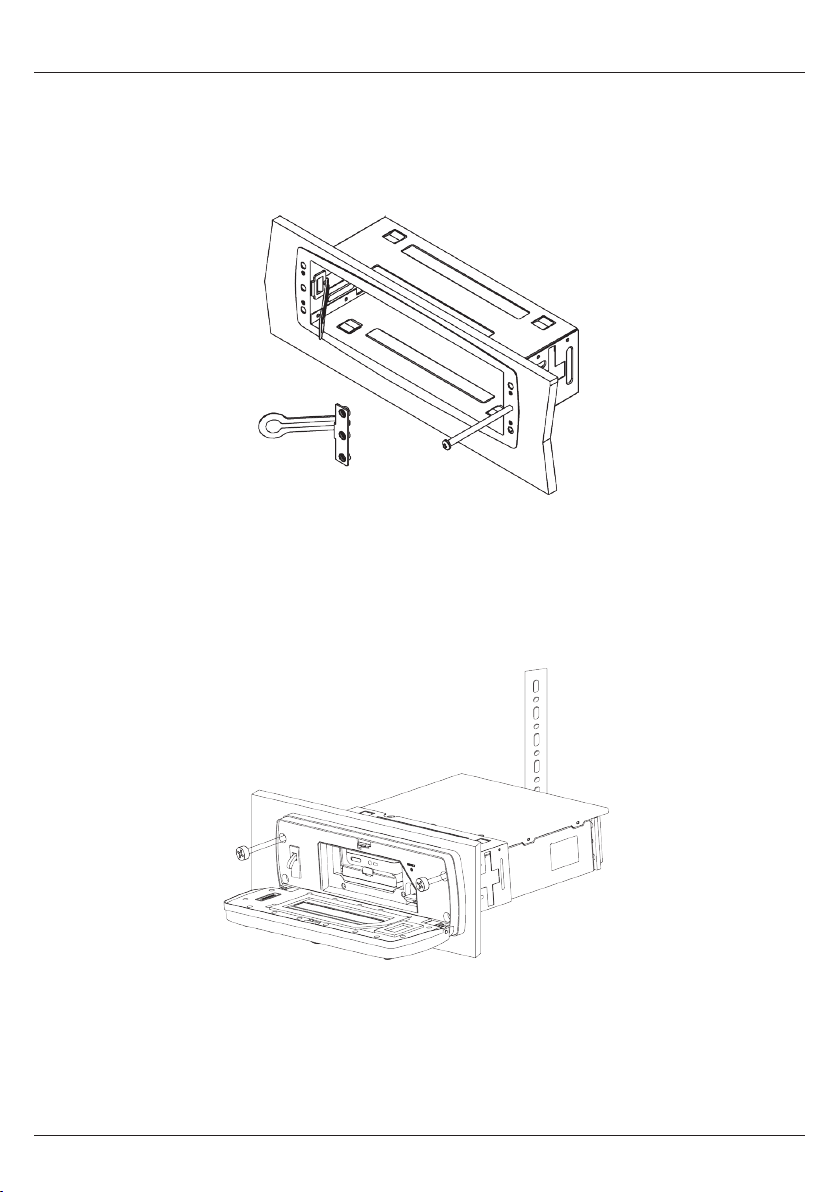
1.6 Mounting the Media Player..................................................................................................
1.7 Power On............................................................................................................................
2 Location of Controls.................................................................................................................
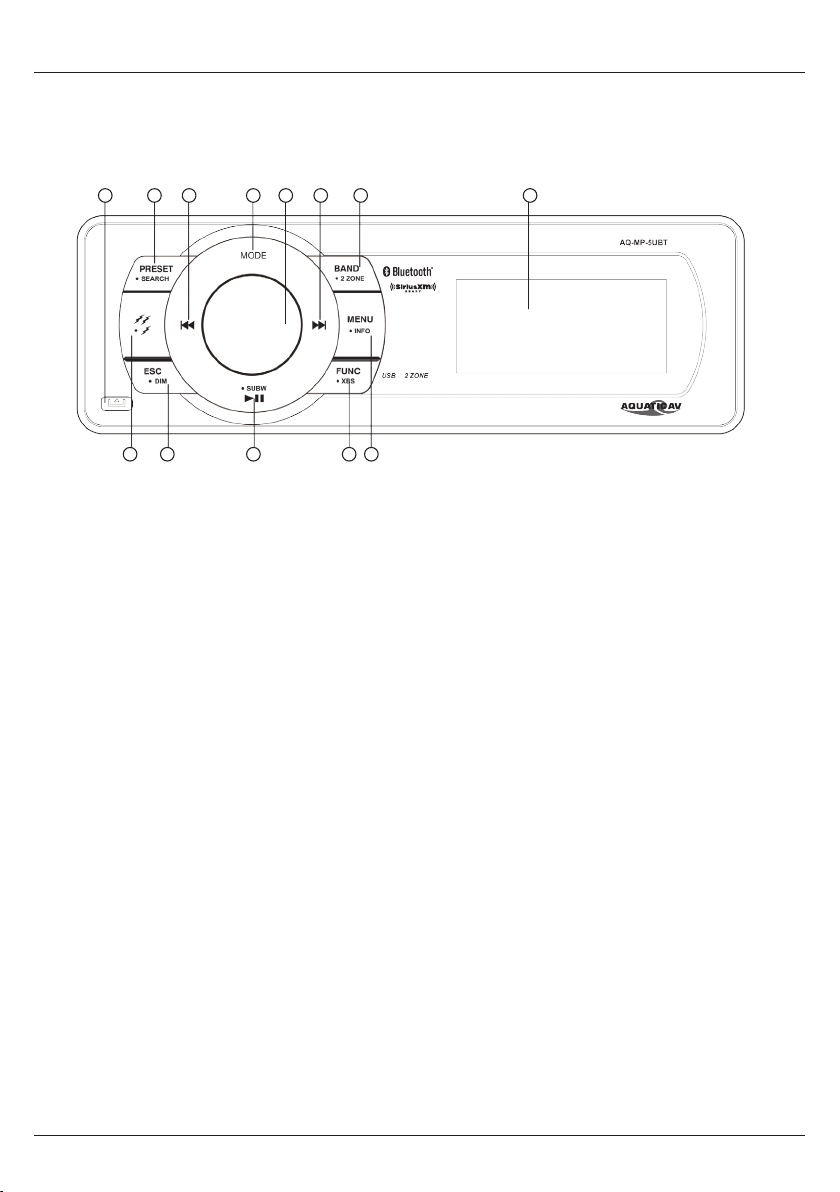
2.1 Media Player Controls..........................................................................................................
2.2 Media Player Control Functions...........................................................................................
2.3 Wired Remote Control Functions (AQ-WR-5F sold separately).......................................................
3 Listening to Devices..................................................................................................................
3.1 Listening via Bluetooth.......................................................................................................
3.1.1 Pair with Bluetooth Device...........................................................................................
3.1.2 Listening via Bluetooth Device.....................................................................................
3.2 Listening via USB...............................................................................................................
3.2.1 Listening via USB (Apple Devices)...............................................................................
3.2.2 Listening via USB Flash Drives....................................................................................
3.2.3 USB Search..................................................................................................................
3.2.4 Device Charging...........................................................................................................
3.3 Listening via Auxiliary Input (3.5mm Jack).........................................................................
3.4 Adjusting Volume Level.......................................................................................................
4 Listening to SiriusXM®Satellite Radio.....................................................................................
4.1 What is SiriusXM Satellite Radio?.......................................................................................
4.2 Activating SiriusXM Satellite Radio....................................................................................
4.3 Storing Channel Presets......................................................................................................
4.4 Tuning to Channel Presets...................................................................................................
4.5 Removing Channel Presets..................................................................................................
4.6 REPLAY Playback.................................................................................................................
4.7 Parental Control..................................................................................................................
4.8 Reset / Restore Factory Defaults.........................................................................................
4.9 Direct Tune..........................................................................................................................
4.10 Channel Tune....................................................................................................................
4.11 Category Tune...................................................................................................................
4.12 Troubleshooting................................................................................................................
4
4
4
5
5
6
7
9
10
10
11
12
13
13
13
13
13
13
14
14
14
14
14
15
15
15
15
16
16
16
16
16
17
17
17
17
Table of Contents Media Player AQ-MP-5UBT-S
2www.aquaticav.com