manuals.online logo
Brands
  1. Home
  2. •
  3. Brands
  4. •
  5. AXE
  6. •
  7. Measuring Instrument
  8. •
  9. AXE MCHH Series User manual

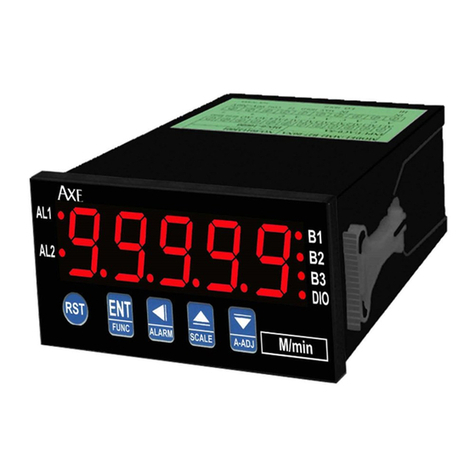
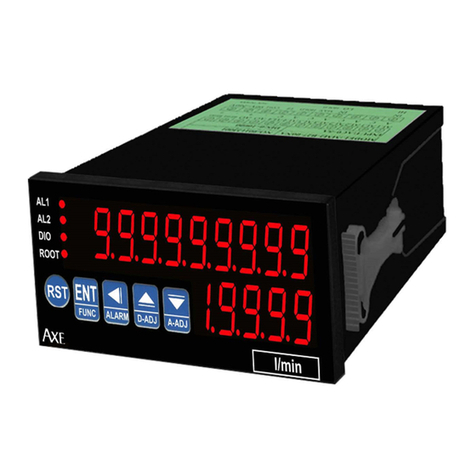
AXE MCHH Series User manual

Other AXE Measuring Instrument manuals

AXE MMC Series User manual

AXE

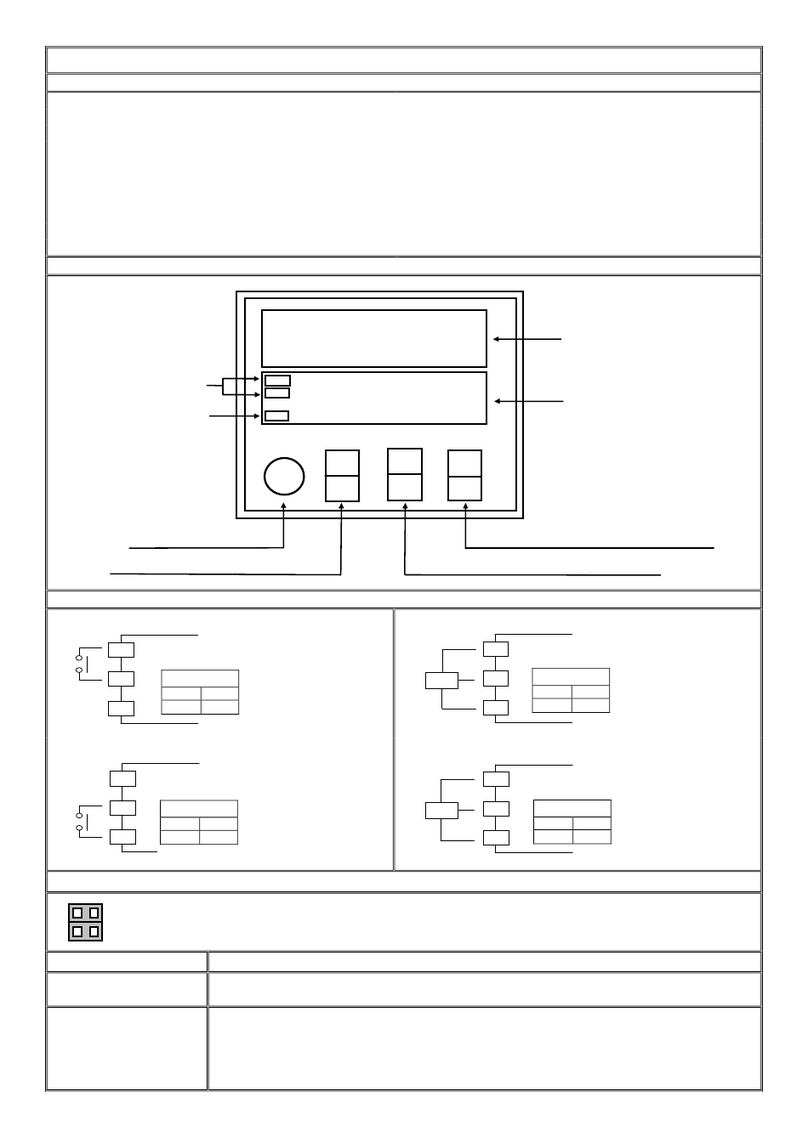
AXE MMC Series User manual

AXE MM2 Series User manual

AXE

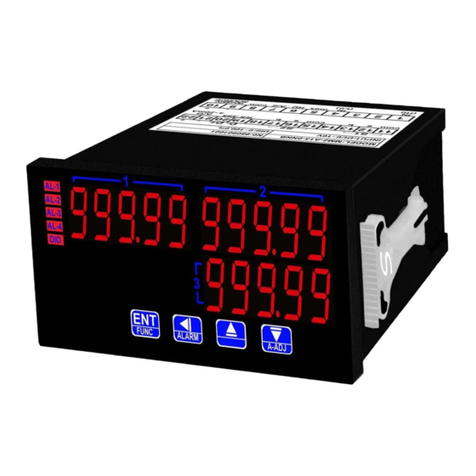
AXE MM2 Series User manual

AXE MCH Series User manual

AXE

AXE MCH Series User manual

AXE MMRD Series User manual

AXE

AXE MMRD Series User manual

AXE MFRTS Series User manual

AXE

AXE MFRTS Series User manual

AXE MRT Series User manual

AXE

AXE MRT Series User manual

AXE MC48 Series User manual

AXE

AXE MC48 Series User manual

AXE MMRD-M Series User manual

AXE

AXE MMRD-M Series User manual

AXE MMX-L User manual

AXE

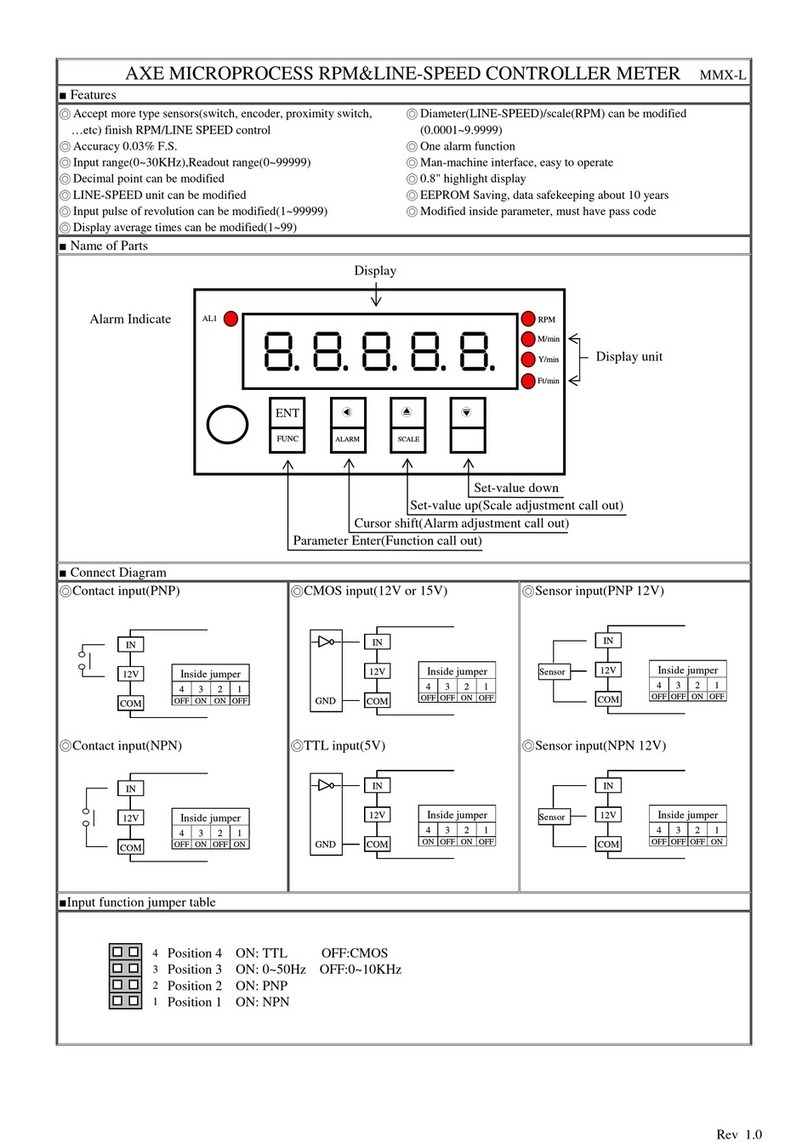
AXE MMX-L User manual

AXE MMR-N Series User manual

AXE

AXE MMR-N Series User manual

AXE MM2 Series User manual

AXE

AXE MM2 Series User manual

AXE MMR Series User manual

AXE

AXE MMR Series User manual

AXE MMRH Series User manual

AXE

AXE MMRH Series User manual

Popular Measuring Instrument manuals by other brands

Powerfix Profi 278296 Operation and safety notes

Powerfix Profi

Powerfix Profi 278296 Operation and safety notes

Test Equipment Depot GVT-427B user manual

Test Equipment Depot

Test Equipment Depot GVT-427B user manual

Fieldpiece ACH Operator's manual

Fieldpiece

Fieldpiece ACH Operator's manual

FLYSURFER VIRON3 user manual

FLYSURFER

FLYSURFER VIRON3 user manual

GMW TG uni 1 operating manual

GMW

GMW TG uni 1 operating manual

Downeaster Wind & Weather Medallion Series instruction manual

Downeaster

Downeaster Wind & Weather Medallion Series instruction manual

Hanna Instruments HI96725C instruction manual

Hanna Instruments

Hanna Instruments HI96725C instruction manual

Nokeval KMR260 quick guide

Nokeval

Nokeval KMR260 quick guide

HOKUYO AUTOMATIC UBG-05LN instruction manual

HOKUYO AUTOMATIC

HOKUYO AUTOMATIC UBG-05LN instruction manual

Fluke 96000 Series Operator's manual

Fluke

Fluke 96000 Series Operator's manual

Test Products International SP565 user manual

Test Products International

Test Products International SP565 user manual

General Sleep Zmachine Insight+ DT-200 Service manual

General Sleep

General Sleep Zmachine Insight+ DT-200 Service manual

Sensa Core Lacto Spark user manual

Sensa Core

Sensa Core Lacto Spark user manual

VOLTCRAFT UTS-1980 operating instructions

VOLTCRAFT

VOLTCRAFT UTS-1980 operating instructions

EBCHQ 94915 Operation manual

EBCHQ

EBCHQ 94915 Operation manual

Balluff BIP LD2-T017-01-EP-S4 Series user guide

Balluff

Balluff BIP LD2-T017-01-EP-S4 Series user guide

Pulsar IMP Lite Series instruction manual

Pulsar

Pulsar IMP Lite Series instruction manual

ETCR 6800 user manual

ETCR

ETCR 6800 user manual

manuals.online logo
manuals.online logoBrands
  • About & Mission
  • Contact us
  • Privacy Policy
  • Terms and Conditions

Copyright 2025 Manuals.Online. All Rights Reserved.

REV.01
AXE
ULTRA HIGH SPEED MICROPROCESS LENGTH,ANGLE CONTROLLER METER
MCHH Series
■FEATURES
◎Accept Quadrature encoder(A/B Phase) finish length/Angle control
◎Normal counting and rotate for 360 degree counting can be
◎Accept input rate up to 500KHz modified
◎Readout Range from-999999~999999/0~359.999(length/Angle)
◎16BIT DAC analog output can be modified,
◎Input modes: A/B Phase quadrature-Up/Down decoder ◎Two alarm function
◎Quadrature sensing up to 4 times resolution ◎RS485 Communication interface,Protocol MODBUS RTU MODE
◎Input scaling multiplied 0.00001 to 9.99999 can be modified ◎BAUD RATE:38400/19200/9600/4800/2400
◎Reset value -999999~999999/0~359.999 can be modified ◎0.56" highlight display
◎Decimal Point can be modified ◎Man-machine interface,easy to operate
◎Reset by panel or connect terminal ◎EEPROM Saving,data safekeeping about 10 years
◎Power down saving ◎Modified inside parameter,must have pass code
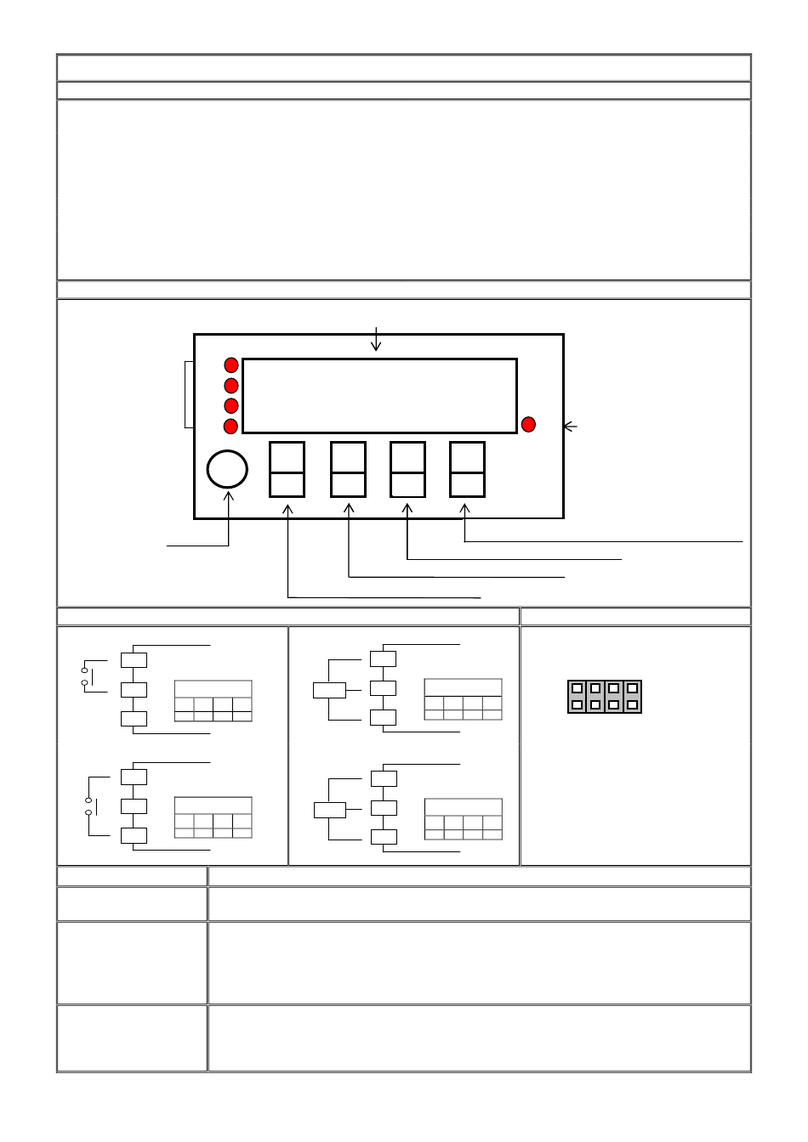
■Name of Parts
■
Connect Diagram
■Input function jumper table
◎Sensor input (PNP 5V/12V)
◎Sensor input (NPN 5V/12V)
Position 1 ON:IN(B) NPN
Position 3 ON:IN(A) NPN
Key Introduce Operation Manual

Key Function 1.In normal display,The key function is call out setting group
2.In parameter setting page,The key function is data Enter , and goto next page

Key Function 1.In normal display,The key function is call out alarm value setting page
2.Into parameter setting page,the parameter mark&data is alternate display,If need modify data can
press shift key into setting procedure,The display is lock parameter data,this time must let off key about
0.2 sec,press again,the cursor(twinkle express)is cycle moving left. (Key Response about 0.2 sec)

Key Function 1.In normal display,The key function is call out adjustment display scale page
2.Into parameter setting page,the parameter mark&data is alternate display,If need modify data can
press up key into setting procedure,The display is lock parameter data,this time must let off key about
0.2 sec,press again,the parameter data will increment. (Key Response about 0.2 sec)

Key Function 1.In normal display,The key function is call out adjustment analog output ZERO&SPAN page
2.Into parameter setting page,the parameter mark&data is alternate display,If need modify data can
press down key into setting procedure,The display is lock parameter data,this time must let off key
about 0.2 sec,press again the parameter data will decrement. (Key Response about 0.2 sec)

&

Key Function
In setting group or setting page press

&

key return normal display,but if in setting page the
modify data will be lost
No Key in anything In setting group or setting page no key in anything about 2 minutes,return normal display,but if in
Setting page the modify data will be lost
Set
-
value up(Scale adjustment call out )
Set
-
value down
(Analog output adjustment call out)
Cursor shift
(
Alarm adjustment call out
)
Parameter Enter
(
Functio
n call out
)
Alarm Indicate
燈
Communication
Indicate
Polar
Indicate
Display Reset
POL
DIO
AL1
AL2
Display

A-ADJ
R
ST
SCALE
ALARM
FUNC
ENT

EN


COM
IN
12V
Inside jumper
1
2
3
4
OFF
O
FF
OFF
OFF
Sensor
COM
IN
12V
Inside jumper
1
2
3
4
ON
OFF
O
N
OFF
Sensor
1
2
3
4
REV.01
Step Parameter Mark Description
Parameter Mark Operation Manual
1 Normal display

Press

/FUNC key into P.CODE setting page

2
P.CODE(Pass code input
page)

1.Key in 6 digit pass code with

or

or

key
2.Press

key,the pass code is right into setting group , otherwise
return normal display
SYS(System setting group)

ROP(Alarm setting group)

AOP(Analog output setting
group)

3
DOP(Communication setting
group)

1.Select setting group with

key
2.Press

key into setting page of selection setting group
4
SYS(System setting group)

Press

key decide SYS setting group , press

key into TYPE
setting page

4-1
TYPE(Input Type setting
page)
Default = Normal

1.Decide input type with

or

key (Normal(Normal counting)
,Rotate(360 degree counting))
2.Press

key enter data and into DP setting page

4-2
DP(Decimal Point setting
page)
Default = 0

1.Decide decimal point position with

or

key 0~5(Normal-type)
or 0~3 (Rotate-type))
2.Press

key enter data and into RST setting page

4-3
RST(Reset Value)
Default = 0

1.Decide Reset Value with oror key  (-999999~999999(Normal-
type) or 0~359/3599/35999/359999 (Rotate-type,DP=0/1/2/3))
2.Press key enter data and intoCNTS setting page

4-4
CNTS(Count Rates Select)
Default = 500KHz


1.Decide Count Rates Select with or key  (10KHz,80KHz,160KHz
,500KHz)
2.Press key enter data and into CODE setting page

4-5
CODE(Pass Code setting
page)
Default = 0

1.Decide pass code with

or

or

key(0~999999)
2.Press

key enter data and into LOCK setting page

4-6
LOCK(Panel Lock setting
page)
Default = NO

1.Decide panel lock with

or

key(NO or YES)
2.Press

key enter data and return SYS setting group
5
ROP(Alarm setting group)

Press

key decide ROP setting group,press

key into ACT1 setting
page

5-1
ACT1(Alarm Active 1
setting page )
Default = HI

1.Decide active 1 with

or

key(HI or LO)
2.Press

key enter data and into ACT2 setting page

5-2
ACT2(Alarm Active 2
setting page )
Default = HI

1.Decide active 2 with

or

key(HI or LO)
2.Press

key enter data and into HYS1 setting page

5-3
HYS1(Alarm Hysteresis 1
setting page)
Default = 0

1.Decide Hysteresis 1 with

or

or

key(0~9999)
2.Press

key enter data and into HYS2 setting page

5-4
HYS2(Alarm Hysteresis 2
setting page)
Default = 0

1.Decide Hysteresis 2 with

or

or

key(0~9999)
2.Press

key enter data and into DEL1 setting page

5-5
DEL1(Alarm Delay 1 setting
page)
Default = 0

1.Decide delay 1with

or

or

key(-99.9~99.9 sec)
2.Press

key enter data and into DEL2 setting page
Note:-0.1 ~ -99.9
sec = Alarm active time
0.1 ~ 99.9 sec = Alarm delay time

5-6
DEL2(Alarm Delay 2 setting
page)
Default = 0

1.Decide delay 2with

or

or

key(-99.9~99.9 sec)
2.Press

key enter data and return ROP setting group
Note:-0.1 ~ -99.9
sec = Alarm active time
0.1 ~ 99.9 sec = Alarm delay time
6
AOP(Analog output setting
group)

Press

key decide AOP setting group , press

key into ANLO
setting page
REV.01

6-1
ANLO(A/O Zero According
to Display setting page)
Default = 0

1.Decide ANLO with

or

or

key(-999999~999999)
2.Press

key enter data and into ANHI setting page

6-2
ANHI(A/ O Span According
to Display setting page)
Default = 999999

1.Decide ANHI with

or

or

key(-999999~999999)
2.Press

key enter data and return AOP setting group
7
DOP(Communication setting
group)

press

key decide DOP setting group,press

key into ADDR
setting page

7-1
ADDR(Communication
Address setting page )
Default = 0

1.Decide address with

or

or

key(0~255)
2.Press

key enter data and into BAUD setting page

7-2
BAUD(Communication
Baud Rate setting page)
Default = 19200

1.Decide baud rate with

or

key(38400,19200,9600,4800,2400)
2.Press

key enter data and into PARI setting page

7-3
PARI(Communication Parity
Check setting page)
Default = n82

1.Decide parity check with

or

key(n82,n81,even,odd)
2.Press

key enter data and return DOP setting group
Step Parameter mark description
Parameter mark Operation manual
8
Normal display


Press

/ALARM key about 3 sec,into AL1 setting page

8-1
AL1 (Alarm value 1 setting
page)
Default = 0

1.Decide alarm value 1 with

or

or

key(-999999~999999)
2.Press

key enter data and into AL2 setting page

8-2
AL2 (Alarm value 2 setting
page)
Default = 0

1.Decide alarm value 2 with

or

or

key(-999999~999999)
2.Press

key enter data and return normal display
Step Parameter mark description
Parameter mark Operation manual
9
Normal display


Press

/SCALE key about 3 sec,into SCALE setting page

9-1
SCALE (Display Scale
setting page)
Default = 1.00000

1.Decide scale with

or

or

key(0.00001~9.99999)
2.Press

key enter data and return normal display
Step Parameter mark description Parameter mark
Operation manual
10
Normal display

Press

/A-ADJkey about 3 sec,into AZERO adjustment page

10-1
AZERO(Analog Output
Zero Adjustment page)
Default = 0

1.Adjustment analog output zero with

or

or

key(±6000)
2.Press

key enter data and into ASPAN adjustment page

10-2
ASPAN(Analog Output
Span Adjustment page)
Default = 0

1.Adjustment analog output span with

or

or

key(±6000)
2.Press

key enter data and return normal display
Appendix
Error Mark description Error Mark Analyze & Description
1
Display positive over error
detect

Input signal over display range(999999)
2
Display negative over error
detect

Input signal under display range(-999999)


3
EEPROM error detect

1.External interference when EEPROM read/write
2.EEPROM write over 1 million times(guarantee 10 years)
Please power reset,if still display E-00,doing following step:
1.E-00 & No alternate display for inquire reset EEPROM
2.Decide Yes with or key,press key return normal display  
3.EEPROM was reset,Please follow step 1~10 set again
REV.01
■MCHH Modbus RTU Mode Protocol Address Map
■Data format 16Bit/32Bit, sign bit 8000~7FFF(-32768~32767),80000000~7FFFFFFF(-2147483648~2147483647)
Address
Name Description Accept
0000 DP Decimal Point,Input Range 0000~0005(0~5)(Normal type),0000~0003(0~3)(Rotate type)
(0:10
0
,1:10
-1
,2:10
-2
,3:10
-3
,4:10
-4
,5:10
-5
)
R/W
0001 TYPE Input Type,Input Range0000~0001(0~1)(0: Normal type,1: Rotate type) R/W
0002 LOCK Panel Lock,Input Range0000~0001(0~1)(0:NO,1:YES) R/W
0003 ACT1 Alarm Active 1,Input Range0000~0001(0~1)(0:HI,1:LO) R/W
0004 ACT2 Alarm Active 2,Input Range 0000~0001(0~1)(0:HI,1:LO), R/W
0005 HYS1 Alarm hysteresis 1,Input Range 0000~270F(0~9999)
R/W
0006 HYS2 Alarm hysteresis 2,Input Range 0000~270F(0~9999) R/W
0007 DEL1 Alarm Delay 1,Input Range FC19~03E7(-99.9~99.9) R/W
0008 DEL2 Alarm Delay 2,Input Range FC19~03E7(-99.9~99.9) R/W
0009 ADDR Communication Address, Input Range 0000~00FF(0~255) R/W
000A BAUD Communication Baud Rate, Input Range 0000~0004(0~4)(0:38400,1:19200,2:9600,3:4800,4:2400) R/W
000B PARI Communication Parity Check,Input Range 0000~0003(0~3)(0:N82,1:N81,2:EVEN,3:ODD)
R/W
000C A_ZERO
Analog Output Zero Adjust,Input Range E890~1770(-6000~6000) R/W
000D A_SPAN
Analog Output Span,Input Range E890~1770(-6000~6000) R/W
000E CODE Pass Code,Input Range 00000000~000F423F(0~999999)high word R/W
000F Pass Code,Input Range 00000000~000F423F(0~999999)low word R/W
0010 SCALE Scale,Input Range 00000001~000F423F(0.00001~9.99999)high word R/W
0011 Scale,Input Range 00000001~000F423F(0.00001~9.99999)low word R/W
0012 RST Reset Value,Input Range FFF0BDC1~000F423F (-999999~999999(Normal type),00000000~00057E3F
(0~359999) (Rotate type,DP=3)high word R/W
0013 Reset Value,Input Range FFF0BDC1~000F423F (-999999~999999(Normal type),00000000~00057E3F
(0~359999) (Rotate type,DP=3)low word R/W
0014 ANLO A/O Zero According to Display,Input Range FFF0BDC1~000F423F (-999999~999999)high word R/W
0015 A/O Zero According to Display,Input Range FFF0BDC1~000F423F (-999999~999999)low word R/W
0016 ANHI A/O Span According to Display,Input Range FFF0BDC1~000F423F (-999999~999999)high word R/W
0017 A/O Span According to Display,Input Range FFF0BDC1~000F423F (-999999~999999)low word R/W
0018 AL1 Alarm 1,Input Range FFF0BDC1~000F423F (-999999~999999)high word R/W
0019 Alarm 1,Input Range FFF0BDC1~000F423F (-999999~999999)low word R/W
001A AL2 Alarm 2,Input Range FFF0BDC1~000F423F (-999999~999999)high word R/W
001B Alarm 2,Input Range FFF0BDC1~000F423F (-999999~999999)low word R/W
001C DISP Display Value, Display Range FFF0BDC1~000F423F (-999999~999999)high word R
001D Display Value, Display Range FFF0BDC1~000F423F (-999999~999999)low word R
001E STATUS
Alarm & Display Status,Display Range 0000~000F(0~15)Bit0:AL1,Bit1:AL2,Bit2:DOFL,Bit3:-DOFL
R
001F FUNC Write = 0001(Function 06),Count Value Reset W
0020 CNTS Count Rates Select, Input Range 0000~0003(0~3)(0:10KHz,1:80KHz,2:160KHz,3:500KHz) R/W