EnglishDeutsch
 logo
Brands
  1. Home
  2. •
  3. Brands
  4. •
  5. Barco
  6. •
  7. Medical Equipment
  8. •
  9. Barco Coronis 5MP Mammo User manual

Barco Coronis 5MP Mammo User manual

Other manuals for Coronis 5MP Mammo

7

Other Barco Medical Equipment manuals

Barco Color Coronis 2MP Instruction Manual

Barco

Barco Color Coronis 2MP Instruction Manual

Barco Coronis Fusion User manual

Barco

Barco Coronis Fusion User manual

Barco Coronis 5MP Mammo User manual

Barco

Barco Coronis 5MP Mammo User manual

Barco Color Coronis 2MP User manual

Barco

Barco Color Coronis 2MP User manual

Barco Demetra User manual

Barco

Barco Demetra User manual

Barco High Bright MDSC-2326 DDIH User manual

Barco

Barco High Bright MDSC-2326 DDIH User manual

Barco Coronis 3MP Instruction Manual

Barco

Barco Coronis 3MP Instruction Manual

Barco Coronis 5MP Mammo Instruction Manual

Barco

Barco Coronis 5MP Mammo Instruction Manual

Barco Nio Color 5MP User manual

Barco

Barco Nio Color 5MP User manual

Barco CORONIS 1MP User guide

Barco

Barco CORONIS 1MP User guide

Barco ClickShare Installation and operating manual

Barco

Barco ClickShare Installation and operating manual

Barco Coronis 5MP Mammo Instruction Manual

Barco

Barco Coronis 5MP Mammo Instruction Manual

Barco Coronis 3MP Instruction Manual

Barco

Barco Coronis 3MP Instruction Manual

Barco Color Coronis 2MP Instruction Manual

Barco

Barco Color Coronis 2MP Instruction Manual

Barco Coronis Fusion Technical manual

Barco

Barco Coronis Fusion Technical manual

Barco Color Coronis 2MP Instruction Manual

Barco

Barco Color Coronis 2MP Instruction Manual

Barco AMM240ED User manual

Barco

Barco AMM240ED User manual

Barco Coronis Elite User manual

Barco

Barco Coronis Elite User manual

Barco MeDis 5MP1HM User guide

Barco

Barco MeDis 5MP1HM User guide

Barco MDSC-8358 RL User manual

Barco

Barco MDSC-8358 RL User manual

Barco MDPC-8127 User manual

Barco

Barco MDPC-8127 User manual

Barco Coronis 5MP Mammo User guide

Barco

Barco Coronis 5MP Mammo User guide

Barco Eonis MDRC-2122 BL User manual

Barco

Barco Eonis MDRC-2122 BL User manual

Barco Coronis 5MP Mammo Technical manual

Barco

Barco Coronis 5MP Mammo Technical manual

Popular Medical Equipment manuals by other brands

TekTone Tek-CARE160 Installation and operation manual

TekTone

TekTone Tek-CARE160 Installation and operation manual

NeuroMetrix Quell 2.0 user manual

NeuroMetrix

NeuroMetrix Quell 2.0 user manual

AMT XLR8 Quick reference guide

AMT

AMT XLR8 Quick reference guide

EDAN SONOTRAX Pro user manual

EDAN

EDAN SONOTRAX Pro user manual

Restorative Therapies RT300 Service guide

Restorative Therapies

Restorative Therapies RT300 Service guide

Gendex Expert DC installation manual

Gendex

Gendex Expert DC installation manual

Dexcowin ADX4000W user manual

Dexcowin

Dexcowin ADX4000W user manual

Libelium MySignals user manual

Libelium

Libelium MySignals user manual

Acelity V.A.C.ULTA 4 user manual

Acelity

Acelity V.A.C.ULTA 4 user manual

Caputron ActivaDose II tDCS quick start guide

Caputron

Caputron ActivaDose II tDCS quick start guide

Plinth 2000 93CDT Service manual

Plinth 2000

Plinth 2000 93CDT Service manual

GE SENOGRAPHE 800T Operator's manual

GE

GE SENOGRAPHE 800T Operator's manual

GE Definium 5000 Operator's manual

GE

GE Definium 5000 Operator's manual

Kanmed GE-1380 user manual

Kanmed

Kanmed GE-1380 user manual

Huntleigh FD1 Instructions for use

Huntleigh

Huntleigh FD1 Instructions for use

Stryker SPR Plus Operation manual

Stryker

Stryker SPR Plus Operation manual

Tobii Dynavox I-Series user manual

Tobii Dynavox

Tobii Dynavox I-Series user manual

S-Capepod Evac Cocoon Step-by-step guide

S-Capepod

S-Capepod Evac Cocoon Step-by-step guide

https://manuals.online logo
https://manuals.online logoBrands
  • About & Mission
  • Contact us
  • Privacy Policy
  • Terms and Conditions

Copyright 2026 Manuals.Online. All Rights Reserved.

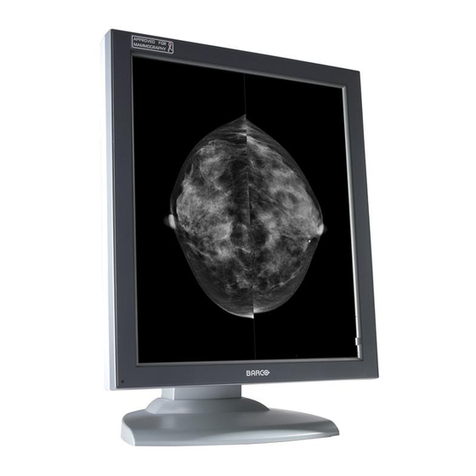
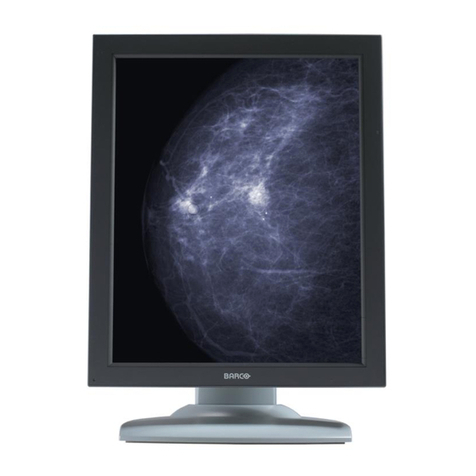
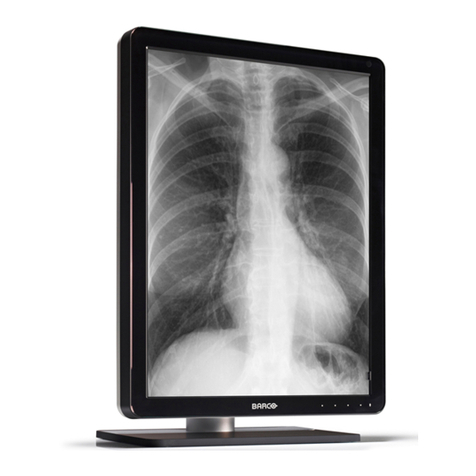
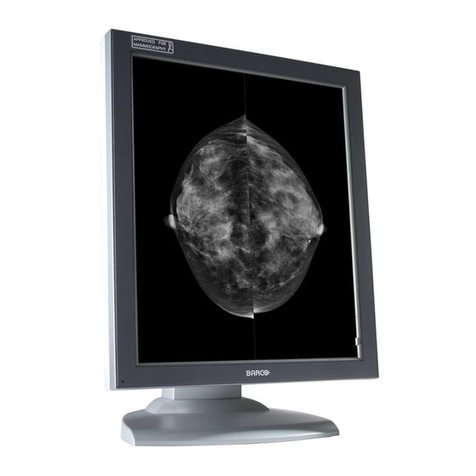
Coronis 5MP
Premium 5 MegaPixel diagnostic display system
Unsurpassed image quality
Barco’s Coronis 5MP display station has
been engineered for very demanding
medical imaging applications. The high-
grade 5MP system offers unsurpassed
film-like images with ultra-high
resolution, high luminance and high
contrast ratio.
The 21.3” LCD provides unequaled
image quality without pixelization,
a wide viewing angle and perfect
geometry. The integrated Coronis Portrait
Accelerator assures full performance in
portrait mode.
Barco’s state-of-the-art 5MP display
system ensures low life cycle cost, user-
friendliness and increased productivity.
Its high resolution reduces the need for
panning and roaming.
Continuous DICOM compliance
To ensure superior image accuracy and diagnostic confidence, the Coronis 5MP display
system includes the unique I-Guard® technology. The compact, front-mounted I-Guard®
sensor continually guards and adjusts the luminance output of the actual diagnostic
viewing area at the front of the display. Barco’s I-Guard® sensor truly sees what you
see, ensuring consistent image quality and continuous DICOM accuracy over time and
across displays.
Automated Quality Assurance
The Coronis 5MP display system comes with Barco’s user-friendly MediCal Pro softcopy
QA solution. Combined with the I-Guard® sensor, MediCal Pro provides fully automated
image Quality Assurance without the need for human intervention.
MediCal Pro tracks, maintains and logs viewing performance, automates QA tasks,
initiates display system calibration and establishes an accurate DICOM Look-Up Table
calibration. To assist with your efforts to comply with DIN 6868-57 and AAPM TG18
standards, Barco has developed user-friendly plug-ins for its MediCal Pro software that
automate the entire process.
Fast and efficient workflow
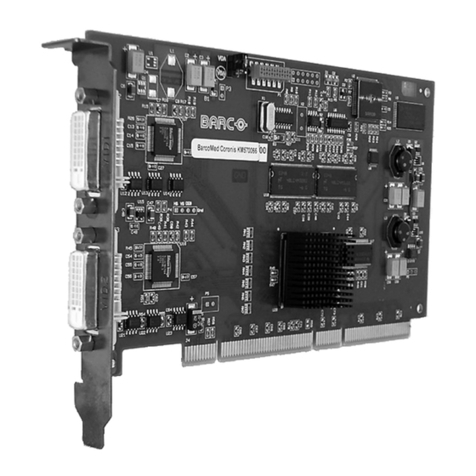
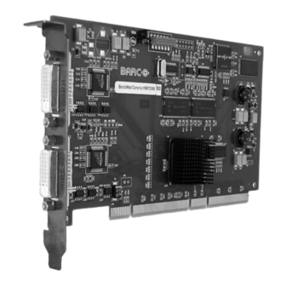
Coronis 5MP comes with a high-performance BarcoMed Coronis digital display
controller. The 10-bit display controller renders the complete data set with 1024
simultaneous levels of gray. In addition, it features 64-bit PCI performance and image
download speeds up to 400 MB per second. BarcoMed Coronis easily fits into modern
workstations thanks to its small form factor.
Maximum protection of the LCD
All Coronis 5MP displays are equipped with a protective diagnostic front glass, which
shields the panel against damage from intensive use in clinical rooms.
Available in BlueBase and ClearBase
Barco’s Coronis 5MP display system is available in BlueBase and ClearBase, allowing
radiologists to work in their preferred color temperature. Both color mode options
provide filmless perfection for accurate softcopy imaging.
Main benefits:
• Lowest cost of ownership
• Continuous DICOM-compliant imaging thanks to
integrated I-Guard® technology
• High contrast ratio and luminance for superior image quality
in all environments
• Automated quality with intervention-free QA
• Available as single- and multi-head systems
• All-inclusive display system, including display controller, QA
software, portrait/landscape accelerator, cables and driver
• Ergonomic design with protective front cover
• Real plug and play
Technical specifications Coronis 5MP displays
K5906084 01.03 0607 © 2007 Barco
Technical specifications are subject to change without prior notice
Technical specifications BarcoMed Coronis display controller
LCD PANEL
Technology: TFT AMLCD Dual Domain IPS
Grayscale, 3 subpixels per pixel
Native resolution: 2560 x 2048 / 2048 x 2560
Pixel pitch: 0.165 mm
Active screen diagonal: 540.9 mm (21.3”)
Active screen area: 422.4 x 337.9 mm (16.6 x 13.3”)
Viewing angle (Hor./Vert.): 170° (at 10:1 contrast)
VISUAL CHARACTERISTICS
Dark room contrast: 800:1 typical
Luminance (typical): 500 cd/m2 (145.9 fL) calibrated
700 cd/m2 (204 fL) typical
Stabilization, calibration
and automated QA: Embedded I-Guard®
ENVIRONMENTAL
Power save: Supports DPMS
Operating temp range: 0°C to +40°C (32°F to 104°F)
Within specifications: +15°C to +35°C (59°F to 95°F)
APPROVALS
Safety: CE, UL60950, CSA C22.2 No 60950
(c-UL), CB, IEC 60950,
DEMKO EN 60950
Emission: EN 55022, EN 500082-1, FDA 510 k
CONNECTIVITY
Digital video input: Dual DVI (Complying to VESA DVI)
Analo video input: Not applicible
Display control & comm.: DDC (complying to DDC2Bi
standard), EDID
Digital video /
DDC input connector: One physical DVI connector,
one cable
USB: USB-hub with 1 up- and
2 downstream ports
Supported resolutions: 2560 x 2048 (Landscape)
2048 x 2560 (Portrait, features
Portrait Accelerator)
VGA boot (1 to 1 pixel mapping)
POWER REQUIREMENTS
Input: 90 to 264 VAC, 45 to 65 Hz,
72W max.
PHYSICAL CHARACTERISTICS
Dimensions (WxHxD): P: 408 x 592 x 217 mm
(16.1 x 23.3 x 8.5”)
Weight: 13.5 kg (29.7 lbs)
Ergonomics: Tilt & swivel base with P/L rotation
100mm VESA mounting standard
AR coated front cover
Display controls: Display on/off, backlight
adjustment, OSD
SYSTEM REQUIREMENTS
Bus: PCI 2.2, universal signaling
Bus clock speed: 66 MHz
Bus width: 64 bit
Power consumption: < 15 Watt
Form factor: 106 x 176 x 16 mm
(4.2 x 6.9 x 0.6”)
OS: Microsoft Windows NT, 2000, XP
Platforms: Pentium class and up
TEMPERATURE
Operational: +10°C to +60°C (50°F to 140°F)
Storage: -40°C to +85°C (-40°F to 185°F)
HUMIDITY
Operational: 100%
Storage: 80%
CHARACTERISTICS
Display configuration: Single- or dual-head portrait or
landscape
Graphics processor: Proprietary AURA technology
Display memory: 128 MB
VGA: Integrated VGA controller
Pixel clock rate: 278 Mhz
LUT 10 bits in / 10 bits out
Electrical standard: Dual DVI complying to VESA DVI
Rev. 1.0
VIDEO OUTPUT
Supported resolutions: 2560 x 2048 @50 Hz
2048 x 2560 @50 Hz
Connectors: Two DVI connectors (one per head)
EMI
FCC class B, CE, EN 55022 B, EN 61000-6, IEC 60601-1-2
Europe, Middle East,
Africa & Latin America
Phone: +32 56 233 557
sales.medical.eu@barco.com
North America
Phone: +1 866 302 7939
sales.medical.us@barco.com

Taiwan
Phone: +886 2 8221 6868
sales.medical.apac@barco.com

South Korea
Phone: +82 2 2175 8900
sales.medical.apac@barco.com

China
Phone: +86 21 5465 5501
sales.medical.apac@barco.com
Singapore
Phone: +65-6243.7610
sales.medical.apac@barco.com
Australia
Phone: +61 3 9646 5833
sales.medical.apac@barco.com
Japan
Phone: +81 3 3279 0771
Request more information
www.barcomedical.com