manuals.online logo
Brands
  1. Home
  2. •
  3. Brands
  4. •
  5. Bticino
  6. •
  7. Control Unit
  8. •
  9. Bticino LN4890 User manual

Bticino LN4890 User manual

This manual suits for next models

7

Other Bticino Control Unit manuals

Bticino Living Now K4531C User manual

Bticino

Bticino Living Now K4531C User manual

Bticino K4548 User manual

Bticino

Bticino K4548 User manual

Bticino L4531C User manual

Bticino

Bticino L4531C User manual

Bticino MP6-Megabreak MP6SH User manual

Bticino

Bticino MP6-Megabreak MP6SH User manual

Bticino RW4575CW User manual

Bticino

Bticino RW4575CW User manual

Bticino Sfera video kit Operating manual

Bticino

Bticino Sfera video kit Operating manual

Bticino LIVING L4488 User manual

Bticino

Bticino LIVING L4488 User manual

Bticino LIVING NOW 3584C User manual

Bticino

Bticino LIVING NOW 3584C User manual

Bticino KW8013 Operating manual

Bticino

Bticino KW8013 Operating manual

Bticino 375000 User manual

Bticino

Bticino 375000 User manual

Bticino HC4680 User manual

Bticino

Bticino HC4680 User manual

Bticino 4027C User manual

Bticino

Bticino 4027C User manual

Bticino LN4027CWI User manual

Bticino

Bticino LN4027CWI User manual

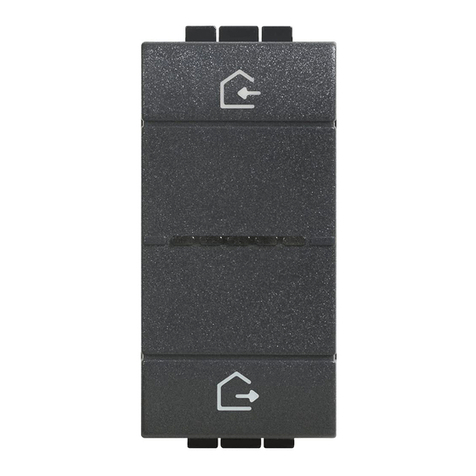
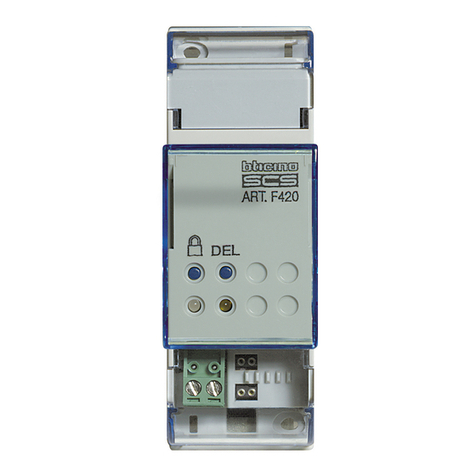
Bticino F420 User manual

Bticino

Bticino F420 User manual

Bticino Scenario control User manual

Bticino

Bticino Scenario control User manual

Bticino AM4027CWI User manual

Bticino

Bticino AM4027CWI User manual

Bticino LN4574CWI User manual

Bticino

Bticino LN4574CWI User manual

Bticino M 7875P/230 User manual

Bticino

Bticino M 7875P/230 User manual

Bticino LN4003CWI User manual

Bticino

Bticino LN4003CWI User manual

Bticino AM4890 User manual

Bticino

Bticino AM4890 User manual

Bticino F4N400 User manual

Bticino

Bticino F4N400 User manual

Bticino N4575CW User manual

Bticino

Bticino N4575CW User manual

Bticino F3N400 User manual

Bticino

Bticino F3N400 User manual

Bticino M74D230 User manual

Bticino

Bticino M74D230 User manual

Popular Control Unit manuals by other brands

Seitz 14A80 user manual

Seitz

Seitz 14A80 user manual

Wilo RS485 Installation and operating instructions

Wilo

Wilo RS485 Installation and operating instructions

Becker CentralControl CC41 Commissioning Instruction

Becker

Becker CentralControl CC41 Commissioning Instruction

SICK CDB650 operating instructions

SICK

SICK CDB650 operating instructions

Panduit NetKey NKP5E88M Series installation instructions

Panduit

Panduit NetKey NKP5E88M Series installation instructions

MX Options Concentric Petite Fitting instructions

MX

MX Options Concentric Petite Fitting instructions

Clean Water Systems Fleck 2510 Installation & start?up guide

Clean Water Systems

Clean Water Systems Fleck 2510 Installation & start?up guide

Fairchild FSB44104A user guide

Fairchild

Fairchild FSB44104A user guide

LEGRAND Wattstopper LMIN-104 installation instructions

LEGRAND

LEGRAND Wattstopper LMIN-104 installation instructions

PMK ATT10BNCS instruction manual

PMK

PMK ATT10BNCS instruction manual

Tektronix TDS3FFT user manual

Tektronix

Tektronix TDS3FFT user manual

Woodward easYgen Technical manual

Woodward

Woodward easYgen Technical manual

Balluff BNI EIP-502-105-R015 user guide

Balluff

Balluff BNI EIP-502-105-R015 user guide

NXP Semiconductors TWR-LS1021A Getting started

NXP Semiconductors

NXP Semiconductors TWR-LS1021A Getting started

Advantech PCM-3117 Startup manual

Advantech

Advantech PCM-3117 Startup manual

Danfoss MCO 101 manual

Danfoss

Danfoss MCO 101 manual

Moons' Lin Engineering R701P user manual

Moons'

Moons' Lin Engineering R701P user manual

Aventics RV1 operating instructions

Aventics

Aventics RV1 operating instructions

manuals.online logo
manuals.online logoBrands
  • About & Mission
  • Contact us
  • Privacy Policy
  • Terms and Conditions

Copyright 2025 Manuals.Online. All Rights Reserved.

AM4890
LN4890
LN4890A
H4890
HW4890
O1916A01PC-12W09
1
2
• Installazione
• Installation
• Installation
• Installation
• Instalación
• Installatie
• Instalação
• Instalacja
Ethernet
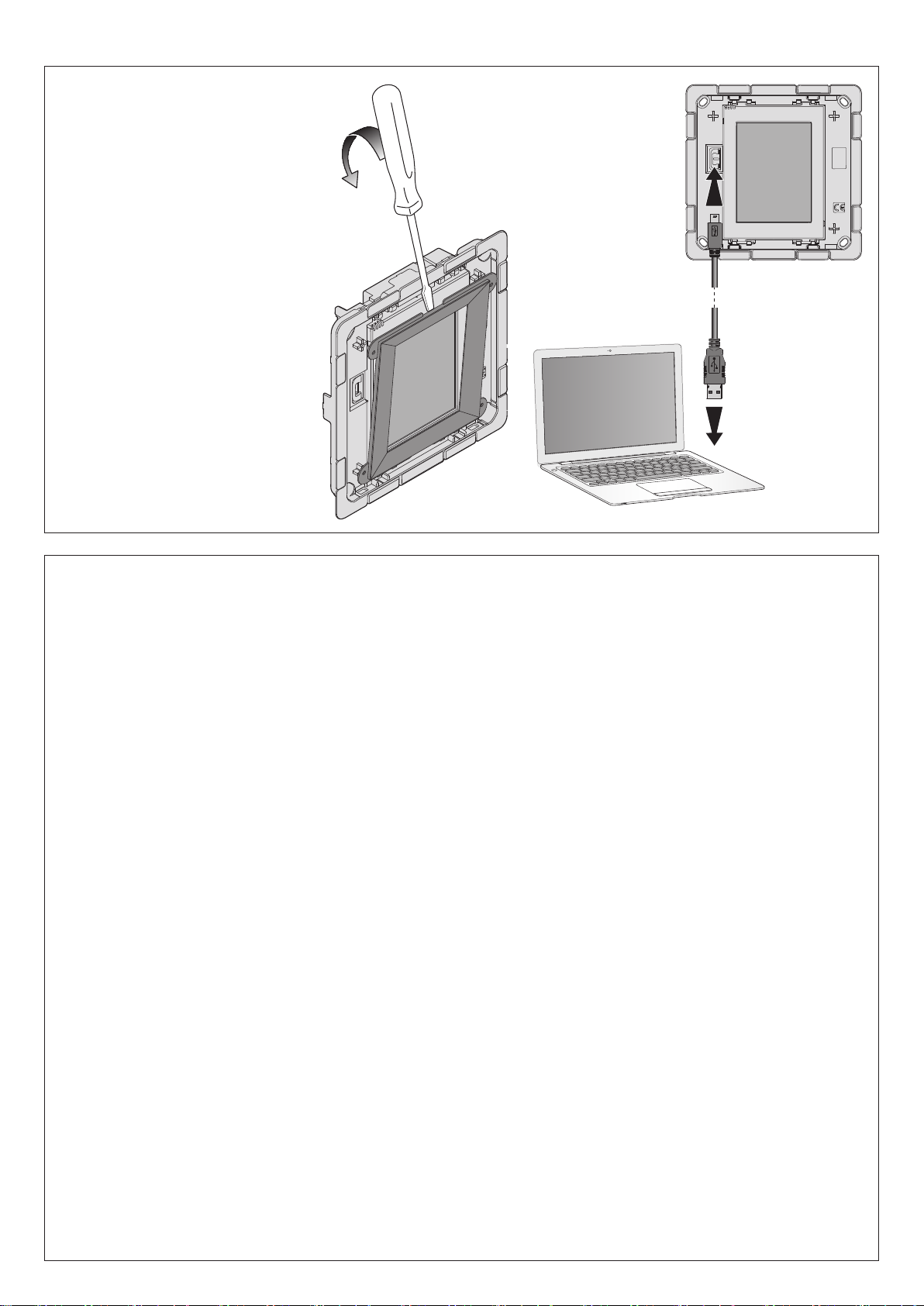
USB - mini USB
• Collegamento al Personal computer AM4890 - LN4890 - LN4890A - H4890
• Connection to the Personal computer AM4890 - LN4890 - LN4890A - H4890
• Raccordement à l’Ordinateur Personnel AM4890 - LN4890 - LN4890A - H4890
• PC-Anschluss AM4890 - LN4890 - LN4890A - H4890
• Conexión al PC AM4890 - LN4890 - LN4890A - H4890
• Aansluiting op een Personal computer AM4890 - LN4890 - LN4890A - H4890
• Conexão ao Personal computer AM4890 - LN4890 - LN4890A - H4890
• Podłączenie do komputera osobistego AM4890 - LN4890 - LN4890A - H4890
506E (AM4890 - LN4890 - LN4890A - H4890)
528W (HW4890)
• Σύνδεση στον Προσωπικό Υπολογιστή AM4890 - LN4890 - LN4890A - H4890
•
Соединение с персональным компьютером AM4890 - LN4890 - LN4890A - H4890
• AM4890 - LN4890 - LN4890A - H4890 Kişisel Bilgisayara bağlantı
• Csatlakoztatás AM4890 - LN4890 - LN4890A - H4890 személyi számítógéphez
• 連接電腦 AM4890 - LN4890 - LN4890A - H4890
• 连接电脑 AM4890 - LN4890 - LN4890A - H4890
• Εγκατάσταση
• Установка
• Kurma
• Telepítés
• 安裝
• 安装
•

•
AM4890 - LN4890 - LN4890A - H4890
2
Dati tecnici
• Alimentazione: da BUS
• Assorbimento: 80 mA (max)
• Temperatura di funzionamento: 0°C - 40°C
Avvertenze
• Rimuovere dal display la supercie protettiva prima dell’uso
• Per pulire non utilizzare solventi, materiale abrasivi o corrosivi
Technical data
• Power supply: from BUS
• Absorption: 80 mA (max.)
• Operating temperature: 0°C - 40°C
Warnings
• Remove the protective surface from the display before use
• Do not use solvents or abrasive or corrosive materials to clean
Caractéristiques techniques
• Alimentation: sur BUS
• Absorption: 80 mA (max.)
• Température d’exercice: 0°C - 40°C
Avertissements
• Retirer de l’acheur la pellicule protectrice avant l’utilisation
• Pour nettoyer, n’utiliser ni solvants, ni produits abrasifs ou corrosifs
Technische Daten
• Speisung: über BUS
• Stromabsorption: 80 mA (max.)
• Betriebstemperatur: 0°C - 40°C
Hinweis
• Vor dem Gebrauch die Schutzfolie vom Display abziehen
• Nicht mit Lösungsmitteln, Scheuermitteln oder ätzenden Flüssigkeiten reinigen
Datos técnicos
• Alimentación: desde el BUS
• Consumo: 80 mA (máx)
• Temperatura de funcionamiento: 0°C - 40°C
Advertencias
• Extraiga de la pantalla la película protectora antes de utilizar.
• Para limpiar la pantalla, no utilice disolventes, materiales abrasivos o corrosivos
Technische eigenschappen
• Voeding: door BUS
• Stroomopname: 80 mA (max.)
• Bedrijfstemperatuur: 0°C - 40°C
Waarschuwingen
• Voor het gebruik de beschermfolie van de display afnemen.
• Niet schoonmaken met oplosmiddelen, schurende of bijtende producten
Dados técnicos
• Fonte de alimentação: de BUS
• Absorção: 80 mA (máx.)
• Temperatura de funcionamento: 0°C - 40°C
Advertências
• Remova do display a superfície de protecção antes de usar
• Para limpar não utilize solventes, materiais abrasivos ou corrosivos
Dane techniczne
• Zasilanie: z magistrali
• Pobór mocy: 80 mA (maks.)
• Temperatura pracy: 0°C - 40°C
Ostrzeżenia
• Przed użyciem usunąć z wyświetlacza folię ochronną
• Nie używać do czyszczenia rozpuszczalników, materiałów ściernych lub agresywnych.
• Collegamento al Personal computer HW4890
• Connection to the Personal computer HW4890
• Raccordement à l’Ordinateur Personnel HW4890
• PC-Anschluss HW4890
• Conexión al PC HW4890
• Aansluiting op een Personal computer HW4890
• Conexão ao Personal computer HW4890
• Podłączenie do komputera osobistego HW4890
• Σύνδεση στον Προσωπικό Υπολογιστή HW4890
• Соединение с персональным компьютером HW4890
• HW4890 Kişisel Bilgisayara bağlantı
• Csatlakoztatás HW4890 személyi számítógéphez
• 連接電腦 HW4890
• 连接电脑 HW4890
1
USB - mini USB
2
Τεχνικά στοιχεία
• Τροφοδοσία από BUS
• Απορρόφηση: 80 mA (μέγ.)
• Θερμοκρασία λειτουργίας: 0°C - 40°C
Προειδοποιήσεις
• Αφαιρείτε την προστατευτική επιφάνεια από το display πριν τη χρήση
• Για να καθαρίσετε μην χρησιμοποιείτε διαλυτικά, λειαντικά ή διαβρωτικά υλικά
Технические характеристики
• Питание: от шины
• Потребление: 80 мА (макс.)
• Рабочая температура: 0°C - 40°C
Предупреждения
• Перед началом эксплуатации удалить с дисплея защитную поверхность
•
Не использовать для очистки растворители, абразивные или коррозионные материалы
Teknik Veriler
• Besleme: BUS’dan
• Emme: 80 mA (max)
• Çalışma Sıcaklığı:0°C - 40°C
Uyarılar
• Kullanımdan önce koruyucu yüzeyi ekrandan çıkarınız
• Temizlik için solvent, aşındırıcı veya korozif materyal kullanmayınız.
Műszaki adatok
• Táp: BUS
• Teljesítményfelvétel: 80 mA (max)
• Üzemi hőmérséklet: 0°C - 40°C
Tudnivalók
• Használat előtt vegye le a kijelző védőborítását
• Tisztításhoz oldószerek, dörzshatású anyagok vagy maró hatású szerek használata tilos
技術資料
• 電源:自匯流排
• 吸收電流:80 mA (最大)
• 工作溫度:0°C - 40°C
注意
• 在使用前去掉螢幕的保護膜
• 清潔時不要使用溶劑、磨蝕或腐蝕材料
技术数据
• 电源:自总线
• 吸收电流:80 mA (最大)
• 工作温度:0°C - 40°C
注意
• 在使用前去掉屏幕的保护膜
• 清洁时不要使用溶剂、磨蚀或腐蚀材料
•
HW4890

»BUS«
80
40 –0



•
•
•
•
•