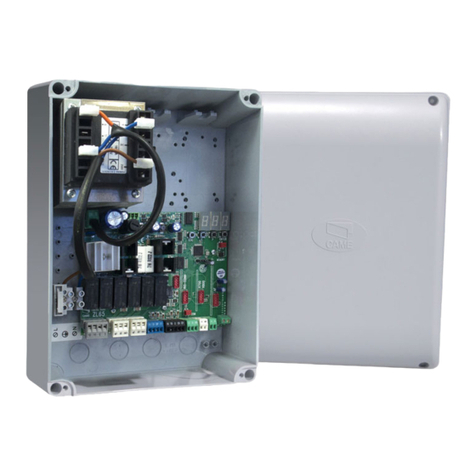
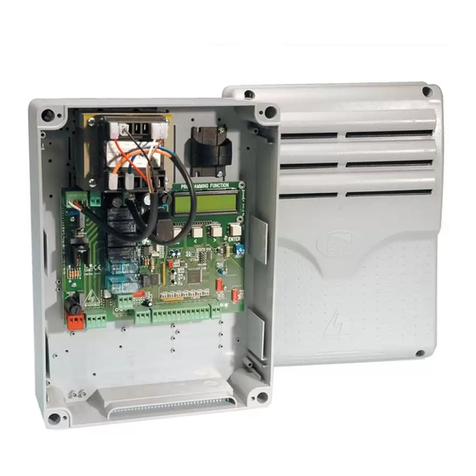
manuals.online logo
Brands
  1. Home
  2. •
  3. Brands
  4. •
  5. CAME
  6. •
  7. Control Panel
  8. •
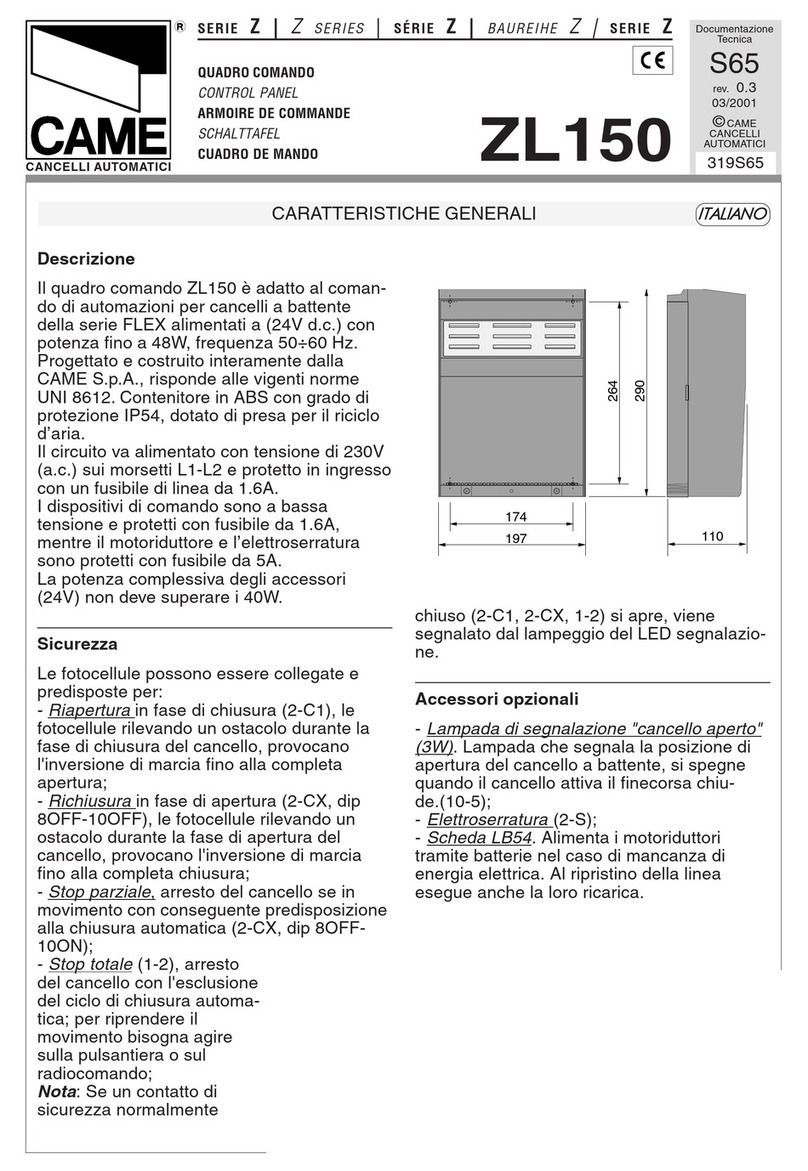
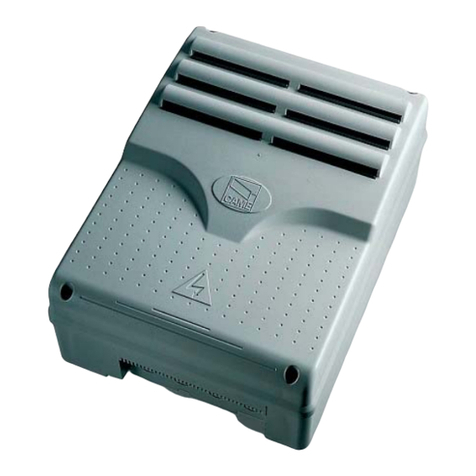
  9. CAME ZLJ14 User manual

CAME ZLJ14 User manual

Other manuals for ZLJ14

2

Other CAME Control Panel manuals

CAME ZM3E User manual

CAME

CAME ZM3E User manual

CAME ZM3ES User manual

CAME

CAME ZM3ES User manual

CAME ZM3E User manual

CAME

CAME ZM3E User manual

CAME Z Series User manual

CAME

CAME Z Series User manual

CAME ZL60 User manual

CAME

CAME ZL60 User manual

CAME ZT6 User manual

CAME

CAME ZT6 User manual

CAME Z Series User manual

CAME

CAME Z Series User manual

CAME ZE5 User manual

CAME

CAME ZE5 User manual

CAME Z Series User manual

CAME

CAME Z Series User manual

CAME zl92 User manual

CAME

CAME zl92 User manual

CAME Z Series User manual

CAME

CAME Z Series User manual

CAME ZLJ24 User manual

CAME

CAME ZLJ24 User manual

CAME Z Series User manual

CAME

CAME Z Series User manual

CAME ZM3E User manual

CAME

CAME ZM3E User manual

CAME Z Series User manual

CAME

CAME Z Series User manual

CAME 9T90EN User manual

CAME

CAME 9T90EN User manual

CAME ZL65 User manual

CAME

CAME ZL65 User manual

CAME ZC3C User manual

CAME

CAME ZC3C User manual

CAME Z Series User manual

CAME

CAME Z Series User manual

CAME ZA3P User manual

CAME

CAME ZA3P User manual

CAME Z 24 Series ZL170N User manual

CAME

CAME Z 24 Series ZL170N User manual

CAME ZLB24SA User manual

CAME

CAME ZLB24SA User manual

CAME ZM3E User manual

CAME

CAME ZM3E User manual

CAME Z Series User manual

CAME

CAME Z Series User manual

Popular Control Panel manuals by other brands

GENEVO PRiMA 6 installation manual

GENEVO

GENEVO PRiMA 6 installation manual

NAPCO X 255 - Programming instructions

NAPCO

NAPCO X 255 - Programming instructions

Next Systems UNIR1 230 instruction manual

Next Systems

Next Systems UNIR1 230 instruction manual

HORNER HE-XPW1E0 user manual

HORNER

HORNER HE-XPW1E0 user manual

DSC CLASSIC PC1555 instruction manual

DSC

DSC CLASSIC PC1555 instruction manual

Bosch Solution 2000 installation guide

Bosch

Bosch Solution 2000 installation guide

VRinsight MS Panel user manual

VRinsight

VRinsight MS Panel user manual

Zeiss SYCOP 3 Quick reference guide

Zeiss

Zeiss SYCOP 3 Quick reference guide

HULTSTEINS ECOFRIDGE DISPLAY user manual

HULTSTEINS

HULTSTEINS ECOFRIDGE DISPLAY user manual

Elkron C420 Programming manual

Elkron

Elkron C420 Programming manual

GST GST200-2 Installation and operation manual

GST

GST GST200-2 Installation and operation manual

Efka Variocontrol V810 instruction manual

Efka

Efka Variocontrol V810 instruction manual

RDZ PC-HRX user manual

RDZ

RDZ PC-HRX user manual

STG-BEIKIRCH MZ3 operation instruction

STG-BEIKIRCH

STG-BEIKIRCH MZ3 operation instruction

AMX AutoPatch CP-15 instruction manual

AMX

AMX AutoPatch CP-15 instruction manual

Cebora 208-10 instruction manual

Cebora

Cebora 208-10 instruction manual

Satel CA-6 KLED-S user manual

Satel

Satel CA-6 KLED-S user manual

Evolution IQ plus 800 installation manual

Evolution

Evolution IQ plus 800 installation manual

manuals.online logo
manuals.online logoBrands
  • About & Mission
  • Contact us
  • Privacy Policy
  • Terms and Conditions

Copyright 2025 Manuals.Online. All Rights Reserved.

INSTALLATION MANUAL
ZLJ14
CONTROL PANEL
FOR 24 V GEARMOTORS
FA00044-EN
E
ng
li
s
h
E
N


  

p.
2
2- Manual code:
FA00044-EN
FA00044-EN v.
1
1- 03/2016 - © Came S.p.A. - The manual's contents may be edited at any time without notice.
LEGEND
This symbol shows which parts to read carefully.
⚠This symbol shows which parts describe safety issues
☞This symbol shows which parts to tell users about.
REFERENCE REGULATIONS
The product complies to the reference regulations in effect.
DESCRIPTION
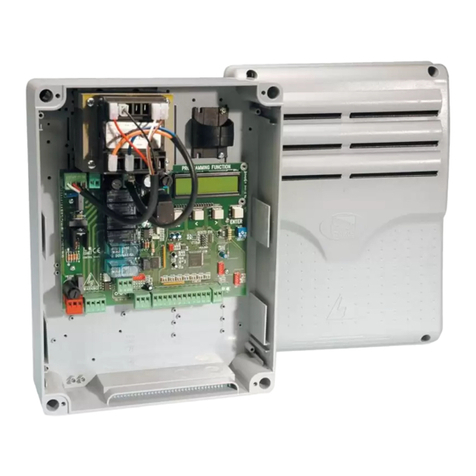
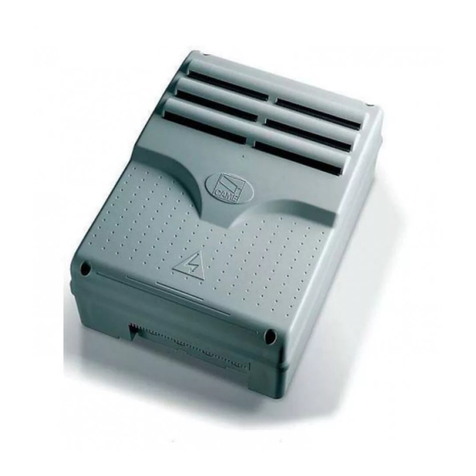
Multi-function control pane for one-swing-leaf gates, with graphic programming-and-alert-display plus self-diagnosing of safety devices.
The functions on the input and output contacts, the time settings and user management, are set and viewed on the graphic display.
All connections are quick-fuse protected.
Technical data
Type ZLJ14
Protection rating (IP) 54
Power supply (V - 50/60 Hz) 230 AC
Maximum power (W) 250
Maximum power of the 24 V (W) accessories 50
Stand-by consumption (W) 5
Operating temperature (°C) -20 ÷ +55
Items ABS
Apparatus class II
Dimensions (mm)
Fuses ZLJ14
- Line 1.6 A-F
- Card 630 mA-F
- Accessories 2 A-F
- Motor 10 A - 250 V Ø 6.3x22 UFG632310
(Spare parts code 119RIR316)
- Electrolock 3.15 A-F
Any installation and/or use other than that specified in this manual is forbidden.
Intended use
Control panel Gearmotor
ZLJ14 AMICO - AXO - F4000 - FAST - FERNI - FROG - FROG J - MYTO
IMPORTANT SAFETY INSTRUCTIONS WHEN INSTALLING
WARNING! IMPROPER INSTALLATION MAY RESULT IN SERIOUS DAMAGE, FOLLOW ALL INSTALLATION INSTRUCTIONS
THIS MANUAL IS EXCLUSIVELY INTENDED FOR PROFESSIONAL, SKILLED STAFF
26V
0V
17V
0
230V
120V=3,15A-F
230V=1,6A-F
L N
24 12 0L1T L2T
+ E -M N ENC B1 B22 FA FC S1 GND
10 11 TS E E3 ES 1 2 3 3P 4 5 7 CX CY CZ
1
2
5
3
4
6
7
8
9
101112
13
14
1516
17
19
18
20
21
p.
3
3- Manual code:
FA00044-EN
FA00044-EN v.
1
1- 03/2016 - © Came S.p.A. - The manual's contents may be edited at any time without notice.
GENERAL INSTRUCTIONS FOR INSTALLING
⚠Only skilled, qualified staff must install this product.
⚠Before working on the control panel, cut off the main current supply and, if present, remove any batteries.
Preliminary checks
⚠Before installing the control panel it is necessary to:
• make sure that the point where the control panel is fastened is protected from any impacts and that the anchoring surface is solid enough, and
that proper tools are used (that is, screws, anchors, and so on); • make sure you have set up a suitable dual pole cut off device along the power
supply that is compliant with the installation rules. It should completely cut off the power supply according to category III surcharge conditions
(that is, with minimum contact openings of 3 mm);
•Make sure that any connections inside the container (ones that ensure continuity to the protection circuit) are fitted with additional insulation
with respect to those of other electrical parts inside.
Description of parts
1. Transformer
2. Power supply on warning LED
3. Display
4. Memory roll board connector
5. Programming buttons
6. Programming warning LED
7. Display brightness adjusting trimmer
8. Connector for the R700 card
9. AF card connector
10. Antenna terminal
11. Terminals for transponder
12. Endstop terminals
13. Terminals for control and safety devices
14. Encoder terminals
15. Terminals for gearmotors
16. Power supply terminals
17. Line fuse
18. Control-board fuse
19. Electric-lock fuse
20. Motor fuse
21. Accessories fuse
Tools and materials
Make sure you have all the tools and materials you will need for installing in total safety and in compliance with applicable regulations. The figure
shows some of the equipment installers will need.


15 mm~
p.
4
4- Manual code:
FA00044-EN
FA00044-EN v.
1
1- 03/2016 - © Came S.p.A. - The manual's contents may be edited at any time without notice.
slide to rotate
Snap the cover onto the hinges. Close it and secure it using the supplied screws.
After performing the settings and adjustments, fasten the cover using the supplied screws.
Assemble the pressure hinges.
Fit the hinges into the box (either on the right or left) and fasten them using the supplied screws and washers.
Fasten the control panel in a protected area using suitable screws. anchors and braces.
Drill through the pre-perforated holes and fit the cable gland with corrugated pipes for passing through the electric cables.
Pre-perforated hole diameter: 20 mm.
INSTALLATION
Cable types and minimum thicknesses
Connection Cable type Cable length
1 < 15 m
Cable length
15 < 30 m
230 V AC power-supply to control panel H05RN-F 3G x 1.5 mm23G x 2.5 mm2
Encoder gearmotor power supply*
FROR CEI 20-22
CEI EN
50267-2-1
3 x 1.5 mm23 x 2.5 mm2
Power supply to gearmotor** 2 x 1.5 mm22 x 2.5 mm2
Flashing light 2 x 0.5 mm2
Photocell transmitters 2 x 0.5 mm2
Photocell receivers 4 x 0.5 mm2
Command and safety device 2 x 0.5 mm2
Endstop*** 3 x 1.5 mm2
Antenna the RG58 antenna max 10 m
Encoder**** 2402C 22AWG max 30 m
* AXO ** FROG-A24, F4024, F1024, FROG-A24E, F7024E *** FROG-A24, F4024, F1024 **** FROG-A24E, F7024E, F4024E
If cable lengths dier from those specified in the table, establish the cable sections depending on the actual power draw of the connected
devices and according to the provisions of regulation CEI EN 60204-1.
For multiple, sequential loads along the same line, the dimensions on the table need to be recalculated according to the actual power draw and
distances. For connecting products that are not contemplated in this manual, see the literature accompanying said products
MNENC +E-
MNENC 2FAFC
L" "
N
M
FC
FA
F
M
N
+
E
-
E
N
M
+ -
p.
5
5- Manual code:
FA00044-EN
FA00044-EN v.
1
1- 03/2016 - © Came S.p.A. - The manual's contents may be edited at any time without notice.
230 V AC - 50/60 Hz
Electric-lock connection
rated at 12 V - 15 W max
Possible output of the
second radio-receiver
channel (NO contact).
Contact rated for:
500 mA - 24 V DC.
Power supply to accessories
Terminals for powering the 24 V AC/DC
accessories Maximum power: 50 W
24 V DC gearmotor
Connecting the encoder gearmotors
ELECTRICAL CONNECTIONS
Connecting the gearmotors with endstops
24 V DC gearmotor
Brown
Green
White
B1 B22 FA FC S1 GND
X
CY CZ
X C
CY
CAME
ACCESS CONT ROL
R700
AF
p.
6
6- Manual code:
FA00044-EN
FA00044-EN v.
1
1- 03/2016 - © Came S.p.A. - The manual's contents may be edited at any time without notice.
Command and control devices
Stop button (NC contact). For stopping the gate leaves while excluding
automatic closing. To resume movement press the control button or
use another control device.
If unused, select [Disabled] from the [Total Stop] in the
[FUNCTIONS].
PARTIAL OPENING feature from command device (NO
contact).
See the [Partial open] function, for opening times in the
[SET TIMES] menu.
OPEN ONLY function from control device with NO
contact.
OPEN-STOP-CLOSE-STOP sequential function /
OPEN-CLOSE-INVERT step-step from a control
device (NO contact).
See the [2-7 command] in the [FUNCTIONS].
ONLY CLOSE function from control device (NO
contact).
Command and control devices
Antenna with RG58 cable
Transponder or
card reader
Red
Black
Fit the R700 decoding card for recognition of the TSP00
sensor or the LT001 card reader.
⚠Before fitting any snap-in cards (such as the AF or R700), YOU MUST CUT OFF THE POWER MAINS, and disconnect the power
mains.
Fit the AF card to control the operator
via transmitter.
RX TX
CAME
RX TX
./ #.#

DFW
DIR DELTA-S
DELTA
p.
7
7- Manual code:
FA00044-EN
FA00044-EN v.
1
1- 03/2016 - © Came S.p.A. - The manual's contents may be edited at any time without notice.
Signaling devices
Gate open warning light (Contact rated for:
24 V - 3 W max).
To warn that the gate is open.
It switches o when the gate is closed.
Signaling devices
Flashing light or cycle light
(contact rated for: 24 V - 25 W max).
Flashing light: it flashes during the gate's opening and
closing phases.
Cycle light: it stays on from the moment the leaf starts
opening until it again closes completely (including the
automatic-closing time)
See the [Light E] in the [FUNCTIONS].
Photocells
Configure contact CX, CY or CZ (NC), input for EN 12978
safety devices like photocells.
See [CX input],[CY input] or [CZ input].
- C1 reopening during closing. When the leaf is closing,
opening the contact causes the leaf to invert its direction of
movement until it is completely open;
- C2 closing during opening. When the leaf is opening ,
opening the contact causes the leaf to invert its direction of
movement until it is completely closed;
- C3 partial stop. Leaf stops, if it is moving, and sets up for
automatic closing (if the automatic closing function has been
activated;
- C4 obstruction wait. Leaf stops, if it is moving, and starts
back again once the obstruction is removed.
If unused, contacts CX, CY and CZ should be disabled
during programming.
Safety devices
Sensitive Safety Edges
Configure contact CX, CY or CZ (NC), input for EN 12978
safety devices such as sensitive safety-edges.
See [CX input],[CY input] or [CZ input].
- C7 reopening during closing. When the leaf is closing,
opening the contact causes the leaf to invert its direction
of movement until it is completely open;
- C8 reclosing during opening. When the leaf is opening,
opening the contact, causes it to invert its movement
until it is completely closed.
If unused, contacts CX, CY and CZ should be
disabled during programming.
DFW with control
board of the DFI
connections
Courtesy light (contact rated for: 24 V - 25 W max).
Auxiliary connection of an outdoor light which can be positioned
where you like, to increase lighting in the driveway/parking area.
It stays on for a settable time.
See the [Courtesy Time] function in the [SET TIMES] menu.

DELTA
DIR /
DELTA S
N.O.
N.C.
C.
+-+-
FUSIBILE 200mA
TX 2
TX 2
10 2 TX C
-
+ -
NC
+ -
p.
8
8- Manual code:
FA00044-EN
FA00044-EN v.
1
1- 03/2016 - © Came S.p.A. - The manual's contents may be edited at any time without notice.
Connecting the safety devices (i.e. the safety test)
At each opening or closing command, the card checks the efficiency of the safety devices, such as photocells). Any anomalies will inhibit all
commands.
Select from the [Safety Test] which of inputs CX, CY or CZ to turn on.
{
{
{
{
p.
9
9- Manual code:
FA00044-EN
FA00044-EN v.
1
1- 03/2016 - © Came S.p.A. - The manual's contents may be edited at any time without notice.
PROGRAMMING
The ENTER key is for:
- entering menus;
- confirming or memorizing set values.
The ESC button is for:
- exiting menus;
- cancelling changes.
The < > keys are for:
- moving from one item to another;
- increasing or decreasing values.
the <-----> signs on the display are for:
- showing the currently selected item
PROGRAMMING
Description of programming commands
To enter the menu, keep the ENTER
button pressed for at least one
second.
To select menu items,
use the arrow keys ...
.. then press ENTER
also for the submenus,
use the arrow keys to
select ...
If the < > arrows are set to the
[Cycle time], you may edit their
value.
To increase or reduce the value
use the arrows...
... the press ENTER to confirm ...
... to exit the menu wait 30
seconds, or press ESC, until the
start up screen appears.
.. then press ENTER
< TIMING ADJ >
LANGUAGE
< English >
FUNCTIONS
Imp. Run
< A.C.T. >
< Cycle Time >
90s.
Cycle Time
< 90s. >
Cycle Time
< 100s. >
p.
10
10 - Manual code:
FA00044-EN
FA00044-EN v.
1
1- 03/2016 - © Came S.p.A. - The manual's contents may be edited at any time without notice.
[LANGUAGE] Default
[Italiano] / [English] / [Français] / [Deutsch] / [Español] / [Portugues euro]/[Portugues bras]
English
[FUNCTIONS] Default
[Auto Close] [Disabled] / [Enabled] [Enabled]
[Maint Action] [Disabled] / [Enabled] / [Closing] [Disabled]
[Obstruc Detct] [Disabled] / [Enabled] [Disabled]
[Safety Test] [Disabled] / [CX] / [CY] / [CZ] / [CX+CY] / [CX+CZ] / [CY+CZ] / [CX+CY+CZ] [Disabled]
[Preflashing] [Disabled] / [Enabled] [Disabled]
[Ram Jolt] [Disabled] / [Closing] / [Opening] / [Open-Close] [Disabled]
[Total Stop] [Disabled] / [Enabled] [Enabled]
[CX input] [Disabled] / [C1] / [C2] / [C2] / [C4] / [C7] / [C8] [C1]
[CY input] [Disabled] / [C1] / [C2] / [C2] / [C4] / [C7] / [C8] [C3]
[CZ input] [Disabled] / [C1] / [C2] / [C2] / [C4] / [C7] / [C8] [C2]
[Closing thrust] [Disabled] / [Enabled] [Disabled]
[Lock] [Disabled] / [Closing] / [Opening] / [Open-Close] [Closing]
[LockType] [Pulsed]/[Continuous] [Pulsed]
[Config] [Time Lmt Swtch] / [End Stop] / [Slow Down] / [Op LS-Cl Sl Dn] / [ENCODER] [ENCODER]
[End Stop] [N.C. / N.O.] [N.C.]
[2-7 command] [Open-Close] / [Opn Stp Clse] [Open-Close]
[Light E] [Flashing light] / [Courtesy] / [Cycle] [Flashing light]
[B1-B2 output] [Bistable] / [Monostable] [Monostable]
[IMP.TRAVEL] Default
[Motor type] [FROG-F4024E] / [FROG J] / [FROG-FL] / [AMICO] / [MYTO] / [AXO] / [FAST] / [FERNI] [FROG-F4024E]
[Travel rate %] [20%]
⇨
[100%] [100%]
[Slow dwn speed] [5%]
⇨
[80%] [50%]
[SoftStart] [Enabled]/[Disabled] [Disabled]
[Amper. Sens.]* [Enabled] / [Disabled] [Enabled]
[Travelsens]* [
-󱾀󱾀󱾀󱾀󱾀󱾀󱽾󱽾󱽾󱽾󱽾◦+
]
[Slow downtime]** [0 s]
⇨
[30s] [20s]
*This function does not appear if [ENCODER] from the [Config].
**This function only appears if [Slow Down]or [Op LS-Cl Sl Dn] from the [Config].
Menu map
Meaning of the menu items abbreviations
[Travel sens] Gate Run Sensibility
[Partial open
]
Partial Opening
[Maint Action] Maintained Action
[Auto Close] Automatic Closing
[Config
]
Configuration
[Assoc Function] Associated Function
[Set Travel] Set gate-leaf Travel
[
Open Accel]
Opening Soft-Stop as a percentage
[Close
Accel]
Closing Soft-Stop as a percentage
[
Opn Slw Dwn]
Opening Slow Down as a percentage
[Cls
Slw Dwn]
Closing Slow Down as a percentage
[Change Code
]
Mod. name
[Start message
]
Starting message
[Soft Start] Slowed-down Start
[Enc Slow Down] Opening and closing slow-downs with ENCODER
[Obstruc Detct
]
Obstruction Detection
[Delete user
]
Remove User
[Amper. Sens.] Amperometric Sensitivity
[Travel sens] Travel Sensitivity
[Slw Dwn sens] Sensitivity of Slow Downs
[Closing thrust] Closing thrust
[Ram jolt
time]
Ram-jolt Time
[Preflash time] Preflashing Time
[Slow down
time]
Slow-down Time
[Lock time] Lock Time
[ACT] Automatic Closing Time
[
PartialACT]
Partial Automatic Closing Time
[Slow dwn s
peed]
Slow-down Speed
[Travel rate %] Gate-leaf Travel Speed