EnglishDeutsch
 logo
Brands
  1. Home
  2. •
  3. Brands
  4. •
  5. Canon
  6. •
  7. Toy
  8. •
  9. Canon Paper Craft Special Vehicle 01 Series User manual

Canon Paper Craft Special Vehicle 01 Series User manual

This manual suits for next models

1

Other Canon Toy manuals

Canon Creative Park Halloween Wreath User manual
Canon

Canon Creative Park Halloween Wreath User manual

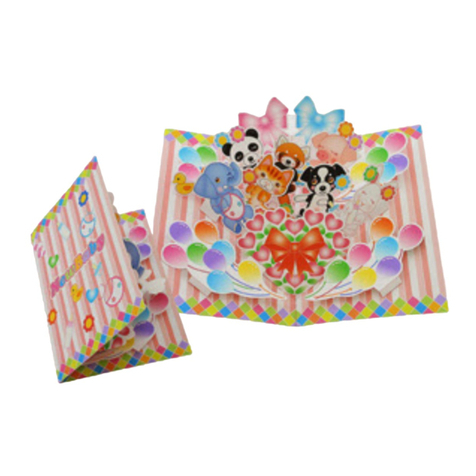
Canon CREATIVE PARK Pop-up Card User manual

Canon

Canon CREATIVE PARK Pop-up Card User manual

Canon CREATIVE PARK Lion Dance User manual

Canon

Canon CREATIVE PARK Lion Dance User manual

Canon PAPER CRAFT Pop-up Card Birdcage User manual
Canon

Canon PAPER CRAFT Pop-up Card Birdcage User manual

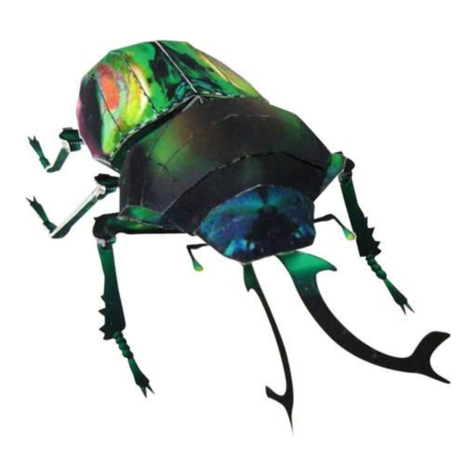
Canon PAPER CRAFT Rainbow beetle User manual

Canon

Canon PAPER CRAFT Rainbow beetle User manual

Canon Creative Park Crocodile User manual

Canon

Canon Creative Park Crocodile User manual

Canon Sidewheeler Configuration guide

Canon

Canon Sidewheeler Configuration guide

Canon Creative Park JAGUAR XKR User manual

Canon

Canon Creative Park JAGUAR XKR User manual

Canon Creative Park Football Money Box Quick start guide

Canon

Canon Creative Park Football Money Box Quick start guide

Canon Creative Park Ships of the world Esmeralda User manual

Canon

Canon Creative Park Ships of the world Esmeralda User manual

Canon Creative Park Cube Perpetual Calendar Monkey User manual

Canon

Canon Creative Park Cube Perpetual Calendar Monkey User manual

Canon CREATIVE PARK Yajirobe User manual
Canon

Canon CREATIVE PARK Yajirobe User manual

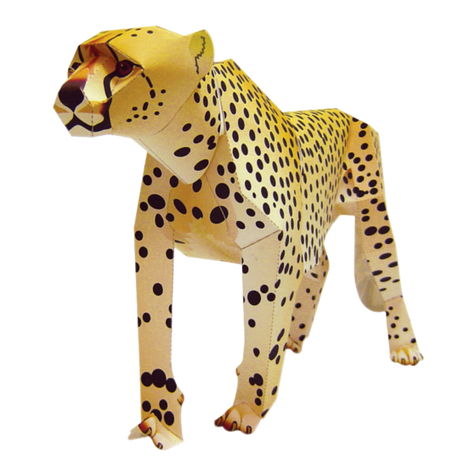
Canon Paper Craft Cheetah User manual

Canon

Canon Paper Craft Cheetah User manual

Canon MANEKI NEKO User manual

Canon

Canon MANEKI NEKO User manual
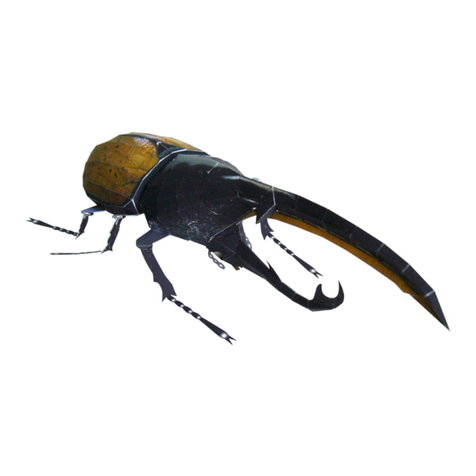
Canon Paper Craft Hercules Beetle User manual

Canon

Canon Paper Craft Hercules Beetle User manual

Canon Creative Park 3D Decoupage St. Patrick's... Quick start guide

Canon

Canon Creative Park 3D Decoupage St. Patrick's... Quick start guide

Canon Creative Park Toy Poodle User manual
Canon

Canon Creative Park Toy Poodle User manual

Canon CREATIVE PERK Elastic-powered Bus : Pattern User manual

Canon

Canon CREATIVE PERK Elastic-powered Bus : Pattern User manual

Canon CREATIVE PARK Five-storied pagoda of Horvuji Temple,... User manual

Canon

Canon CREATIVE PARK Five-storied pagoda of Horvuji Temple,... User manual

Canon CREATIVE PARK New Baby User manual
Canon

Canon CREATIVE PARK New Baby User manual

Canon Paper Craft Catcher Instruction manual

Canon

Canon Paper Craft Catcher Instruction manual

Canon CREATIVE PARK Reindeer User manual

Canon

Canon CREATIVE PARK Reindeer User manual

Canon Creative Park Budgerigar User manual

Canon

Canon Creative Park Budgerigar User manual

Canon PAPER CRAFT Moving Tiger through o ring of... User manual

Canon

Canon PAPER CRAFT Moving Tiger through o ring of... User manual

Popular Toy manuals by other brands

marklin 37321 instruction manual

marklin

marklin 37321 instruction manual

GREAT PLANES Pitts M-12S instruction manual

GREAT PLANES

GREAT PLANES Pitts M-12S instruction manual

NOCH 14261 manual

NOCH

NOCH 14261 manual

Hausler 450 SE V2 quick start

Hausler

Hausler 450 SE V2 quick start

Dynaflite Daydream instruction manual

Dynaflite

Dynaflite Daydream instruction manual

Kenner Batman 63651 instructions

Kenner

Kenner Batman 63651 instructions

LEGO 8527 instructions

LEGO

LEGO 8527 instructions

Multiplex EasyStar II Building instructions

Multiplex

Multiplex EasyStar II Building instructions

iKarus ECO 8 Assembly instruction

iKarus

iKarus ECO 8 Assembly instruction

Walkera 38 User handbook

Walkera

Walkera 38 User handbook

Hasbro TRANSFORMERS BUMBLEBEE manual

Hasbro

Hasbro TRANSFORMERS BUMBLEBEE manual

MD MXION SWD user manual

MD

MD MXION SWD user manual

Mattel Disney Pixar Cars Cozy Cone Spiral Rampway instructions

Mattel

Mattel Disney Pixar Cars Cozy Cone Spiral Rampway instructions

marklin 39671 user manual

marklin

marklin 39671 user manual

LEGO TECHNIC 8735 instructions

LEGO

LEGO TECHNIC 8735 instructions

Mattel HOTWHEELS DWL04 instructions

Mattel

Mattel HOTWHEELS DWL04 instructions

REVELL Bristol Beaufighter TF.X Assembly manual

REVELL

REVELL Bristol Beaufighter TF.X Assembly manual

Ravensburger 3D Puzzle La Tour Eiffel manual

Ravensburger

Ravensburger 3D Puzzle La Tour Eiffel manual

https://manuals.online logo
https://manuals.online logoBrands
  • About & Mission
  • Contact us
  • Privacy Policy
  • Terms and Conditions

Copyright 2026 Manuals.Online. All Rights Reserved.

Special Vehicle Series :01
Assembly
Instructions
Wheel Loader
http://www.canon.com/c-park/en/
View of completed model
* This model was designed for Papercraft and
may differ from the original in some respects.
Tools Assembly tip
Key to symbols
Scissors
Ruler, set square
Glue (Wood glue or craft glue recommend)
Exhausted ballpoint pen (out of ink)
Toothpicks (for use in applying glue)
Tweezers (useful for handling small parts)
Pencil
Write the number of each part on the reverse side of the part in pencil
upon cutting it out, to be sure you can tell which part is which later.
Before gluing, crease the paper along
mountain and valley fold lines. Trace along
the folds with a ruler and an exhausted
ballpoint pen (out of ink) to get a sharper fold.
Make sure rounded sections are nice and stiff.
Pattern
Red dot
Green dot
Blue dot
Assembly instructions
Solid line
Dashed and
dotted line
Dotted line
Solid red line
Diagonal
grey lines
Mountain fold
Fold so that the printed
pattern faces outside.
Fold so that the printed
pattern faces inside.
Valley fold
Cut parts out
along this line.
Cut a notch
along this line.
Cut these areas
out.
The dots show where to glue
the pieces together. Glue the
pieces together as shown in the
following examples.
Some parts must be glued
together along the cut surfaces.
Glue parts with the same
number together. (Numbers are
not printed on very small parts.)
Glue areas within the same
part together.
Glue to the reverse side of the
specified part.
This denotes a part
that must be able to
move after the model
is completed. Be sure
to crease these parts
sufficiently.
Glue
Insert
Glue tab
Reverse side of
paper
Movable part
(without gluing)
Red arrow
Blue arrow
Light blue
Light grey
Glue, scissors and other tools may be dangerous to young children
so be sure to keep them out of the reach of young children.
Assembly Instructions: Seven A4 sheets (No. 1 to No. 7)
Build this model with careful reference to the Assembly Instructions.
Assembly Instructions
Wheel Loader
Assemble the cab.
Glue flaps a and b in order. Use care to get the shape right
when assembling this part,
referring to the cross section
at right.
Cross section
Close this surface last and glue it in place.
Glue flaps a, b, and c in order.
Glue flaps a, b, c, d, and e
in order.
Leave an opening here. Shape this part before gluing it.
This is a moving part.
Do not glue it.
Glue flaps a, b, and c in order.
Glue to part G.
Use care to attach this part
in the right direction,
referring to the illustration.
Fold the left and right flaps
back and glue each in place.
Use care with the angles at which you glue parts
12 and 13 in place, to ensure the two parts are parallel.
Cross section
Cross section
Moving part
Moving part
Moving part
Fold down the sides, then bend
the center down along the curved
edges and glue it in place.
Apply a small amount of
glue to the cut surface of
the paper as well, and glue
this part in place along
with the shape of the
bucket. (The bucket does
not have any glue tabs.)
Glue the back sides of the paper
parts together, in numbered order.
Fold in the ends of parts 22 and
28 and then glue them in place.
Glue parts 17 and 18 to
the reverse side of the bucket.
Reverse side
Assembly Instructions
Wheel Loader
Glue flaps a and b in order.
Insert into the opening
in part F.
Referring to the cross section,
insert this part through the holes and
fix it in position at top and bottom.
Cross section
Overhead view
This is the joint between
the front and rear sections.
Assemble in the same way as part 31.
Assembly Instructions
Wheel Loader
Assembly Instructions
Wheel Loader
Assembly Instructions
Wheel Loader
Assemble the left wheels.
(The left and right tires have
different tread directions.)
Assemble the right wheels in the same way.
Cross section Cross section
Insert the axles into the body of the wheel loader
and glue the wheels in place, checking the direction
of the tread on the tires and taking care to attach
the left and right tires on their proper sides.
The wheels should spin freely.
Right front wheel
Right rear wheel
Left front wheel
Left rear wheel
Assembly Instructions
Wheel Loader
Apply glue to the cut surface of
the paper and glue this part to
the body of the wheel loader,
concealing the glue tabs. On parts with no glue tabs,
apply glue to the cut
surface of the paper.
Fold the shaft part in and glue these parts together.
After attaching them to the body of the wheel loader,
adjust the angle of the shaft so the headlight
points straight forward.
Finished!
Last, assemble the nameplate and
display it together with your model.