EnglishDeutsch
 logo
Brands
  1. Home
  2. •
  3. Brands
  4. •
  5. Crestron
  6. •
  7. Controllers
  8. •
  9. Crestron C3COM-3 User manual

Crestron C3COM-3 User manual

This manual suits for next models

4

Other Crestron Controllers manuals

Crestron 302 User manual

Crestron

Crestron 302 User manual

Crestron CLCI-MCEX User manual

Crestron

Crestron CLCI-MCEX User manual

Crestron MPC-M10 Installation and operating instructions

Crestron

Crestron MPC-M10 Installation and operating instructions

Crestron CLS-EXP-DIMFLV User manual

Crestron

Crestron CLS-EXP-DIMFLV User manual

Crestron IPAC User manual

Crestron

Crestron IPAC User manual

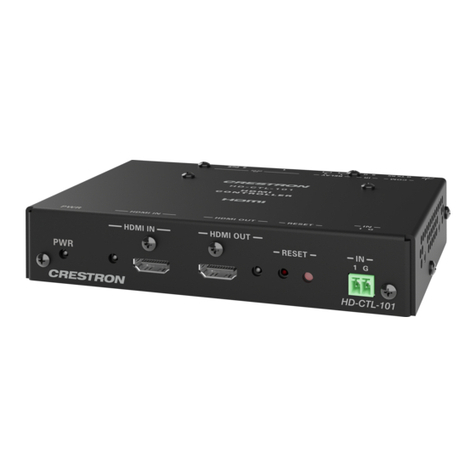
Crestron HD-CTL-101 User manual

Crestron

Crestron HD-CTL-101 User manual

Crestron ZUMMESH-JBOX Series User manual

Crestron

Crestron ZUMMESH-JBOX Series User manual

Crestron CP4-R User manual

Crestron

Crestron CP4-R User manual

Crestron MC2E User manual

Crestron

Crestron MC2E User manual

Crestron TSW-1050-FMKT User manual

Crestron

Crestron TSW-1050-FMKT User manual

Crestron C2N-SSC-2 How to use

Crestron

Crestron C2N-SSC-2 How to use

Crestron MPC-M10 How to use

Crestron

Crestron MPC-M10 How to use

Crestron MPC-M5 Dimensional drawing

Crestron

Crestron MPC-M5 Dimensional drawing

Crestron ZUMMESH-JBOX-20A-SW User manual

Crestron

Crestron ZUMMESH-JBOX-20A-SW User manual

Crestron QM-RMC User manual

Crestron

Crestron QM-RMC User manual

Crestron 3 Series User manual

Crestron

Crestron 3 Series User manual

Crestron 4K DigitalMedia 3-Series User manual

Crestron

Crestron 4K DigitalMedia 3-Series User manual

Crestron SP-SC User manual

Crestron

Crestron SP-SC User manual

Crestron DigitalMedia 8G+ DM-RMC-200-C Dimensional drawing

Crestron

Crestron DigitalMedia 8G+ DM-RMC-200-C Dimensional drawing

Crestron CNECI-4A User manual

Crestron

Crestron CNECI-4A User manual

Crestron MC2W Manual

Crestron

Crestron MC2W Manual

Crestron DigitalMedia DM-RMC-100-1 How to use

Crestron

Crestron DigitalMedia DM-RMC-100-1 How to use

Crestron 4 Series User manual

Crestron

Crestron 4 Series User manual

Crestron CGDMX-512BI How to use

Crestron

Crestron CGDMX-512BI How to use

Popular Controllers manuals by other brands

Digiplex DGP-848 Programming guide

Digiplex

Digiplex DGP-848 Programming guide

YASKAWA SGM series user manual

YASKAWA

YASKAWA SGM series user manual

Sinope Calypso RM3500ZB installation guide

Sinope

Sinope Calypso RM3500ZB installation guide

Isimet DLA Series Style 2 Installation, Operations, Start-up and Maintenance Instructions

Isimet

Isimet DLA Series Style 2 Installation, Operations, Start-up and Maintenance Instructions

LSIS sv-ip5a user manual

LSIS

LSIS sv-ip5a user manual

Airflow Uno hab Installation and operating instructions

Airflow

Airflow Uno hab Installation and operating instructions

ABB ACS580-01 drives Hardware manual

ABB

ABB ACS580-01 drives Hardware manual

Panasonic GM1 Series Reference manual

Panasonic

Panasonic GM1 Series Reference manual

Emerson SW93 owner's manual

Emerson

Emerson SW93 owner's manual

AutoAqua Smart ATO micro SATO-120P manual

AutoAqua

AutoAqua Smart ATO micro SATO-120P manual

Panasonic FP? Positioning Unit RTEX Technical manual

Panasonic

Panasonic FP? Positioning Unit RTEX Technical manual

Alpha IP MIOB 21001 manual

Alpha IP

Alpha IP MIOB 21001 manual

Siemens OpenAir GMA 1 Series Mounting instructions

Siemens

Siemens OpenAir GMA 1 Series Mounting instructions

Surecom SR-629 user manual

Surecom

Surecom SR-629 user manual

Regulus SRS1 T Installation and operation manual

Regulus

Regulus SRS1 T Installation and operation manual

3M MicroTouch EX113 reference guide

3M

3M MicroTouch EX113 reference guide

KUHN TKS user manual

KUHN

KUHN TKS user manual

S&C PMH Instructions for operation

S&C

S&C PMH Instructions for operation

https://manuals.online logo
https://manuals.online logoBrands
  • About & Mission
  • Contact us
  • Privacy Policy
  • Terms and Conditions

Copyright 2026 Manuals.Online. All Rights Reserved.

C3COM-3/C3IO-16/C3IR-8/C3RY-16/C3RY-8
3-Series®Control Cards
Installation Guide
Additional Resources
Visit the product page on the Crestron website
(www.crestron.com) for additional information and the
latest rmware updates. Use a QR reader application on
your mobile device to scan the appropriate QR image.
C3IO-16C3COM-3
C3IR-8 C3RY-8
C3RY-16
1A ground terminal connection is recommended but not
required. Ground potential difference must be under +/-4 v.
Description
Crestron®3-Series®control cards are designed to install
into a control card expansion slot of a 3-Series Control
System®device (PRO3 or AV3). The cards can also be
installed into a 3-Series Card Interface device
(CEN-CI3-1 or CEN-CI3-3).
NOTE: The AV3 requires the CAGE3 Control Card
Expansion Cage accessory to enable use of 3-Series
control cards.
NOTE: 3-Series control cards are not compatible
with the 2-Series PRO2, AV2, or PAC2 models. Even
when installed in the CAGE3 Control Card Expansion
Cage, the cards are not compatible with any 2-Series
control system.
Installation
Items required to install the 3-Series control cards are
already attached to the unit. The only tools required
are a Phillips screwdriver and a grounding strap. To
install the control card, follow the procedure below.
CAUTION: 3-Series control cards contain
electrostatic-sensitive devices (ESD); observe
precautions for handling ESDs to avoid damaging the
card.
NOTE: If the card is being installed into an AV3,
ensure that the CAGE3 Control Card Expansion Cage
accessory is installed before completing this
procedure.
1. Disconnect power from the control system.
2. Use the Phillips screwdriver to remove two
screws and the blank faceplate from the control
system.
3. Align the 3-Series control card guides in the open
slot and slide the control card into position.
4. Firmly press on both ends of the 3-Series control
card faceplate to seat the control card into the
control system connector.
5. Tighten the thumb screws to secure the 3-Series
control card to the control system.
6. Reapply power to the control system.
C3COM-3 Wiring Connections
The C3COM-3 provides three bidirectional
RS-232/422/485 ports (COM 1−3). Refer to the
following table when making connections to the
C3COM-3.
C3COM-3 Pin Out
PIN RS-232 RS-422 RS-485
G GND GND GND
1
TX TX TX- TX-/RX-
RX RX RX+ (Not Used)
RTS RTS TX+ TX+/RX+
CTS CTS RX- (Not Used)
Troubleshooting
The following table provides corrective actions for
possible issues that may arise. If further assistance is
required, please contact a Crestron customer service
representative.
3-Series Control Card Troubleshooting
TROUBLE POSSIBLE
CAUSE(S)
CORRECTIVE
ACTION
The control
card does
not function.
The control
system is not
receiving
power.
Verify the
power to the
control
system.
The control
card is not
properly
seated in the
slot.
Verify that the
control card is
properly
inserted into
the control
system slot
per the
procedure in
this guide.
There is a
loss of
functionality
due to
electrostatic
discharge.
The control
system is
improperly
grounded.
Check that all
connections to
the control
system have
been properly
made.
C3RY-8/C3RY-16 Wiring Schematics
The C3RY-8 and C3RY-16 provide two terminal blocks
that contain eight normally open, isolated relays
(rated 1 amp, 30 volts ac/dc). Refer to the following
diagrams when making connections to the C3RY-8 or
C3RY-16.
C3RY-8 Wiring Schematic
1 2 3 4 5 6 7 8
C3RY-16 Wiring Schematic
12 3 4 5 6 7 8 C
A B
12 3 4 5 6 7 8 C
As of the date of manufacture, the device has been tested
and found to comply with specications for CE marking.
These products are Listed to applicable UL®Standards and
requirements by Underwriters Laboratories Inc.
Ces produits sont énumérés aux normes applicables et les
exigences UL par Underwriters Laboratories Inc.
Federal Communications Commission (FCC) Compliance
Statement
CAUTION: Changes or modications not expressly approved
by the manufacturer responsible for compliance could void
the user’s authority to operate the equipment.
NOTE: This equipment has been tested and found to comply
with the limits for a Class B digital device, pursuant to part 15
of the FCC Rules. These limits are designed to provide
reasonable protection against harmful interference in a
residential installation. This equipment generates, uses and
can radiate radio frequency energy and, if not installed and
used in accordance with the instructions, may cause harmful
interference to radio communications. However, there is no
guarantee that interference will not occur in a particular
installation. If this equipment does cause harmful interference
to radio or television reception, which can be determined by
turning the equipment off and on, the user is encouraged to
try to correct the interference by one or more of the following
measures:
• Reorient or relocate the receiving antenna.
• Increase the separation between the equipment and
receiver.
• Connect the equipment into an outlet on a circuit
different from that to which the receiver is connected.
• Consult the dealer or an experienced radio/TV
technician for help.
Industry Canada (IC) Compliance Statement
CAN ICES-3(B)/NMB-3(B)
Product warranty can be found at
www.crestron.com/warranty.
The specic patents that cover Crestron products are listed at
patents.crestron.com.
Certain Crestron products contain open source software. For
specic information, please visit
www.crestron.com/opensource.
Crestron, the Crestron logo, 3-Series, and 3-Series Control
System are either trademarks or registered trademarks of
Crestron Electronics, Inc. in the United States and/or other

countries. UL and the UL logo are either trademarks or
registered trademarks of Underwriters Laboratories, Inc. in
the United States and/or other countries. Other trademarks,
registered trademarks, and trade names may be used in this
document to refer to either the entities claiming the marks
and names or their products. Crestron disclaims any
proprietary interest in the marks and names of others.
Crestron is not responsible for errors in typography or
photography.
This document was written by the Technical Publications
department at Crestron.
©2017 Crestron Electronics, Inc.
Crestron Electronics, Inc. Installation Guide
15 Volvo Drive DOC. 7944B
Rockleigh, NJ 07647 (2047636)
Tel: 888.CRESTRON 02.17
Fax: 201.767.7576 Specications subject to
www.crestron.com change without notice.