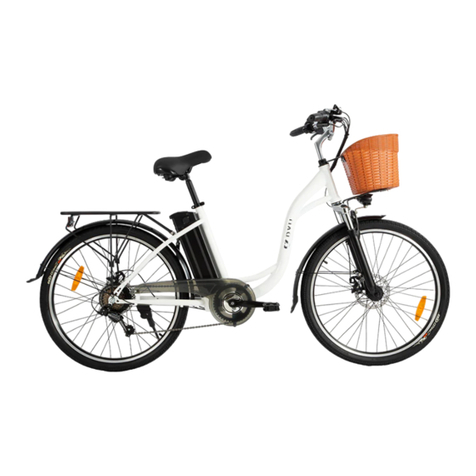
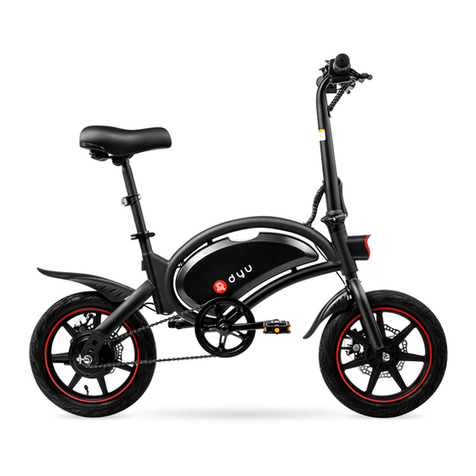
Charging Port
Left Brake Lever
Shift Mode “+”/
Headlight Button
Power Button/
Function Button
Shift Mode “-”/
Walking Mode
Display Mechanic
Shifter Electric
Shifter
Right Grip Cover
Left Grip
Cover
Right Brake Lever
Bell
GETTING STARTED
1.Assembling: 1) Open the box, take out your eBike,
and remove the packaging. 2) Mount the front
wheel to the front fork, and tighten the screws to
lock into place. 3) Assemble and align the handlebar
upon the riser, and lock into place. 4) Walk the eBike
to ensure no abnormal sound from the turning
wheels. Gently pull the brake levers for a couple of
times to ensure both the front and rear brakes
function normally. 5) Adjust the seat tube to desired
height, and lock the quick release. 6) Install the
pedals and tighten up. (Please wear a helmet when
riding the eBike.)
2.Charging: Connect the DC jack of the original
charger to the charging slot of your eBike, and the
AC plug to the mains. The charger light turns from
red to green when charging is complete. (Please do
not charge your eBike indoors. For outdoors
charging, please avoid rain and strong direct sun
over the charger.)
3. Power on and off: Locate the power button on the
left handle. Press “M” to power on and the display
shall turn on as well. Press again to power off.
4. Headlight: Locate the light switch at the left
handle. When power is on, press “ ” button
and hold it for three seconds to switch the headlight
on and off.
5. Walking Mode: Locate the button “ ” at
the left handle. Press and hold it for three seconds
to activate the Walking Mode which maintains a
riding speed of 6 km/h (or 3.73 mph). To disable the
Walking Mode, press the button again, or pull the
brake levers.
6. Shifting mode (motor speed): Locate the switch
button on the left handle. Press “ ”shift
the motor speed. Mode 1/2/3 corresponds to the
motor-powered maximum speed of 15 km/h (or 9.32
mph), 25 km/h (or 15.53 mph) and 32 km/h (19.88
mph).
7. Display: The display in the center of the
handlebar shows battery level, speed, mode,
mileage, lights and failure report.
8. Riding modes:
a. Sports Mode: Power is off and there is no motor
output. Pedal and exercise.
b. Throttle Mode: When the power is on, twist the
throttle to accelerate and start the ride without
pedaling.
c. Pedal Assist Mode: When the power is on and
while you are pedaling, the motor also provides
power for an easier and more energy-efficient ride.
9. Power cut-off brakes: When you pull the brake
levers, the controller cuts off the motor output. The
mechanical disc brakes are also engaged. As long as
the brake levers are not completely released, Pedal
Assist Mode or Throttle Mode remains disabled.
10. Removing and installing the battery: This
battery is removable. To remove it, open the battery
lock, turn the clip, pull downward to reveal the
upper part of the battery first before pulling the
entire battery out. To install the battery, start with
the bottom of the battery, slide it in through the
battery tube, push in the upper part, turn the clip,
and lock the battery. (For battery replacement upon
damage, please contact our official customer
service.)