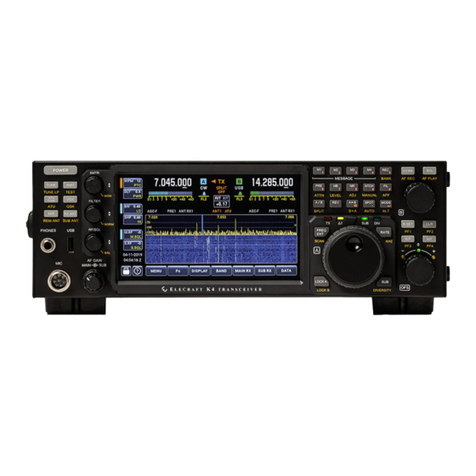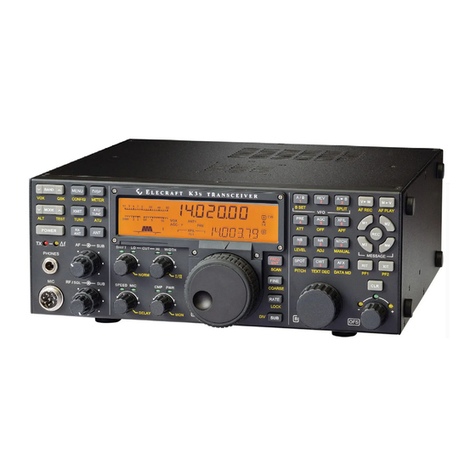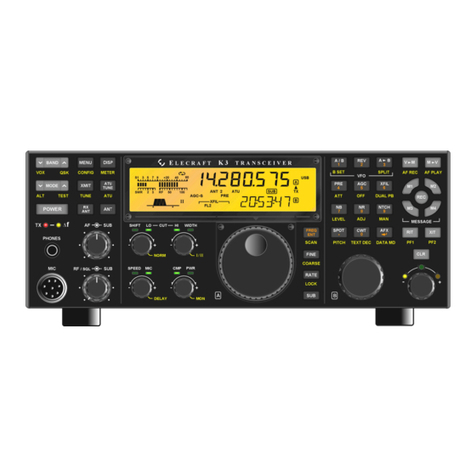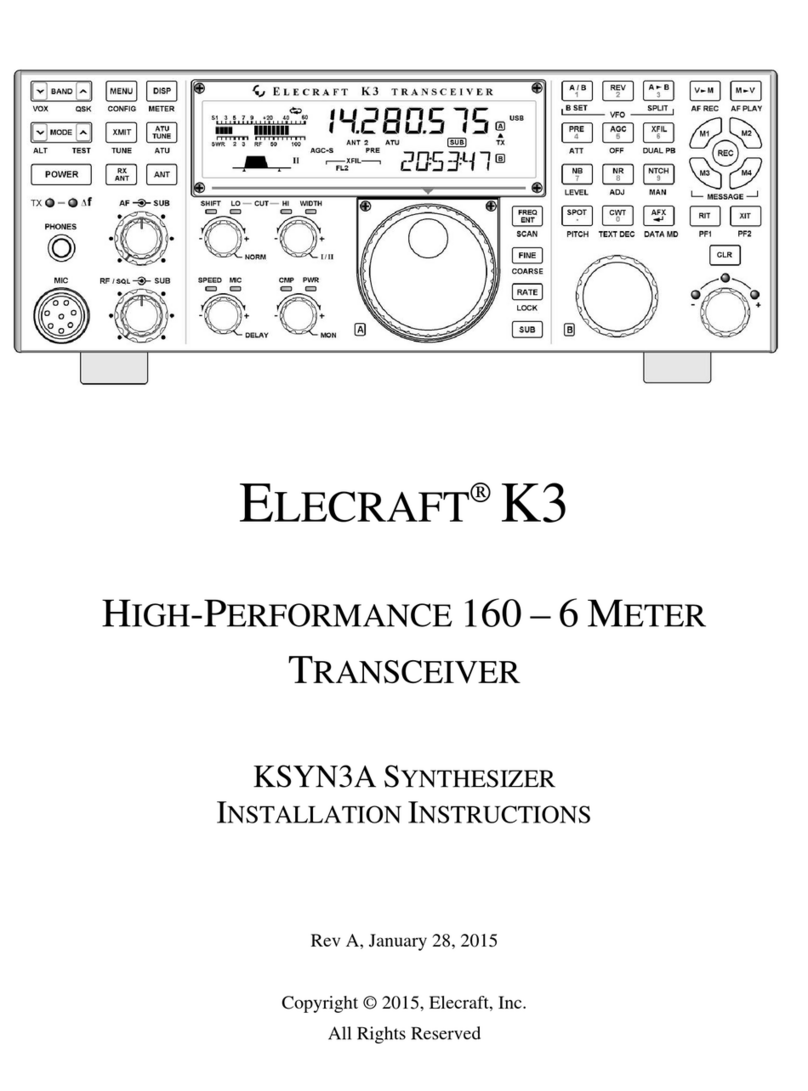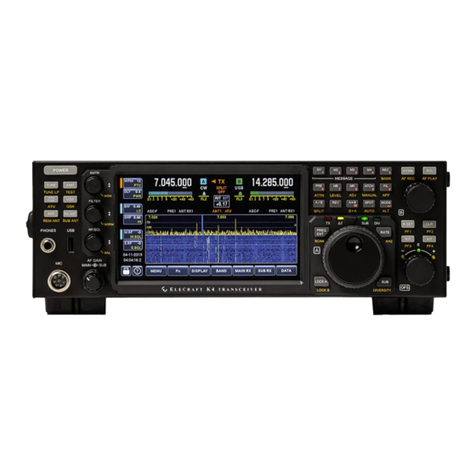
ELECRAFT K4 User manual

ELECRAFT K4 PROGRAMMER'S REFERENCE
Copyright 2021 Elecraft, Inc. Rev. B12
Table of Contents
Introduction
Protocol and Syntax
Multiple Client Support
Streaming Data
Using Commands in Switch Macros
Command Reference
Radio Commands
Menu Access Commands
Display Commands
Change History
Introduction
This manual describes all K4 remote-control commands. These can be used by computer
application developers to emulate the K4's front panel controls, or by operators who wish to
customize K4 or K-Pod switch functions.
Since the transceiver supports fast digital I/O over Ethernet, it can provide Streaming Data,
including dB/bin data for software panadapter emulation, IQ for demodulation and programs like
Skimmer, and receive/transmit digitized audio.
The K4 executes a superset of the commands from the K3/K3S transceiver and P3 panadapter.
Some commands support both a new K4 format as well as the legacy K3/K3S or P3 format.
Some commands also have a new toggle or increment/decrement SET variation to simplify
front-panel switch emulation. All variations are described in the Command Reference sections.
Multiple remote-control clients are supported via the Ethernet and USB ports (see Multiple Client
Support). Each client can independently poll the K4 to obtain information needed to support its
own user interface. Auto-Info (AI) mode is also provided to broadcast radio control changes to all
clients. See Polling vs. Auto-Info (AI).

Protocol and Syntax
K4 Remote control commands are human-readable, providing an advantage for developers as well as
operators who wish to create their own macros (strings of commands). Software applications can interact
with the radio by polling with GET commands, or they may be designed to respond to automatically
generated responses resulting from control changes.
Command Groups
Commands are divided into three groups:
Radio Commands band, mode, audio, RF, and operational settings
Menu Access Commands menu entry names, parameters, and default values
Display Commands panadapter, waterfall, and monitor configuration settings
Within each group are SET and GET commands. Response commands (RESP) from the K4
occur in reply to GETs, and can also be generated automatically following control changes at the
radio. Responses use the same format as SET commands.
Polling vs. Auto-Info (AI)
Many computer software applications poll for data of interest by using GET commands. Typically only a
small subset of K4 commands is used for a given application.
An alternative is to place the K4 into AI (auto-info) mode. In this case, every control change at the radio
(due to either local or remote control by any client) will generate a corresponding GET response
automatically. The application can use all or a subset of these responses to update its interface. See the
AI command.
Syntax
Commands have a 2-, 3-, or 4-letter prefix followed by one or more parameters. Parameters can be
comprised of numeric fields, letters, or a combination of these. All commands are terminated by a
semicolon (;). Commands may use upper or lower case alphabetic characters. The only command that
differentiates between the two is the CW/DATA text-send command (KY <text>), when used in PSK mode.
A dollar sign symbol ($) after a command prefix modifies a command to target VFO B/sub
receiver. Applicable commands are so identified in the Command Reference.
SET commands have a prefix and usually 1 or more parameters. (All SET commands have
corresponding GET commands and vice-versa unless otherwise noted.) SET examples:

AN3; selects KAT4 ATU antenna 3
FA7100; sets VFO A to 7100 kHz (FA/FB support multiple numeric formats)
MD$3; selects CW mode for VFO B/sub RX
GET commands use only the prefix; the response to a GET (RESP) uses the SET format.
Examples:

AN; returns ANx; where x is the currently selected antenna
MD$; returns MD$x; where x is the current operating mode for VFO B/sub RX
TOGGLE/INCR/DECR commands are special variants of SET commands. Examples:

RA/; turns VFO A/main RX attenuator on if it was off and vice-versa
BN$+; selects the next-highest band for VFO B/sub RX
K4 switch emulation commands (SW) simulate the use of switches on the K4's front panel.
2-digit IDs specify the function without the need to differentiate between tap and hold. Examples:

SW56; simulates tapping the K4's NR switch
K3 switch emulation commands (SWT/SWH) support a subset of K3/K3S switches that have
matching K4 functions. These are provided for compatibility with existing applications. Example:
SWT16; simulates tapping the K4's XMIT switch (identical to SWT16 on the K3/K3S).
Meta commands (K2, K3, K4) affect behavior of certain individual commands and the overall
protocol. Refer to the command reference for details.
Display commands are preceded by a #symbol to disambiguate them from current or future
radio control commands.
Error Checking
If a GET or SET command is received that cannot be parsed, the radio will echo the command
followed by "?" and a semicolon terminator. If a command is correctly formed but a parameter is
out of range, a GET response is echoed that shows the current valid setting.
Multiple Client Support
A K4 may be controlled by multiple clients simultaneously, including other K4s or software applications
running on computers or mobile devices. Connections can be established through the two virtual COM
ports (USB-B connector), the RS232 port (DE9 connector), or Ethernet.

The radio's built-in server maintains the latest radio state information (band, mode, etc.). Each client can
poll for the subset of information it needs to maintain its UI. Clients using older software may use K2 or K3
"meta modes" as well as legacy command formats. Clients can also individually turn on auto-information
mode (see AI command) when desired. In this case, any change in radio state caused by a client or at the
radio itself is then broadcast to all clients via AI responses.
Streaming Data
The K4 provides three kinds of streaming data: digital audio (two outgoing channels for receive, one
incoming channel for transmit), dB/bin (for reproducing panadapter data), and raw IQ (to support external
demodulation, text decode, etc.). Each data stream is enabled by connecting to a specific port over
Ethernet. Once the connection is established, data flows continuously. Various options will be provided to
optimize stream bandwidth to suit host computer applications.
Streaming protocols are being refined and will be fully documented in a subsequent revision of this
document.
Using Commands in Switch Macros
One or more K4 remote-control commands can be concatenated together to form macros that perform
user-defined functions. For example, the sequence:
FA14085;MD6;DT2;PC070H;
puts the radio on a common 20 meter RTTY "watering hole" frequency, selects data mode and FSK-D
data submode, then sets power output to 70 watts.
Macros can be edited directly from the front panel and assigned to programmable switches on the radio
itself or on the Elecraft K-Pod controller. [Implementation in progress.]
Command Reference
Commands are listed in alphanumeric order. If a command can target either VFO A/main RX and
VFO B/sub RX separately, it is so identified by a $symbol. This symbol must be added to the
command only when targeting VFO B/sub RX.
All SET commands have a corresponding GET command and vice-versa unless otherwise noted.
[Pending] in a command's heading indicates that implementation is planned or in progress.

Radio Commands
AB (VFO Copy/Swap/Init; SET only)
SET format: ABn; where n=0 (FA>FB), 1 (FB>FA), 2 (FA/FB swap), 3 (all A>B), 4 (all
B>A), 5 (all A/B). Cases 0-2 copy or swap only VFO frequency. Cases 3-5 copy or swap
all VFO parameters. Some limitations apply. For example, RX antennas are only copied or
swapped if the VFOs are on different bands.
AF (Audio Feedback tones)
SET format: AFn; where n=0 cancels any AF tone sequence, 1 is a simple switch beep
(high pitch), and 2 = hi/lo error tone.
AG$ (AF Gain)
SET/RESP format: AG$nnn; where n is 000-060.
AI (Auto-Info)
SET/RESP format, AI mode: AIn; where n is the auto-info mode:
0 = Auto info off
1 = VFO, RIT, and certain other control changes generate periodic "IF;" responses
2 = All control changes generate periodic responses
3 = N/A (reserved for future use)
4 = Immediate notification of changes not made by client (see NOTE1)
5 = Immediate notification of all changes (see NOTE1)
SET/RESP format, AI Delay: AIDxxx; where xxx is the delay in ms (60 to 999) to be used
in AI1 and AI2 modes. Default is 500 ms.
NOTE1: Excessive traffic can potentially overflow serial port buffers in immediate AI
modes (AI4 and AI5).
NOTE2: AI mode is per-client.
AL (AF Limiter)
SET/RESP format: ALnn; where nn is 01-30 (level set). Sets level of AF limiter used
when AGC is off (see GT command). Typical value is 20.
AN (TX Antenna)

SET/RESP format: ANn; where n is 1 to 3 for KAT4 ANT1/2/3 (ANT2 and ANT3 are not
available if the ATU isn't installed.) Sets the transmitter antenna on HF-6 meters only (see
note below). This is also the receive antenna for either receiver (main or sub) when
sharing the transmit antenna. Also see AR and AT commands.
TOGGLE format: AN/; alternates between the two most recently used TX antennas.
NOTE: This command does not pertain to transverter antennas. For external transverters,
XVTR IN and XVTR OUT are used, while for an internal transverter, ANT4 is used.
AP$ (APF)
SET/RESP format: AP$mb; where m = 0 (off) or 1 (on); b = 0 (narrow, 30 Hz) or 1 (wide,
50 Hz). Only applies in CW mode.
AR$ (RX Antenna)
SET/RESP format: AR$n; where n is:

0 = Disconnected (all RX RF sources disconnected from target RX)
1 = EXT. XVTR IN / RX ANT IN2 (external transverter IN jack)
2 = RX USES TX ANT (the antenna currently selected for the transmitter)
3 = INT. XVTR IN (internal transverter IN)
4 = RX ANT IN1 (receive antenna)
5 = ATU RX ANT1 (see NOTE1)
6 = ATU RX ANT2 (see NOTE1)
7 = ATU RX ANT3 (see NOTE1)
This command selects the RX antenna for HF-6 only (see NOTE2).
TOGGLE format: AR$/; alternates between the two most recently used RX antennas.

NOTE1: If there is no KAT4 ATU installed, then selections 5, 6, and 7 are invalid.
Substitute AR2 for these cases (RX uses TX antenna, which is always ANT1).
NOTE2: This command does not pertain to transverter antennas. For external
transverters, XVTR IN and XVTR OUT are used, while for an internal transverter, ANT4 is
used.
AT (ATU Mode)

SET/RESP format: ATn; where n is 0 (NOT INST--see NOTE), 1 (BYPASS), or 2
(AUTO). Pertains to the current band and antenna.
TOGGLE format: AT/; alternates between ATU in and bypassed.
NOTE: An AT0 command should not be sent under normal circumstances; the K4 will
automatically ascertain whether a KAT4 ATU module is installed.
BG (Bargraph Read; GET only) [Pending]
RESP format: BGnnx; where nn is always 00 ... where x is tx state. TBD; provided for K3
compatibility.
BI (Band Independence for VFO B)
SET/RESP format: BIn; where n=1 allows VFO B to be set to a different band from VFO
A.
BN$ (Band Number)
SET/RESP format: BN$nn; where nn is the band number:
00 = 160 m ...10 = 6 m; 16-25 = transverter bands
(11-15 reserved for future HF bands)
INCR/DECR format: BN$+; or BN$-; increments or decrements current band.
TOGGLE format: BN$/; alternates between the two most-recently used bands.
NOTE: The XV command can also be used for transverter band selection.
BR (Serial Port Baud Rate)
SET/RESP formats:
BRpbbbbbb; sets port p's baud rate, where p is 0-2 (see port info below)
BRbbbbbb; set all ports to the specified rate
GET formats: BRp; gets port p's baud rate. BR; gets port 0's baud rate.
Port 0 is the RS232 port. Ports 1 and 2 are the two virtual com ports associated with the
USB-B jack. Baud rate (bbbbbb) can range from 004800 to 115200 baud.
BW$ (Bandwidth)
SET/RESP format: BW$nnnn; where nnnn is filter bandwidth x10 Hz.
CP (Speech Compression)

SET/RESP format: CPnnn; where nnn is 000-030. Applies only to SSB modes.
CW (CW Pitch)
SET/RESP format: CWnn; where nn is sidetone pitch x10 Hz (25-95).
DB$ (Audio dBV meter read)
RESP format: DB$snnnn; where s is +/- and nnnn is 0-9999, representing audio signal
level for the main or sub RX ($) in 10ths of a dB. Useful for MDS measurements (see
Elecraft XG3 user manual for method).
SET format: DB$0; (sets new 0 dB reference level for target receiver).
NOTE: Even though measured dB values are independent of the AF GAIN setting, AGC
must be turned off to make the dBV reading accurate for signals above AGC threshold.
Use GT to turn off AGC. Use AL to limit audio signal strength when AGC is off.
DE (Command Processing Delay; SET only)
SET format: DEnnn where n can be 001 to 999 (ms * 10), i.e. up to 9.99 seconds (TBD).
DM (DTMF; SET only)
SET format: DMn where n = 0-9, A-D, *, or #. Applies to FM mode only.
DN/DNB (VFO Move Down; SET only)
SET format: DN; (move VFO A down one unit, based on the current VFO step size) or
DNB; (same for VFO B). Also see UP/UPB and RU/RD (RIT offset up/down).
TBD: Support for K3 variants.
DR$ (Data Rate) [Pending]
SET/RESP format: DR$r; where <r> is the baud rate identifier:
AFSK-A, FSK-D: 0=45 baud, 1=75 baud; PSK-D: 0=31 baud, 1=63 baud.
DT$ (Data Sub-Mode)
SET/RESP format: DT$n; where n is the data sub-mode set or last used, whether or not
DATA mode is in effect: 0 (DATA A), 1 (AFSK A), 2 (FSK D), or 3 (PSK D).

NOTES: (1) If DT is used when the transceiver is not in DATA mode, the returned value
may not be valid. (2) See MD command for data normal/reverse information. (3) In
Diversity Mode, sending DTn (main RX data mode) matches the sub receiver’s mode to
the main receiver’s.
DV (Diversity Mode)
SET/RESP format: DVn; where n is 1 to turn diversity mode ON, and 0 otherwise.
NOTES: (1) Turning on diversity mode also turns on the sub receiver if it was off.
(Requires K4D or K4HD model.) (2) When diversity mode is turned on, VFO A's band,
mode, filter, and other settings are copied to VFO B. VFO B's frequency can still be
different from VFO A, allowing it to be used as the transmit frequency in SPLIT mode. (3)
An alternate toggle command “DV\;” exists that also toggles the subrx if turning diversity
on causes the sub rx to also turn on.
ER (Configuration Error; GET only)
GET/RESP format: ERnn; where nn is a configuration error number. ER responses are
generated when certain commands are rejected due to context. GET returns last error. For
example, there are various invalid combinations of SB (sub RX), AR (RX antenna), and FT
(split).
NOTE: The full list of error codes appears in the K4 Built-In Operating Manual, which can
be accessed using any browser. This document is available on the Elecraft website.
ES (ESSB Mode and Bandwidth) [Pending]
SET/RESP format: ESnbb where n = 0 (ESSB OFF) or 1 (ESSB ON) and bb is the
ESSB TX bandwidth in 100 Hz units, 30-45 (3.0-4.5 kHz).
FA (VFO A Frequency)
SET format: FAn...; where n can have 1 to 11 digits. Frequency range is 100 kHz to 54
MHz. Digit count affects interpretation: 1 or 2 digits: n = MHz (e.g., "FA7;" = 7 MHz); 3 to 5
digits: n = kHz; 6+ digits: n = Hz.
RESP format: FAnnnnnnnnnnn; (frequency in Hz).
FB (VFO B Frequency)
See FA command for format.

FC$ (Center Panadapter for target VFO)
SET format: FC; or FC$; will center the panadapter on the target VFO.
FI$ (IF Center Frequency)
SET/RESP format: FIn… where n… is 1 to 11 digits. Supports same formats as FA/FB.
Sets center frequency for panadapter and/or IQ data streaming.
FP$ (Filter Preset)
SET/RESP format: FP$n; where n is 1-3. Selects filter preset n for current mode.
NOTE: Make sure operating mode is selected first, since presets are saved per-mode.
FR (Receive Function)
SET/RESP format: FRn; where n is a decimal digit. Cancels SPLIT if applicable.
NOTE: This command is provided for K3 compatibility. It is equivalent to FT0.
FT (Split)
SET/RESP format: FTn; where n = 0 (SPLIT off) or 1 (SPLIT on).
TOGGLE format: FT/; alternates between SPLIT on and off.
FX (Audio Effects)
SET/RESP format: FXn; where n is 0=0ff, 1=delay (sim stereo), 2=pitch-map.
NOTES: (1) If the sub receiver is on (SB command), normal stereo audio effects do not
apply. (2) The K3 doesn't support pitchmap mode. Instead, it has a "BIN" mode that is not
available on the K4. BIN on the K3 does simple binaural phase inversion, like the toggle
switch on some headsets.
GT$ (AGC Mode)
SET/RESP format: GT$n; where n is 0=0ff, 1=slow AGC, 2=fast AGC.
K3 SET/RESP format: GTnnn; where n is 002 for fast AGC and 004 for slow AGC.
K2 Extended SET/RSP format (K22): GTnnnx; where x is 0 (AGC off) or 1 (AGC on).
TOGGLE format: GT$/; alternates between AGC on and off.
Other manuals for K4
2
Table of contents
Other ELECRAFT Transceiver manuals

ELECRAFT
ELECRAFT K3 User manual

ELECRAFT
ELECRAFT K3 User manual

ELECRAFT
ELECRAFT K3 User manual

ELECRAFT
ELECRAFT K2 User manual

ELECRAFT
ELECRAFT K3 User manual

ELECRAFT
ELECRAFT K3S User manual

ELECRAFT
ELECRAFT K3 User manual

ELECRAFT
ELECRAFT K3S User manual

ELECRAFT
ELECRAFT KX3 User manual

ELECRAFT
ELECRAFT KH1 User manual

ELECRAFT
ELECRAFT P3 User manual

ELECRAFT
ELECRAFT K3 User manual

ELECRAFT
ELECRAFT KX2 User manual

ELECRAFT
ELECRAFT K3 User manual

ELECRAFT
ELECRAFT KX1 User manual

ELECRAFT
ELECRAFT KXV3 User manual

ELECRAFT
ELECRAFT K3S Instruction Manual

ELECRAFT
ELECRAFT K2 User manual

ELECRAFT
ELECRAFT K3 User manual

ELECRAFT
ELECRAFT K3S User manual