manuals.online logo
Brands
  1. Home
  2. •
  3. Brands
  4. •
  5. Endress+Hauser
  6. •
  7. Measuring Instrument
  8. •
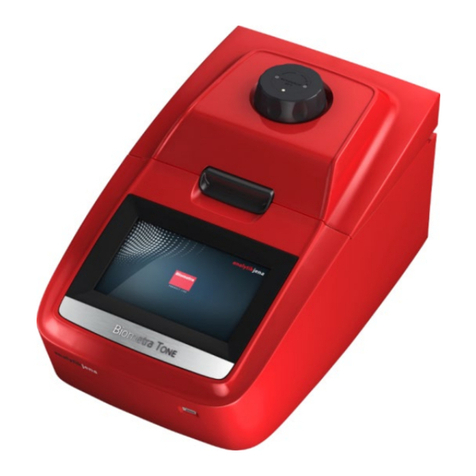
  9. Endress+Hauser Analytik Jena Biometra TS1 ThermoShaker How to use

Endress+Hauser Analytik Jena Biometra TS1 ThermoShaker How to use

Other Endress+Hauser Measuring Instrument manuals
Endress+Hauser FOUNDATION Proline 500 digital Technical specifications

Endress+Hauser

Endress+Hauser FOUNDATION Proline 500 digital Technical specifications

Endress+Hauser Proservo NMS5 User manual

Endress+Hauser

Endress+Hauser Proservo NMS5 User manual

Endress+Hauser Prosonic M FMU41 Technical specifications

Endress+Hauser

Endress+Hauser Prosonic M FMU41 Technical specifications

Endress+Hauser mini-log b User manual

Endress+Hauser

Endress+Hauser mini-log b User manual

Endress+Hauser Micropilot FMR60 Installation instructions

Endress+Hauser

Endress+Hauser Micropilot FMR60 Installation instructions

Endress+Hauser Proline Promag 10 User manual

Endress+Hauser

Endress+Hauser Proline Promag 10 User manual

Endress+Hauser Levelflex FMP53 User manual

Endress+Hauser

Endress+Hauser Levelflex FMP53 User manual

Endress+Hauser Proline 500 Technical specifications

Endress+Hauser

Endress+Hauser Proline 500 Technical specifications

Endress+Hauser Micropilot FMR62 Manual

Endress+Hauser

Endress+Hauser Micropilot FMR62 Manual

Endress+Hauser Proline Promass 83 User manual
Endress+Hauser

Endress+Hauser Proline Promass 83 User manual

Endress+Hauser promag 31 User manual

Endress+Hauser

Endress+Hauser promag 31 User manual

Endress+Hauser LT5 Technical specifications

Endress+Hauser

Endress+Hauser LT5 Technical specifications

Endress+Hauser Prosonic S FMU90 Technical specifications

Endress+Hauser

Endress+Hauser Prosonic S FMU90 Technical specifications

Endress+Hauser Liquicap M FMI51 User manual

Endress+Hauser

Endress+Hauser Liquicap M FMI51 User manual

Endress+Hauser PROMAG 33 User manual

Endress+Hauser

Endress+Hauser PROMAG 33 User manual

Endress+Hauser Liquiphant FTL62 User manual

Endress+Hauser

Endress+Hauser Liquiphant FTL62 User manual

Endress+Hauser Prosonic M FMU42 User manual

Endress+Hauser

Endress+Hauser Prosonic M FMU42 User manual

Endress+Hauser Levelflex M FMP4 Series User manual

Endress+Hauser

Endress+Hauser Levelflex M FMP4 Series User manual

Endress+Hauser Levelflex FMP56 Manual

Endress+Hauser

Endress+Hauser Levelflex FMP56 Manual

Endress+Hauser nivotester FTL 325 P Instructions for use

Endress+Hauser

Endress+Hauser nivotester FTL 325 P Instructions for use

Endress+Hauser analytikjena Biometra TMS User manual

Endress+Hauser

Endress+Hauser analytikjena Biometra TMS User manual

Endress+Hauser Solitrend MMP40 User manual

Endress+Hauser

Endress+Hauser Solitrend MMP40 User manual

Endress+Hauser Promag 300 User manual

Endress+Hauser

Endress+Hauser Promag 300 User manual

Endress+Hauser Memograph M RSG40 Technical specifications

Endress+Hauser

Endress+Hauser Memograph M RSG40 Technical specifications

Popular Measuring Instrument manuals by other brands

Suaoki D40 user manual

Suaoki

Suaoki D40 user manual

Elster BK-G1.6 operating instructions

Elster

Elster BK-G1.6 operating instructions

Duratool D03128 manual

Duratool

Duratool D03128 manual

Vega VEGAPULS 65 Quick setup guide

Vega

Vega VEGAPULS 65 Quick setup guide

Tonghui TH2618B Operation manual

Tonghui

Tonghui TH2618B Operation manual

Tenmars TM-801 user manual

Tenmars

Tenmars TM-801 user manual

MSR 145 user manual

MSR

MSR 145 user manual

TPS WP-82 manual

TPS

TPS WP-82 manual

PCB Piezotronics 003C30 Installation and operating manual

PCB Piezotronics

PCB Piezotronics 003C30 Installation and operating manual

Tenma 72-10465 manual

Tenma

Tenma 72-10465 manual

Siemens SITRANS F Coriolis FCT030 Function manual

Siemens

Siemens SITRANS F Coriolis FCT030 Function manual

KLINGER CMF V Series instruction manual

KLINGER

KLINGER CMF V Series instruction manual

Keysight M8290A Getting started guide

Keysight

Keysight M8290A Getting started guide

Acterna MS1400 Operation manual

Acterna

Acterna MS1400 Operation manual

R&S ZPH manual

R&S

R&S ZPH manual

Datacolor ColorReader DC10-2 user guide

Datacolor

Datacolor ColorReader DC10-2 user guide

Konica Minolta BC-10 Plus instruction manual

Konica Minolta

Konica Minolta BC-10 Plus instruction manual

Uniks C126 user manual

Uniks

Uniks C126 user manual

manuals.online logo
manuals.online logoBrands
  • About & Mission
  • Contact us
  • Privacy Policy
  • Terms and Conditions

Copyright 2025 Manuals.Online. All Rights Reserved.

Short Manual Biometra ThermoShaker TS1
Analytik Jena GmbH
Konrad-Zuse-Strasse 1
07745 Jena ⋅ Germany
Phone +49 3641 77 70
[email protected]
www.analytik-jena.com
Short Manual Biometra ThermoShaker TS1
Version: A (08/2022)
34-9990-029-23
1/2
CAUTION
Risk of damage to health
The device is used to heat biological and biochemical hazardous substances to temperatures
of up to 100°C. Improper operation of the device and incorrect handling of samples may
result in injury.
¡Only use the quick reference guide together with the detailed operating manual.
¡Risk of burns from the hot block module and the samples!
¡Mix and temper samples only in sealed and heat-resistant tubes and microplates.
¡Wear personal protective equipment If samples open during operation, hot liquids may
spurt out.
Design
The thermoshaker consists of:
¡Basic device with control panel
¡Interchangeable block modules for the samples
(must be ordered separately)
The control panel has arrow keys for setting the timer, mixing frequency and temperature.
The set and actual values are shown on the display.
Timer 1minto96h, with signal tone (buzzer)
Mixing frequency 250to1400rpm
Temperature control
range
+25to+100°C
Heating rate 4°C/min (+25to+100°C)
Installation/changing a block
}Switch off the basic device safely and allow it to acclimatize.
}Select a suitable block module.
NOTICE!Switch off the device before installation/changing a block.
}Align the block module so that the labeling faces to the front.
}Connect the block module to the basic device using the 6-pin connector.
}Place the block module straight onto the basic device and fasten it with the four screws.
}Connect the device to the power outlet using the power supply unit. Switch on the device
using the ON/OFF switch at the rear of the device.
üThe device is ready for operation and immediately starts to temper the block module.
Operation
Starting the program:
}On the control panel, set the desired values for
time, mixing frequency and temperature.
}When T(°C) Actual = T(°C) Set: Place the prefilled
and sealed samples in the block module.
CAUTION!The block module can become
very hot.
}Start the program with Start/Stop Shaker.
End of program: An acoustic signal (buzzer) sounds.
}End the program with Start/Stop Shaker.
}End temperature control by entering T<25°C.
Or: Insert the next samples into the device and start a new program run.
Short Manual Biometra ThermoShaker TS1
Analytik Jena GmbH
Konrad-Zuse-Strasse 1
07745 Jena ⋅ Germany
Phone +49 3641 77 70
[email protected]
www.analytik-jena.com
Short Manual Biometra ThermoShaker TS1
Version: A (08/2022)
34-9990-029-23
2/2
Interrupting the program:
¡Use Start/Stop Timer to reset the timer to 00:00. Tap the key a second time and start
the timer again.
¡Or: Interrupt the mixing process with Start/Stop Shaker. STOP is shown on the display.
Tap the key a second time to restart the mixing process and the timer.
Operate the device using the arrow keys and the start/stop keys:
Keys Input
Time Input duration in h:min
If 00:00 is entered: continuous operation
RPM Input mixing frequency in rpm
If 000 is entered: only temperature control active
T(°C) Input block temperature in °C
If T<25°C is entered: Display: OFF, only mixer active
Start/Stop Shaker Start and stop program
Temperature control stops only after entering T<25°C.
Start/Stop Timer Reset: Set the timer to 00:00
Calibration
Calibration compensates for the different thermal conductivities of sample tubes/microplates
from different suppliers. Calibration coefficient: 0.936to1.063 (±0.063)
}Insert an empty sample tube or an empty microplate into the block module.
}Insert an external temperature sensor (±0.5°C) into the tube/well.
}Set a temperature of, e.g., 40°C, on the device.
}After 30min, compare T(°C) Actual with the sensor temperature. Calibrate the device if
there is a deviation.
Set
Actual
Time (h:min) RPM T(°C)
sct. 40.0 40.0
39.0 40.00.975
1
2 3
}Press the Start/Stop Timer key for longer than 8s. The calibration mode is active when
sct. (1) appears on the display.
}Adjust the temperature (3) with the arrow keys until the sensor temperature is reached
(here: 39°C). The calibration coefficient (2) adjusts itself automatically.
}Save the calibration coefficient with the Start/Stop Shaker start/stop key and exit the
calibration mode.
Maintenance
Cleaning the device:
}Switch off the device before carrying out external cleaning. Disconnect the device from
the electrical mains supply.
}Clean the housing using a slightly damp, not dripping cloth with water and commercially
available surfactants. Disinfect with ethanol (75%).
Replace the rubber belt after 1.5years or 2,000operating hours:
The rubber belt transmits the power from the shaker motor to the block module and thereby
generates the mixing movement.
}Switch off the device.
}Disconnect the plug of the external power supply.
}Carefully place the device on its side.
}Remove the base plate. To do so, loosen the four
Phillips screws.
}Change the rubber belt.
}Reassemble the base plate.