manuals.online logo
Brands
  1. Home
  2. •
  3. Brands
  4. •
  5. FRAME IT ALL
  6. •
  7. Lawn And Garden Equipment
  8. •
  9. FRAME IT ALL 300001066 User manual

FRAME IT ALL 300001066 User manual

This manual suits for next models

3

Other FRAME IT ALL Lawn And Garden Equipment manuals
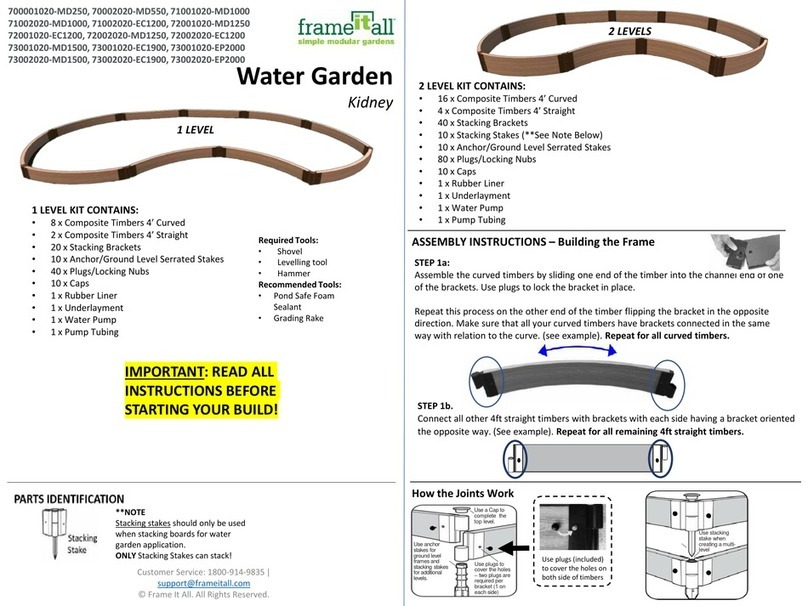
FRAME IT ALL Jumbo U 800002154 User manual

FRAME IT ALL

FRAME IT ALL Jumbo U 800002154 User manual

FRAME IT ALL Colosseum 800002109 User manual

FRAME IT ALL

FRAME IT ALL Colosseum 800002109 User manual

FRAME IT ALL 800001076 User manual

FRAME IT ALL

FRAME IT ALL 800001076 User manual

FRAME IT ALL Stack & Extend VEGGIE WALL User manual

FRAME IT ALL

FRAME IT ALL Stack & Extend VEGGIE WALL User manual

FRAME IT ALL Crooked Falls User manual

FRAME IT ALL

FRAME IT ALL Crooked Falls User manual

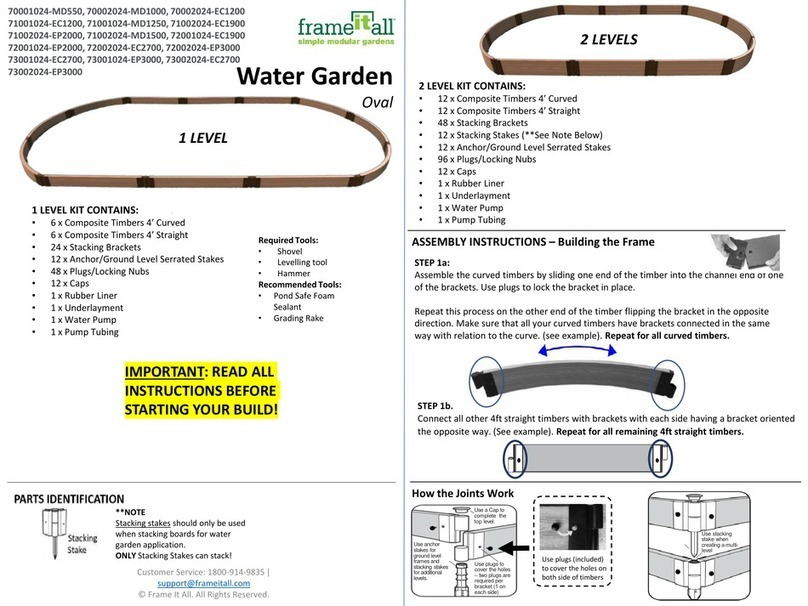
FRAME IT ALL 70001024-MD550 User manual

FRAME IT ALL

FRAME IT ALL 70001024-MD550 User manual

FRAME IT ALL Fort Bragg 8' x 8' User manual

FRAME IT ALL

FRAME IT ALL Fort Bragg 8' x 8' User manual

FRAME IT ALL 70001023-MD250 User manual

FRAME IT ALL

FRAME IT ALL 70001023-MD250 User manual

FRAME IT ALL Stack & Extend User manual

FRAME IT ALL

FRAME IT ALL Stack & Extend User manual

FRAME IT ALL Topolski User manual

FRAME IT ALL

FRAME IT ALL Topolski User manual

FRAME IT ALL Inner Roboto 800002114 User manual

FRAME IT ALL

FRAME IT ALL Inner Roboto 800002114 User manual

FRAME IT ALL 800001181 User manual

FRAME IT ALL

FRAME IT ALL 800001181 User manual

FRAME IT ALL 300001178 User manual

FRAME IT ALL

FRAME IT ALL 300001178 User manual

FRAME IT ALL 200001095 User manual

FRAME IT ALL

FRAME IT ALL 200001095 User manual

FRAME IT ALL 300001228 User manual

FRAME IT ALL

FRAME IT ALL 300001228 User manual

FRAME IT ALL 200001090 User manual

FRAME IT ALL

FRAME IT ALL 200001090 User manual

FRAME IT ALL Center Circle 16' x 16' User manual

FRAME IT ALL

FRAME IT ALL Center Circle 16' x 16' User manual

FRAME IT ALL 70001041-MD250 User manual

FRAME IT ALL

FRAME IT ALL 70001041-MD250 User manual

FRAME IT ALL Stack & Extend VEGGIE WALL User manual

FRAME IT ALL

FRAME IT ALL Stack & Extend VEGGIE WALL User manual

FRAME IT ALL Cumberland User manual

FRAME IT ALL

FRAME IT ALL Cumberland User manual

FRAME IT ALL 300001058 User manual

FRAME IT ALL

FRAME IT ALL 300001058 User manual

FRAME IT ALL 700001020-MD250 User manual

FRAME IT ALL

FRAME IT ALL 700001020-MD250 User manual

FRAME IT ALL RAISED GARDEN BED User manual

FRAME IT ALL

FRAME IT ALL RAISED GARDEN BED User manual

FRAME IT ALL 300001078 User manual

FRAME IT ALL

FRAME IT ALL 300001078 User manual
Popular Lawn And Garden Equipment manuals by other brands
Sunforce SOLAR user manual

Sunforce

Sunforce SOLAR user manual

GARDEN OF EDEN 55627 user manual

GARDEN OF EDEN

GARDEN OF EDEN 55627 user manual

Goizper Group MATABI POLMINOR instruction manual

Goizper Group

Goizper Group MATABI POLMINOR instruction manual

Rain Bird 11000 Series Operation & maintenance manual

Rain Bird

Rain Bird 11000 Series Operation & maintenance manual

Cub Cadet BB 230 brochure

Cub Cadet

Cub Cadet BB 230 brochure

EXTOL PREMIUM 8891590 Translation of the original user manual

EXTOL PREMIUM

EXTOL PREMIUM 8891590 Translation of the original user manual

Snapper 690179 installation instructions

Snapper

Snapper 690179 installation instructions

Exmark SAR481KA30 Operator's manual

Exmark

Exmark SAR481KA30 Operator's manual

Yazoo/Kees Z12 Operator's manual

Yazoo/Kees

Yazoo/Kees Z12 Operator's manual

Makita EM408MP Original instruction manual

Makita

Makita EM408MP Original instruction manual

Exmark Quest Bagger Setup instructions

Exmark

Exmark Quest Bagger Setup instructions

Manitou Systems AS960 Operator's manual

Manitou Systems

Manitou Systems AS960 Operator's manual

Vertex 1/3 HP Maintenance instructions
Vertex

Vertex 1/3 HP Maintenance instructions

GHE AeroFlo 80 manual

GHE

GHE AeroFlo 80 manual

Land Pride Post Hole Diggers HD25 Operator's manual
Land Pride

Land Pride Post Hole Diggers HD25 Operator's manual

Yazoo/Kees Z9 Commercial Collection System Z9A Operator's & parts manual

Yazoo/Kees

Yazoo/Kees Z9 Commercial Collection System Z9A Operator's & parts manual

Premier designs WindGarden 26829 Assembly instructions
Premier designs

Premier designs WindGarden 26829 Assembly instructions

Snapper 1691351 installation instructions

Snapper

Snapper 1691351 installation instructions

manuals.online logo
manuals.online logoBrands
  • About & Mission
  • Contact us
  • Privacy Policy
  • Terms and Conditions

Copyright 2025 Manuals.Online. All Rights Reserved.

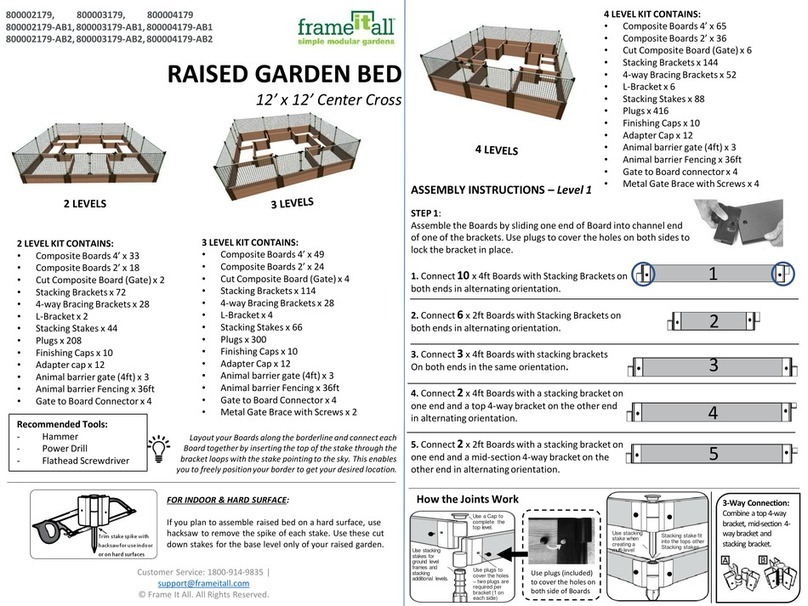
300001066/300001067
300001097/300001098
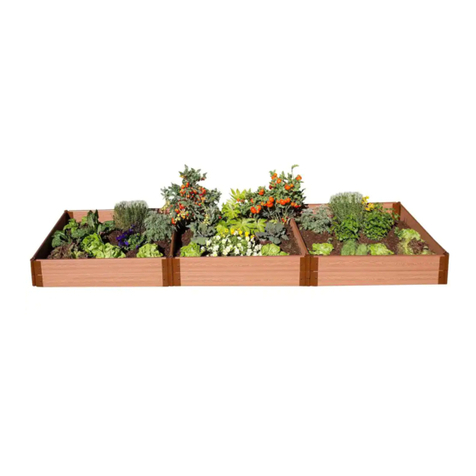
RAISED GARDEN BED
4’ x 8’
Customer Service: 1800-914-9835 | support@frameitall.com
© 2020 Frame It All. All Rights Reserved.
Tools needed: Hammer (to tap stake in place), Hackshaw (optional)
4 LEVELS KIT CONTAINS:
Composite
Timbers x 26
Stacking
Brackets x 44
4-way Bracing
Brackets x 4
Plugs x 104
Caps x 6
Stake x 24
3 LEVEL KIT CONTAINS:
Composite
Timbers x 19
Stacking
Brackets x 34
Plugs x 76
Caps x 6
Stake x 18
3 LEVELS
Layout your timbers along the borderline and
connect each timber together by inserting the top of
the stake through the bracket loops with the stake
pointing to the sky. This enables you to freely
position your border to get your desired location.
4 LEVELS
4-way Bracing
Brackets x 2
Customer Service: 1800-914-9835 | support@frameitall.com
ASSEMBLY INSTRUCTIONS
STEP 1:
For 3 levels, assemble 16 x Doubled-Bracket Timbers (A)
For 4 levels, assemble 20 x Doubled-Bracket Timbers (A)
You will need 6 (A) Timbers for the 1st (base) level and 4 (A) Timbers for each levels.
STEP 2: Layout the base level of your raised garden in a straight rectangular shape,
using 6 (A) timbers. Insert Stake through the hole of the bracket and into each of the
corners to lock all sides in place.
X 16
X 6
Use plugs
(included) to cover
the holes on both
side of timbers
Note:
If you plan to assemble raised bed on a hard surface, use
hacksaw to remove the spike of each stake. Use these cut
down stakes for the base level only of your raised garden.
Trim stake spike with
hacksawfor use indoor
or on hard surfaces
X 20
Attach one single stacking
bracket to each end of
timbers (one facing up,
one facing down – shown
on the left)
STEP 2a: For one level,
add caps to each of
the top corner joints
to finish off the raised
garden and plugs to
cover the holes on
both side of timbers.
X 2
X 2
3 Levels ONLY:
Assemble 2 x Singled-Bracket Timbers (B)
Assemble 1 x Cross-Bracket Timbers (C)
4 Levels ONLY:
Assemble 4 x Singled-Bracket Timbers (B)
Assemble 2 x Cross-Bracket Timbers (C)
X 4
X 1
ASSEMBLY INSTRUCTIONS
STEP 3: To create 2nd level, use the 4 (A), 2 (B), 1 (C) and the stacking stakes – as
shown below.
STEP 4: Insert one stake through the brackets into the holes on the top of the stake
beneath it to lock the 2nd level in place – similar to STEP 2.
STEP 5: To create 3rd level, use the 4 (A), 2 (B) and the stacking stakes – as shown
below.
Customer Service: 1800-914-9835 | support@frameitall.com
Insert one (C)
timber in the
middle of 2nd level
to create 4 x 4
partition
A
A
A
A
C
B
B
STEP 6: Add the caps to
each of the top corner joints
and plugs to cover the holes
on both side of timbers.
HAPPY GARDENING!!
A
A
A
A
B
B
Use plugs (included) to
cover the holes on both
side of timbers
Use plugs to cover
the holes – two
plugs are required
per bracket (1 on
each side)
Use a Finishing
Cap to complete
the top level.
Use an Anchor
or Stacking Joint
for ground level
frames or borders.
Use only Stacking
Joints when
creating additional
levels.
When creating a
multi-level frame
use a Stacking
Joint.
Stacking Joints fitinto
the tops of Anchor
Joints and other
Stacking
Joints
How the Joints Work
ASSEMBLY INSTRUCTIONS – For Product with 4th Levels only
STEP 7: To create 4th level, repeat step 3.
STEP 8: Insert one stake through the brackets into the holes on the top of the stake
beneath it to lock the 2nd level in place – similar to STEP 2.
STEP 9: Add the caps to each of the top corner joints and plugs to cover the holes on
both side of timbers.
Customer Service: 1800-914-9835 | support@frameitall.com
Use plugs (included)
to cover the holes on
both side of timbers
Use plugs to cover
the holes – two
plugs are required
per bracket (1 on
each side)
Use a Finishing
Cap to complete
the top level.
Use an Anchor
or Stacking Joint
for ground level
frames or borders.
Use only Stacking
Joints when
creating additional
levels.
When creating a
multi-level frame
use a Stacking
Joint.
Stacking Joints fitinto
the tops of Anchor
Joints and other
Stacking
Joints
How the Joints Work
A
AA
A
C
B
B