10
ERROR/SERVICE
Genano 5200 has an internal monitoring system. This feature protects the unit and
increases the drying period if parts are too wet after the washing. It is completely
normal that the drying period is increased due to the monitoring.
However, if the drying takes an abnormally long time and the unit will not turn on
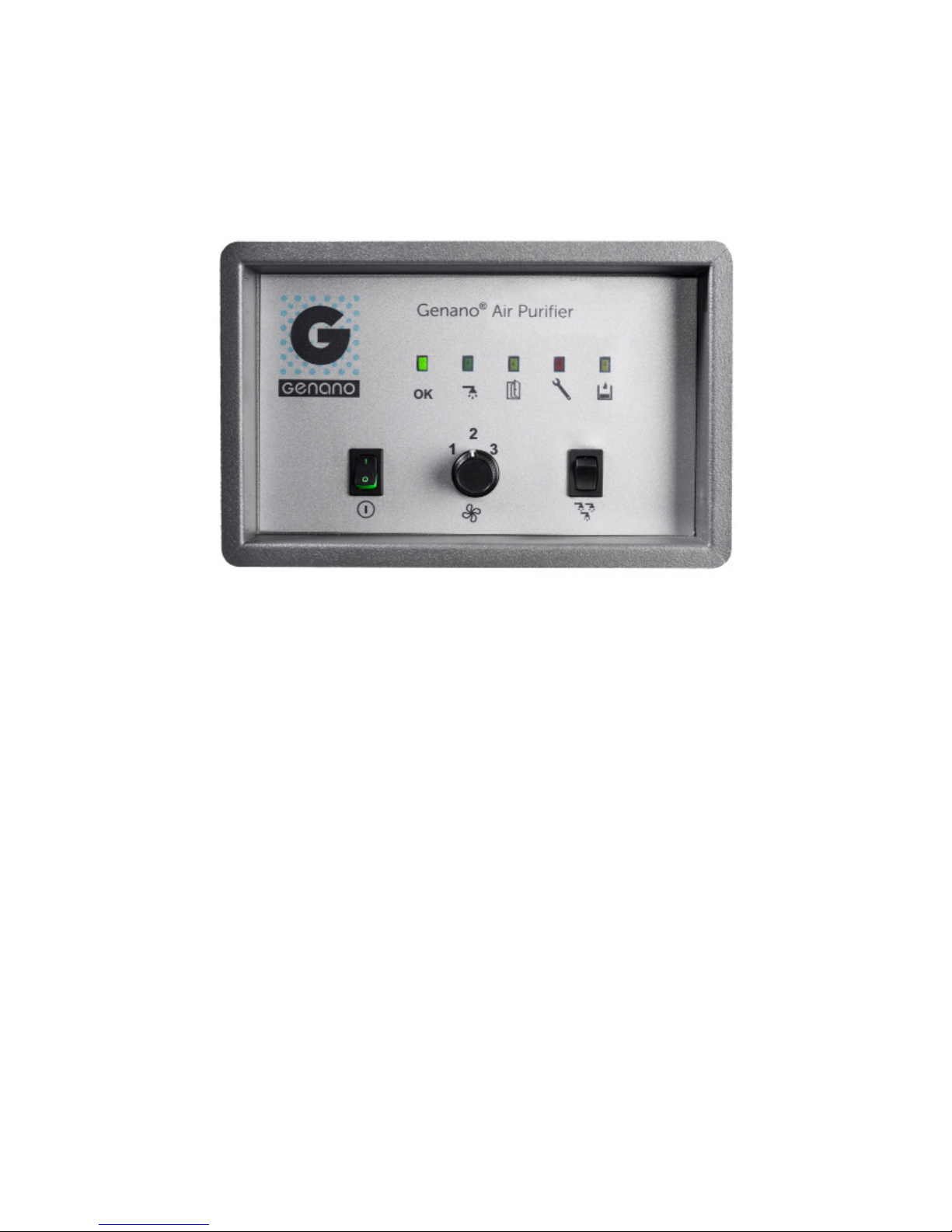
(the OK light, see A on page 8, does not turn on) there may be a malfunction.
A straightforward indication of a malfunction is the ERROR/SERVICE light (see D
on page 8) turning on and staying lit.
If the ERROR/SERVICE light is on make sure that the front door is closed. Then try
resetting the unit (see instructions below). If the malfunction does not go away,
contact an authorised Genano service representative.
Resetting the unit
1. Switch OFF the unit (main switch, Fon page 8) and wait about 20 seconds.
2. Switch ON the unit.
FRONT DOOR
If the front door is opened during normal operation, the ERROR/SERVICE light
(see D on page 8) and the CLOSE DOOR light (see C on page 8) turn on and the
unit stops the air purification. The unit continues purifying air only after the door is
closed.
When the front door is open, non-purified air cannot flow through the unit, as the
active carbon collector prevents the flow of air when the fan is not on.
Genano washing liquids are environmentally friendly. In normal home and office
use, the dirty flush liquid can be poured into the sewer. If the unit is used to
remove hazardous material, dispose of the dirt according to environmental regu-
lations.
WARNING! Only use approved Genano washing liquids in Genano units.