Using the Touchscreen (Optional) .......................................2-12
Using the Hard Disk Drive ....................................................2-14
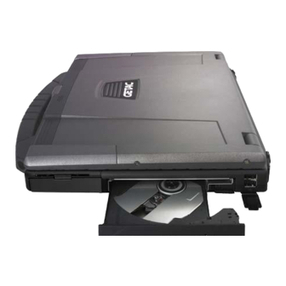
Using the Optical Drive.........................................................2-15
Installing the Optical Drive ..............................................2-16
Inserting and Removing a Disc ........................................2-17
Using the Video Features .....................................................2-19
Configuring the Display Modes.......................................2-20
Using the Audio Features.....................................................2-21
Connecting Audio Devices ...............................................2-22
Using the Communication Features......................................2-23
Using the LAN ...................................................................2-23
Using the Wireless LAN (Optional).................................2-24
Using the Modem .............................................................2-27
Using the Wireless Modem (Optional)............................2-28
Using the Bluetooth Feature (Optional).........................2-29
Using the GPS Feature (Optional)........................................2-32
Turning On/Off the GPS ...................................................2-32
Chapter 3 Managing Power .......................................................... 3-1
AC Adapter..............................................................................3-2
Battery Pack.............................................................................3-3
Charging the Battery Pack .................................................3-3
Initializing the Battery Pack...............................................3-4
Checking the Battery Level ................................................3-4
Replacing the Primary Battery Pack .................................. 3-5
Installing the Secondary Battery Pack...............................3-6
Battery Low Signals and Actions .......................................3-7
Power Management ...............................................................3-9
Hibernation Mode ............................................................3-10
Power-Saving Tips.................................................................3-11
Chapter 4 Expanding Your Computer .......................................... 4-1
Connecting an External Monitor ...........................................4-2
Connecting a USB Device .......................................................4-3
Connecting a Parallel Device.................................................. 4-4
Connecting a Serial Device.....................................................4-5
Connecting an IR Device.........................................................4-6