4
Warning – Batteries
•Never open, damage or swallow
batteries or allow them to enter the
environment. They can contain toxic,
environmentally harmful heavy metals.
•Immediately remove and dispose of
dead batteries from the product.
•Avoid storing, charging or using the
device in extreme temperatures and
extremely low atmospheric pressure (for
example, at high altitudes).
4. Getting Started
•Move the LOCK slide switch (12) to the
LOCK position to select normal mode.
4.1 Inserting the batteries
•Open the battery compartment (14),
insert three AAA batteries with the
correct polarity and close the battery
compartment (14).
5. Operation
Note
Immediate Hold down the 12/24/ YEAR
button (8), HOUR/ MONTH button (9) or
the MIN/ DATE button (10) to select the
values faster. ly remove and dispose of
dead batteries from the product.
5.1 Automatic date/time setting using
the DCF signal
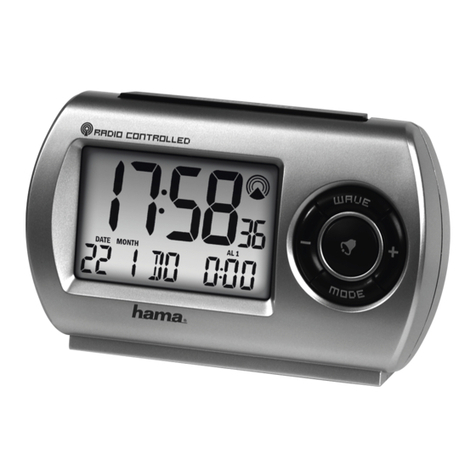
•Once you have inserted the batteries, the
display is switched on, an acoustic signal
sounds and the alarm clock automatically
starts searching for a DCF radio signal.
During the search, the radio icon /
will ash. This process can take 3 to
5 minutes.
•When the wireless signal is received, the
date and time are automatically set.
Note – Time settings
•If, during initial setup of the device, no
DCF radio signal is received within the
rst few minutes, the search is aborted.
The radio icon will go out.
•If there are reception problems, we
recommend leaving the clock to
sit overnight, since interference is
generally less at night.
•In the meantime, you can start a
manual search for the DCF radio signal
at another location or you can manually
set the time and date.
5.2 Alarm
Setting the alarm time
•Move the LOCK slide switch (12) to the
ALARM SET position to manually set the
alarm time (2).
•Repeatedly press the 12/24/YEAR button
(8) to set the time of alarm 1 or alarm 2.
•Either the symbol or the symbol is
displayed accordingly.
•Set the hour by pressing the HOUR/
MONTH button (9).
•Set the minute by pressing the MIN/DATE
button (10).
•If necessary, press the 12/24/YEAR button
(8) again to set the other alarm.
•Move the LOCK slide switch (12) to the
LOCK position to save your settings and
return to normal mode.
•Repeatedly press the HOUR/MONTH
button (9) to display the set time of alarm
1 or alarm 2.
•The corresponding symbol ( or ) is
displayed for about 10 seconds.
•By default, in normal mode (LOCK) the
time for alarm 1 is displayed.