manuals.online logo
Brands
  1. Home
  2. •
  3. Brands
  4. •
  5. HPRT
  6. •
  7. Printer
  8. •
  9. HPRT TP808 User manual

HPRT TP808 User manual

Other manuals for TP808

2

Other HPRT Printer manuals

HPRT KP806 User manual

HPRT

HPRT KP806 User manual

HPRT HD100 User manual

HPRT

HPRT HD100 User manual

HPRT TP80C User manual

HPRT

HPRT TP80C User manual

HPRT MT800 User manual

HPRT

HPRT MT800 User manual

HPRT TP808 User manual

HPRT

HPRT TP808 User manual

HPRT MT800 User manual

HPRT

HPRT MT800 User manual

HPRT CP2000 User manual

HPRT

HPRT CP2000 User manual

HPRT TP808 User manual

HPRT

HPRT TP808 User manual

HPRT HD100 User manual

HPRT

HPRT HD100 User manual

HPRT HM-Z3 User manual

HPRT

HPRT HM-Z3 User manual

HPRT TP809 User manual

HPRT

HPRT TP809 User manual

HPRT MLP2 Owner's manual

HPRT

HPRT MLP2 Owner's manual

HPRT HM-A300S User manual

HPRT

HPRT HM-A300S User manual

HPRT TP801 User manual

HPRT

HPRT TP801 User manual

HPRT TP806L User manual

HPRT

HPRT TP806L User manual

HPRT SL41 User manual

HPRT

HPRT SL41 User manual

HPRT POS80FE User manual

HPRT

HPRT POS80FE User manual

HPRT TP801 User manual

HPRT

HPRT TP801 User manual

HPRT SL42 User manual

HPRT

HPRT SL42 User manual

HPRT TP585L User manual

HPRT

HPRT TP585L User manual

HPRT HM-A300E User manual

HPRT

HPRT HM-A300E User manual

HPRT HLP106D User manual

HPRT

HPRT HLP106D User manual

HPRT MPT-II User manual

HPRT

HPRT MPT-II User manual

HPRT TP80BE User manual

HPRT

HPRT TP80BE User manual

Popular Printer manuals by other brands

Evolis Elypso user guide

Evolis

Evolis Elypso user guide

Lexmark 522n - C Color Laser Printer Service manual

Lexmark

Lexmark 522n - C Color Laser Printer Service manual

Panduit COUGAR LS9Q Operator's manual

Panduit

Panduit COUGAR LS9Q Operator's manual

Olivetti PG L2140 Operation guide

Olivetti

Olivetti PG L2140 Operation guide

Samsung SL-M2820DW user manual

Samsung

Samsung SL-M2820DW user manual

Kyocera FS-9530DN specification

Kyocera

Kyocera FS-9530DN specification

Canon LASER SHOT LBP-1210 Specifications

Canon

Canon LASER SHOT LBP-1210 Specifications

Canon PIXMA PRO-1 Series Getting started

Canon

Canon PIXMA PRO-1 Series Getting started

Canon LBP113w Getting started

Canon

Canon LBP113w Getting started

Lexmark Infoprint 1332 user manual

Lexmark

Lexmark Infoprint 1332 user manual

Epson M1120 user guide

Epson

Epson M1120 user guide

TransAct POSJET 1500 Spare parts

TransAct

TransAct POSJET 1500 Spare parts

Telpar MTP-1500 user manual

Telpar

Telpar MTP-1500 user manual

Star DP8340 SERIES user manual

Star

Star DP8340 SERIES user manual

MGI JETVARNISH 3DS user manual

MGI

MGI JETVARNISH 3DS user manual

Kyocera TASKalfa PA4500ci Operation guide

Kyocera

Kyocera TASKalfa PA4500ci Operation guide

Emaar EP-360 user manual

Emaar

Emaar EP-360 user manual

Fujitsu DL7400 user manual

Fujitsu

Fujitsu DL7400 user manual

manuals.online logo
manuals.online logoBrands
  • About & Mission
  • Contact us
  • Privacy Policy
  • Terms and Conditions

Copyright 2025 Manuals.Online. All Rights Reserved.

Thermal Receipt Printer
TP808
User Manual
Xiamen Hanin Electronic Technology Co.,Ltd.
ADD: 5F, 8#, Aide Airport Industrial Park, Gaoqi South 12th Road, Huli District, Xiamen
Tel: +86-(0)592-5885993
Web: www.hprt.com
Content
Statement............................................................................................................................................... 4
Important Safety Instructions.................................................................................................................5
1 OVERVIEW........................................................................................................................................... 7
1.1 Introductions............................................................................................................................ 7
1.2 The Main Features....................................................................................................................7
2 GETTING STARTED............................................................................................................................... 8
2.1 Packing List............................................................................................................................... 8
2.2 Appearance and Components.................................................................................................. 9
3 SPECIFICATION................................................................................................................................... 10
3.1 Printer Specification............................................................................................................... 10
3.2 Printing Media Specification.................................................................................................. 12
3.2.1 Continuous Thermal Paper Specification.................................................................... 12
3.2.2 Notices.........................................................................................................................12
3.3 Printing and Cutting Position..................................................................................................13
3.3.1 Printing position.......................................................................................................... 13
3.3.2 Cutting Position........................................................................................................... 13
4 INSTALLATION AND USAGE................................................................................................................14
4.1 Media Loading........................................................................................................................ 14
4.1.1 Paper Confirmation..................................................................................................... 14
4.1.2 Paper Installation (Forward Paper-out Direction)....................................................... 14
4.2 LED Indication and Beeper..................................................................................................... 16
4.3 Power Connection.................................................................................................................. 17
4.4 Interface Cable Connection.................................................................................................... 19
4.5 Cash Drawer Connection........................................................................................................ 19
4.6 Wi-Fi Settings..........................................................................................................................19
4.7 Print Test.................................................................................................................................20
4.7.1 Print Self-Test...............................................................................................................20
4.7.2 Printing of Windows Driver Program.......................................................................... 20
5 INTERFACES........................................................................................................................................21
5.1 USB......................................................................................................................................... 21
5.2 Cash Drawer Interface............................................................................................................ 21
5.5 Power Supply Interface.......................................................................................................... 22
6 TROUBLESHOOTING.......................................................................................................................... 23
6.1 Printer Not Working............................................................................................................... 23
6.2 LED Indicator and Beeper....................................................................................................... 23
6.3 Troubles Occur During Printing.............................................................................................. 23
6.4 Problems Emerge During the Paper Cutting.......................................................................... 24
6.5 Removing Jammed Paper.......................................................................................................24
7 PRINTER CLEANING AND MAINTENANCE......................................................................................... 25
7.1 Cleaning Head.........................................................................................................................25
7.2 Cleaning Sensors, Roller and/or Paper Path...........................................................................25
8 DOWNLOAD SOFTWARES FROM HPRT WEBSITE.............................................................................. 26
APPENDIX............................................................................................................................................. 27
FCC WARNING.............................................................................................................................. 27
EC DECLARATION OF CONFORMITY..............................................................................................28

TP808 User Manual

4
Statement
This manual content may be altered without permission, and Xiamen Hanin Electronic Technology
Co., Ltd. reserves the rights to make changes without notice in technology, spare parts, hardware
and software of the products. If more information is needed about the products, please contact
Xiamen Hanin Electronic Technology Co., Ltd. Without any written permission from the company,
any section of this manual is prohibited to be copied or transferred in any form.
Copyright
This manual is printed in 2020, the copyright belongs to Xiamen Hanin Electronic Technology Co.
Ltd.
Printed in China
Version 1.7
Warnings
This must be complied with in order to avoid any damage to the human body and to the
equipment.
This is showing the important information and tips for the printer operating.
Note
Due to continuous update of product, please take in kind of real machine, such as accessories,
programs etc.
TP808 User Manual
5
Important Safety Instructions
1. Safety Warning
Warnings: The print head will become very hot during printing; avoid contact with the print
head after printing has finished.
Warnings: Do not touch the printer head and connector in case static damage the printer
head.
2. Instructions
Carefully read the installation and operating instructions provided with the printer before starting
up your printer.
1) Place the printer on a flat and stable surface.
2) Leave enough space around printer for operation and maintenance.
3) Do not place the printer on or near a heat source.
4) Do not use the printer near water. Never spill liquid into the printer.
5) Do not expose the printer to high temperatures, direct sunlight or dust.
6) Protect the printer from shock, impact and vibration.
7) Be certain the power source is within the voltage rating and frequency listed for the printer.
8) Switch off the printer power supply when won’t use it for a long time.
9) Do not place the power cord where it can be stepped on. If the power cord becomes
damaged or frayed, replace it immediately.
10) To ensure the print quality and reliability, you are suggested to use the recommended paper
or the same quality paper.
11) Please switch off the power supply when connect/disconnect all the ports or it will cause
damage to the printer control circuit.
12) Never carry out maintenance or repair work yourself. Always contact a qualified service
technician.
13) Keep this User Manual in a place which is easily accessible at all times.
TP808 User Manual
6
3.Other Precautions
The copyright for this user manual and various other manuals is property of our company. Any
copying or conversion into electronic form and saving of this material without the express written
permission is strictly prohibited. Use of the information contained in this manual is not subject to
any patent liability. This manual has been prepared with utmost care and attention to detail but
may contain certain errors and/or omissions. Our company is not legally liable for any damages
resulting from the use of the information in this manual. Our company and its affiliates are not
legally liable (United States excluded) for any damages, loss, costs, and/or expenses that result from
the breakdown, malfunction, and/or misuse of the product due to violation or neglect of the
operation and maintenance information and instructions provided by our company, as well as from
the unauthorized alteration, repair, and/or modification of the product by the user and/or third
party. We are not legally liable for any damages and/or issues resulting from the use of options
and/or parts that are not authentic or authorized products.
4.WEEE (Waste Electrical and Electric Equipment)
This mark shown on the product or its literature indicates that the corresponding item
should not be discarded at the end of its working life with others household waste. To
prevent possible harm to the environment or human health from uncontrolled waste
disposal, please separate marked items from other types of waste and recycle them responsibly to
promote the sustained reuse of material resources. Household users should contact either the
retailer where they purchased this product, or their local government office for details of where and
how they can conduct environmentally safe recycling of such items. Commercial users should
contact their suppliers and check the terms and conditions of purchase contracts. This product
should not be combined with other commercial waste for disposal.
TP808 User Manual
7
1 OVERVIEW
1.1 Introductions
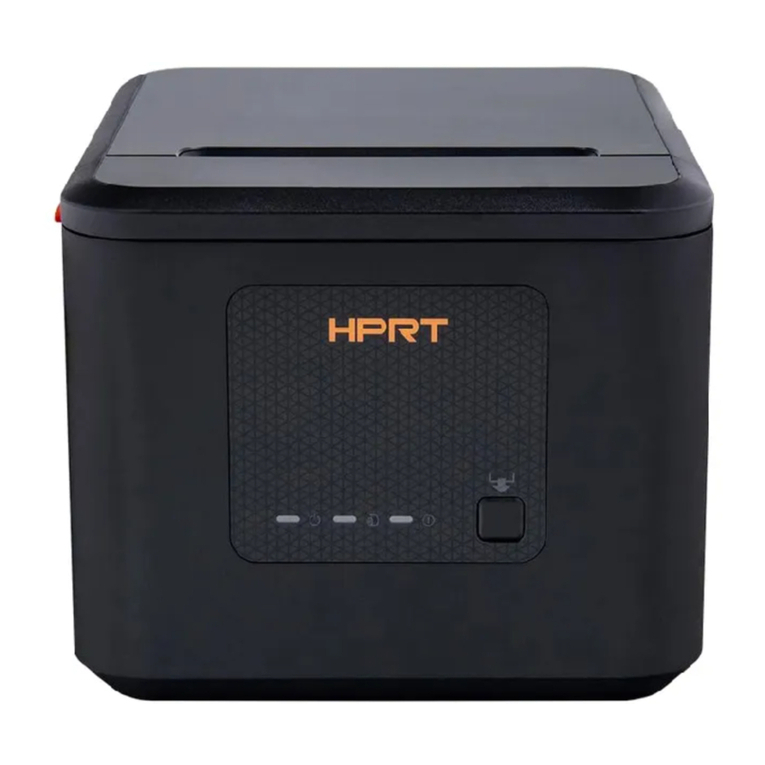
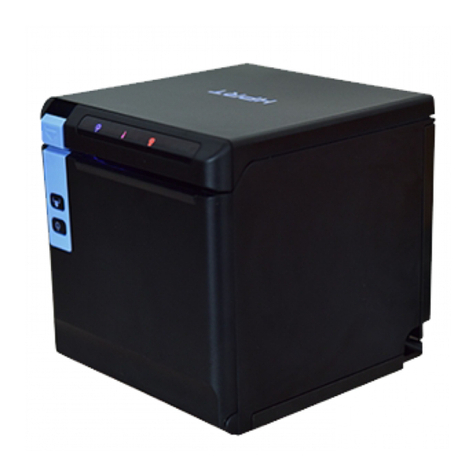
TP808 is a thermal receipt printer, featured by high print quality, high print speed, high stability, etc.
It can be used in commercial POS system, food industry and occasions which need real-time field
print receipts.
This printer can connect with other equipment through USB, cash drawer and Wi-Fi interfaces. And
the printer drivers are available for the WINDOWS XP/WINDOWS 7/WINDOWS 8/WINDOWS
10/Linux operating system.
1.2 The Main Features
1) Low noise
2) High print speed
3) Easy paper loading
4) Support page mode printing
5) Compatible with various width paper
6) Cash drawer interface
7) Communication interfaces optional
TP808 User Manual
8
2 GETTING STARTED
2.1 Packing List
After receiving your printer, please check for possible shipping damage:
1. Inspect the outside of both the box and the printer for possible damage.
2. Check whether you have received the following accessories together with the printer, if there are
any items missing, please contact your local dealer.
Notes:
1) The Power adapter and power cord vary by region.
2) Items in the package are dependent on the actual order.
TP808 User Manual
9
2.2 Appearance and Components
Front
Rear
Inside
TP808 User Manual
10
3 SPECIFICATION
3.1 Printer Specification
Table3-1 General Specification
(1/2)
Item
Parameter
Printing
Parameter
Printing Method
Direct thermal line printing
Resolution
203DPI,8dots/mm
Printing Width
72mm
Print Speed
Max. 260mm/s
Interface
USB, Cash drawer, Wi-Fi
Print density
Adjustable from level 1 to level 4
Page Mode
Support
Memory
RAM
2MB
Flash
4MB
Fonts
Chinese
GBK 24×24
Alphanumeric
ASCⅡ9×17,12×24.
User-defined
Support
Code page
PC437(std.Europe), Katakana, PC850(Multilingual), PC860(Portuguese),
PC863(Canadian), PC865(Nordic), PC857(Turkish), PC737(Greek),
ISO08859-7(Greek), WPC1252, PC866(Cyrillic #2), PC852(Latin 2),
PC858(Euro), KU42(Thai), TIS11(Thai), TIS18(Thai), PC720(Arabic),
WPC775(Baltic Rim), PC855(Cyrillic), PC862(Hebrew), PC864(Arabic),
ISO8859-2(Latin2), ISO8859-15(Latin9), WPC1250(Latin 2),
WPC1251(Cyrillic), WPC1253(Greek), WPC1254(Turkish),
WPC1255(Hebrew), WPC1256(Arabic),
WPC1257(Baltic Rim), WPC1258(Vietnamese), MIK(Cyrillic),
PC755(Latin 2), Iran, Iran II, Latvian, ISO-8859-1(WestEur),
ISO-8859-3(Latin 3), ISO-8859-4(Baltic), ISO-8859-5(Cyrillic),
ISO-8859-6(Arabic), ISO-8859-8(Hebrew), ISO-8859-9(Turkish), PC856,
PC3848(ABICOMP), MONGOLIAN, VISCII
TP808 User Manual
11
Table3-1 General Specification(Continued)
(2/2)
Item
Parameter
Barcode
1D
UPC-A, UPC-E, EAN8, EAN13, CODE39, ITF, CODEBAR, CODE128, CODE93
2D
PDF417, QR code
Graphics
Support varied density bitmap and download bitmap printing
Max size of each bitmap is 40K, the total size of bitmap is 256K.
Detection
Sensors
Paper end detection, Cover open detection
LED
Indicator
Power LED
Blue
Paper LED
Orange
Error LED
Red
Power
Supply
Input
AC100V-240V
Output
DC24V, 2.5A
Paper
Paper type
Specified Thermal Paper
Paper width
0
1
58

mm/
0
1
80

mm
Paper thickness
0.056~0.13mm
Roll paper
diameter
Max. OD ф83mm
Paper load
Easy-loading structure of forward open cover or upward open cover
Paper cut
Partial cut / full cut
Physical
Spec.
Operating
condition
0℃~50℃,20%~85%RH
Storage
condition
-20℃~70℃,5%~95%RH
Dimensions
137.3(L)*132(W)*130.5(H)mm
Weight
1.33kg
Command
ESC/POS
Software
Driver
Windows2000/XP/Vista/Win7/Win8/Win10/POSReady/Linux CUPS/OPOS/
JavaPOS
SDK
WinCE, Win Mobile, Android, iOS
Agency Approvals
FCC, CE