EnglishDeutsch
 logo
Brands
  1. Home
  2. •
  3. Brands
  4. •
  5. IFM
  6. •
  7. Accessories
  8. •
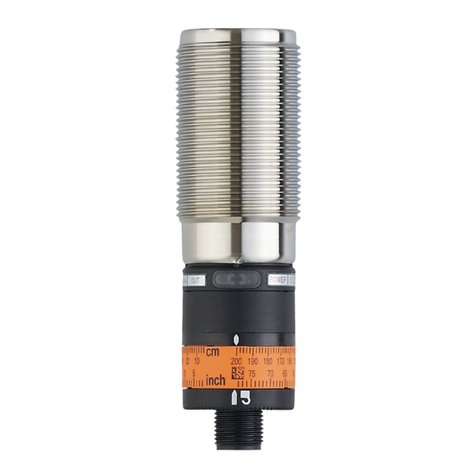
  9. IFM efector200 OM User manual

IFM efector200 OM User manual

Other IFM Accessories manuals

IFM LW2720 User manual

IFM

IFM LW2720 User manual

IFM Efector 200 O6E4 User manual

IFM

IFM Efector 200 O6E4 User manual

IFM O1D111 User manual

IFM

IFM O1D111 User manual

IFM Ecomat 100 EC2082 Guide

IFM

IFM Ecomat 100 EC2082 Guide

IFM OGD582 User manual

IFM

IFM OGD582 User manual

IFM O5H5xA Series User manual

IFM

IFM O5H5xA Series User manual

IFM IFS Series User manual

IFM

IFM IFS Series User manual

IFM OJ Use and care manual

IFM

IFM OJ Use and care manual

IFM UIT510 User manual

IFM

IFM UIT510 User manual

IFM OID25 Series User manual

IFM

IFM OID25 Series User manual

IFM PL205 Series User manual

IFM

IFM PL205 Series User manual

IFM PK752 Series User manual

IFM

IFM PK752 Series User manual

IFM MFH User manual

IFM

IFM MFH User manual

IFM Efector 200 O5PG User manual

IFM

IFM Efector 200 O5PG User manual

IFM Efector 200 OJ User manual

IFM

IFM Efector 200 OJ User manual

IFM PN72 Series User manual

IFM

IFM PN72 Series User manual

IFM JD Application guide

IFM

IFM JD Application guide

IFM EC2061 User manual

IFM

IFM EC2061 User manual

IFM SB4 Series User manual

IFM

IFM SB4 Series User manual

IFM SBG2 Series User manual

IFM

IFM SBG2 Series User manual

IFM O6E7 Series User manual

IFM

IFM O6E7 Series User manual

IFM Efector 200 OJ User manual

IFM

IFM Efector 200 OJ User manual

IFM Efector 200 OGE08 Series User manual

IFM

IFM Efector 200 OGE08 Series User manual

IFM efector 200 O4P2 Series User manual

IFM

IFM efector 200 O4P2 Series User manual

Popular Accessories manuals by other brands

Hillco 2810 Operator's manual

Hillco

Hillco 2810 Operator's manual

Siemens QSA2700D Basic documentation

Siemens

Siemens QSA2700D Basic documentation

Contours ZY024 manual

Contours

Contours ZY024 manual

Saivod VS621 manual

Saivod

Saivod VS621 manual

SCE ENVIRO-THERM SCE-TE170B24VSS user manual

SCE

SCE ENVIRO-THERM SCE-TE170B24VSS user manual

Z-Wave HSD-200Z user manual

Z-Wave

Z-Wave HSD-200Z user manual

turck FMX-IM-2UPLI63FX quick start guide

turck

turck FMX-IM-2UPLI63FX quick start guide

Decagon Devices 10HS manual

Decagon Devices

Decagon Devices 10HS manual

UPPAbaby Cup Holder user manual

UPPAbaby

UPPAbaby Cup Holder user manual

Elko SmartSensor Leakage Wireless manual

Elko

Elko SmartSensor Leakage Wireless manual

Grizzly H8371 instructions

Grizzly

Grizzly H8371 instructions

Panasonic HG-T Series user manual

Panasonic

Panasonic HG-T Series user manual

IFM Electronic Efector 250 Series Brief instructions

IFM Electronic

IFM Electronic Efector 250 Series Brief instructions

Virtuox VirtuCLEAN 2.0 user manual

Virtuox

Virtuox VirtuCLEAN 2.0 user manual

DigiDesign 888/24 I/O installation guide

DigiDesign

DigiDesign 888/24 I/O installation guide

PROZIS QUAY user manual

PROZIS

PROZIS QUAY user manual

patagonia PSI Vest user manual

patagonia

patagonia PSI Vest user manual

SFC Energy EFOY GO! manual

SFC Energy

SFC Energy EFOY GO! manual

https://manuals.online logo
https://manuals.online logoBrands
  • About & Mission
  • Contact us
  • Privacy Policy
  • Terms and Conditions

Copyright 2026 Manuals.Online. All Rights Reserved.

Bedien- und Anzeigeelemente
Betrieb
Öffnen Sie den Gehäusedeckel nur zum Einstellen. Schließen Sie ihn
nach der Einstellung wieder, um Schutzart IP 67 zu erhalten.
Prüfen Sie, ob das Gerät sicher funktioniert.
• Hellschaltung – Der Ausgang ist durchgeschaltet, wenn das Objekt
nicht vorhanden ist. Die gelbe LED leuchtet.
• Dunkelschaltung – Der Ausgang ist durchgeschaltet, wenn das
Objekt vorhanden ist. Die gelbe LED leuchtet.
• Die rote LED leuchtet bei Lichtempfang (= kein Objekt zwischen
Gerät und Reflektor);
• sie blinkt bei Verschlechterung des Empfangs (z. B. durch Ver-
schmutzung der Linsen oder durch Dejustage). Wenn zwei Sekun-
den lang ein unsicheres Signal ansteht, schaltet der Funktionskon-
trollausgang und bleibt solange geschaltet, bis ein sicheres Signal
empfangen wird.
Wartung
Halten Sie die Linsen des Geräts von Verschmutzung frei.
Verwenden Sie zur Reinigung keine Lösungsmittel oder Reiniger, die
die Kunststofflinsen beschädigen könnten.
Output
On
Light Dark
Function Check
Bestimmungsgemäße Verwendung
In Verbindung mit einem Tripelspiegel oder einer Reflexfolie erfaßt die
Reflexlichtschranke berührungslos Gegenstände und Materialien und
meldet sie durch ein Schaltsignal.
Reichweite ("range") OMP...: 13,5m (Reflexlichtschranke mit Polfilter);
(Werte bezogen auf Tripelspiegel mit ∅80mm).
Montage
Befestigen Sie den Tripelspiegel oder die Reflexfolie. Richten Sie die
Reflexlichtschranke darauf aus und befestigen Sie sie über die Monta-
gebohrungen im Gerätegehäuse oder über den Gewindesockel
M30 x 1,5mm mit dem mitgelieferten Montagezubehör.
Elektrischer Anschluß
Schalten Sie die Anlage spannungsfrei. Schließen Sie das Gerät
nach den Angaben auf dem Typenschild an.
Nach dem elektrischen Anschluß richten Sie das Gerät mit Hilfe des
Rotlichtes genau auf den Tripelspiegel oder die Reflexfolie aus.
• Die rote LED leuchtet bei genauer Ausrichtung;
• sie blinkt bei ungenauer Ausrichtung.
Maximale Reichweite nur bei genauer Ausrichtung.
Montageanleitung
Installation Instructions
Notice de Montage
Reflexlichtschranke OM
Retro-reflective sensor OM
Système réflex OM
R
Mit dem Schiebeschalter Betriebs-
modus Hell- oder Dunkelschaltung
wählen
Zur Einstellung die Schraube lösen
und den Gehäusedeckel öffnen
Funktionsanzeige
Output LED gelb
Schaltzustand
Function Check LED rot
Funktionskontrollausgang
On LED grün
Betrieb
Sachnr. 701862 / 00 10 / 2004
Eléments de service et d’indication
Fonctionnement
Ouvrir le couvercle de la cellule seulement pour le réglage. Fermer ce
couvercle après le réglage pour garantir la protection IP 67.
Vérifier le bon fonctionnement de le cellule.
• Eclairement (NF) – La sortie est commutée, quand l'objet n'est pas
présent. La LED jaune est allumée.
• Obscurcissement (NO) – La sortie est commutée, quand l'objet est
présent. La LED jaune est allumée.
• La LED rouge est allumée avec une bonne réception de la lumière
(= aucun objet entre la cellule et le réflecteur);
• La LED rouge clignote en cas de détérioration de la réception (par
ex. à cause d'encrassement des lentilles ou de désalignement). Si
pendant deux secondes il y a un signal non sûr, la sortie contrôle
commute et reste commutée jusqu'à ce qu'un signal sûr soit reçu.
Entretien
Les lentilles de la cellule doivent être dégagées de tout encrassement.
Pour le nettoyage ne pas utiliser de solvants ou de produits qui pour-
raient abîmer les lentilles en plastique.
Functions and features
In conjunction with a prismatic reflector or reflective tape the retro-
reflective sensor detects objects and materials without contact and
indicates their presence by a switched signal.
Range OMP...: 13,5m (retro-reflective sensor with polarizationfilter);
(values referred to prismatic reflector with ∅80 mm).
Installation
Place prismatic reflector or reflective tape in desired position. Align the
retro-reflective sensor to it and fix it via the mounting holes in the unit
housing or via the M30 x 1.5mm thread using the mounting acces-
sories supplied.
Electrical connection
Disconnect power before connecting the sensor.
Connection strictly to the indications on the type label.
After electrical connection align the unit by means of the red light
directly onto the prismatic reflector or the reflective tape.
• The red LED is lit with exact alignment;
• it is flashing with inexact alignment.
Maximum range is only achieved with precise alignment.
Fonctionnement et caractéristiques
En liaison avec un réflecteur «nid d’abeille» ou une bande adhésive
réflex ce système réflex détecte des objets et matières sans contact et
indique leur présence par un signal de commutation.
Portée ("range") OMP...: 13,5 m (système réflex avec filtre de polarisa-
tion); (valeurs sur un réflecteur «nid d’abeille» ∅80mm).
Montage
Fixer le réflecteur ou la bande adhésive réflex. Orienter le système
réflex vers celui-ci/celle-ci et fixer le via les trous de montage dans le
boîtier de la cellule ou via le filetage M30 x 1,5 mm en utilisant les
accessoires de montage fournis.
Raccordement électrique
Mettre l’installation hors tension avant le raccordement de la
cellule optoélectronique.
Raccordement strictement selon les indications de l’étiquette.
Après le raccordement électrique, orienter la cellule précisément en
direction du réflecteur ou de la bande adhésive à l'aide de la lumière
rouge.
• La LED rouge est allumée avec une orientation précise;
• elle clignote avec une orientation non précise.
Portée optimale seulement avec une orientation précise.
Controls and indicators
Operation
Only open the cover to make adjustments. Close it after the adjust-
ment has been made in order to maintain the protection IP67.
Check whether the unit functions properly.
• Light-on mode – the output is switched when the object is not pre-
sent. The yellow LED is lit.
• Dark-on mode – the output is switched when the object is present.
The yellow LED is lit.
• The red LED is lit when the light is received (= no object between
unit and reflector);
• it flashes when reception is impaired (e.g. due to soiling of the lens-
es or maladjustment). If an unsafe signal is present for two seconds,
the function check output switches and remains switched until a
safe signal is received.
Maintenance
Keep the lens of the sensor free from soiling. For cleaning do not use
any solvents or cleaning agents which could damage the plastic lenses.

Output
On
Light Dark
Function Check
Select the operating mode light-on
or dark-on by means of the slide
switch
For setting loosen the screw and
open the housing cover
Function display
Output Yellow LED
Function Check Red LED
On Green LED
Output
On
Light Dark
Function Check
Sélectionner le mode de fonction-
nement éclairement ou obscurcis-
sement à l'aide du sélecteur
Pour le réglage, desserrer la vis et
ouvrir le capot du boîtier
Indicateurs d’état
LED " Output " jaune
Etat de commutation
LED " Function Check " rouge
Sortie contrôle
LED " On " verte
Fonctionnement