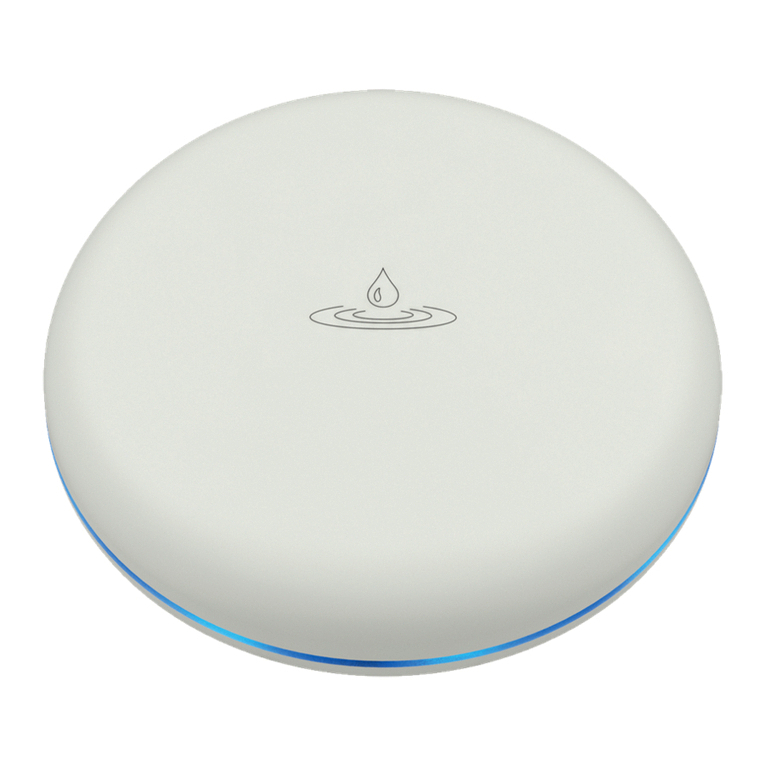
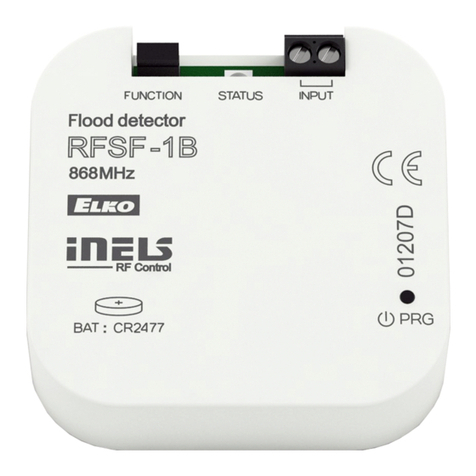
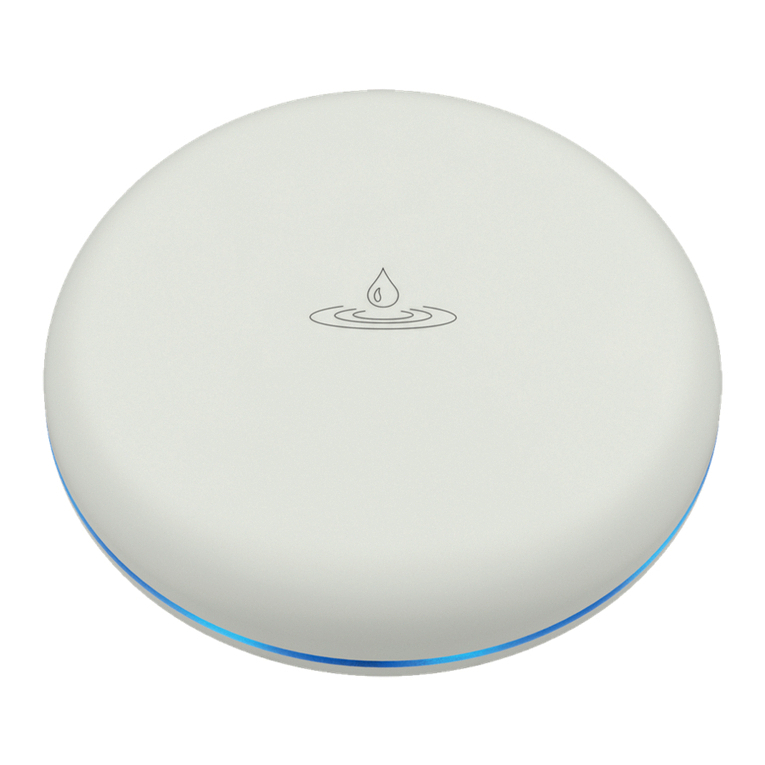
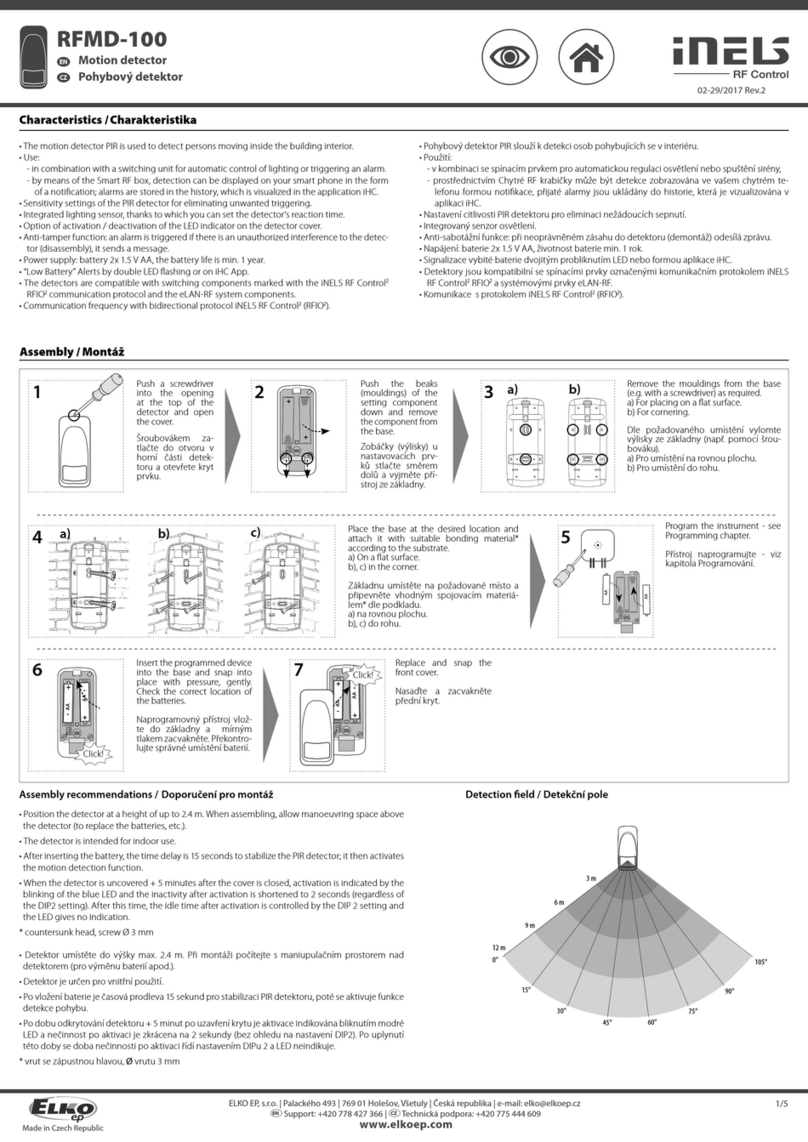
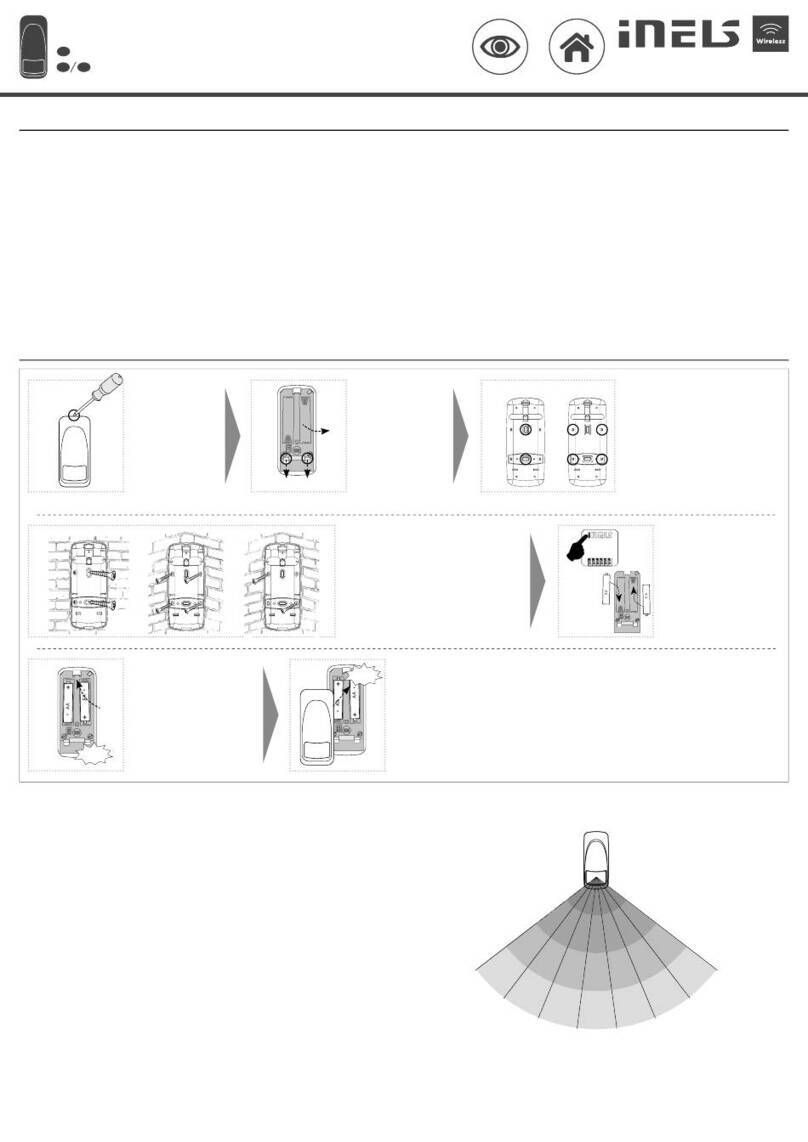
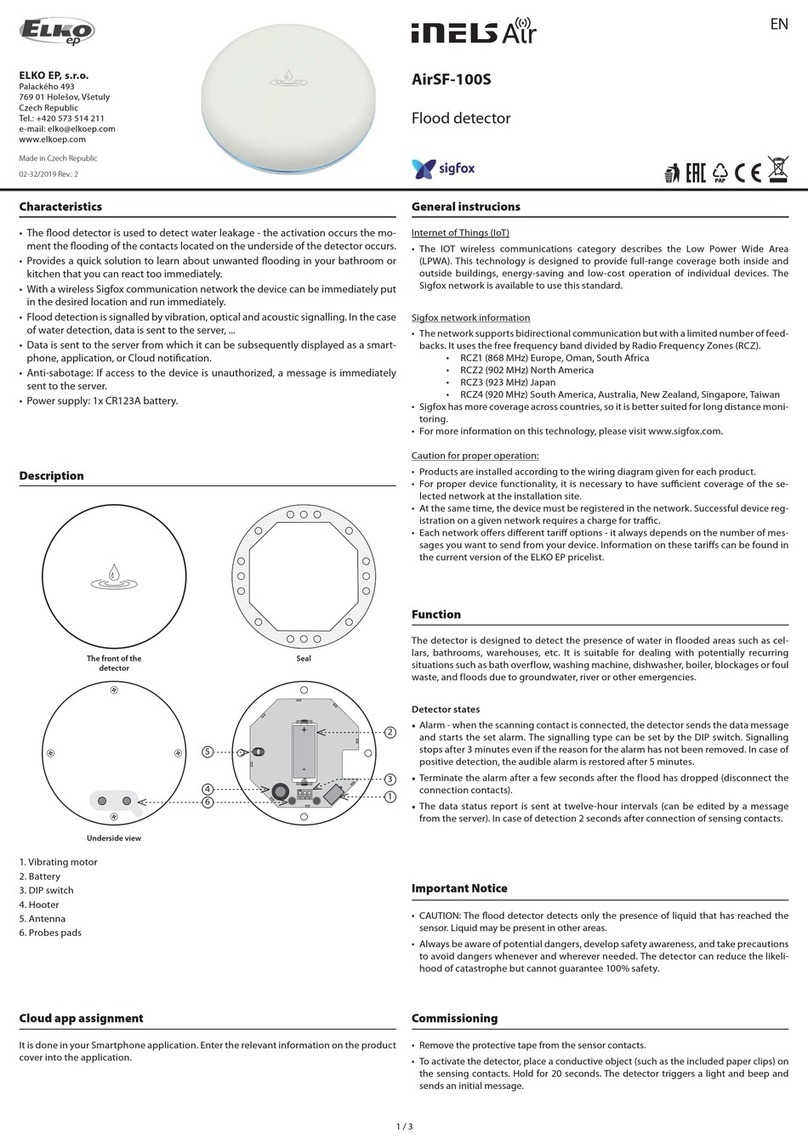
RFSF-100 RFSF-100
Flood detector Flood detector
EN EN
02-17/2020 Rev.0 02-17/2020 Rev.0
Made in Czech Republic Made in Czech Republic
ON
1 2 3
The detector is compatible with:
•switching components
all switching components of theRF Control system (except blinds),which aremarked withthe
RFIO2 communication protocol, eg RFSA-11B, RFSA-66M, RFUS-61, RFSC-61 ...
•system conponents
eLAN-RF, RF Touch, central units of the iNELS BUS system (CU3-0xM)
Compatibility /
ON
1 2 3
+
-
+
-
1 2 3
a.
b.
a.
d.
c.
f.
b.
e.
When handling a device unboxed it is important to avoid contact with liquids.
Avoid unnecessary contact with the components of the device.
Safe handling /
2/4
Indication, settings /
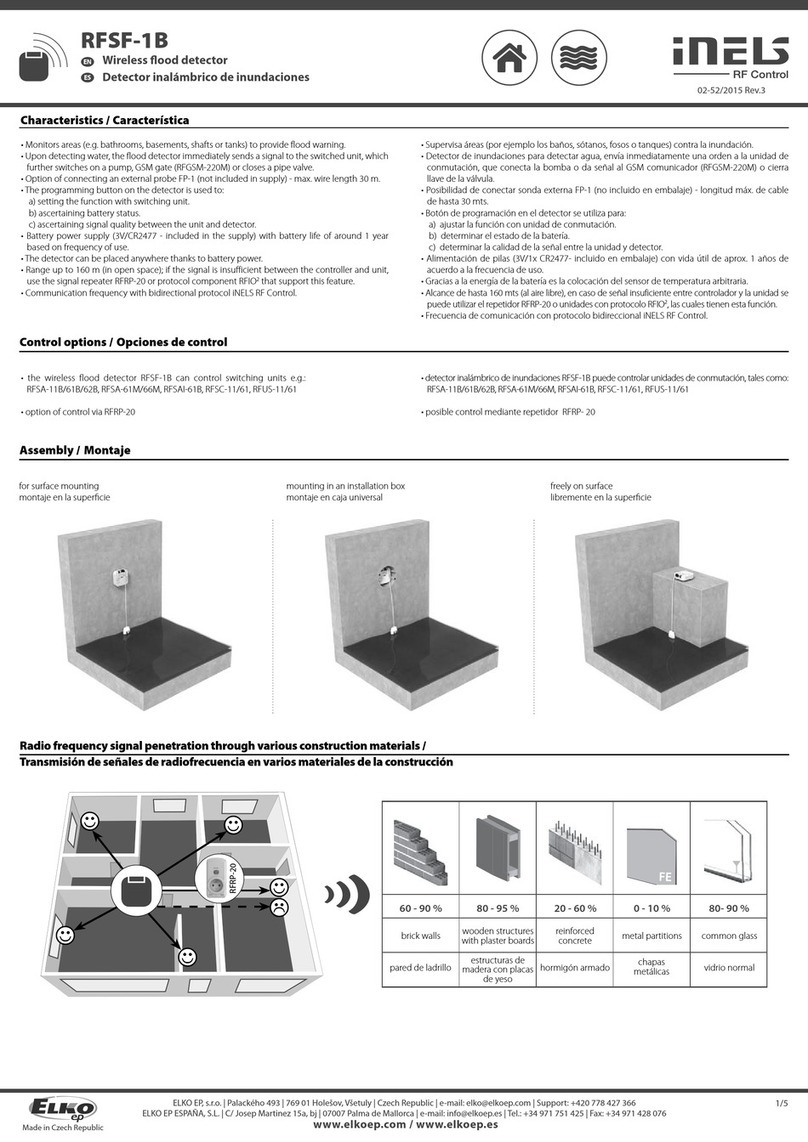
a. Screw
b. Probes pads
c. Seal
d. Insulating foil
e. DIP
f. Battery
Beforeinstalling,open the detector coverwithascrewdriver(Fig.1). The adjustment settings are
locatedinsidethedetector.Removetheinsulatingfoil,checkthecorrectplacementofthebattery.
Indication
• Activation of the device: after removing the insulating foil or inserting the batteries, the blue
LED lights up for 2 seconds and at the same time a message is sent to the device.
• Alarm:when the contacts are ooded, the detector sends a message to the paired component
and at the same time signals an alarm condition.
Alarm signaling: 1x second LED ash alternates with 1x "beep" at second intervals.
Alarm signaling whenthe battery is low: atsecondintervals, the LEDashes alternately with 2x
"beeps".
• Alarm termination: after a few seconds of the ood drop (interruption of the connection of the
sensing contacts) it sends a message to the paired component and switches o the signaling.
• Weak batteries: the detector ashes once and at a short time interval ashes 4 more times, this
signaling is repeated in 15 minutes. interval until the batteries are completely discharged.
DIP switch settings
• Position 1:
OFF - normal function, ie: in case of ooding, the (relay) contact of the assigned component
switches
ON - negated function, ie: during ooding it opens the (relay) contact of the assigned compo-
nent, at the end of ooding the contact is closed
• Position 2:
OFF - for pairing with a switching component - does not periodically send information about
the current status
ON - for pairing with a system component (eLAN-RF, RF Touch, iNELS control panel) - sends a
status message periodically after 120 minutes and when the status changes (ooding / end of
ooding)
• Position 3:
OFF - switched o sound signaling when contacts are ooded
ON - on audible alarm when contacts are ooded
Save DIP switch settings
Set the DIP as required. Insert the batteries into the battery holder (observe the polarity). The
blue LED on the detector lights up for 2 seconds - this saves the DIP switch settings.
Note: If the LED does not light up after inserting the batteries, you must reset the detector, ie:
remove the batteries and connect the inside of the battery holders with light pressure (Fig.3)
and then re-insert the batteries.
ON
1 2 3
Functions and programming with compatible switches /
Description of function /
4
+
-
+
-
5a
PROG >5s
1 x
+
-
+
-
t = 2s...60min.
5b
6
PROG <1s
1 x
Programming with the RF control unit /
address /
The address listed on the back of the device is used for programming with
RF system components.
Programming /
+
-
+
-
7
3/4
Thedetectorisdesigned to detectthepresenceof water in flooded areas.Afterdetection,itim-
mediately sends a command to the switching component, which continues to switch according
to the set function.
1
+
-
2
+
-
Press of programming button on
compatibleactuatorfor1 secondwill
activateactuatorintoprogramming
mode. LED is ashing in 1s interval.
3
PROG > 1s
1 x
Useascrewdrivertoopenthedetector. Remove one of the batteries from
the holders.
Only for functions 5 and 6:
Insert / remove the battery accord-
ing to the required function (5x or
6x). Pressing the programming but-
ton for more than 5 seconds puts
the device in to timer mode. The
LEDashestwiceatsecondintervals.
When the button is released, the de-
lay time starts to count.
Only for functions 5 and 6:
After the required time has elapsed
(between 2 s ... 60 min), end the tim-
ing mode by inserting the battery
into the detector. This saves the set
timeintervalinthedevice'smemory.
Insert / remove the battery into the
detector according to the required
function, ie: 1x battery insertion /
removal-function1,2xbatteryinser-
tion / removal - function 2... Each in-
sertion must be signaled by ashing
blue LEDs, there must be a delay of
1 s between individual inserts.
Replace the seal, attach the front
cover - make sure the correct loca-
tion. Screw in, tighten the screws to
maintain IP protection.
Press of programming button on re-
ceiver RF shorter then 1 second will
nish programming mode.
Detektor poplave Detektor poplave
RS RS
www.elkoep.rs www.elkoep.rs
U-Energister
,
d.o.o.|
No
veških
interniraca
1V
|
31000
Užice
|
Serbia
|
e-mail:
o
[email protected] U-Energister
,
d.o.o.
|
Norveških
interniraca
1V
|
31000
Užice
|
Republika
Srbija
|
e-mail:
o
[email protected] EN Support: +381 63 479 880 | RS Tehnička podrška +381 63 479 880
U-Energister
,
d.o.o.|
No
veških
interniraca
1V
|
31000
Užice
|
Serbia
|
e-mail:
o
[email protected] U-Energister
,
d.o.o.
|
Norveških
interniraca
1V
|
31000
Užice
|
Republika
Srbija
|
e-mail:
o
[email protected] EN Support: +381 63 479 880 | RS Tehnička podrška +381 63 479 880
a. zavrtanj
b. senzorski kontakti
c. pečak
d. izolaciona folija
e. DIP
f. baterije
Pre puštanja u rad, otvorite poklopac detektora pomoću odvijača (slika 1). Elementi za pode-
šavanje nalaze se unutar detektora. Uklonite izolacijsku foliju, proverite pravilno postavljanje
baterije.
Indikacije
• Aktiviranje elementa: nakon uklanjanja izolacione folije ili umetanja baterija, plava LED
lampica svetli 2 sekunde i istovremeno se elementu šalje poruka.
• Alarm: kada su kontakti preplavljeni, detektor šalje poruku uparenom elementu i istovre-
meno signalizira stanje alarma.
• Alarmna signalizacija: 1x LED blica se naizmenično menja sa 1x „zvučnim signalom“ u
intervalima od sekunde.
• Alarmna signalizacija kada se baterija isprazni: u sekundama interval LED trepće naizmenič-
no sa 2x "zvučna signala".
• Prekid alarma: nakon nekoliko sekundi od padavine (prekid veze senzorskih kontakata) šalje
poruku uparenom elementu i isključuje signalizaciju.
• Slabe baterije: detektor trepće jednom, a u malom vremenskom intervalu trepće još 4 puta,
ova signalizacija se ponavlja za 15 minuta. interval dok se baterije potpuno ne isprazne.
• Podešavanja DIP prekidača
• pozicija 1:
ISKLJUČENO - normalna funkcija, odnosno: u slučaju poplave prekida se (relejni) kontakt
dodeljenog elementa
UKLJUČENO - negirana funkcija, odnosno: tokom poplave otvara (relejni) kontakt dodelje-
nog elementa, na kraju poplave kontakt se zatvara
• pozicija 2:
ISKLJUČENO - za uparivanje sa preklopnim elementom - ne šalje povremeno informacije o
trenutnom statusu
UKLJUČENO - za uparivanje sa sistemskim elementom (eLAN-RF, RF Touch, iNELS kontrolna
tabla) - periodično šalje statusnu poruku nakon 120 minuta i kada se status promeni (popla-
va / kraj poplave)
• pozicija 3:
ISKLJUČENO - isključena zvučna signalizacija kada su kontakti preplavljeni
UKLJUČENO - na zvučni alarm kada su kontakti poplavljeni
Sačuvajte postavke DIP prekidača
Podesite DIP prema potrebi. Postavite baterije u držač (obratite pažnju na polaritet). Plava
LED na detektoru svetli 2 sekunde - ovo štedi postavke DIP prekidača.
Napomena: Ako LED lampica ne upali nakon umetanja baterija, morate resetovati detektor,
tj.: Izvadite baterije i laganim pritiskom spojite unutrašnjost držača baterija (slika 3), a zatim
ponovo ubacite baterije.
Detektor je kompatibilan sa:
preklopni elementi
svi preklopni elementi RF RF sistema (osim roleta), koji su obeleženi RFIO2 komunikacijskim
protokolom, npr. RFSA-11B, RFSA-66M, RFUS-61, RFSC-61 ...
•sistemskielementi
eLAN-RF, RF Touch, centralne jedinice sistema iNELS BUS (CU3-0xM)
Kompatibilnost
Indikacije, podešavanja
Kada rukujete uređajem koji je van kutije, važno je izbegavati kontakt sa tečnostima.
Nikada ne postavljajte uređaj na provodne jastučiće ili predmete, izbegavajte nepotreban
kontakt sa komponentama uređaja.
Bezbednost rukovanja uređajem
Funkcije i programiranje sa kompatibilnim prekidačima
Detektor je dizajniran da detektuje prisustvo vode poplavom prostorija. Nakon otkrivanja,
odmah šalje komandu preklopnom elementu, koji nastavlja da se prebacuje u skladu sa po-
stavljenom funkcijom.
Samo za funkcije 5 i 6:
Postavite / izvadite bateriju u skla-
du sa potrebnom funkcijom (5x ili
6x). Pritiskom na taster za progra-
miranje duže od 5 sekundi element
se prebacuje u režim tajmera. LED
trepće dva puta u intervalima od
1s. Kada se taster otpusti, vreme
odlaganja počinje da se računa.
Samo za funkcije 5 i 6:
Nakon isteka potrebnog vremena
(između 2 s ... 60 min), prekinite
režim vremena ubacivanjem ba-
terije u detektor. Ovo štedi zadati
vremenski interval u memoriji
elementa.
Pritiskom na taster za programi-
ranje na kompatibilnom elementu
tokom 1 sekunde, element se pre-
bacuje u režim programiranja. LED
trepće u intervalima od 1 sekunde.
Postavite/izvadite bateriju u
detektor u skladu sa potrebnom
funkcijom, odnosno: 1x
postavljanje / uklanjanje baterije
- funkcija 1, 2x postavljanje /
uklanjanje baterije - funkcija
2 ... Svako umetanje mora biti
signalizirano treptanjem plavih LED
dioda, mora postojati kašnjenje od
1 s između pojedinačnih umetanja.
Programiranje sa elementom RF sistema
adresa Adresa navedena na poleđini elementa koristi se za programiranje sa
elementima RF sistema.
Postavite zaptivku, pričvrstite
prednji poklopac - uverite se da
je u ispravnom položaju. Uvrnite,
pritegnite zavrtnje da biste imali IP
zaštitu.
Programiranje
Otvorite detektor pomoću odvijača.
Izvadite jednu od baterija iz
držača.
Pritiskom na taster za programi-
ranje na RF elementu kraćim od 1
sekunde završava se režim progra-
miranja.
Opis funkcije