manuals.online logo
Brands
  1. Home
  2. •
  3. Brands
  4. •
  5. IQAir
  6. •
  7. Air Cleaner
  8. •
  9. IQAir Allergen 100 User manual

IQAir Allergen 100 User manual

Other manuals for Allergen 100

1

Other IQAir Air Cleaner manuals

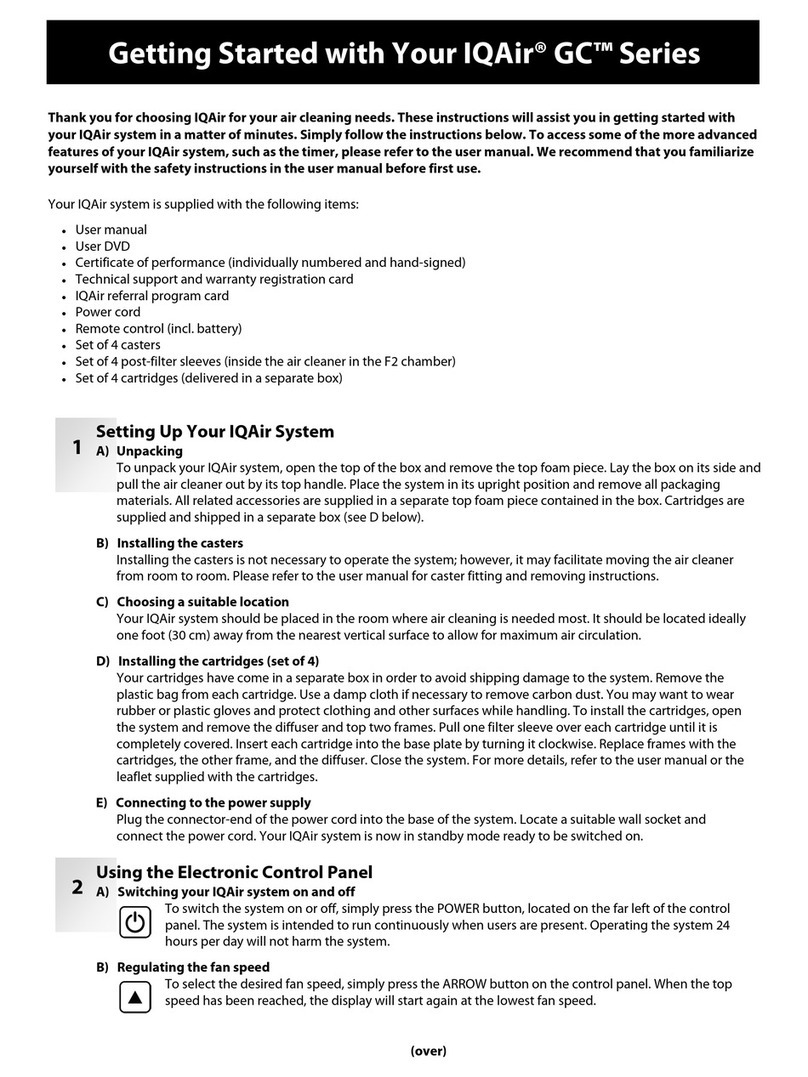
IQAir GCX series User manual

IQAir

IQAir GCX series User manual

IQAir Perfect 16 User manual

IQAir

IQAir Perfect 16 User manual

IQAir Atem User manual

IQAir

IQAir Atem User manual

IQAir GC series User manual

IQAir

IQAir GC series User manual

IQAir Cleanroom H 13 User manual

IQAir

IQAir Cleanroom H 13 User manual

IQAir HyperHEPA Allergen 100 User manual

IQAir

IQAir HyperHEPA Allergen 100 User manual

IQAir HealthPro Compact User manual

IQAir

IQAir HealthPro Compact User manual

IQAir GC series User manual

IQAir

IQAir GC series User manual

IQAir HealthPro series User manual

IQAir

IQAir HealthPro series User manual

IQAir Allergen 100 Manual

IQAir

IQAir Allergen 100 Manual

IQAir CleanZone 3020 series User manual

IQAir

IQAir CleanZone 3020 series User manual

IQAir HealthPro 250 User manual

IQAir

IQAir HealthPro 250 User manual

IQAir HealthPro Compact User manual

IQAir

IQAir HealthPro Compact User manual

IQAir Atem X User manual

IQAir

IQAir Atem X User manual

IQAir Perfect 16 ID-Series User manual

IQAir

IQAir Perfect 16 ID-Series User manual

IQAir HealthPro GC User manual

IQAir

IQAir HealthPro GC User manual

IQAir HealthPro User manual

IQAir

IQAir HealthPro User manual

IQAir CleanZone 3020 series User manual

IQAir

IQAir CleanZone 3020 series User manual

IQAir Perfect 16 ID-Series User manual

IQAir

IQAir Perfect 16 ID-Series User manual

IQAir HealthPro Compact User manual

IQAir

IQAir HealthPro Compact User manual

IQAir Klaus Series User manual

IQAir

IQAir Klaus Series User manual

IQAir GCX AM User manual

IQAir

IQAir GCX AM User manual

IQAir CleanZone 3030 series User manual

IQAir

IQAir CleanZone 3030 series User manual

IQAir HealthPro series User manual

IQAir

IQAir HealthPro series User manual

Popular Air Cleaner manuals by other brands

Steel City 65120 user manual

Steel City

Steel City 65120 user manual

CFM CX1000 user guide

CFM

CFM CX1000 user guide

Amana Media MAC1 Series installation instructions

Amana

Amana Media MAC1 Series installation instructions

Glaziar PUR50 Instructions for use

Glaziar

Glaziar PUR50 Instructions for use

Panasonic F-PXR40H operating instructions

Panasonic

Panasonic F-PXR40H operating instructions

Lightair IonFlow 50 manual

Lightair

Lightair IonFlow 50 manual

Lennox Healthy Climate PMAC-12C brochure

Lennox

Lennox Healthy Climate PMAC-12C brochure

IKEA UPPÅTVIND quick start guide

IKEA

IKEA UPPÅTVIND quick start guide

Nash AP-1 PureSmart instruction manual

Nash

Nash AP-1 PureSmart instruction manual

Aktobis WDH-220B manual

Aktobis

Aktobis WDH-220B manual

Honeywell HHT-013-HD user guide

Honeywell

Honeywell HHT-013-HD user guide

LG PH-U450 Series owner's manual

LG

LG PH-U450 Series owner's manual

Sharp FU-40SE Operation manual

Sharp

Sharp FU-40SE Operation manual

Philips AC2721 user manual

Philips

Philips AC2721 user manual

Filtrete FAP-T02 manual

Filtrete

Filtrete FAP-T02 manual

DeLonghi DDSX 220WFA manual

DeLonghi

DeLonghi DDSX 220WFA manual

TruSens Z-2000 manual

TruSens

TruSens Z-2000 manual

Motorola MBP87SN quick start guide

Motorola

Motorola MBP87SN quick start guide

manuals.online logo
manuals.online logoBrands
  • About & Mission
  • Contact us
  • Privacy Policy
  • Terms and Conditions

Copyright 2025 Manuals.Online. All Rights Reserved.

Allergen 100
HyperHEPA® High-Performance Air Cleaning System
for Advanced Airborne Particle Control
User’s Manual HB A100 GB_0407 / 105 10 31 12
Swiss Made
3
About This User’s Manual
Congratulations on your purchase of this QAir® high-performance air cleaning system.Please study this user manual
carefully to familiarize yourself with the special features and functions of your QAir® system and keep it in a safe
place for future reference.
Read these instructions before using the appliance:
•Do not use this appliance as sole protection against harmful pollutants.
•Do not immerse the appliance in water or other liquids.
•Always disconnect the power from your air cleaner by unplugging the power cable before adding or removing
parts and before cleaning.
•Do not operate this appliance if it has a damaged cord or plug, if the motor fan fails to rotate, if it is not working
properly, if it has been dropped or damaged, or immersed in water.
•f the mains cord of this appliance should become damaged, it may be replaced with a similar cord set, as is
commonly used for computers and similar appliances.
•Only use this appliance for its intended purpose of air cleaning in non-industrial environments.
•Do not use this appliance in areas with very high concentrations of dusts or powder to prevent the danger of dust
explosions.
•Do not use this appliance in explosive areas.
•Only use filters and accessories recommended by QAir®.
•Do not use outdoors.
•Do not obstruct the air inlet and air outlet of the air cleaner.
•Do not place the appliance on a soft surface such as a bed or other soft furnishings.
•Only use this appliance in an upright position.
•Do not place next to a humidifier.
•Keep the power cord away from heated surfaces.
•Save these instructions for future reference.
Important Safety Instructions
QAir® reserves the right to change specifications contained in this document at any time and without prior notice.
© 1998–2007 QAir® Group. All rights reserved. QAir®, HealthPro® and HyperHEPA® are the registered trademarks of the QAir® Group.V5-Cell™, PreMax™ and
EvenFlow™ are trademarks of the QAir® Group. QAir® systems and filters are protected under U.S. patents 6 001 145 and 6159 260. Other U.S.,
European and Asian patents pending.
4
Page
Important Safety Instructions 3
Chapter 1 – Air Cleaning Systems and Indoor Air Quality 5
1. 1 mproving ndoor Air Quality 5
Chapter 2 – Setting Up 6
2. 1 Unpacking 6
2. 2 Fitting Your Air Purifier with Casters 7
2. 3 Choosing a Suitable Location 8
2. 4 Connecting to Power 8
Chapter 3 – The IQAir® System’s Components 9
3. 1 Description of Housing Components 9
3. 2 Description of Removable Components 10
3. 3 How the QAir® System Works 10
Chapter 4 – Using the Control Panel 11
4. 1 Description of Control Panel 11
4. 1. 1 Description of Control Panel Keys 11
4. 2 Control Panel Locking Function 12
4. 3 Fan Speed and Air Delivery 12
4. 3. 1 Regulating Fan Speed 12
4. 3. 2 Air Exchange Rates in Differently Sized Rooms 13
4. 4 Using the Menu Functions 13
4. 4. 1 Menu Overview 13
4. 4. 2 Filter Life Monitor 14
4. 4. 3 Setting the Daily Timer 15
4. 4. 4 Setting the Weekly Timer 16
4. 4. 5 Timer ON/OFF Fan Speed Selection 16
4. 4. 6 Timer nformation in the Control Panel 17
4. 4. 7 Time & Day Setting 17
4. 4. 8 Filter Life Reset 18
4. 4. 9 Changing Airflow Units 18
4. 4. 10 Language Setting 18
4. 4. 11 Filter Load ndex Setting 19
4. 4. 11.1 Determining the Filter Load ndex 19
4. 4. 11.2 Modifying the Filter Load ndex 20
Chapter 5 – Using the Remote Control 21
5. 1 Remote Control Functions 21
5. 2 Getting the Best Transmission Results 21
5. 3 Placing Batteries in the Remote Control 22
Chapter 6 – Replacing Filters 22
6. 1 Location of the Filters 22
6. 2 Ordering Replacement Filters 22
6. 3 Opening and Closing the Housing 23
6. 3. 1 Troubleshooting when Closing the Housing 23
6. 4 Replacing the PreMaxTM Filter (Filter 1) 23
6. 5 Replacing the HyperHEPA® Filter (Filter 2) 25
6. 6 Discarding Used Filters 25
Chapter 7 – Maintenance 25
7. 1 Cleaning the Housing 25
7. 2 Maintenance-Free Fan 25
Chapter 8 – IQAir® Accessories (Optional) 26
Table of Contents

5
Chapter 1 – Improving Indoor Air Quality
Chapter 1 – Air Cleaning Systems and Indoor Air Quality
1.1 Improving Indoor Air Quality
Air cleaning can play an important role when it comes to improving indoor air quality. However, it should be noted
that air cleaning should be used in conjunction with pollution source control and ventilation, wherever possible.
Strategy to improve indoor air quality
To tackle any indoor air quality problem, keep the following three-step strategy in mind:
1. Eliminate or reduce the air pollution source as much as possible.Source control is by far the most effective way to
improve indoor air quality, since it sets out to deal with air pollution at the point of origin.
2. Ensure that sufficient fresh air is entering the room from outside. Air cleaners are not a substitution for sufficient
ventilation. They are not able to reverse the conversion of oxygen (O2) into carbon dioxide (CO2), caused by
breathing and combustion processes.
3. Ensure the QAir® system can clean enough air to cope with your room size.The actual hourly air volume cleaned
by the system should be at least double the air volume of your room. f the rate at which pollutants enter the room
air is high or the indoor air quality requirements are stringent, the hourly air delivery of the system needs to
exceed the room air volume several times.To achieve that level of air turnover,it may be necessary to employ more
than one system.
Air Cleaning Results
Although air cleaners may be advertised and sold to be suitable for use in specific indoor environments and to deal
with specific indoor air quality problems, the manufacturer and distributors make no claim as to the specific air
cleaning results that are achieved under the user’s individual operating conditions.The air quality improvements that
can be realized with the QAir® system (as with any air cleaner) in indoor environments depends to a significant
degree on circumstantial factors, which are out of the control of the manufacturer or distributors. mportant factors
which will influence the air quality improvements that can be achieved in an indoor environment with an air cleaner
include:
•Type of air pollutants present
•ntensity of the pollutant source(s)
•Pollutant concentration
•Size of the indoor environment (room size)
•Operating speed of the unit
•Number of air cleaners placed in the indoor environment
•Saturation state of the filters in the air cleaner
Consult a qualified specialist to determine an effective and comprehensive indoor air quality strategy.
IQ
IQAir
Air®
®
Cer
Certificate of P
tificate of Per
erfor
formance
mance
IQAir Model :
Serial No.:
Shell No.:
I. Air Delivery Rate
Speed 1:
Speed 2:
Speed 3:
Speed 4:
Speed 5:
m3/h
m3/h
m3/h
m3/h
m3/h
This certifies that the aforementioned air cleaning device has been tested prior to packaging
at the IQAir productionfacility in Switzerland. This particular device has been found to be
in compliance with the model’spublished specifications for air delivery and particle filtra-
tion efficiency.This particular device has passed the particle leakage test.
Speed 1:
Speed 2:
Speed 3:
Speed 4:
Speed 5:
m3/h
m3/h
m3/h
m3/h
m3/h
Published Air Delivery Actual Air Delivery
380
Allergen 100
TestVoltage/Frequency:
230 V / 50 Hz
Page1 of 2
m3/h = cubic meters per hour
The aforementioned device
has been tested for its air
delivery at all fan speed set-
tings. Due to component
tolerances, a divergence of
10%+10m3/h is deemed
acceptable.
Note:
Theair delivery rate refers to
the unit’sinitial air delivery,
which will decrease as filters
load up with dust particles.
Measuring instrument: Alnor LoFloBalometer.
Instrument accuracy: ± (3% + 4 m3/h).
Signed: _________________
Testing& QC Dept.
Testingcarried out by:
240
130
90
60
1A A EA 0000
1AAEA0000/040715/105601002
Garantie-Registrierungs-Karte
(SämtlicheInformationen werden vertraulich behandelt und nicht an Dritte weitergegeben)
Luftreiniger:
Artikel-Nr.
  
Serien-Nr.

.

Modellname
Haupteinsatzgrund
Einsatzort
Benutzer:
Name
Firma(falls zutreffend)
Adresse
PLZ,Ort und Land
Händler:
Nameund Ort
Kaufdatum
Bittesenden Sie diese Kar tean die Adresse auf der Rückseite. Alternativ können Sie diese Seite auch an die
FaxNummer +41 71 844 0845 senden.
TechnischerService
BeiAuftreten von Problemen während oder nach der Garantiezeit wenden Sie sich bitte an Ihren Händler.(Falls kein
Händlervorhanden sein sollte, kontaktieren Sie uns unter [email protected] oder der Faxnummer +41 71 844 0845.)
Umeine reibungslose Bearbeitung Ihrer Service-Anfrage zu gewährleisten, halten Sie bitte folgende Angaben
bereit:
•Modellname,Artikel- und Seriennummer (diese Angaben befinden sich auf dem Serienschild auf der
Systemunterseite)
•IhreAngaben (Name, Adresse,Telefonnummer,E-Mail)
•Kaufdatum
• Problembeschreibung
Bestellung von Wechselfiltern
FürWechselfilter-Bestellungen wenden Sie sich bitte mit folgenden Angaben an Ihren Händler. (Falls kein Händler
vorhandensein sollte, kontaktieren Sie uns unter [email protected] oder der Faxnummer +41 71 844 0845):
•Filtertypund Artikelnummer (diese Angaben befinden sich auf dem Filterelement)
•Alternativnennen Sie den Modellnamen und den entsprechenden Filtercode (z.B.“F1”),der neben der orange
bzw.rot leuchtenden LED rechts auf dem Bedienungsfeld angegeben ist.
So registrieren Sie Ihren Luftreiniger
FüllenSie die folgende Karte vollständig aus und senden oder faxen Sie uns diese unmittelbar nach Erwerb zu. Diese
Informationen ermöglichen uns, Sie im Garantie- oder Servicefall optimal zu bedienen und gegebenenfalls über
produktspezifischeInformationen auf dem Laufenden zu halten. (Modellname, Artikel- und Seriennummer befinden
sichauf der Systemunterseite.)
Garantie.DEIncen 2j.\040924\105020009
Ê
Service und Garantie-Registrierung
Allergen 100
HyperHEPA®Hochleistungs-Raumluftreiniger
Benutzerhandbuch
HB_A100_DE_02/07
SwissMade
6
Chapter 2 – Setting Up
2.1 Unpacking
To unpack the QAir system, open the top of the box and remove the square styrofoam pad which contains all
accessories and product literature. Lay the box on its side, hold the system by the handle and pull it out of the box.
Remove the plastic bag and foam belt. Keep the packaging for future transport and service needs.
Power cord
(plug types vary)
User manual Certificate of
Performance
IQAir® Advanced Air Cleaning System
Set of casters Warranty Card and
Technical Specifications
Remote control
including battery
7
Chapter 2 – Setting Up
Attaching the supplied casters is optional.They make it
easy to move the air purifier between rooms.
Attention: Please be careful and roll the unit gently when
moving it over thresholds or other obstacles to avoid
breakage.
The Mobility Caster kit consists of:
1. mounting rail (x 2)
2. casters (x 4)
For installation simply follow the below instructions:
CLICK
12
34
56
Turn the device upside down on a soft and clean
surface.
Place the mounting rail on the purifier’s base so that
the holes line up with the black connector pins on the
base.The cut-ins should face the center of the unit.
Press down until the mounting rail snaps into place.
Repeat with second rail.
Place the caster onto caster pin.
Press on caster, until it snaps into place. Repeat steps
4 and 5 with the remaining casters.
Ensure that each caster is securely fitted before
placing the air purifier in its upright position onto
the casters.
2.2 Fitting Your Air Purifier with Casters
2.3 Choosing a Suitable ocation
When choosing a suitable location for the
QAir system, keep the following
considerations in mind:
•Choosing the most suitable room for the
system will depend on where you would
like the focus of the air cleaning efforts.Two
main considerations are the time you spend
in a particular room and the location of the
main air pollution sources.As a general rule,
the closer the system is located to the air
pollution source, the better the air cleaning
performance in the room. Although an air
cleaning result may be achieved in adjacent
rooms, the main air cleaning will take place
in the room where the system is located.For
the best air cleaning results in adjacent
rooms,make sure that doors to these rooms
are left wide open.
•For best performance, the system should be positioned at least 30 cm (1 foot) away from the nearest vertical
surface, such as a wall or a cupboard. n general, the more centrally the system is positioned, the better the
performance.
•Position the system close to a power outlet and make sure that the power cable is positioned in a way that it does
not present an obstacle that could be tripped over.
•Make sure that the system is positioned in such a way that the control panel is easily accessible.
2.4 Connecting to Power
1. Plug the connector end of the power cord into the recessed power inlet socket on the back of the system.
2. Plug the other end of the power cord into a power outlet or power strip. Important: The only way to disconnect
power completely is to unplug the power cord.
Do not use the IQAir system when the power cord becomes damaged. The power cord may be replaced with an
approved cord with a two-pole plug.These power cords are commonly used for computers and similar appliances.
Power cord plug
(plug type can vary)
Power cord connector
Power inlet socket
Power outlet
8
Chapter 2 – Setting Up
min. distance
30cm/12”
Control panel should
be easily accessible
Keep power cable
clear of walk-ways
9
Chapter 3 – he IQAir® System’s Components
Chapter 3 – The IQAir® System’s Components
3.1 Description of Housing Components
The QAir system features a modular tower design in which all important filtration and air moving components are
positioned vertically in-line, i.e. stacked on top of another. Air is drawn into the system at the base, and passes
through several filter stages to be returned to the room via the diffuser on top of the system.The housing modules
are held together by two locking arms.
•The base with its arched design features air intake openings on two sides.
•The PreMaxTM filter module consists of frame 1 and the PreMaxTM filter which is fixed inside the frame by four filter
clamps.
•The fan assembly comprises two housing modules with the centrifugal fan inside.
•The HyperHEPA® filter module consists of frame 2 and the HyperHEPA® filter.
•The EvenFlow™ diffuser features the omni-directional air outlet openings.
•The handle on top of the diffuser is designed for carrying the QAir® system.
•The locking arms hold the housing elements together. When opened, the locking arms allow easy access to all
filters.
EvenFlow™ diffuser
PreMaxTM
filter module (1)
Fan assembly
HyperHEPA®
filter module (2)
ocking Arms
Base
Handle
Air intake opening
Air outlet openings
10
Chapter 3 – he IQAir® System’s Components
1. Room air is drawn into the system via two arched open-
ings at the base.
2. The air is drawn in through the PreMaxTM filter that
already removes most pollution particles, thus extending
the life of the subsequent filter.
3. At the heart of the system, sandwiched between the
filters, is a powerful cen-trifugal fan which generates the
airflow.
4. The air is pushed through several square meters of tightly
pleated HyperHEPA® filter media that removes even the
tiniest particles.
5. Low turbulence, low velocity air is returned to the room
via the EvenFlow™ diffuser.
3.2 Description of Removable Components
The QAir system features a modular housing design which enables the easy replacement of all filters in a matter of
seconds. The illustration below shows all the removable components. For more details on how to replace filters,
please refer to Chapter 6 – Replacing Filters.
3.3 How the IQAir® System Works
HyperHEPA
filter
PreMax
filter
Frame 2
Frame 1
Filter clamps
1
2
3
4
5
EvenFlow™ diffuser
11
Chapter 4 – Using the Control Panel
4.1.1 Description of Control Panel Keys
Power Key
The Power key switches the QAir system on and off. When the system is switched off, the fan stops to run, but
the system will remain connected to the power supply (standby mode).The standby mode allows for automatic timer
start-up. n the standby mode, the different menu functions can be accessed. Tip: n a menu window the Power key
also serves as a quick exit key to return to the main display window.
Arrow () Key
When the system is switched on,the key allows the adjustment of the fan speed. n the enter mode,indicated
by the appearance of a black flashing cursor (see“Enter Key”below),the key is used to modify the selected setting
in the display window. Confirmed with the Enter key, the enter mode is automatically terminated.The LCD will then
display the current menu settings for another 15 seconds before reverting to the main window display.
Chapter 4 – Using the Control Panel
The QAir system is operated and controlled via the electronic control panel which is located at the top of the front
locking arm.
Several operations can be completed via the electronic control panel, including:
•Switching the system on and off
•Controlling the fan speed and corresponding air delivery rate
•Checking the remaining filter life of the individual filters
•Setting the automatic timer
•Resetting the Filter Life Monitor after replacing a filter
•Locking the control panel to avoid tampering with the system’s settings
•Choosing the desired display language
4.1 Description of Control Panel Elements
CD = Liquid
Crystal Display
Power
Key Enter
Key
Menu
Key
Arrow
Key
HyperHEPA® Filter Life LED
PreMaxTM Filter Life LED
Timer LED
Fan Speed LEDs
CD Display
The 2-line LCD displays important information about the system’s settings. n
standby mode, the first line shows the current day and time. f the timer is
activated,the programmed start and stop times will be displayed on the second
line.
f the QAir system is on, the first line displays the current speed setting and the
second line displays the corresponding air delivery rate of the system. By
pressing the Menu key, ten active menu functions may be accessed. These
functions are explained in detail in this chapter.
ED = Light Emitting Diode
Main window: Standby mode
Main window: On mode
Menu window: Filter Life monitor
▲