manuals.online logo
Brands
  1. Home
  2. •
  3. Brands
  4. •
  5. ISHIDA
  6. •
  7. Scale
  8. •
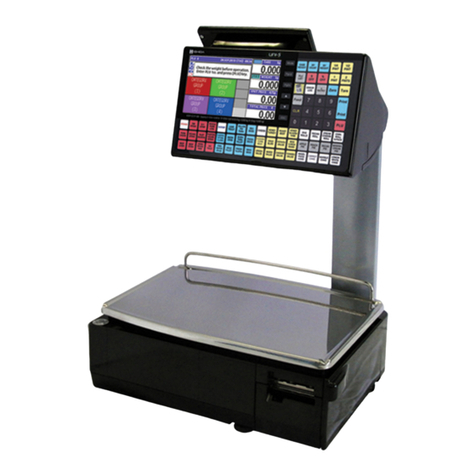
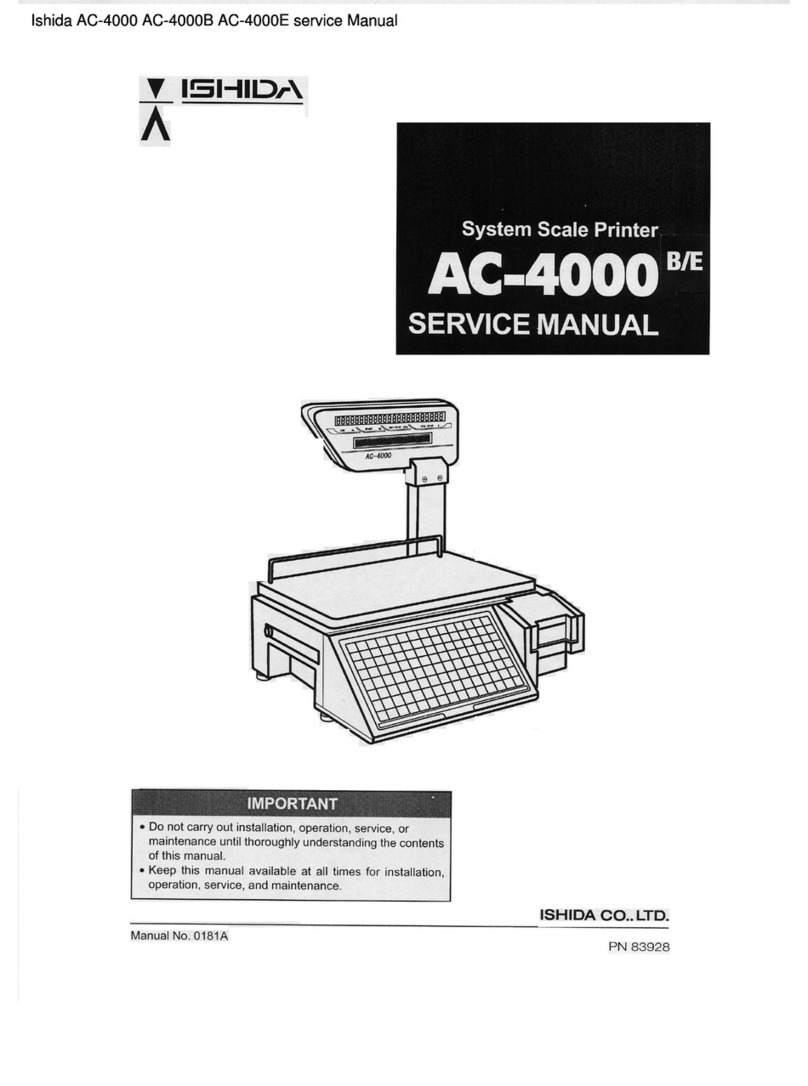
  9. ISHIDA AC-4000 Series User manual

ISHIDA AC-4000 Series User manual

Other manuals for AC-4000 Series

4

This manual suits for next models

1

Other ISHIDA Scale manuals

ISHIDA IWB Series User manual

ISHIDA

ISHIDA IWB Series User manual

ISHIDA AC-4000B User manual

ISHIDA

ISHIDA AC-4000B User manual

ISHIDA Uni-5 User manual

ISHIDA

ISHIDA Uni-5 User manual

ISHIDA Astra Instruction Manual

ISHIDA

ISHIDA Astra Instruction Manual

ISHIDA Uni-3 User manual

ISHIDA

ISHIDA Uni-3 User manual

ISHIDA AC-3000 User manual

ISHIDA

ISHIDA AC-3000 User manual

ISHIDA IP-AI User manual

ISHIDA

ISHIDA IP-AI User manual

ISHIDA IWQ-150 User manual

ISHIDA

ISHIDA IWQ-150 User manual

ISHIDA SR-2000 alpha User manual

ISHIDA

ISHIDA SR-2000 alpha User manual

ISHIDA Uni-3 User manual

ISHIDA

ISHIDA Uni-3 User manual

ISHIDA IWQ Series User manual

ISHIDA

ISHIDA IWQ Series User manual

ISHIDA SR-2000a Manual

ISHIDA

ISHIDA SR-2000a Manual

ISHIDA UNI-7 User manual

ISHIDA

ISHIDA UNI-7 User manual

ISHIDA BC-4000 User manual

ISHIDA

ISHIDA BC-4000 User manual

ISHIDA IP-EMZ User manual

ISHIDA

ISHIDA IP-EMZ User manual

ISHIDA IWX-150/30 User manual

ISHIDA

ISHIDA IWX-150/30 User manual

ISHIDA CB-300 Electronic balance User manual

ISHIDA

ISHIDA CB-300 Electronic balance User manual

ISHIDA iwq-150/30 User manual

ISHIDA

ISHIDA iwq-150/30 User manual

ISHIDA NOVA-II User guide

ISHIDA

ISHIDA NOVA-II User guide

ISHIDA BC-4000 User manual

ISHIDA

ISHIDA BC-4000 User manual

ISHIDA Astra II Bench Installation manual

ISHIDA

ISHIDA Astra II Bench Installation manual

ISHIDA CWS-02 Quick guide

ISHIDA

ISHIDA CWS-02 Quick guide

ISHIDA IGX Series User manual

ISHIDA

ISHIDA IGX Series User manual

ISHIDA IPC-WP User manual

ISHIDA

ISHIDA IPC-WP User manual

Popular Scale manuals by other brands

KERN MCC-M operating instructions

KERN

KERN MCC-M operating instructions

Little Balance SB MECA 8113 user manual

Little Balance

Little Balance SB MECA 8113 user manual

Fitbit Zip Aria Wi-Fi Smart Scale user manual

Fitbit Zip

Fitbit Zip Aria Wi-Fi Smart Scale user manual

KERN MPU 250K100 operating instructions

KERN

KERN MPU 250K100 operating instructions

Steinberg Systems SBS-PF-200 user manual

Steinberg Systems

Steinberg Systems SBS-PF-200 user manual

Total TP2000 user guide

Total

Total TP2000 user guide

A&D HL-200i operating instructions

A&D

A&D HL-200i operating instructions

OHAUS Courier 3000 user guide

OHAUS

OHAUS Courier 3000 user guide

Scarlett SC-KS57P97 instruction manual

Scarlett

Scarlett SC-KS57P97 instruction manual

BASETech LS-40S operating instructions

BASETech

BASETech LS-40S operating instructions

SR Instruments SR Scales SR565i-H Operating and service manual

SR Instruments

SR Instruments SR Scales SR565i-H Operating and service manual

Gallet PEP 301ART instruction manual

Gallet

Gallet PEP 301ART instruction manual

AWS ZEO-50 user manual

AWS

AWS ZEO-50 user manual

Gima Glass Body Fat Analyzer Use and maintenance book

Gima

Gima Glass Body Fat Analyzer Use and maintenance book

Seca 374 user manual

Seca

Seca 374 user manual

EDLUND BBPZ-20 quick start guide

EDLUND

EDLUND BBPZ-20 quick start guide

TEC TEC SL59 SERIES owner's manual

TEC

TEC TEC SL59 SERIES owner's manual

Alecto ACW-40 user manual

Alecto

Alecto ACW-40 user manual

manuals.online logo
manuals.online logoBrands
  • About & Mission
  • Contact us
  • Privacy Policy
  • Terms and Conditions

Copyright 2025 Manuals.Online. All Rights Reserved.

Ishida AC-4000 / AC-4000B Receipt Operation & Setup
Overview
For Receipt Mode operation the AC-4000 accumulates a customer's transactions in memory rather
than print individual labels. When all purchases are completed the Operator prints a receipt listing all
items. Individual labels are not available. Payment tendering, tax calculations, and cash drawer
operation are not available.
This document contains operation and setup information.
Firmware
This document pertains to the following firmware.
C1448C (main) & B0402B (BIOS)
Operation
AC-4000 Receipt mode operation parameters are listed below.
NOTE: The AC-4000 must be set to normal manual print mode during receipt operation.
1. Normal operation procedure.
a. Recall a PLU by number and PLU key or by a preset key.
b. For a Weighed item place the product on the scale.
c. Press an OPERATOR preset key.
d. Display changes to Sub Total indicating the number of items and Total Price.
e. Repeat from step a to accumulate additional items.
f. Press the TOTAL PRINT key to complete the transaction and issue the receipt.
2. Cancel an Operator's entire accumulated transaction.
a. Press the SUB TOTAL key to display the Sub Total information.
b. Press the OPERATOR key of the account to be canceled.
c. Press the CANCEL key to clear any accumulated items for that Operator.
d. The display returns to the normal operation mode.
3. Void the last item added to an Operator's accumulation.
a. Press the SUB TOTAL key to display the Sub Total information.
b. Press the OPERATOR key that accumulated the item to be removed.
c. Press the VOID key to remove the last item added.
d. The display returns to the normal operation mode.
4. Re-issue the previous receipt.
This must be done immediately after printing the previous receipt.
a. Press the SUB TOTAL key to display the Sub Total information.
b. Enter the Operator's Number (i.e. 12) then press the LABEL BATCH key.
c. A duplicate receipt is printed.
5. Recall an Operator's accumulated transactions.
Use this procedure if multiple Operators are using the scale simultaneously.
a. Press the SUB TOTAL key to display the Sub Total information.
b. Press the OPERATOR key to view the accumulated transitions Sub Total.
c. Press the TOTAL PRINT key to complete the transaction and issue the receipt or
press the SUB TOTAL key to continue adding more items.
Release 0, December 2007 1/4 AC-4000_Receipt_Manual
Ishida AC-4000 / AC-4000B Receipt Operation & Setup
Keyboard
The following key functions are added for receipt operation.
CANCEL: use to delete all accumulated items for an Operator.
VOID: use to delete the last item accumulated by an Operator.
SUB TOTAL: use to change between the normal display and the Sub Total display.
TOTAL PRINT: use to complete a transaction and prints the receipt.
Figure 1. Receipt Operation Keyboard with Sample Operator Preset Keys Programmed
Sub-Total Display
The image below identifies the data shown on the Sub-Total display.
Ke
y
In
p
ut
Transaction Count Total Price
Total Price
Operator Number
Figure 2. The Sub-Total Display
Release 0, December 2007 2/4 AC-4000_Receipt_Manual
Ishida AC-4000 / AC-4000B Receipt Operation & Setup
Receipt Printout
Refer to the following sample receipt for details of the printed items.
Receipt
Header
Date & Time
Title Line PLU Description
Fixed Price Item
Wei
g
hed Item Weight
PLU Number
Original Price
Discount Price
Unit Price
Pieces Total Price
Transaction Count
Total Pieces
Total Weight
Store Name & Address
Receipt Serial Number Operator Name
Machine Number
Figure 3. Sample Receipt with Explanations
Release 0, December 2007 3/4 AC-4000_Receipt_Manual
Ishida AC-4000 / AC-4000B Receipt Operation & Setup
Configuration
AC-4000 Receipt setup steps are listed below.
1. Sales Mode Set is added to Test Menu as step C08-03.
0 = No Accumulation
1 = Receipt (default)
2. Receipt settings are added to Print Setup step B01-01.
a. B01-01-14, Initial Receipt Serial Number. Up to six-digits can be set.
b. B01-01-15, Receipt Header Message Number. Set message number for Extra
Message #2.
3. Receipt Barcode settings are added to POS Code step B02.
a. B02-07, Total Barcode Flag. Default value is "2".
b. B02-08, Total Barcode. Up to six-digits can be set. Default value is "000000".
c. B02-09, Total Barcode Format. Select format 1 to 33. Default value is "1".
4. Label Format.
a. The receipt format is fixed and cannot be edited.
b. Continuous receipt label or paper is mandatory.
c. Settings in step is B01-01 are disregarded.
NOTE: Full width 64mm label stock is recommended.
5. Receipt Header is programmed as Extra Message #2. (See step 2b above).
a. Up to three lines can be printed in the receipt heater message.
b. Character size is fixed as size 7.
c. Maximum characters per line are 25.
NOTE: If more than 25 characters are programmed per line the following lines will
not print. Example: if line one has 26 characters lines two and three will not
print.
6. Receipt Footer.
a. Program Store Name and Address as normal. Characters size is fixed as size 2.
b. Receipt Serial Number. Refer to step 2a above for setting the starting number.
Character size is fixed as size 3.
c. Machine Number. This three-digit number is the last octet of the IP Address.
Character size is fixed as size 3.
d. Operator Name. Prints up to 10 characters. Character size is fixed as size 3.
7. PLU Descriptions.
a. Description limited to one line of 30 characters. Character size is fixed as size 3.
8. The new Receipt related settings (Sales Mode {C08-03}, Receipt Serial No & Receipt
Message No. {B01-01-16,17}, and Receipt Barcode {B02-07,08,09}) are backed up by i-View
from version 1.24h.
Miscellaneous
The following items should be noted.
1. Standard labels for individual items can be printed (on continuous strip labels) by placing the

scale in PrePack mode.
2. The maximum number of transactions per Operator is 30. If the Operator attempts to add
another item to the customer's purchase an error is displayed.
3. Error Messages
The following error messages have been added for receipt operation.
a. Error 15 "Print Receipt" is displayed if more than 30 transactions for a single operator
are entered.
b. Error 64 "Sales Data Memory Shortage" is displayed every time the Sub Total key is
pressed when available memory is less than 10K.
c. Error 65 "Sales Data Memory Overflow" is displayed when available memory is less
than 2K. No additional operations are permitted.

Release 0, December 2007 4/4 AC-4000_Receipt_Manual