manuals.online logo
Brands
  1. Home
  2. •
  3. Brands
  4. •
  5. Johnson Controls
  6. •
  7. Control Unit
  8. •
  9. Johnson Controls MP8000 Series User manual

Johnson Controls MP8000 Series User manual

This manual suits for next models

1

Other Johnson Controls Control Unit manuals
Johnson Controls P352PN-2 User manual

Johnson Controls

Johnson Controls P352PN-2 User manual

Johnson Controls GS-20 Series User manual

Johnson Controls

Johnson Controls GS-20 Series User manual

Johnson Controls EM-3000 Series User manual

Johnson Controls

Johnson Controls EM-3000 Series User manual

Johnson Controls Tyco PRV-1A User manual

Johnson Controls

Johnson Controls Tyco PRV-1A User manual

Johnson Controls VP101DBB User manual

Johnson Controls

Johnson Controls VP101DBB User manual

Johnson Controls C450CCN-2 User manual

Johnson Controls

Johnson Controls C450CCN-2 User manual

Johnson Controls Tyco DV-5a Series User manual

Johnson Controls

Johnson Controls Tyco DV-5a Series User manual

Johnson Controls MS-IOU4710-0U User manual

Johnson Controls

Johnson Controls MS-IOU4710-0U User manual

Johnson Controls S1-TTSCC01 Quick start guide

Johnson Controls

Johnson Controls S1-TTSCC01 Quick start guide

Johnson Controls Tyco 8200-1466-01 User manual

Johnson Controls

Johnson Controls Tyco 8200-1466-01 User manual

Johnson Controls TrueRH Series Guide

Johnson Controls

Johnson Controls TrueRH Series Guide

Johnson Controls M300CJ-R User manual

Johnson Controls

Johnson Controls M300CJ-R User manual
Johnson Controls Tyco DV-5a Series User manual

Johnson Controls

Johnson Controls Tyco DV-5a Series User manual

Johnson Controls METASYS TC-9102 Series Service manual

Johnson Controls

Johnson Controls METASYS TC-9102 Series Service manual

Johnson Controls tyco AMD-2 User manual

Johnson Controls

Johnson Controls tyco AMD-2 User manual

Johnson Controls H Series User manual

Johnson Controls

Johnson Controls H Series User manual

Johnson Controls VG7000 Series User manual

Johnson Controls

Johnson Controls VG7000 Series User manual

Johnson Controls Penn P28 Series User manual

Johnson Controls

Johnson Controls Penn P28 Series User manual

Johnson Controls GH-5000 User manual

Johnson Controls

Johnson Controls GH-5000 User manual

Johnson Controls System 450 Series User manual

Johnson Controls

Johnson Controls System 450 Series User manual

Johnson Controls Tyco CV-300B User manual

Johnson Controls

Johnson Controls Tyco CV-300B User manual

Johnson Controls Autocall MX Indoor Isolated Callpoint User manual

Johnson Controls

Johnson Controls Autocall MX Indoor Isolated Callpoint User manual

Johnson Controls TYCO DPV-1 Instruction manual

Johnson Controls

Johnson Controls TYCO DPV-1 Instruction manual

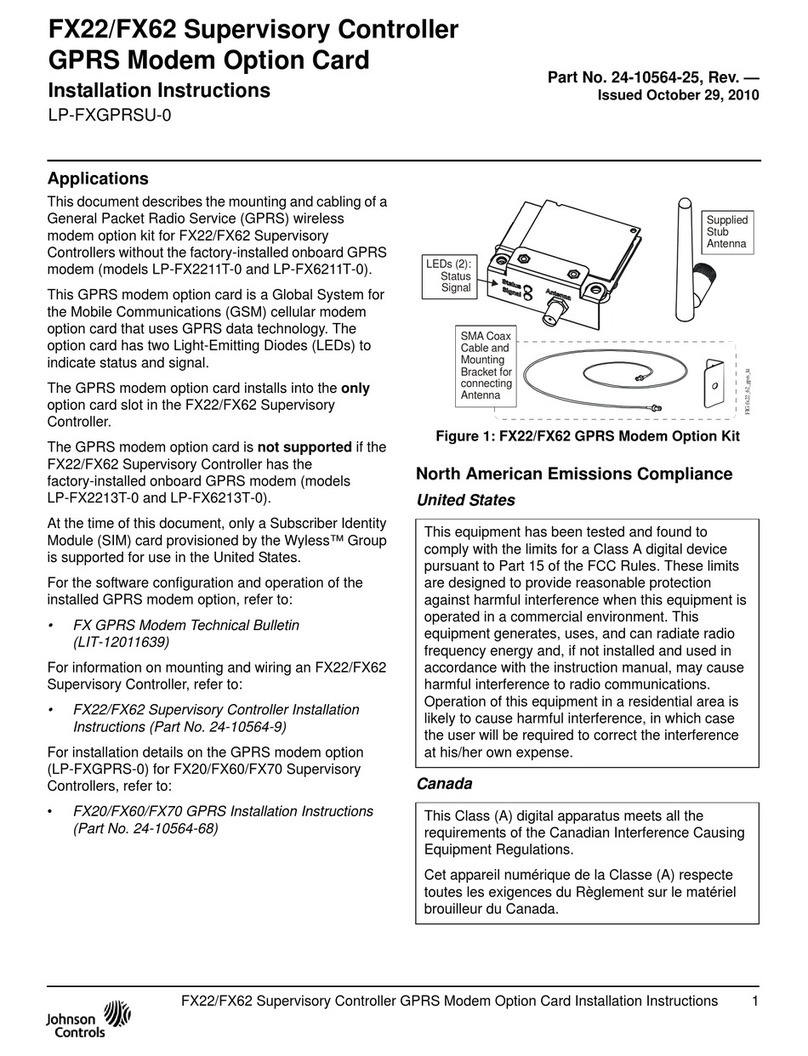
Johnson Controls LP-FXGPRSU-0 User manual
Johnson Controls

Johnson Controls LP-FXGPRSU-0 User manual

Popular Control Unit manuals by other brands

Seitz 14A80 user manual

Seitz

Seitz 14A80 user manual

Wilo RS485 Installation and operating instructions

Wilo

Wilo RS485 Installation and operating instructions

Becker CentralControl CC41 Commissioning Instruction

Becker

Becker CentralControl CC41 Commissioning Instruction

SICK CDB650 operating instructions

SICK

SICK CDB650 operating instructions

Panduit NetKey NKP5E88M Series installation instructions

Panduit

Panduit NetKey NKP5E88M Series installation instructions

MX Options Concentric Petite Fitting instructions

MX

MX Options Concentric Petite Fitting instructions

Clean Water Systems Fleck 2510 Installation & start?up guide

Clean Water Systems

Clean Water Systems Fleck 2510 Installation & start?up guide

Fairchild FSB44104A user guide

Fairchild

Fairchild FSB44104A user guide

LEGRAND Wattstopper LMIN-104 installation instructions

LEGRAND

LEGRAND Wattstopper LMIN-104 installation instructions

PMK ATT10BNCS instruction manual

PMK

PMK ATT10BNCS instruction manual

Tektronix TDS3FFT user manual

Tektronix

Tektronix TDS3FFT user manual

Woodward easYgen Technical manual

Woodward

Woodward easYgen Technical manual

Balluff BNI EIP-502-105-R015 user guide

Balluff

Balluff BNI EIP-502-105-R015 user guide

NXP Semiconductors TWR-LS1021A Getting started

NXP Semiconductors

NXP Semiconductors TWR-LS1021A Getting started

Advantech PCM-3117 Startup manual

Advantech

Advantech PCM-3117 Startup manual

Danfoss MCO 101 manual

Danfoss

Danfoss MCO 101 manual

Moons' Lin Engineering R701P user manual

Moons'

Moons' Lin Engineering R701P user manual

Aventics RV1 operating instructions

Aventics

Aventics RV1 operating instructions

manuals.online logo
manuals.online logoBrands
  • About & Mission
  • Contact us
  • Privacy Policy
  • Terms and Conditions

Copyright 2025 Manuals.Online. All Rights Reserved.

Installation Instructions V-9502-95
Issue Date February 10, 2003
© 2003 Johnson Controls, Inc. 1
Part No. 14-1161-68, Rev. A www.johnsoncontrols.com
MP8000 Series Actuated Valves with
V-9502-95 Pneumatic Valve Actuator Positioner
Application
The V-9502-95 Pneumatic Valve Actuator Positioner is
a precision relay device designed to operate a
Johnson Controls MP8000 Series Valve Actuator in
applications requiring stable, accurate control. The
V-9502-95 provides maximum positioning power to
resist external forces which might otherwise overcome
the positioning power of the valve actuator. Adjustable
operating span and starting point also make the
V-9502-95 an ideal choice for valve sequencing
applications.
The V-9502-95 Positioner is mounted to the
MP8000 Series Actuator using an MP8000-6002
Positioner Mounting Kit (ordered separately). This
mounting kit contains six color-coded springs and all of
the necessary mounting hardware (as outlined in
Table 1).
Installation
Table 1: Contents of MP8000-6002 Positioner
Mounting Kit
Quantity Description
2Yoke Bushings
1Connector Bracket
1Connector Arm
1Yellow Spring (5/16 in. Stroke)
1Blue Spring (1/2 in. Stroke)
1White Spring (3/4 in. Stroke)
1Gray Spring (1 in. Stroke)
1Green Spring (1-1/4 in. Stroke)
1Red Spring (1-1/2 in. Stroke)
1Phillips-Head, Taptite Screw,
No. 8-32 x 1-1/4 in. (32 mm) Long
1Phillips-Head, Taptite Screw,
No. 8-32 x 5/8 in. (16 mm) Long
2Phillips-Head, Taptite Screws,
No. 6-32 x 1/4 in. (6 mm) Long
112 in. (305 mm) Length of
Black Plastic Tubing
2MP8000 Series Actuated Valves with V-9502-95 Pneumatic Valve Actuator Positioner Installation Instructions
Mounting
Positioner
Cover
Actuator
Stem Connector
Color-Coded
Spring
Cover
Screw
Positioner
Operating Span
Lever Arm
No. 8-32 x 1-1/4 in. (32 mm)
Phillips-Head Taptite Screw Actuator
Yoke
Upper
Jam Nut
Yoke Bushings
(Two Locations)
Connector
Bracket
No. 6-32 x 1/4 in. (6 mm)
Phillips-Head Taptite Screws
(Two Locations)
Yoke Bushings
(Two Locations)
Connector
Arm
No. 8-32 x 5/8 in. (16 mm)
Phillips-Head Taptite Screw
Figure 1: Mounting the V-9502-95 Pneumatic Valve Actuator Positioner
Pilot
P
Output Hypodermic
Needle Test Point
Output
Supply
OS
Figure 2: V-9502-95 Port Identification
MP8000 Series Actuated Valves with V-9502-95 Pneumatic Valve Actuator Positioner Installation Instructions 3
Refer to Figures 1 and 2, and mount the V-9502-95
Pneumatic Valve Actuator Positioner to an
MP8000 Series Valve Actuator using the
MP8000-6002 Positioner Mounting Kit as follows:
1. Disconnect the supply air to the MP8000 Series
Actuator.
2. Loosen the cover screw on the V-9502-95
Positioner and remove the cover.
3. Locate the side of the actuator yoke that has two
circular holes.
4. Insert the two yoke bushings into the circular
holes from the inside of the actuator yoke.
5. Secure the V-9502-95 Positioner to the side of
the actuator yoke using the two No. 8-32 taptite
screws and two yoke bushings.
Note: Be certain to orient the V-9502-95 Positioner
so that the 5/8 in. (16 mm) taptite screw is closest to
the MP8000 Series Actuator, and the 1-1/4 in. (32 mm)
taptite screw is closest to the valve body.
6. Secure the connector arm to the connector
bracket using the two No. 6-32 x 1/4 in. (6 mm)
taptite screws.
7. Install the connector arm and connector bracket
assembly onto the valve stem, between the
actuator stem connector and the upper jam nut.
Note: The connector arm should be positioned
below and parallel to the positioner operating span
lever arm.
8. Select the appropriate color-coded spring for the
required valve stroke. Refer to Table 1 for the
color-coded stroke designations.
9. Install one end of the spring into the positioner
operating span lever arm. Initially, install the
spring into the seventh hole on the positioner
operating span lever arm. This hole represents an
operating span of approximately 4 psi (28 kPa).
Note: The hole closest to the V-9502-95 Positioner
represents the first hole in the series.
10. Install the other end of the color-coded spring into
the appropriate hole in the connector arm that
allows the spring to be positioned parallel to the
V-9502-95 Positioner body.
11. Loosen the two No. 6-32 taptite screws that
secure the connector arm to the connector
bracket, and reposition the connector arm until
the color-coded spring is just taut but not
stretched.
12. Tighten the two No. 6-32 taptite screws to secure
the connector arm to the connector bracket.
13. Connect the pneumatic input signal to the Pilot P
port of the V-9502-95 Positioner.
14. Use the 12 in. (305 mm) length of black plastic
tubing included in the MP8000-6002 Kit to
connect the Output Oport of the V-9502-95
Positioner to the input of the MP8000 Series
Actuator.
15. Connect a nominal 20 psig (138 kPa) supply
pressure to the Supply Sport of the V-9502-95
Positioner.
16. Commission the V-9502-95 Positioner as outlined
in the Setup and Adjustments section. If the
V-9502-95 Positioner will be commissioned at a
later time, re-install the positioner cover and
tighten the cover screw.
Setup and Adjustments
3 psi (21 kPa)
Span
Operating
Span
Selection Positioner
Operating
Span
Lever Arm
13 psi (90 kPa)
Span
Starting Point
Adjusting Screw
Figure 3: Setting Up the
V-9502-95 Positioner for Operation
The following procedure is a typical example of how a
V-9502-95 Pneumatic Valve Actuator Positioner is
used to adjust the operating spring range and change
the operating span of an MP8000 Series actuated
valve assembly.
Assume that the MP8000 Series Actuator has an
operating spring range of 4 to 8 psig (28 to 55 kPa)
resulting in an operating span of 4 psi (28 kPa), and
that it is desirable to obtain an operating spring range
of 3 to 8 psig (21 to 55 kPa) resulting in an operating
span of 5 psi (34 kPa).
4MP8000 Series Actuated Valves with V-9502-95 Pneumatic Valve Actuator Positioner Installation Instructions
To make the change, refer to Figure 3 and proceed as
follows:
1. Connect a nominal 20 psig (138 kPa) supply
pressure to the Supply Sport of the V-9502-95
Positioner.
2. Install one end of the color-coded spring into the
hole in the positioner operating span lever arm
that corresponds to a 5 psi (34 kPa) operating
span.
Note: The ninth hole on the positioner operating
span lever arm represents an operating span of
approximately 5 psi (34 kPa). The hole closest to the
V-9502-95 Positioner represents the first hole in the
series.
3. Reposition the other end of the color-coded
spring so that the spring is parallel to the
V-9502-95 Positioner body.
4. Connect a 3 psig (21 kPa) pneumatic input signal
to the Pilot Pport of the V-9502-95 Positioner.
5. If the V-9502-95 Positioner cover is not already
removed, loosen the cover screw and remove the
cover.
6. Turn the starting point adjusting screw clockwise
until the actuator just begins to stroke. An output
pressure reading can be taken either by using a
pressure gauge in the V-9502-95 Positioner
output line, or at the hypodermic needle test point
on the positioner body.
7. Increase the pneumatic input signal to 8 psig
(55 kPa). At this point, the valve should be fully
stroked.
Note: In some instances, turning the starting point
adjusting screw will affect the operating span of the
actuator and valve assembly. If the operating span is
affected, install the color-coded spring into a different
hole on the positioner operating span lever arm and
repeat Steps 3 through 7.
If the spring is re-installed into a top hole on the
positioner operating span lever arm, the connector arm
may need to be repositioned to ensure that the
color-coded spring is not stretched beyond just taut.
Refer to Step 11 in the Mounting section for more
details.
8. Re-install the V-9502-95 Positioner cover and
tighten the cover screw. The V-9502-95
Positioner is now ready to position the
MP8000 Series Actuator over an operating spring
range of 3 to 8 psig (21 to 55 kPa).
Controls Group
507 E. Michigan Street
P.O. Box 423 Published in U.S.A.
Milwaukee, WI 53201 www.johnsoncontrols.com