TABLE OF CONTENTS
4.6.4 Adding Wireless Switches ..................................................
4.6.5 Discovering Unconfigured Devices ....................................
4.7 Controlling Colored Lights ..........................................................
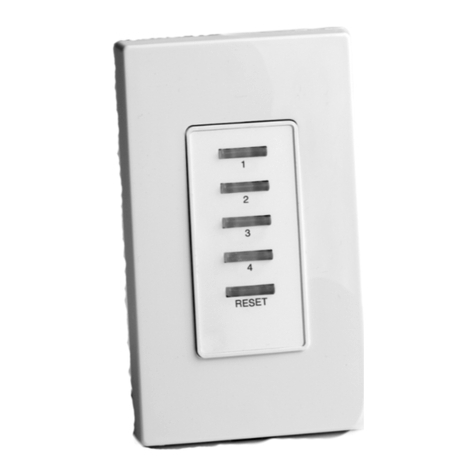
4.8 Configuring a Five Button Switch................................................
4.9 HTTPS and Installing a Signed Security Certificate ...................
5 Operations ............................................................................................
5.1 Activating, Deactivating, and Dimming Lights.............................
5.2 Invoking a Scene on a Preconfigured Set of Zones ...................
5.3 Viewing the Status of a Light or Site Controller ..........................
5.4 Viewing Details of a Light or Zone..............................................
5.5 Viewing Power Consumption of a Light......................................
5.6 Viewing a NorthStar Installation in Map View .............................
5.6.1 Adding a Custom Floor Plan to the Map.............................
5.6.2 Editing or Deleting a Custom Floor Plan ............................
5.7 Logging Out of the NorthStar User Interface ..............................
6 Optimizing Control .................................................................................
6.1 Events.........................................................................................
6.1.1 Adding a Scheduled Event .................................................
6.1.2 Editing an Event .................................................................
6.1.3 Deleting an Event...............................................................
6.2.4 Event Overides ..................................................................
6.2 Alarms.........................................................................................
6.2.1 Possible Warning Alarms....................................................
6.2.2 Clearing Alarms ..................................................................
6.2.3 Retry Communication.........................................................
6.3 Defining Fixture Types and Assigning Thresholds......................
6.4 Email Alerts.................................................................................
7 Administration......................................................................................
7.1 NorthStar User Accounts..................................................................
7.1.1 The Accounts Management Page............................................
7.1.2 User Roles...............................................................................
7.1.3 Changing a User Account Password .......................................
7.1.4 Adding a User Account ............................................................
7.1.5 Deleting a User Account ..........................................................
7.1.6 Editing a User Account ............................................................
7.2 Optimizing Communication with a Site Census ...............................
7.3 Working with Lights, Sensors, Zones, and Scenes..........................
7.3.1 Editing a Light or Sensor Setting........................................