16 TrimLite User Manual Lifepro Vibration Therapy Collection 17
CREATE A CUSTOM WORKOUT
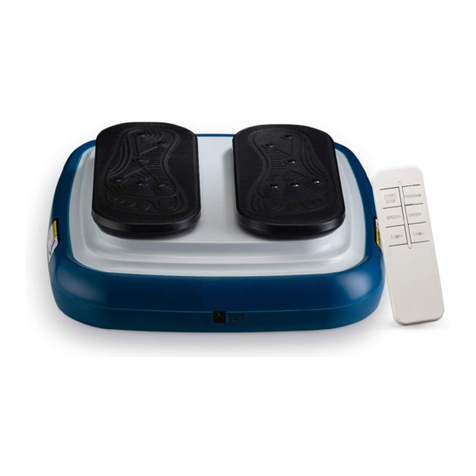
Using the remote control, create your own manual mode workout program:
1. Press the On/Off button to turn the control panel on to Standby mode.
Manual mode is selected by default: “HA” appears on the Time/Program
Display and “01” appears on the Speed Display. The default time is 15
minutes.
2. Press the Time Increase/Decrease buttons to adjust the working time
from 1–15 minutes, in 1-minute increments, if desired. The default
time is 15 minutes. Your selected time is shown on the Time/Program
Display, which counts down as the workout progresses. The working
time may be adjusted at any time.
3. Press the Speed Increase/Decrease buttons to increase or decrease
the vibration speed, from level 1–99, in increments of 1, if desired. The
default speed level is 1. The speed may be adjusted at any time. We
recommend waiting to adjust the speed until after the workout has
begun.
4. Press the Start button to begin the manual mode workout.
5. During the workout, you may use the quick speed buttons to quickly
adjust the vibration speed:
a. Press the red Walk button to change the speed to 30.
b. Press the red Jog button to change the speed to 60.
c. Press the red Run button to change the speed to 90.
d. Press the M button to toggle speed between 20, 50, and 80.
6. You may press the Pause button on the remote at any time to pause
the workout before the working time ends. Press the Start button to
resume the workout. The workout will stop automatically when the set
working time is complete.
7. Always press the On/Off button to turn off the control panel, flip the
power switch to the OFF position, and unplug the TrimLite after each
use.
NOTE: You may adjust the working time and vibration speed at any time
during a manual program.
CHOOSE A PRESET WORKOUT PROGRAM
Using the remote control, begin a preset program (P1–P9):
1. Press the On/Off button to turn the control panel on to Standby mode.
Manual mode is selected by default and “HA” appears on the Time/
Program Display.
2. Press the Program/Mode button to toggle through the preset programs
in order: P1, P2, P3, P4, P5, P6, P7, P8, P9, HA, P1. Your selected
preset program shows in the Time/Program Display.
3. Press the Time Increase/Decrease buttons to adjust the working time
from 1–15 minutes, in 1-minute increments, if desired. The default
time is 15 minutes. Your selected time is shown on the Time/Program
Display, which counts down as the workout progresses. The working
time may be adjusted at any time.
4. Press the Start button to begin the selected preset program.
5. The vibration speed in each preset program is pre-programmed.
However, you may adjust it, as desired, during the workout:
a. Press the Speed Increase/Decrease buttons to adjust the speed in
increments of one speed level.
b. Press the red Walk button to change the speed to 30.
c. Press the red Jog button to change the speed to 60.
d. Press the red Run button to change the speed to 90.
e. Press the M button to toggle speed between 20, 50, and 80.
6. You may press the Pause button on the remote at any time to stop
the workout before the working time ends. Press the Start button to
resume the workout. The workout will stop automatically when the set
working time is complete.
7. Always press the On/Off button to turn off the control panel, flip the
power switch to the OFF position, and unplug the TrimLite after each
use.
NOTE: You may adjust the working time and vibration speed during preset
program.