Replacing Toner Cartridges 9
Ordering Consumables
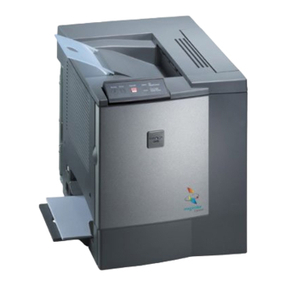
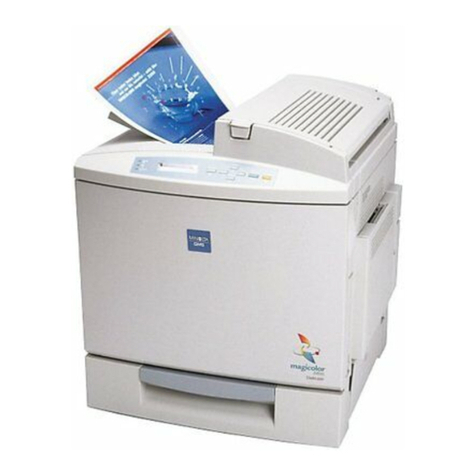
Choosing the right consumables for your magicolor 2200 printer not only increases its
reliability and performance, but also minimizes the risk of damage.
For example, only MINOLTA-QMS toner cartridges are designed to meet the exact
specifications of your MINOLTA-QMS printer, giving maximum performance, efficiency,
and long life.
Toner cartridges and other consumables for the magicolor 2200 are available from your
local vendor or Q-SHOP (www.q-shop.com). See the Service & Support Guide for the
telephone number of the MINOLTA-QMS office nearest you for information on ordering.
Replacing Toner Cartridges
Characters and images are created in your laser printer through a process that applies toner
to the photosensitive (OPC) drum (which functions like photographic film). Your printer
Toner
<COLOR>
TONER EMPTY Approximately 6,000 single-sided pages per
cartridge—black, yellow, magenta, cyan at
5% coverage of each color.
“Replacing Toner
Cartridges” on
page 9
Transfer belt
REPLACE TRANSFER BELT 100,000 single-sided images (1:1 color/
monochrome printing) “Replacing the
Transfer Belt” on
page 28
*A plane (also called an image) is a single pass of the OPC drum (one toner color). For example,
a black-only, single-sided (simplex) print job makes one pass, and a two-color (duplex) print job
makes two passes. A single-sided color page (also called a face) consists of four passes of the
OPC drum, since most color print jobs use all four toner colors. A two-sided color page may consist
of up to eight passes of the OPC drum, since most color print jobs use all four toner colors. Stated
consumable life is expressed at 5% in simplex letter/A4 pages. A duplex page is equivalent to two
simplex pages.
The number of sheets/faces printed shown on the startup page differs from the number of sheets/
faces printed statistics in CrownView and on the consumables statistics page (Operator Control/
Consumables/Print Statistics). The numbers on the startup page refer to number of sheets/faces
printed during the lifetime of the printer. The numbers in CrownView and on the consumables sta-
tistics page refer to the number of sheets/faces printed to date during the current consumables
tracking period (Administration/Consumables/Start Period menu).
Item/Message Display This item needs replacing by user after... Page Reference